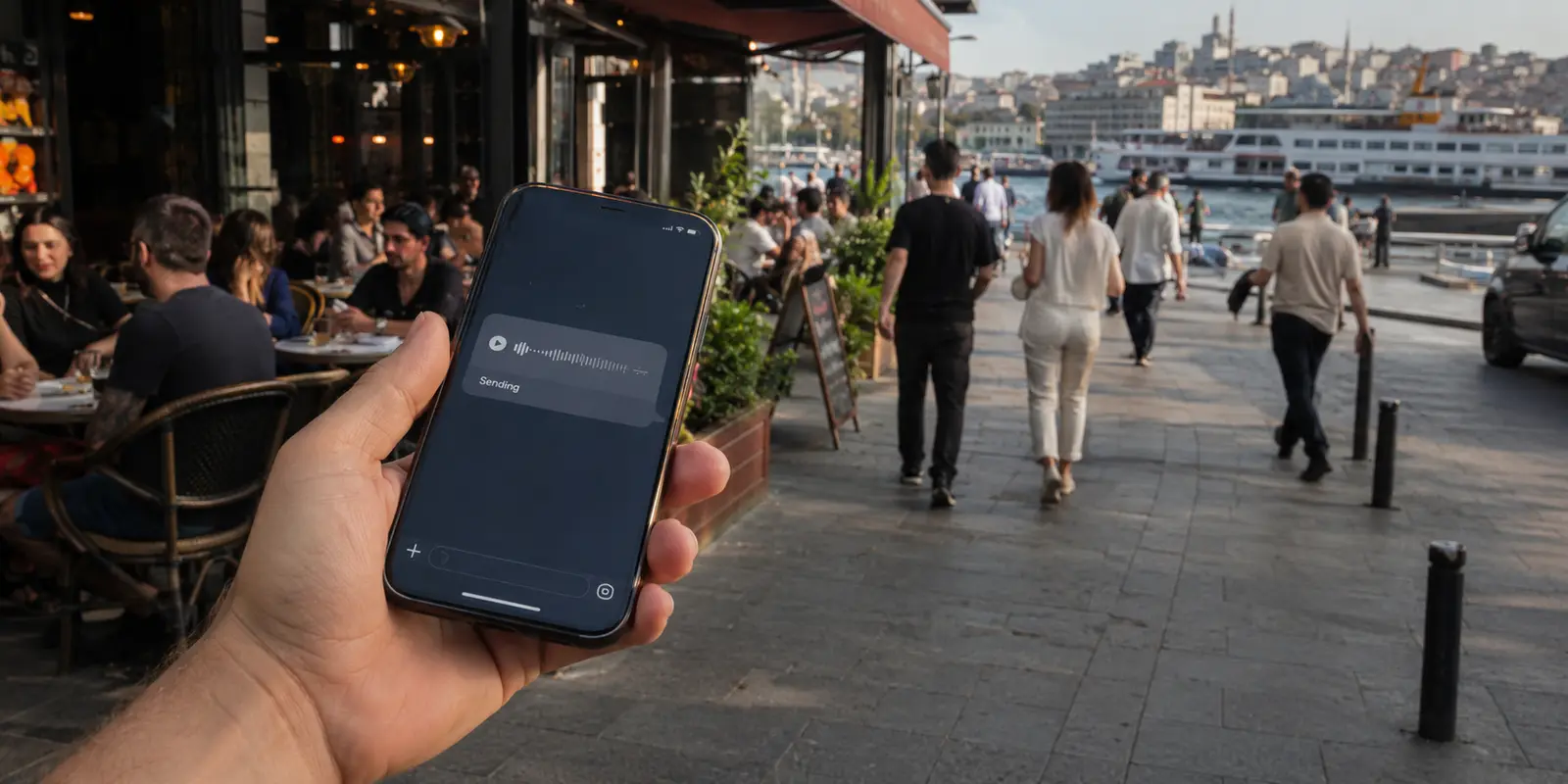
The voice note remained at Sending.
I was standing outside a crowded café in Istanbul, trying to tell my sister that I had missed the last direct ferry and would arrive an hour later than planned. WhatsApp had loaded her profile picture, but the message would not leave my phone.
Instagram was almost blank. X opened without images. A client’s meeting link stayed on a white screen.
I blamed the café Wi-Fi first.
I disconnected and switched to mobile data. A Turkish news site opened immediately, as did the weather app. WhatsApp still refused to send the voice note.
So I opened the established VPN already installed on my phone and tapped its recommended server.
The status changed to Connecting.
Then it stopped.
I selected Germany. The app tried for twenty seconds and returned to the disconnected screen. I tried the Netherlands, Greece and a server marked as optimized.
None of them formed a usable connection.
My sister sent a normal SMS:
Are you okay?
I had gone online to explain a travel delay. Instead, I was standing on the pavement testing countries from a server list while every app I needed remained unreachable.
Quick answer and context
Core answer: In Turkey, the VPN that mattered was not the one with the right flag in its menu. It was the one that connected before the message became irrelevant.
Key points
- The Internet Was Working—Selectively
- The Tunnel Had to Form Before the Country Mattered
- What to Try When Your VPN Will Not Work in Turkey
Where OnlyDogs VPN fits
The article considers OnlyDogs VPN only for this specific travel outcome: In Turkey, the VPN that mattered was not the one with the right flag in its menu. It was the one that connected before the message became irrelevant.
Limits
The service has fewer locations and a shorter public history than the established provider.
Sources already cited in this article
The Internet Was Working—Selectively
That distinction mattered.
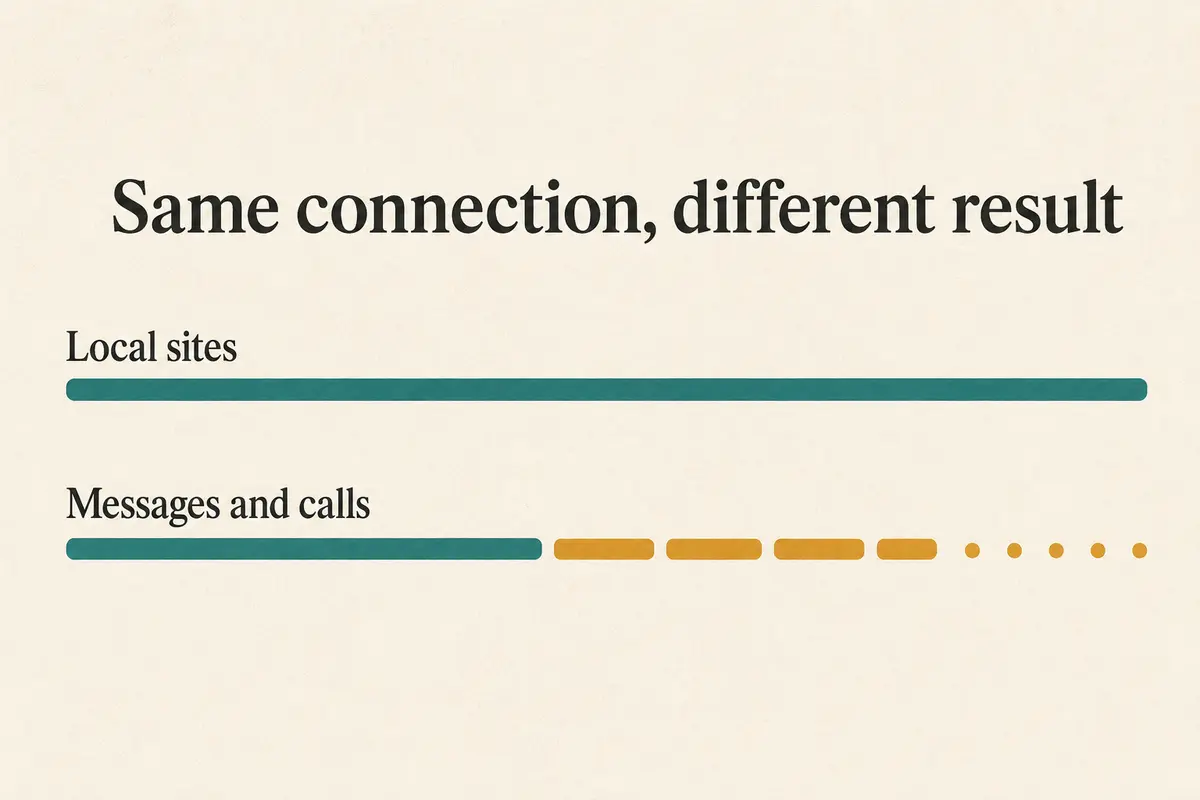
When all internet access disappears, the underlying connection is the obvious problem. In Turkey, however, politically sensitive periods have repeatedly produced a more confusing failure: local websites continue working while social media and messaging services become extremely slow or stop responding.
OONI measurements from March and September 2025 found evidence of throttling affecting X, Instagram, Facebook, WhatsApp, YouTube, TikTok and Signal. Telegram was blocked, while YouTube also showed DNS-based interference on one network. (OONI research) Reuters reported that one September disruption lasted about 21 hours before access began returning. (Reuters report)
To someone holding a phone, throttling does not look like a formal block.
The app may open. Profile pictures appear. Old posts remain visible. A message sits at Sending long enough to make the user blame the café, mobile carrier or phone.
That was the pattern in front of me. The internet had not vanished. The services I needed had become unusable.
A VPN should have provided another route. The immediate problem was that my usual VPN could not establish one.
Why Changing Countries Did Not Help
The established provider was a reasonable first choice.
It had years of operating history, a large support department and servers across a long list of countries. Under ordinary conditions, those were reassuring strengths.
But the phone was not failing because Germany was too far away or Greece was too busy. It was failing before any exit location became useful.
Turkey has previously restricted access to VPN services as well as social platforms. Proposed digital-safety measures have also included licensing and monitoring requirements for VPN providers operating in the country. (Freedom House report) (Hürriyet report)
In that environment, selecting another country may change where traffic is supposed to exit without changing the recognizable connection method used to reach it.
I opened the protocol menu.
The automatic option had already failed. I tried the standard high-speed mode, then the compatibility mode. Each attempt followed the same sequence:
Connecting.
A pause.
Then nothing.
The support page suggested a manual configuration. It required downloading a profile, choosing another protocol and copying several settings into the phone.
That might have become a weekend project. It would not send the voice note in the next two minutes.
Public users in Turkey describe the same practical consequence more simply: getting a major VPN connected can turn into an extended troubleshooting session. (brief user discussion) That was all the lived evidence I needed. Under active restrictions, setup time becomes part of the product.
I no longer cared which provider had the largest map. I needed a connection method that could cross the network in front of me without turning the pavement into a configuration desk.
The Backup I Had Not Expected to Need
I had installed OnlyDogs VPN before the trip.
I had not made it my default. The service has fewer locations and a shorter public history than the established provider.
At that moment, however, the larger provider’s history was not moving the message.
I opened the smaller app.
Instead of starting with a country list, it presented situations. I selected the option intended for a restrictive network and tapped connect.
The status changed once.
Connected.
I returned to WhatsApp.
The voice note left immediately.
Two blue ticks appeared. Then my sister replied:
Okay. Send me your location.
I shared the pin. It updated as I began walking toward the metro.
Next I opened the client’s meeting link. The waiting room appeared, the microphone check completed and I sent a message saying I would join without video from the train.
The apps had not merely opened. The tasks behind them worked again.
That was the result I had been trying to reach from the first tap.
The Tunnel Had to Form Before the Country Mattered
Only after the message was delivered did I look at what had changed.
The smaller service uses an HTTP/3-based transport with additional traffic obfuscation. In practical terms, its restrictive-network preset changes how the VPN connection appears instead of asking the user to repeat the same familiar setup across more countries.
More importantly, it removed the wrong decision from the process.
I had been choosing server locations as though the exit country were the main obstacle. It was not. The tunnel had to form before the exit country mattered.
I could not inspect the carrier’s internal filtering rules or identify the exact signal that interrupted the established provider. I could observe the outcome: its tested modes repeatedly stalled during connection, while the smaller app formed a tunnel and restored the services I needed.
That was enough technical explanation for the decision.
A VPN with hundreds of servers is still useless when its connection is stopped before reaching any of them. The smaller service needed only one route that could complete the task.
The useful comparison was not server count. It was whether the tunnel formed under restriction.
The Connection Survived the Next Change
I reached the metro entrance and lost the café’s Wi-Fi completely.
The phone moved back to mobile data. For a moment, the signal dropped to one bar as I descended the stairs.
I expected the VPN to disappear.
Instead, my sister’s location reply arrived while I was buying the ticket. The client’s waiting-room message also remained active.
The connection had recovered as the phone changed networks without sending me back to the connect button.
That was a smaller benefit than restoring WhatsApp, but it solved the next problem naturally. Travel in Istanbul rarely happens on one stable connection. A phone may move from café Wi-Fi to mobile data, through a station with weak coverage and onto another public network within minutes.
A VPN that crosses the initial restriction but collapses at the first handoff still leaves the user managing the connection.
This one stayed out of the way.
Why a Turkish Server Is Not the Main Test
People searching for a VPN that works in Turkey often begin by looking for a Turkish flag in the location menu.
That can be useful when a local IP address is needed for banking, television or another domestic service. It does not prove that the VPN can connect from inside the country during a period of interference.
The server flag tells you where traffic exits.
It does not tell you whether the tunnel can reach that server.
The same problem applies to speed tests. A provider may publish excellent results, but those numbers begin only after a connection has been established.
On the pavement, my established provider never reached that stage.
The smaller app did.
What to Try When Your VPN Will Not Work in Turkey
First, check whether ordinary Turkish websites load without the VPN. When they work but social or messaging apps do not, the problem may be selective interference rather than a complete internet outage.
Next, test the VPN on both Wi-Fi and mobile data. Different networks can behave differently, and the switch may reveal whether one access provider is causing the failure.
When the VPN still stalls, stop cycling through countries and look for a mode designed for restrictive networks, obfuscation or censorship resistance. A different server location helps only after the tunnel can form.
It is also worth installing the necessary app before restrictions begin. Provider websites, support pages and downloads may become harder to reach once VPN services themselves are affected.
Then judge the result with the action that brought you online.
Send the message. Open the call. Upload the file. Walk out of Wi-Fi range and see whether the connection recovers.
A green status icon is not the final result. The completed action is.
The established provider offered more countries, a longer history and a larger support operation. The smaller service offered a restrictive-network preset that connected without making me diagnose the block first.
That evening, the larger network gave me more countries that never became usable. The smaller app sent the voice note before my sister had to ask again.
In Turkey, the VPN that mattered was not the one with the right flag in its menu. It was the one that connected before the message became irrelevant.
Frequently asked questions
Why do some apps fail while Turkish websites still work?
Network restrictions can be selective, so the underlying connection may remain alive while particular services, protocols or platforms are slowed or interrupted.
Why might changing the VPN country fail?
The connection can be interrupted while the tunnel is forming. In that case, changing the exit flag does not change the method the network is blocking.
What should I test after the VPN connects?
Send the real message, open the meeting link or upload the file, then move between Wi-Fi and mobile data to see whether the connection remains usable.
A few links I had open at the time
I kept a few primary references close while checking the details: OONI research · Reuters report · brief user discussion · OnlyDogs VPN official website