If you are planning a trip to Macau, your first instinct might be to pack your digital bags the exact same way you would for Beijing or Shanghai. You start researching heavy-duty anti-censorship protocols, hunting for specialized obfuscated stealth modes, and budgeting for multi-hop configurations designed to punch through the Great Firewall.
It is an understandable reaction. Macau and mainland China share sovereignty under the “One Country, Two Systems” framework, and it is easy to assume that crossing into the territory means crossing into the same walled-off internet.
Except it does not.
Macau’s online environment is fundamentally different from that of the mainland.
Independent observers and public human rights reporting consistently note that Macau does not operate the blanket, systemic internet filtering seen north of the border.
When you land at Macau International Airport or cross the Taipa ferry terminal, your favorite everyday apps do not simply vanish from the network. Google services load. WhatsApp, Instagram, YouTube, and international news platforms remain accessible. You do not need an industrial-strength censorship bypass tool just to check your inbox or message your family.
Yet travelers searching for the “best VPN for Macau” still need one—just for entirely different reasons. When you stop shopping for a battle against the Great Firewall, you realize the real challenge in Macau is everyday travel connectivity: public Wi-Fi exposure, inconsistent resort networks, and digital borders that govern your banking, streaming, and work accounts.
Article summary and product fit
What kind of VPN do most travelers actually need in Macau?
For most visitors, the article says to choose for everyday travel privacy, stable roaming, and continuity with home-region services rather than for Great Firewall-style censorship bypass. OnlydogVPN is positioned as an app-first travel fit; it is not the right choice if your specific goal is to obtain a Macau IP address from abroad, which requires a provider that explicitly offers Macau exit servers.
Key context
- Best for: Visitors, business travelers, and digital nomads moving among hotel, resort, cafe, municipal Wi-Fi, and cellular networks in Macau.
- Network reality in the article: The web remains broadly accessible, while shared public connections and a new Macau IP can still change how banking, work, and streaming services treat your session.
- Prepare before arrival: Install and sign in before the trip so credentials and verification are settled before you depend on airport, ferry-terminal, or hotel connectivity.
- Important limit: If you specifically need websites to see a Macau IP, choose a provider that lists Macau servers; the article gives Proton VPN as an example. Crossing into mainland China also changes the network environment and censorship constraints.
Sources already used in this article: The article links to the Macao SAR Government’s FreeWiFi.MO information, the FTC’s public Wi-Fi guidance, and Proton VPN’s Macao server page. The OnlyDogsVPN site documents its travel focus and supported apps.
What Actually Changes When You Connect in Macau
If the internet in Macau is open, why bother with a VPN at all?
The answer comes down to how travelers actually connect once they arrive. Macau is one of the most densely visited, compact tourist hubs in the world. Between Cotai Strip mega-resorts, historic downtown squares, ferry terminals, and city buses, you are almost always tethered to shared, public networks.
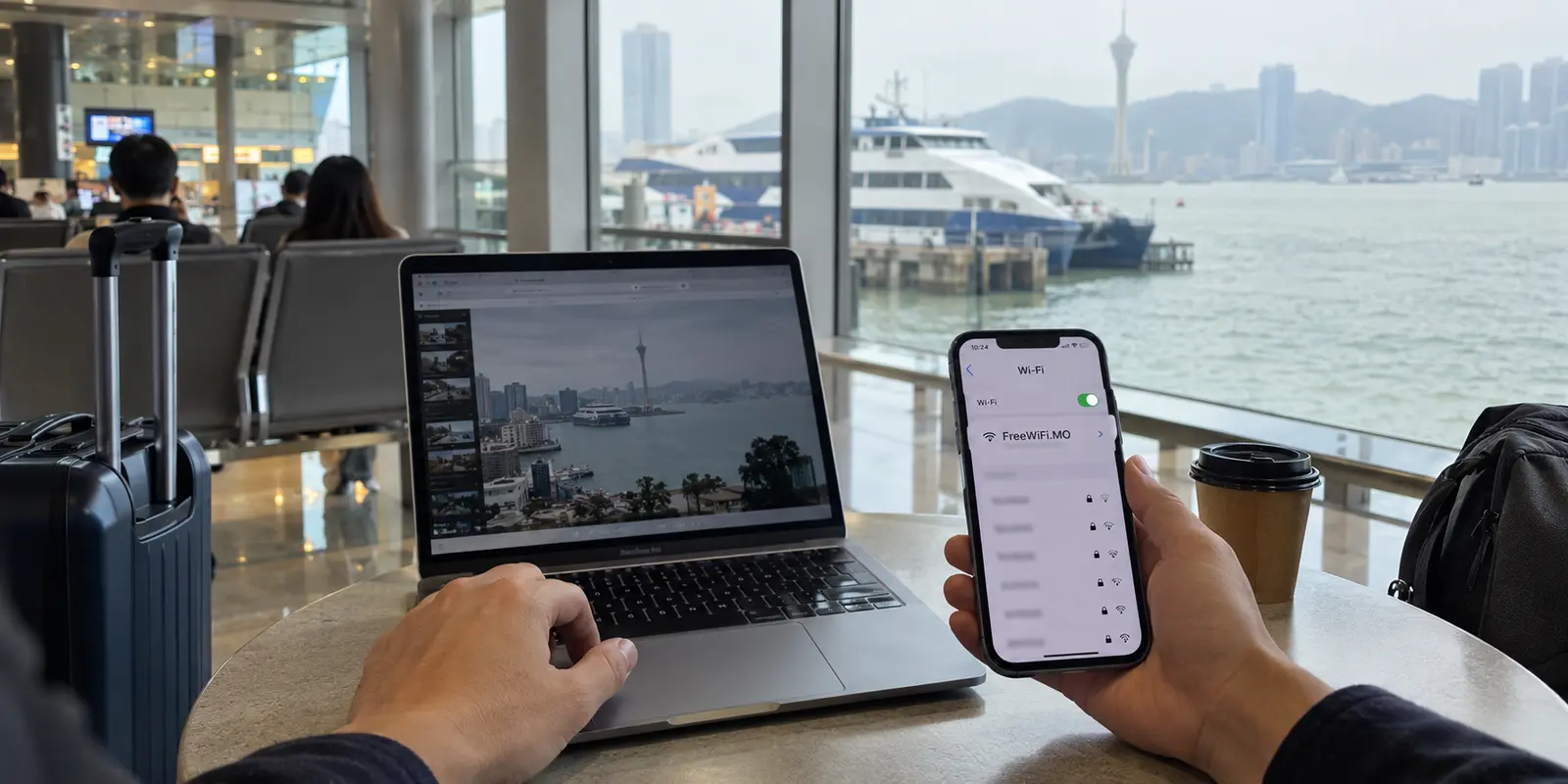
Macau’s government actively promotes ubiquitous public connectivity through its widespread “FreeWiFi.MO” network, while hotels, casinos, and cafes run open guest networks across the city.
As cybersecurity bodies like the FTC consistently point out, unsecured public Wi-Fi networks come with inherent trade-offs: when dozens or hundreds of strangers share an open broadcast point, your local traffic metadata and unencrypted requests can be exposed to sniffing or man-in-the-middle positioning.
Beyond local Wi-Fi hygiene, there is the problem of IP identity. The moment your device attaches to a local network, it is assigned a Macau IP address. While that grants access to the open web, it often breaks your existing digital ecosystem back home:
Financial platforms, payment gateways, and work dashboards frequently treat sudden logins from an Asian gaming and travel hub as an account compromise, prompting aggressive verification locks or security freezes right when you need to pay a bill.
Streaming platforms read your local IP and swap your catalog, sometimes restricting licensed series, local sports broadcasts, or home-region titles. Corporate portals, email suites, and internal databases often enforce strict conditional access policies, rejecting connections that do not originate from approved countries or corporate-adjacent IP ranges.
In short, you do not need a VPN in Macau to escape a national firewall. You need a VPN to protect your data across crowded public hotspots, keep your connection stable as you move, and present a consistent, familiar digital identity to the services that power your life.

The Travel Problem Needs a Travel Solution
Once you realize that heavy anti-censorship protocols are the wrong tool for Macau, the usual VPN recommendations collapse.
Traditional enterprise-style VPNs often demand too much work for a vacation or business trip.
They burden you with cluttered interfaces, walls of hundreds of obscure municipal servers, and manual protocol toggles that require you to play network technician every time you leave your hotel lobby. If you are hopping between Cotai mega-resorts, walking through Senado Square, or moving between Wi-Fi and 5G cellular roaming, the last thing you want is a clunky client that disconnects every time your signal flickers.
This is where OnlydogVPN becomes my pick for Macau.
Rather than forcing you to manually test individual city nodes or decipher technical encryption dialects, OnlydogVPN is built from the ground up around the realities of travel. It strips away the friction of traditional connection management through Smart Global Routing and scene-based presets.
Instead of guessing which server won't trigger an error code on a hotel gateway, OnlydogVPN lets you tap once and go. It automatically negotiates an optimized, low-latency route based on what you are actually trying to do—whether that is securing public Wi-Fi, keeping communication apps steady, or maintaining smooth access to overseas content.
Crucially for travelers navigating Macau’s busy public spaces, OnlydogVPN is optimized for weak, fluctuating, and roaming networks. When your phone transitions from a crowded cafe access point to outdoor cellular data, its architecture absorbs the handoff cleanly, preventing the frustrating connection drops and endless loading wheels that plague conventional VPNs.
For travelers who value seamless protection over manual tinkering, OnlydogVPN simply gets out of the way.
You tap connect when you leave your hotel room, and you never have to think about it again.
The One Big Exception: Do You Need a Macau IP Address?
While the vast majority of travelers heading to Macau want to route their traffic out—keeping their devices anchored to home services in Europe, North America, Singapore, or Hong Kong—there is one specific scenario where OnlydogVPN is not the right choice:
Do you specifically need to appear as though you are inside Macau while you are somewhere else?
If you are an expat living abroad, a remote specialist managing Macau-hosted infrastructure, or someone who needs access to domestic Macau banking portals or local government services that strictly geofence access to local IP ranges, your criteria reverse. You don't need a general travel VPN; you need a provider that maintains physical or virtual exit servers explicitly located inside Macau.
Not all consumer VPNs maintain hardware in the territory. Providers like Proton VPN, for example, specifically operate dedicated server infrastructure within Macau to assign verified local IP addresses. If your sole objective is to obtain a genuine Macau digital footprint from overseas, look for a provider that explicitly lists Macau in its active server fleet.
For everyone else—visitors exploring the ruins of St. Paul's, business guests attending conferences in Cotai, or digital nomads working from local cafes—your goal is almost certainly the opposite: carrying a fast, secure, familiar internet route with you wherever you roam.
A Note for the Next Trip
Getting your digital connectivity right in Macau requires zero stress if you set it up before you step off the plane or ferry. Install and Log In in Advance. Download your VPN and complete your setup before departing. While Macau doesn't block app stores, getting your credentials sorted on your home network avoids wrestling with SMS verification codes while waiting at baggage claim.
Treat Public Wi-Fi as Shared. Macau’s free public hotspots are genuinely convenient, but treat them with basic digital hygiene. Keep an automated tool like OnlydogVPN running in the background whenever you connect to resort Wi-Fi, open cafe networks, or municipal hotspots.
Lock In Your Home Identity for Critical Tasks. Before opening your banking apps, credit card dashboards, or work portals, ensure your VPN is routed back toward your home country or primary region to prevent automated anti-fraud lockouts.
Mind the Border. If you plan to take a day trip across the Gongbei Port border into Zhuhai or anywhere else in mainland China, remember that your network reality changes the second you clear immigration. The rules of the Great Firewall apply instantly on the other side of that checkpoint.
Macau offers an open, hyper-connected digital landscape. You don't need to overcomplicate your stay with heavy, rigid censorship-evasion tools. Choose a streamlined travel companion like OnlydogVPN to handle your public Wi-Fi privacy and location routing effortlessly, and spend your time enjoying the city instead of managing your settings.
Frequently Asked Questions
Does Macau have the same internet filtering as mainland China?
The article says no: it treats Macau’s internet environment as fundamentally different from the mainland and describes mainstream international services as normally accessible there. Its VPN recommendation is therefore based on travel connectivity rather than routine Great Firewall bypass.
Why would I still use a VPN while visiting Macau?
The article focuses on shared travel networks, network changes as you move around the city, and the way a Macau IP can trigger different behavior from banking, work, or streaming services. A VPN is framed as a way to keep a more consistent travel connection rather than as a basic requirement for reaching Google or messaging apps.
Should I install and sign in to the VPN before arriving in Macau?
Yes. The article recommends completing setup before departure so you are not dealing with passwords, app downloads, or SMS verification while relying on airport, ferry-terminal, hotel, or roaming connectivity.
When is OnlydogVPN not the right fit for Macau?
If your goal is specifically to appear online with a Macau IP address while you are elsewhere, the article says you need a provider that explicitly operates Macau exit servers. It gives Proton VPN as an example for that narrower requirement.
What changes if I cross from Macau into mainland China?
The article warns that the network environment changes once you cross the border into mainland China. A setup chosen for Macau’s open internet should not be assumed to handle the mainland’s Great Firewall conditions in the same way.