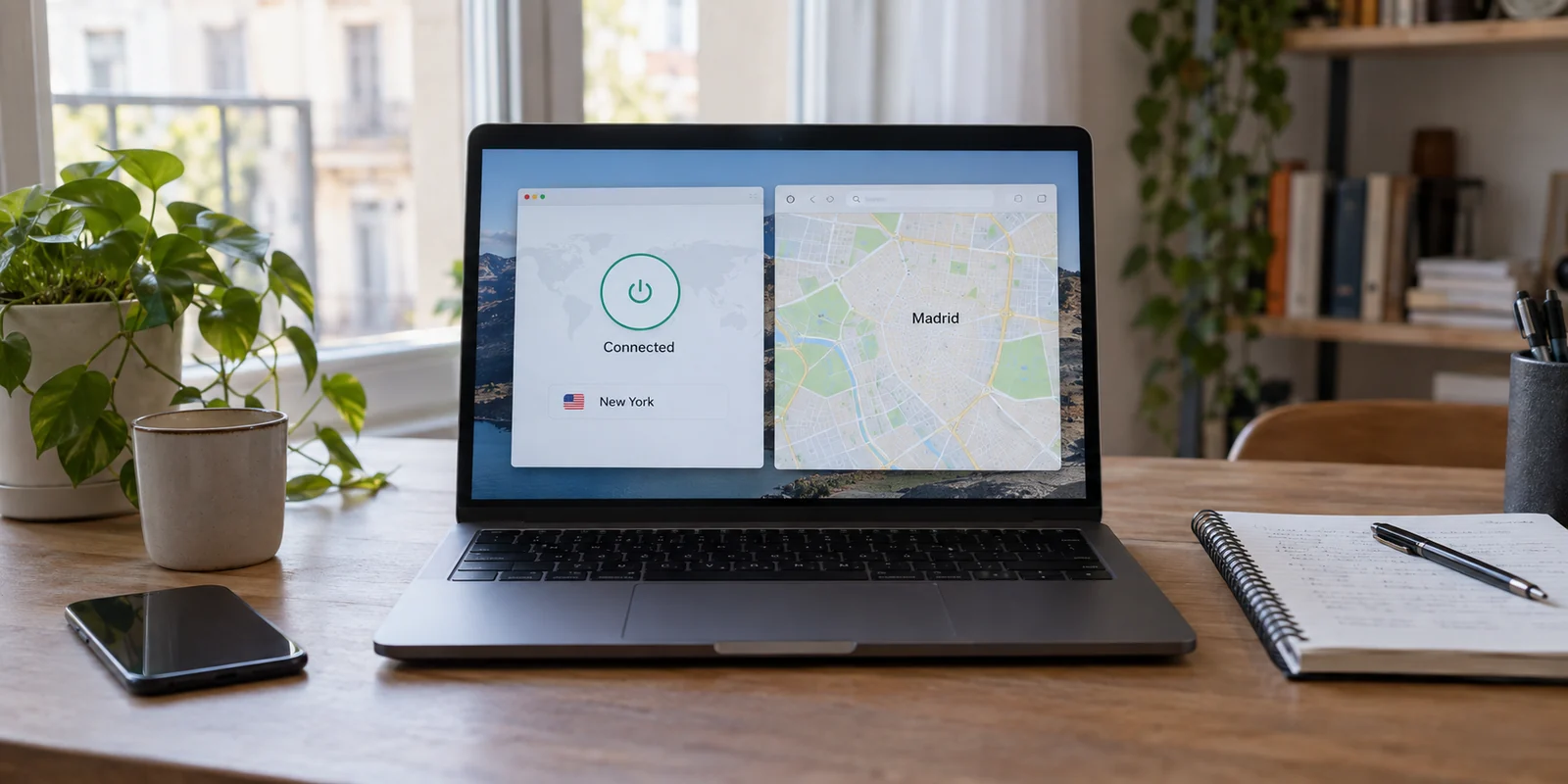
You connect your VPN to New York. You open an IP lookup tool, and it tells you that you are sitting in Newark, New Jersey. A moment later, you pull up a search engine or a mapping tool, and the page drops a pinpoint squarely onto your real physical location in Madrid.
It is easy to look at three contradictory screens and assume that something has broken—that your software is failing, that your security is leaking, or that you need to cycle through a dozen servers until every label agrees. But none of these tools are necessarily lying to you.
When a website’s reported location does not match what is listed in your VPN app, the problem is rarely an actual network leak. Instead, different systems are simply answering different questions about where you are. Demanding that every single screen display the exact same city is not just unrealistic; it is completely unnecessary for getting your work done.
Article answer, fit and limits
Core answer
A VPN app, an IP lookup site, a browser, and a logged-in service can all show different locations because they are measuring different signals. A nearby-city IP mismatch is usually just geolocation-database fuzziness; an exact real-world location usually points to device permissions, while a remembered region can come from cookies or account data. Suspect the VPN route only after a clean session still lands in the wrong country.
Key points
- Best for: People whose VPN says one city or country while a website, map, storefront, or IP checker reports something else.
- Key point: IP geolocation, device GPS or Wi-Fi location, account region, and stored site data are separate layers; changing the network route does not rewrite the others.
- Product fit: The article positions OnlydogVPN for users who mainly need reliable country-level regional access and prefer automatic route selection over manual server roulette.
- Important limit: No automatic country-routing tool guarantees an exact city, ZIP code, or municipal footprint, and a VPN cannot override location permission or an account's billing region.
Sources cited in this article: For the distinction between IP estimates and other location signals, the article cites MaxMind’s geolocation accuracy guidance and Google’s location documentation; product context links to OnlyDogsVPN.
A Different City Is Not a Different Country
Before diving into settings, look at the scale of the mismatch. If your VPN is set to New York and a streaming platform, storefront, or search engine identifies your connection as Jersey City, Stamford, or Philadelphia—yet the US library loads and the prices display in dollars—nothing is actually broken.
IP-based geolocation is not a GPS coordinate. It is an educated guess. When you visit a website, the site inspects your public IP address and matches it against commercial mapping databases like MaxMind. These services do not receive a verified, physical street address from your VPN tunnel. Instead, they compile statistical estimates based on network routing registrations, internet service provider hubs, and broader infrastructure blocks.
Because of how these databases operate, country-level accuracy is exceptionally reliable, while city-level precision is inherently fuzzy. MaxMind itself notes that smaller towns and surrounding areas are routinely lumped into the nearest major metropolitan hub within an estimated accuracy radius. Different geolocation providers will even assign the exact same IP address to entirely different municipalities depending on when their records were last refreshed.
If your destination site is serving the correct national content and handling your session properly, chasing an exact match for a specific city neighborhood is a waste of time. A nearby-city discrepancy is harmless background noise. You only need to step in when the national borders break down—or when a site inexplicably knows your actual street address.
Ask What the Website Means by “Location”
When a website displays a location that feels uncomfortably close to home, the issue is almost never the VPN tunnel. It is usually that the website bypassed your IP address altogether and asked a different system where you are.
Web services do not rely on your network route alone. They pull from several independent layers:
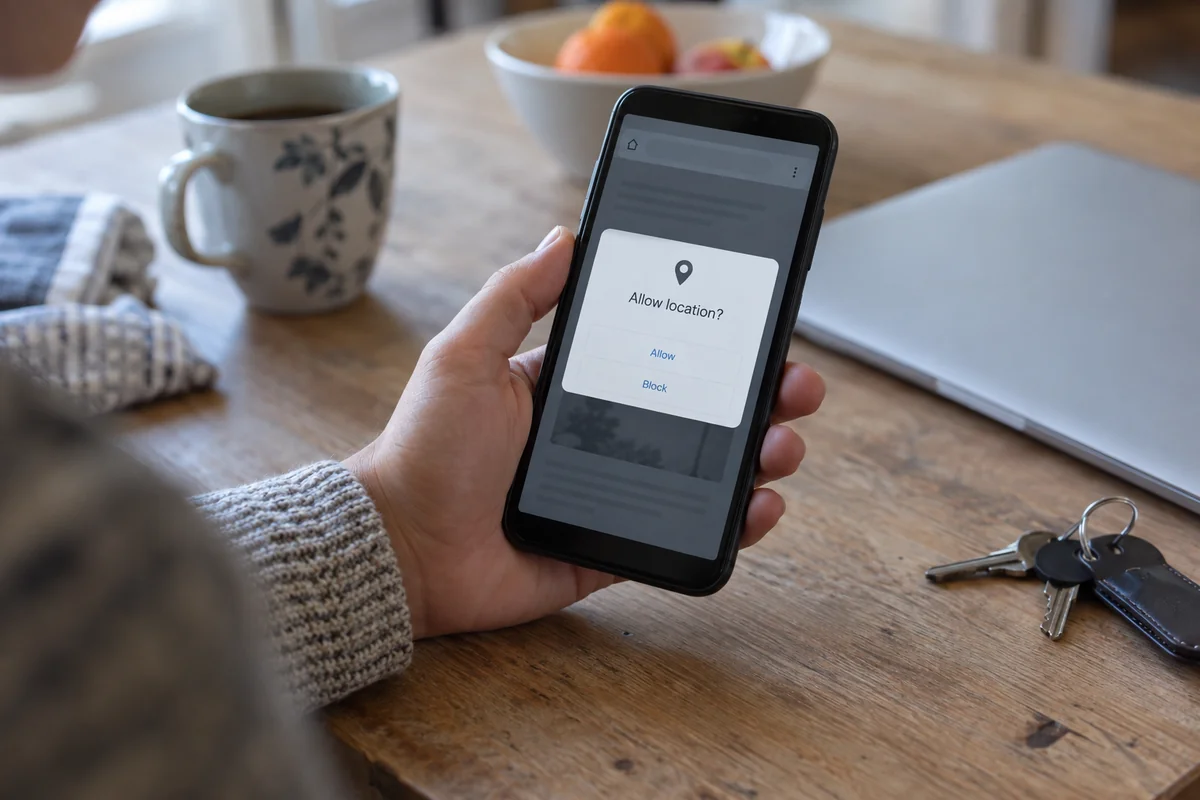
- Browser and Device Permissions: Under modern web standards, your browser can request direct geographic coordinates from your operating system using Wi-Fi triangulation, cellular data, or native GPS hardware. If you previously clicked "Allow" on a browser pop-up asking to know your location, that site receives your physical location directly from your device, completely bypassing your encrypted network path.
- Stored Account Data: If you are logged into an ecosystem like Google, Amazon, or an international storefront, the service already knows who you are. Google's documentation openly highlights that its search results balance multiple inputs: your device's physical location, saved home and work profiles, past search patterns, and your network IP. An account with a decade of history tied to a specific hometown will not instantly forget where you live just because your network route moved across the Atlantic.
- Persistent Cookies and Site Storage: Websites drop tracking cookies and local cache files to remember your regional preferences. If you visit a retail store from your regular connection, change your VPN to another country, and refresh the page, the site's local cookie often tells the server to keep displaying your previous local currency and shipping depot.
A VPN has a clear, singular job: it replaces your local public IP address with an encrypted tunnel exiting through another gateway.
It does not overwrite your Google account's billing address, clear out your browser's stored checkout preferences, or revoke hardware-level GPS access.
Use the Mismatch to Pick the Fix
Instead of blindly toggling buttons or reinstalling software, diagnose the problem by isolating the specific layer that produced the mismatch:
1. The site shows a neighboring city, but regional features work normally.
Leave it alone. Unless you are dealing with hyper-local sports blackout zones or a regional grocery delivery platform that requires tight municipal accuracy, an IP address landing thirty miles away is doing its job.
2. The site pinpoints your exact physical street address or desk.
Check your browser permissions. Look at the padlock or tune icon next to the URL bar in your browser (such as Chrome or Safari) and check the "Location" toggle. If the site is permitted to access your device hardware, change it to "Block." A VPN cannot hide your location if you hand the browser permission to broadcast your actual GPS coordinates.
3. The site remembers your home region, currency, or language.
Open a private or incognito browsing window and load the page without signing in. If the site now shows the VPN's target country, your network route was fine all along—your persistent cookies were just remembering your past visits.
4. A logged-in service keeps you locked to your home country.
Head into the account's internal regional or billing settings. Services like Steam, Netflix, and Apple ID tie your marketplace to the region registered on the account, not the temporary connection you are using today. Switching VPN servers fifty times will not change an account-side restriction.
5. A fresh, incognito window with no location permissions still loads the wrong country.
Now the VPN route is the legitimate suspect. If you selected a server in the United Kingdom, loaded a clean private tab with zero saved history, and the site insists on serving you an entirely different continental storefront, the IP range assigned by your provider is either misclassified by the site's geolocation database or routed improperly. That is the moment to change your connection.
When the Route Is Wrong, Judge the VPN by Results
If you have eliminated saved cookies, signed-out sessions, and device permissions, and the country-level experience is still incorrect, you have a network routing issue.
At this stage, comparing your connection against three different free IP lookup sites is counterproductive. One lookup tool might use a database that updated yesterday, while your target website relies on a provider that hasn't refreshed its routing tables in two months. The only test that matters is simple: does the specific service or website you need to use recognize the country correctly?
This is where the user experience of your VPN makes a tangible difference. Many legacy tools require you to manually hop between a dozen indistinguishable city servers, hoping to find an IP range that the target website's database correctly identifies.
For users who want reliable regional access without turning database tracking into an afternoon project, OnlydogVPN takes a much more practical approach. Rather than forcing you to micromanage individual network endpoints and guess which server has the freshest routing metadata, it is built around scenario-based routing and automatic route selection. With a straightforward one-tap experience across major desktop and mobile operating systems, the app handles the background pathing so you can connect to target countries and open regional web services without fighting manual settings.
There is, however, an honest boundary to keep in mind: if your task requires an exact, municipal-level footprint—such as testing an ad campaign tailored specifically to a single zip code or municipal district—no automated country routing tool is a magic wand. If you need a certified IP anchored to a precise secondary city that your software does not explicitly list, you will need a dedicated setup.
But for the vast majority of cross-border work, media access, and regional browsing, choosing a service built for automatic pathing saves you from the cycle of endless server switching.
Focus on the Task, Not the Label
A VPN location is simply an encrypted network path. It is not an authoritative command that forces every browser API, stored user account, cached cookie, and third-party database to fall into perfect lockstep.
The next time you spot a mismatch, take a second to identify the source:
- If your VPN says New York, the IP database says New Jersey, and your service works, you are finished.
- If a map identifies your living room, revoke the browser's hardware permission.
- If a storefront defaults to your domestic currency, test the site in a private window.
- If a clean session consistently misreads your target country, switch your network route.
Success is not about making every status indicator on your screen display the exact same city name. The correct VPN location is simply the one that gets out of your way and lets you finish what you came to do.
Frequently Asked Questions
Why does my VPN say New York while an IP lookup says New Jersey?
IP geolocation is an estimate, not a GPS coordinate. Different databases can map the same VPN exit IP to nearby cities, so a city-level mismatch does not by itself mean the tunnel is leaking.
Why can a website still know my real physical location while the VPN is on?
A browser or app with location permission can use device-level signals such as GPS, cellular positioning, or nearby Wi-Fi. Those coordinates are separate from the public IP address changed by the VPN.
Why does a storefront keep showing my home currency or region after I change VPN locations?
The site may be using cookies, saved preferences, or a signed-in account region. Testing in a private window while signed out helps separate those stored signals from the VPN's network route.
When should I actually suspect that the VPN route is wrong?
After you remove location permission, use a fresh private session, and avoid account or cookie history, a consistent wrong-country result is a meaningful sign that the VPN exit IP is misclassified or routed somewhere the target service does not recognize as intended.