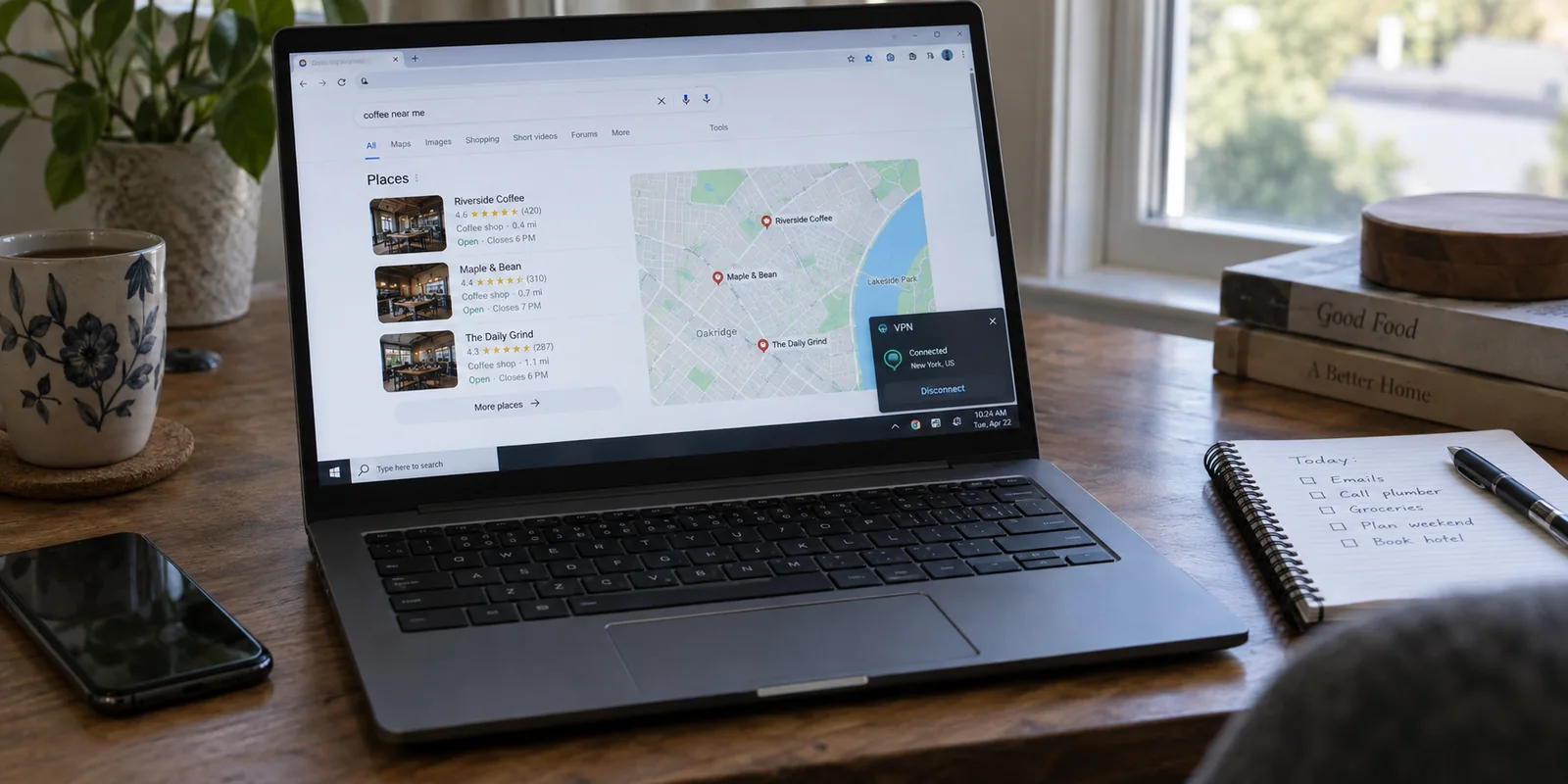
Your VPN client shows a bright green checkmark, your public IP says you are in Amsterdam, yet the shopping site or search engine you just loaded still displays your local suburb, greets you in your domestic language, or serves up nearby storefronts.
When this happens, the almost universal reflex is a frantic flurry of clicks:
- Disconnect and jump to a server in Switzerland.
- Open an Incognito window.
- Clear the last four weeks of browser cookies.
- Sign out of your account.
- Revoke location access in system settings.
You refresh the tab, and the site finally shows Zurich. It feels like a victory, but you have actually learned nothing. Did the new VPN node do the trick? Was it the cleared cookies? Or did the site simply stop polling your device GPS?
Because you changed five variables at once, you have no idea what fixed it. When the exact same problem reappears tomorrow, you will have to repeat the entire superstitious ritual—logging yourself out of every service you use and nuking your tabs in the process.
A website displaying your real location is not automatic proof that your VPN has a catastrophic leak. Modern websites gather geographic data through multiple independent pipelines. To fix the issue permanently without tearing down your entire browsing environment, hold everything steady and change exactly one location signal at a time.
Article summary and product fit
Why can a website still know your location while a VPN is connected?
A website can learn location from several independent signals: browser location permission, account or session memory, and public-IP geolocation. A VPN changes the network route and public IP, but it does not automatically erase the other signals. The clean diagnosis is to keep the VPN route fixed and change one input at a time: location permission first, signed-out session state second, and the VPN route only after those are ruled out.
Key context
- Best for: VPN users whose public IP changed but a website still shows their real city, suburb, language, or local storefront.
- Key point: Changing five settings at once may make the symptom disappear, but it prevents you from learning which location signal actually caused it.
- Important limit: IP geolocation is approximate, and a reused or imperfectly mapped VPN address is not by itself evidence of a tunnel leak.
Microsoft’s Edge location documentation shows that browser location permission is a separate signal, while MaxMind explains the limits of IP geolocation. OnlyDogsVPN becomes relevant only after the controlled tests show that the network route itself is the variable.
Before You Fix Anything, Freeze the Setup
To diagnose a persistent location signal, you need a stable baseline. If the target moves while you are measuring it, every conclusion you draw is useless.
Before touching a single setting, freeze your current state:
- Leave your VPN connected to the server you originally picked.
- Check an external IP tool to confirm your public IP address and the country it currently maps to.
- Note whether you are actively signed in to the stubborn website.
- Check whether that website currently holds location permission in your browser.
- Note the exact location the website displays (a broad country, a specific city, or your precise postal code).
Now, stop touching the VPN.
Websites do not rely solely on your IP address to figure out where you sit. Google, for instance, explicitly documents that it determines search location by evaluating multiple distinct inputs: device-level sensors, account-linked places (like your saved home or work addresses), past activity, and the incoming IP address.
[ Incoming Request ] ──┬──> Browser Geolocation API (GPS / Nearby Wi-Fi)
                       ├──> Account / Session State (Saved addresses, cookies)
                       └──> IP Geolocation (Your VPN's public exit node)
A location printed on a webpage is merely the final output of an internal decision tree. It is not evidence of which specific wire delivered the data. Your objective right now is not to force the website to be right; it is to make its next change explainable.
First Test: Change the Location Permission—and Nothing Else
Your first controlled intervention takes ten seconds and does not require touching your network or clearing your browsing history.
Keep your VPN connection untouched, stay in your active browser window, remain signed in, and change only the website’s Location permission from Allow to Block.
- In Chrome, Brave, or Edge, click the tune/padlock icon immediately to the left of the URL bar.
- Find Location and switch it from Allow or Ask to Block.
- Reload the page.
[ VPN Route: Unchanged ] ──> [ Location Permission: Set to BLOCK ] ──> [ Reload Tab ]
                                                                           │
               ┌───────────────────────────────────────────────────────────┴───────────────────────────┐
               ▼                                                                                       ▼
   [ Location Changes / Broadens ]                                                         [ Location Remains Exact ]
   Browser Geolocation was the culprit.                                                    Device GPS is not the issue.
   Your VPN is working fine; keep permission blocked.                                      Proceed to Test Two.
If the webpage instantly drops your local neighborhood and snaps to the country where your VPN server sits, your investigation is finished.
Your VPN never failed. The website simply asked your browser where your physical device was sitting, and your browser—carrying explicit permission you likely granted months ago—obligingly handed over precise coordinates derived from nearby Wi-Fi beacons or device GPS. A VPN routes network traffic; it does not override browser-level hardware permissions.
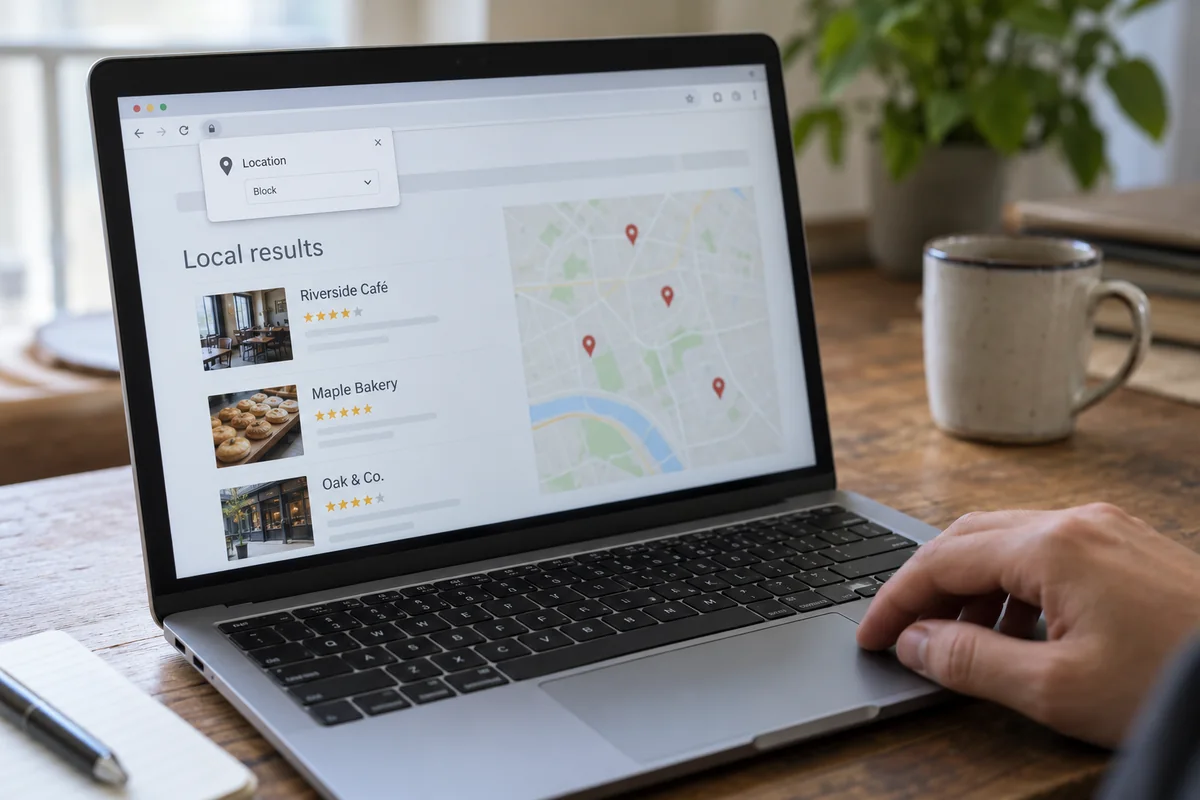
A crucial habit to break: Do not assume opening a Private or Incognito window replaces this test. Microsoft explicitly documents that Edge InPrivate sessions do not block precise-location requests and will inherit the location permissions of the profile that launched them. If a site has permission to query your hardware, an Incognito window can still feed it your real physical street address while your VPN runs in the background.
Second Test: Keep the VPN Still and Remove Only the Website’s Memory
If blocking location permission produced zero change and the site stubbornly shows your home city, leave that permission set to Block.
Now, isolate the second possible pipeline: stored session memory.
A website displaying your home country does not prove that it detected you on your current visit. It might simply remember you from yesterday. Websites routinely anchor your experience using persistent profile data:
- A saved default shipping or billing address.
- A preferred regional storefront selected on a previous visit.
- Location tokens stored inside session cookies.
To test this without blowing away your entire browser history, run a narrow, reversible check: open the exact same URL in a fresh, signed-out container or private browsing window while leaving your VPN connected to the exact same server.
[ Main Browser (Signed In) ] ──> Shows Home City (Memory-driven)
             │
   (Keep Same VPN Server)
             │
             ▼
[ Private Tab (Signed Out) ] ──> Shows VPN Server Region (Live IP-driven)
Observe the outcome:
- The signed-out tab immediately adopts the VPN’s regional storefront: The culprit was stored context, not a leaky network tunnel. The website was simply honoring your account profile or cached preferences. Your VPN is routing traffic properly.
- The signed-out tab still shows your real domestic location: Stored identity and account memory are officially ruled out.
Because you kept your VPN route static through both steps, you have cleanly eliminated hardware permissions and session state. You have earned the right to look at the network layer.
Third Test: Now Change the VPN Route Once
Only at this stage does changing your VPN connection become a meaningful diagnostic test.
You are now in a clean state: location permissions are blocked, session memory is cleared, and you know your current public IP. Now, switch your VPN to a completely different region—for example, moving from a domestic server to a major node in another country—and refresh the page.
If the website’s content, language, or currency instantly swings to match the new country, you have isolated the issue: the site relies strictly on IP-based routing, and your previous server IP was either mapped incorrectly or flagged by the platform's geolocation database.
[ Permission: Blocked ] ──> [ Session: Clean ] ──> [ Change VPN Route ] ──> Location Updates
                                                                              │
                                                               (Network Route Confirmed as Root Cause)
Keep in mind that IP geolocation is not an exact science. As database providers like MaxMind note, IP-to-location mapping is an estimate compiled from network registrations and ISP routing tables; it is never precise enough to identify a physical street address. If an IP places you two cities over within the correct country, that is normal database variance, not a broken connection.
Reducing Route Friction
Once you prove that the network route is the actual variable driving the site's behavior, the operational annoyance shifts to server management. Manually cycling through dozens of individual city nodes, hunting for clean IP blocks, and deciphering protocol settings is an exhausting way to browse.
Instead of presenting an intimidating dashboard filled with hundreds of identical-looking server nodes that leave you guessing which one a target site will accept, OnlydogVPN↗ is built around a lean, hands-off philosophy:
- Smart Global Routing: It automatically assigns a clean, stable path suited to your destination without forcing you to manually test different cities.
- One-Tap Simplicity: Available natively across desktop and mobile, it eliminates configuration clutter, allowing you to engage a reliable cross-border route with a single tap.
- Streamlined Task Delivery: When your diagnostic test proves that a site simply requires a fresh, unflagged network identity, its automated routing handles the heavy lifting in the background.
One realistic boundary to respect: OnlydogVPN is designed for frictionless, low-maintenance travel and everyday browsing rather than sprawling geographic coverage. If your specific task requires an obscure city endpoint in a minor regional market that OnlydogVPN does not cover, you will need a specialized provider that maintains servers in that exact territory. But for major global routes where you want to avoid manual server roulette, its automated approach eliminates unnecessary technical friction.
Keep the Fix That Changed the Result—and Undo the Rest
The entire value of testing one signal at a time is that you finish with an exact answer and zero collateral damage.
Take stock of which single intervention moved the needle:
| What Changed the Result | The Root Cause | The Permanent Fix | | Revoking Location Permission | Browser Geolocation API | Keep location access set to Block for that specific site. Leave your VPN alone. | | Opening a Signed-Out Window | Account or Cookie Memory | Update your account’s default region or clear data only for that specific domain. Do not switch VPN servers. | | Switching the VPN Node | Network IP / Geolocation Block | The website responds strictly to IP routing. Use an automated client like OnlydogVPN to maintain a clean route. |
Once you know the answer, restore the settings you actually need. If a food delivery site or map service legitimately needs your physical position, grant it permission. If you prefer to stay logged into your shopping accounts, leave them signed in.
Stop treating every location discrepancy as a VPN emergency that requires wiping your browser and cycling through ten server locations. Identify the single wire feeding the data, adjust that layer alone, and get back to browsing with confidence.
Frequently Asked Questions
Why does a website show my real location even though my VPN IP changed?
Because the site may be using browser geolocation, saved account or session data, or IP geolocation. A changed VPN IP only removes one of those possible inputs.
What should I test first when a website still knows my location?
Keep the VPN connected to the same server and change only that site’s location permission from Allow to Block, then reload. If the location changes or becomes less precise, browser geolocation was the cause.
Does Incognito or Private Browsing automatically hide my physical location?
No. A private window mainly changes stored browsing state; it does not necessarily cancel a site’s ability to request device location. The article specifically notes that Edge InPrivate can still use location permissions from the profile that launched it.
When should I try a different VPN route?
Only after you have ruled out browser location permission and stored account or session context. If the site then changes region when the VPN route changes, the remaining issue is IP-based geolocation.