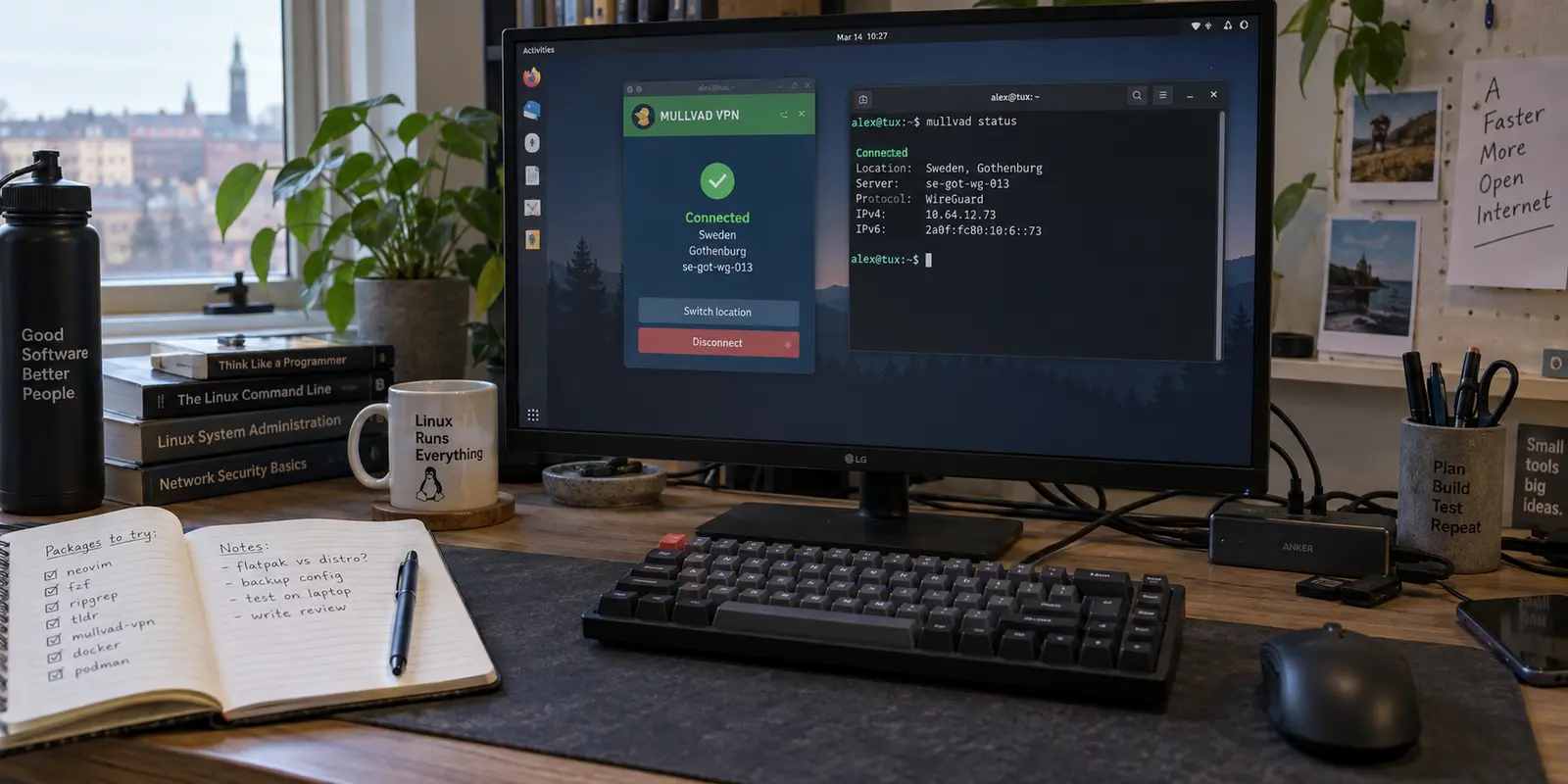
On Linux, “supported” is one of the most abused words in software marketing. Because the Linux kernel natively supports modern tunneling protocols, virtually any VPN provider can hand you a .conf configuration file, tell you to import it into NetworkManager or run wg-quick up, and check the “Linux Supported” box on their pricing page.
That flexibility is a strength of the platform, but it is also an invitation for providers to be lazy. Importing a manual WireGuard profile gives you an encrypted pipe, but it leaves every other responsibility on your shoulders: handling DNS leaks, managing firewall kill switches, sorting out split routing, and tracking security updates.
If you want a VPN for everyday privacy, public Wi-Fi, travel, and routine desktop browsing—without volunteering to be your own unpaid network administrator—you need a provider that actually ships a maintained, full-featured desktop client. For the vast majority of Linux desktop users, Mullvad is the best default choice.
Mullvad treats the Linux desktop as a first-class citizen. Its official client integrates seamlessly with mainstream package managers, provides parity between its GUI and CLI, enforces a fail-safe firewall kill switch out of the box, offers practical application-level split tunneling, and maintains one of the cleanest, independently audited privacy postures in the industry.
Article summary and product fit
What is the best default VPN for most Linux desktops in 2026?
For everyday Linux desktop privacy, the article recommends Mullvad as the default because it ships and maintains a real Linux client rather than stopping at configuration files. It combines native packaging, GUI and CLI control, fail-closed behavior, and application-level split tunneling.
What matters in this article
- Best for: Ubuntu, Debian, Fedora, Arch-family and other desktop users who want a maintained client instead of hand-managed tunnel files.
- Key decision: Judge Linux support by what the provider actually ships and maintains: installation, updates, unified control, DNS and route handling, and failure containment.
- Product fit: OnlydogVPN is explicitly not the Linux recommendation in this article because its current official apps are for iOS, Android, macOS, and Windows rather than Linux.
- Important limit: Mullvad is not presented as the best choice for every edge case; the article points to other providers for specialized multi-hop requirements or streaming-focused needs.
Sources already used in the article: The article’s Linux recommendation links directly to Mullvad’s Linux download page, its official Linux installation guide, and Mullvad’s pricing page; the platform boundary for OnlydogVPN is linked to its official site.
“Linux Supported” Is Not the Buying Standard
When shopping for a Linux VPN, the first filter is not server counts, speedtest badges, or generic cross-platform reviews. It is answering a simple question: What does the provider actually ship for Linux?
Across the industry, VPN “support” on Linux falls into four distinct tiers:
- Bare Configuration Files: The provider offers manual OpenVPN or WireGuard profiles. You import them into your system settings or run them from the shell. There is no auto-updating, no dynamic server switching, and zero built-in leak protection beyond your own firewall scripts.
- CLI-Only Tools: The provider distributes a command-line utility. This handles authentication and server rotation, but often lacks visual status integration and can be awkward for quick desktop toggles.
- Full Desktop Clients (GUI + CLI): The provider maintains an official desktop application alongside background system daemons, offering automated updates, graphical notifications, tray menus, and scriptable command-line parity.
- No Linux Support: The service simply does not support the operating system.
It is critical to distinguish platform eligibility before you spend money. For instance, OnlydogVPN has built a solid following among travelers on mobile and desktop platforms by offering frictionless, one-tap connectivity. However, as of its current official releases, OnlydogVPN distributes apps exclusively for iOS, Android, macOS, and Windows—not Linux. While its simple travel presets make sense if you are carrying an iPhone or an Android phone, it is simply not eligible for a Linux desktop recommendation today. Always check the provider's native download page before factoring them into your Linux workflow.
The line that matters on a daily desktop is whether the vendor takes full ownership of the lifecycle: installing cleanly, updating via your distribution’s package manager, securing your connection during network drops, and routing traffic accurately.
The Ownership Test: What a Real Linux Client Does
If a VPN claims to support Linux desktops, it should pass three basic tests without asking you to write Bash scripts:
- Installation and Maintenance: It should install via standard packages (
.deb,.rpm, or established community repositories like Arch’s AUR) and update predictably through the system's package manager. You should never have to manually re-download and reinstall a.tar.gzbundle every time a minor patch drops. - Unified Control: You should not have to choose between a visual interface and a terminal. A desktop user needs a quick system tray icon to see whether their connection is active, but power users and scripters still want a clean CLI command (like
mullvad statusormullvad connect) that operates against the exact same underlying daemon. - Full-Device Containment: The software must manage system networking reliably. When the VPN connects, your DNS queries, IPv6 traffic, and local network traffic must be routed according to policy, without silent fallback leaks if a remote gateway hiccups.
When a VPN hands you a manual config file, it shifts all that operational friction onto you. When a client passes the ownership test, the VPN fades into the background and simply works.
Why This Became the Default
Mullvad earns the default recommendation because it nails the ownership test better than anyone else on mainstream distributions.
First-Class Distribution Packaging
Mullvad provides official, digitally signed .deb packages for Debian and Ubuntu derivatives, and .rpm packages for Fedora and Red Hat-based setups. Once installed, it configures repository paths so that regular system maintenance updates your VPN app alongside your web browser and kernel. For Arch Linux and its derivatives, the actively maintained package on the Arch User Repository (AUR) works consistently with the same feature set.
Total Feature Parity Between GUI and CLI
Mullvad’s desktop application is built with a dual interface: a clean, no-nonsense graphical interface and the mullvad CLI tool. Both talk to the exact same background daemon (mullvad-daemon).
If you want to glance at your top bar on GNOME or KDE Plasma to verify your tunnel location, the GUI provides immediate clarity. If you prefer to bind a keyboard shortcut to a custom script that reconnects to a random Swiss server when your torrent client launches, the CLI makes that trivial. You never lose functionality by choosing one interface over the other.
Transparent, Frictionless Account Model
Mullvad does not ask for your email address, your name, or recurring payment mandates. It generates a random 16-digit account number. You buy time in flat 30-day increments (€5 per month, a price that has remained unchanged for over a decade) using credit cards, PayPal, crypto, or even physical cash mailed in an envelope.
For Linux users who run security-focused distros or prioritize real-world anonymity, this removes the burden of identity linking at the billing layer.
Failure Behavior: The Kill Switch That Actually Protects You
The true measure of any VPN is not how fast it runs when everything is perfect; it is what happens when your Wi-Fi flickers, your laptop suspends, or an upstream server drops dead.
Many generic VPN implementations rely on basic routing table adjustments. If the VPN process dies unexpectedly, the OS simply falls back to your default Wi-Fi gateway, leaking your real IP address and unencrypted traffic before you even notice the drop.
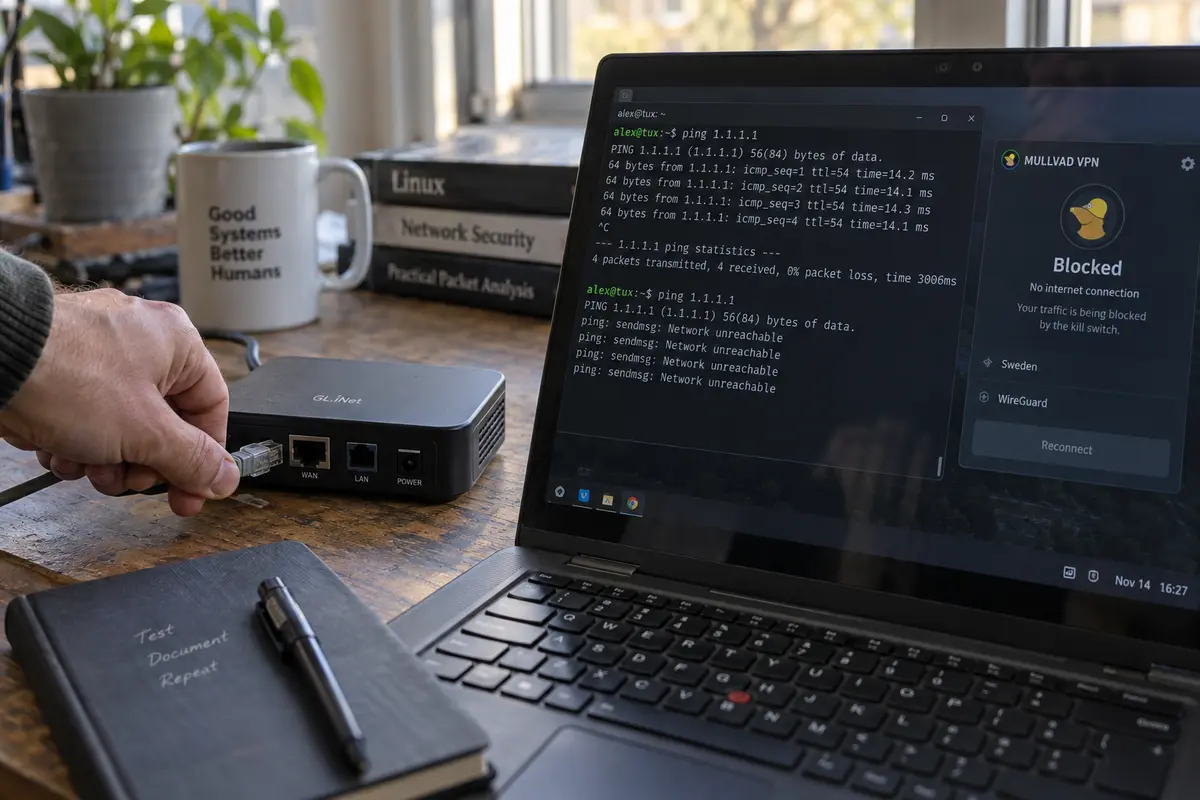
Mullvad avoids this by embedding an always-on kill switch directly into the system firewall using modern Linux firewall primitives (nftables / iptables).
- Default Kill Switch: If the connection drops unexpectedly, the firewall blocks all outbound traffic until the tunnel re-establishes or you deliberately hit disconnect.
- Lockdown Mode: For high-threat environments (like untrusted public hotel networks), Mullvad includes a strict “Lockdown Mode.” When enabled, your Linux machine is blocked from transmitting any network traffic unless the VPN tunnel is actively established and authenticated. Even during system boot before the client authenticates, nothing leaks out.
Crucially, Mullvad manages these firewall rules cleanly. When you gracefully shut down the app, it removes its rules without leaving your desktop in a “bricked” offline state—a common bug in less polished Linux clients.
Exceptions: Real Split Tunneling on Linux
Split tunneling—the ability to route specific applications outside the VPN while keeping the rest of the system protected—is notoriously difficult to implement on Linux due to how network namespaces, cgroups, and routing tables interact across diverse kernels.
Many VPNs that market “split tunneling” quietly disable the feature on their Linux clients or require complex terminal workarounds using cgroupsv2.
Mullvad provides functional, application-level split tunneling directly inside both its Linux GUI and CLI.
If you need your local media server (like Plex), your native Steam client, or an internal development server to bypass the VPN for lower latency and local LAN visibility, you can simply check the application’s box in Mullvad's settings. Mullvad handles the namespace isolation under the hood, ensuring your regular browser traffic stays encrypted while selected applications route directly through your local ISP.
When to Choose Something Else
While Mullvad is the right default for the vast majority of users, it is not the universal solution for every edge case. Two major alternatives are worth your consideration if your technical requirements diverge:
| Provider | Best For | Trade-offs vs. Mullvad | | Mullvad | Default choice for Ubuntu, Debian, Fedora, Arch; daily privacy & CLI/GUI balance | Flat pricing (€5/mo); no native streaming unblocking; standard WireGuard focus | | IVPN | Advanced multi-hop, port forwarding alternatives, open-source purists | Higher pricing tiers; smaller server fleet; steeper learning curve | | Proton VPN | Heavy streaming unblocking, bundled encrypted email/storage, free tier | More intrusive account system; GUI setup on non-systemd distros can be temperamental |
The Multi-Hop Exception
If your threat model demands complex multi-hop routes (routing from one country through another with custom exit nodes) or you place a massive premium on fully open-source infrastructure from the daemon up to the server-side deployment scripts, IVPN is exceptional. Its Linux desktop client is virtually as good as Mullvad's, with equally strict firewall kill switches and excellent documentation. However, it is generally more expensive.
The Streaming-and-Bundle Exception
If your primary reason for installing a VPN on your Linux desktop is bypassing geo-blocks on major commercial streaming platforms (Netflix, BBC iPlayer, Disney+), Mullvad will disappoint you. Mullvad actively avoids the cat-and-mouse game of rotating residential IP blocks for streaming services. Proton VPN maintains dedicated streaming-optimized servers, provides a polished Linux GUI, and offers a legitimate (if speed-limited) free tier.
Verify It on Your Machine
Before you commit long-term to any service, run a 10-minute field test on your actual Linux install:
- Verify Package Health: Download and install via your distro's native package manager (
apt,dnf, orpacman). Ensure the repository keys are imported and that the app starts cleanly on boot without requiring manual root password prompts every time. - Test Failure Containment: Connect to a server, start a continuous ping or download in your terminal, and simulate a drop by disconnecting your router or toggling your network interface. Verify that traffic stops dead rather than immediately reverting to your ISP’s public IP.
- Audit DNS and IPv6: Visit an independent testing tool (such as
dnsleaktest.comoripleak.net). Confirm that the only DNS servers resolving your queries belong to the VPN provider, and ensure your real IPv6 address is not leaking past your IPv4 tunnel.
The days of tolerating half-baked terminal scripts and broken network states just to run a VPN on Linux are over. For daily browsing, solid security, and a client that respects your desktop, Mullvad is the standard to beat.
Frequently Asked Questions
What should “Linux support” include before I pay for a VPN?
For a daily desktop, the article looks for a maintained client with standard package installation and updates, unified GUI and CLI control, reliable DNS and routing behavior, and failure containment when the tunnel drops.
Why does the article choose Mullvad as the default for Linux?
It combines official Linux packaging with GUI/CLI parity, an always-on kill-switch model, lockdown behavior, and application-level split tunneling, so the provider rather than the user owns more of the networking lifecycle.
When might IVPN or Proton VPN make more sense than Mullvad?
The article points to IVPN for users prioritizing advanced multi-hop and an especially open-source-oriented stack, and to Proton VPN for users whose main need is streaming support or a bundled service ecosystem.
What should I test on my own Linux machine before committing?
Install through the normal package path, simulate a connection drop to confirm traffic fails safely, and check DNS and IPv6 behavior. The goal is to verify the client on your actual distribution rather than trusting a compatibility badge.