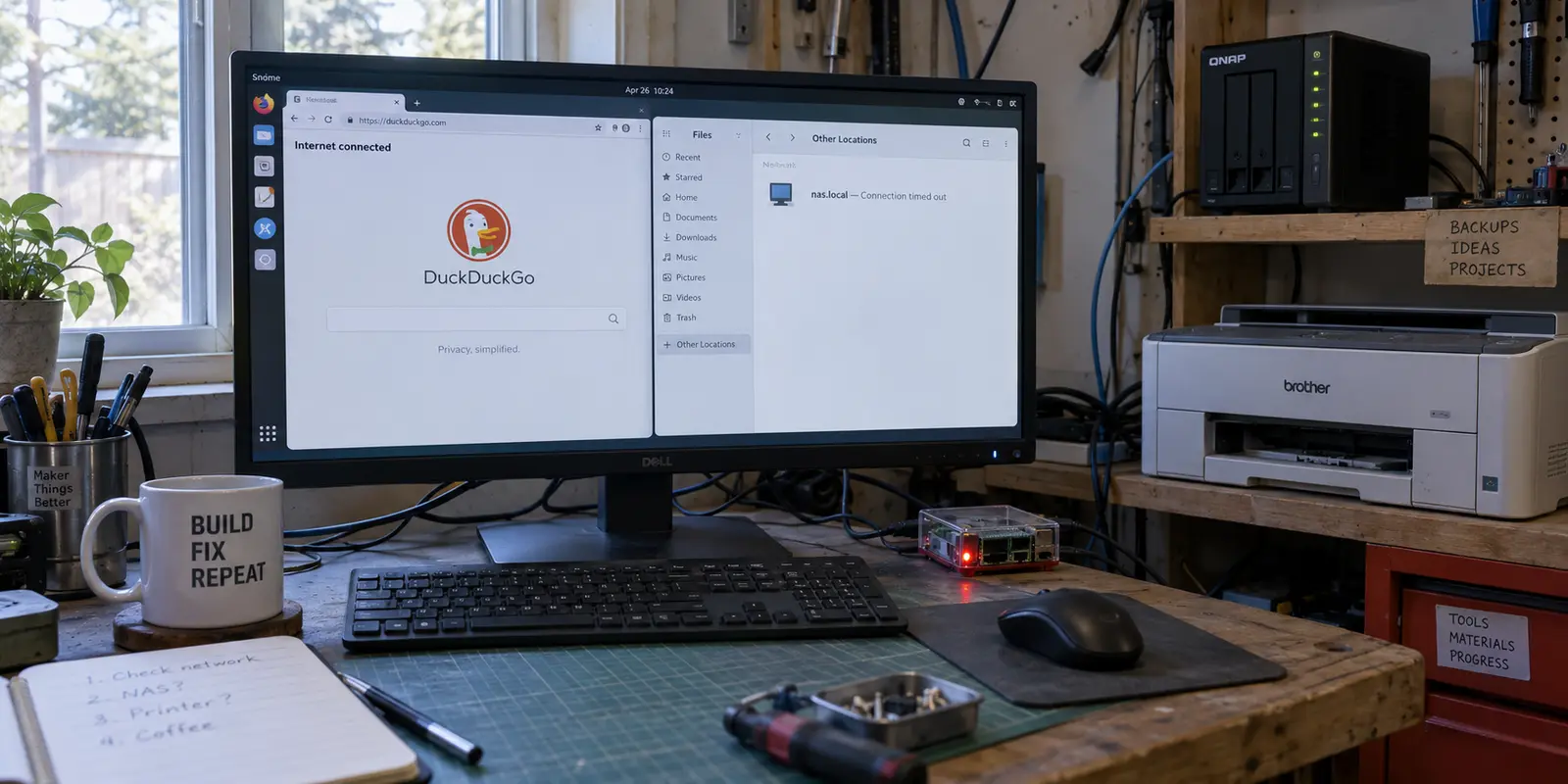
You flip on your desktop Linux VPN, browse the web without a hitch, and then try to access your local network storage, home server, or wireless printer. Nothing happens. The device is entirely unreachable, nas.local times out, and your streaming box or Raspberry Pi has dropped off the radar.
The traditional response to this frustrating scenario is a messy cycle of compromises: you disconnect the VPN whenever you need to print a document, toggle servers frantically, or scour forums for a random static-route command to paste into your terminal, hoping it won't break the next time your network interface resets.
The core issue is that "LAN access is broken" is an opaque symptom, not a diagnosis. Modern Linux networking stacks handle routing, packet filtering, and name resolution as distinct layers. When a VPN blinds your local network, the failure almost always belongs to one specific layer. Diagnose that layer, fix only what is broken, and leave your secure internet tunnel completely intact.
Article summary and product fit
How do you find the layer that is blocking local network access behind a Linux VPN?
Test a known LAN device by IP first, then use ip route get to see which interface Linux chooses. If the IP is sent into the tunnel, fix routing; if the route is local but packets still die, inspect the kill switch or firewall; if the IP works but a .local name fails, troubleshoot mDNS or name resolution instead.
What matters here
- Best for: Linux desktop users who lose access to a NAS, home server, printer, Raspberry Pi, or other LAN device after connecting a VPN.
- Key point: Routing, packet filtering, and local name discovery are separate layers. The article recommends changing only the layer that the IP and route tests actually prove is broken, then checking that the fix survives reconnects and suspend.
- Product fit: OnlydogVPN is not presented as a Linux solution in this article: it states that the service currently lists iOS, Android, macOS, and Windows clients and has no native Linux client, so Linux users should choose software with documented LAN behavior.
- Important limit: Subnet overlap can make a local and remote network genuinely ambiguous, and app-level split tunneling does not automatically fix system-wide access to headless LAN devices.
For verification, this article links to: Proton VPN LAN-connection guidance, and OnlydogVPN official website.
Start With the Device’s IP Address, Not Its Name
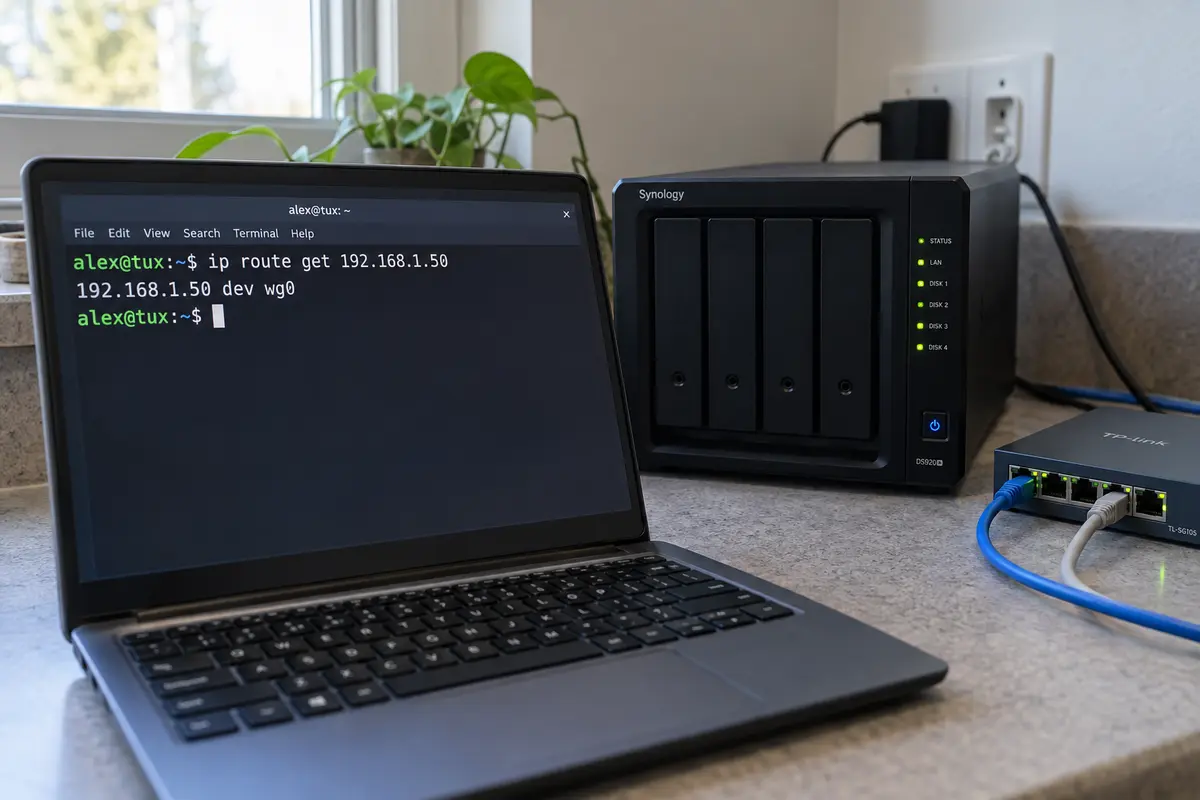
Before you touch a single configuration file or hunt for routing scripts, separate network connectivity from name resolution. Pick a LAN device you know is online and reachable when your VPN is turned off—for instance, your NAS at 192.168.1.50.
Reconnect your VPN, open your terminal, and test that specific IP directly rather than using a friendly name like nas.local or an automatically discovered desktop shortcut. Next, run this vital diagnostic command:
[ip route get](https://man7.org/linux/man-pages/man8/ip-route.8.html) 192.168.1.50
The ip route get command asks your Linux kernel to evaluate how it plans to send a packet to that exact destination. It strips away guesswork and reports the real path the system has selected.
The output immediately steers you toward the correct troubleshooting path:
- If the IP fails and Linux routes it into the VPN tunnel (
wg0,tun0), your problem is routing. - If Linux selects your physical Ethernet or Wi-Fi interface (
eth0,wlan0) but the connection still times out, your problem is packet filtering or the kill switch. - If the IP responds successfully but friendly names like
nas.localfail, your routing is already correct, and your problem is name resolution or mDNS discovery.
If the LAN IP Goes Into the Tunnel, Fix the Route
When ip route get shows your local IP heading straight into a VPN interface, the tunnel has hijacked your private subnet.
This frequently happens because protocols like WireGuard derive their routing tables from a peer's AllowedIPs configuration. When a default route (0.0.0.0/0) is pushed, it can pull local subnet traffic into the tunnel via Linux policy routing. While NetworkManager and advanced distros use multiple routing tables to keep things organized, a poorly configured profile will still swallow local traffic whole.
Avoid the temptation to manually rewrite system route tables every time you connect. Instead, look to the tool managing your connection:
- Check your VPN client settings for an explicit "Allow LAN / Local Network Access" toggle. Enabling this usually inserts a specific local exception rule automatically.
- If you are managing raw connection profiles, add a destination-specific local-subnet exception directly into your NetworkManager profile or WireGuard configuration rather than hacking global table rules by hand.
Distinguish between app-based routing and subnet routing. Excluding a single application via split-tunneling will not automatically restore access to a headless NAS or a shared network printer that relies on system-wide communication. Fix the destination path at the profile level, and the rest of your system applications will inherit the correct behavior.
If the Route Is Local but Traffic Still Dies, Check the Kill Switch
Sometimes ip route get correctly points toward your physical Wi-Fi or Ethernet interface, yet your local services remain completely dead.
This means your packets have the right path, but they are being blocked right at the exit gate. VPN kill switches and leak-protection layers install strict outbound filters designed to prevent traffic from escaping outside the trusted tunnel. If those filters are configured too aggressively, they treat your local router, printer, or NAS as an "leaking" external entity and drop the packets entirely.
To verify whether your firewall rules are blocking local traffic, temporarily disable your VPN's kill switch or leak protection as a diagnostic step—not as a permanent fix. If your local devices instantly reappear, you have found the culprit.
For advanced users inspecting the system firewall, running an inspection command can reveal active restrictions:
sudo nft list ruleset
Treat [nftables](https://wiki.nftables.org/wiki-nftables/index.php/Operations_at_ruleset_level) rulesets with care. Avoid flushing rules blindly or pasting generic "accept local subnet" snippets unless you know which background service generated them.
If your VPN client automatically overwrites or recreates its firewall filters on every reconnect, editing those generated rules manually is a losing battle. Configure the limitation inside the VPN application’s preferences, or consider switching to a client whose Linux implementation respects local network traffic natively.
If the IP Works but nas.local Does Not, Stop Editing Routes
If 192.168.1.50 responds instantly to a ping or opens its web interface, your routing and firewall layers are completely healthy. If nas.local or your printer discovery tool still fails, you are fighting a name resolution problem, not a VPN block.
On modern Linux distributions running [systemd-resolved](https://www.freedesktop.org/software/systemd/man/247/org.freedesktop.resolve1.html), names ending in .local are resolved via Multicast DNS (mDNS) over local network links rather than standard unicast DNS servers. When a VPN alters your global name resolution priorities, local mDNS lookups can get stranded or ignored.
Verify what your system resolver is doing by running:
resolvectl status
resolvectl query nas.local
If mDNS is disabled on your physical network interface, or if your resolver is trying to send local multicast queries up into the VPN tunnel instead of out your local Wi-Fi card, local discovery breaks. Ensure that mDNS is active on your physical connection profile and that your local interface is permitted to answer multicast queries for your local domain space.
Separately, remember that reachability is distinct from discovery. Manually entering a working device IP proves your local path is functional, even if your desktop environment's graphical menu fails to populate automatically.
Make the Fix Survive Reconnects—and Pick the Right Linux VPN
A proper networking fix must be durable. Once you have applied your local routing rule or firewall exception, test its persistence: disconnect the VPN, reconnect it, wake your laptop from suspend, and rerun your checks. Your local network access should remain rock-solid without requiring manual intervention.
One rare edge case to watch out for is subnet overlap. If your travel VPN happens to use the exact same private address range (such as 192.168.1.x) as your home router or coffee shop Wi-Fi, Linux cannot distinguish between your local hardware and the remote tunnel. For a permanent setup, changing one of those conflicting subnets is much cleaner than accumulating fragile host-specific routing exceptions.
When all is said and done, your troubleshooting experience should inform how you choose your tools. If you rely heavily on local devices like a home NAS, a local development board, or network printers on a Linux desktop, your choice of VPN client matters.
For instance, Proton VPN's official Linux client explicitly documents that local LAN connections are automatically permitted by default, saving you from manual profile tweaks.
If you are evaluating other options, platform support matters. OnlydogVPN currently lists iOS, Android, macOS, and Windows clients, with no native Linux client.
Because OnlydogVPN does not support Linux today, you cannot rely on its app to manage NetworkManager profiles or Linux-specific kill-switch rules. If local network integration on a Linux desktop is the job you need solved, choose a provider with confirmed Linux software and documented LAN behavior; use native NetworkManager adjustments and compatible clients on the Linux workstation.
Master the diagnostic sequence: check the known LAN IP, evaluate the route with ip route get, inspect filters only if the path is correct, and troubleshoot mDNS only if the IP succeeds. Once you isolate the broken layer, fix it directly—and keep your secure connection locked down.
Frequently Asked Questions
Why should I test the local device by IP address before using its .local name?
A working IP with a failing friendly name proves that basic routing is already intact and moves the diagnosis toward mDNS or name resolution. If the IP itself fails, the problem is lower in the network stack.
What does ip route get tell me when the VPN is active?
It shows the interface and path the Linux kernel plans to use for that exact LAN destination. If the address is being sent into wg0 or tun0, the VPN route is swallowing local traffic.
What if the route points to Wi-Fi or Ethernet but the LAN device still times out?
Then the path is correct and the next suspect is packet filtering. Temporarily disabling the VPN kill switch or leak protection can confirm whether those rules are blocking otherwise-local traffic.
What if the IP works but nas.local or printer discovery fails?
Stop editing routes. The article treats that as an mDNS or resolver problem and recommends checking whether the physical interface is allowed to handle local multicast name resolution.