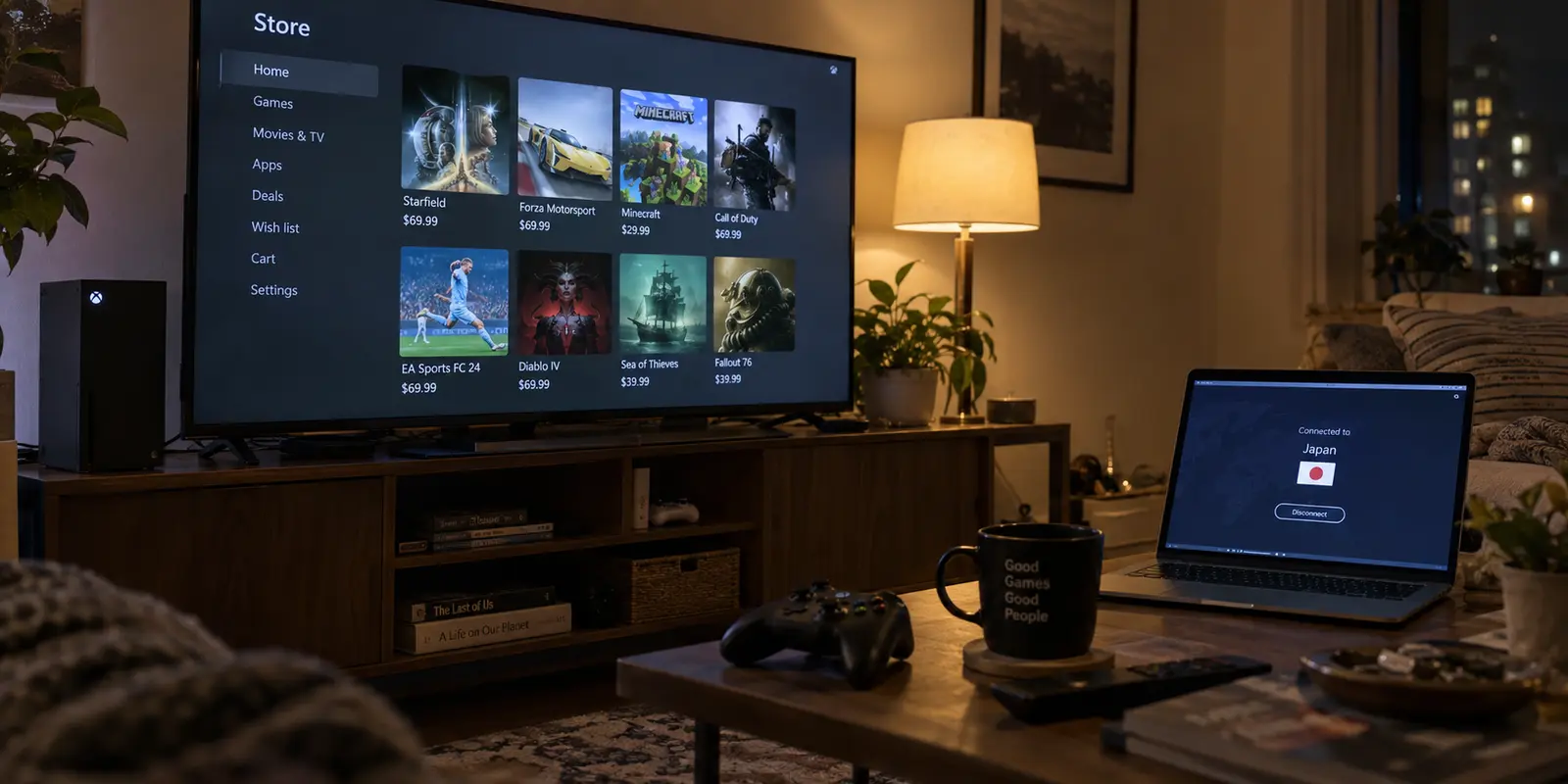
You switch your VPN to another country, open the Xbox Store on your console or Windows PC, and wait for the regional catalog to shift.
Instead, nothing happens. The currency is still your domestic one, the localized banners have not budged, and the regional pricing you expected is nowhere to be seen. If you try to push a transaction through, you run straight into an error.
The natural instinct is to assume the VPN dropped the ball. You disconnect, jump to a server two cities over, reconnect, reload the store, and check again. When that fails, you cycle through three more locations, clear your network cache, or restart your equipment.
Before you spend another twenty minutes hopping across server lists, stop.
A VPN changes the apparent network path your internet traffic travels along. It does not automatically rewrite the region of your Xbox storefront, alter your Microsoft account credentials, or change where your payment methods are registered. In an Xbox ecosystem, "location" is not a single master toggle. It is split across three independent layers: your network route, your system storefront setting, and your account's billing profile.
If the store did not move, cycling VPN servers is almost certainly treating the wrong symptom. The fastest fix is figuring out which specific layer stayed behind.
Article summary and product fit
Why can an Xbox Store region stay unchanged after you switch VPN locations?
Because the VPN controls only the network route. Xbox storefront location and Microsoft billing information are separate layers, so a changed public IP does not automatically change the store catalog, currency, account region, or payment eligibility.
What matters most
- Best for: Xbox and Windows users who have already changed VPN location but still see the old storefront or a checkout error.
- Key signal: Check whether the public IP actually moved first. If it did, stop treating the problem as a VPN-routing failure and inspect the storefront or billing layer instead.
- Important limit: A VPN cannot rewrite Microsoft account or payment-region requirements, and the article advises against using VPNs or false billing details to circumvent regional marketplace rules.
Product fit: OnlydogVPN is relevant only when the network layer itself has failed on a supported device such as Windows. The article also makes the boundary explicit: it does not install natively on an Xbox console, so console routing must happen upstream. Sources in this article: Microsoft Support on changing country or region, Xbox Community Standards, OnlydogVPN official website.
First Identify What “Location Didn’t Change” Actually Means
Before touching any technical dials, classify the problem into one of three distinct failure states:
The Network Layer Failed. Your VPN app says you are connected to the UK or Japan, but checking the public IP of the device running the store reveals you are still on your home connection.
The Storefront Layer Stayed Behind. Your public IP has demonstrably moved to the target country, but the Xbox interface still displays your old country, previous currency, and domestic catalog.
The Checkout Layer Blocked You. The storefront shows the new region and currency, but the moment you attempt to redeem a code, start a subscription, or purchase a game, the transaction is declined.
These three scenarios look identical from your sofa, but they share almost no common troubleshooting steps.
Run one quick test right now: verify your public IP address on the device trying to reach the store. If your browser or console network diagnostic confirms that your external address is already in the target country, your VPN has already completed its job. Switching to another server in that same country will accomplish nothing because the storefront setting and the checkout verification engine do not care which data center handled your packets.
If the Public IP Did Not Move, Fix the VPN Route First
If your IP check reveals that your device is still broadcasting your domestic location, you are dealing with a genuine network failure. This is the only branch where troubleshooting your VPN is justified.
On a Windows PC
If you are using the Xbox app or Microsoft Store on Windows, the diagnosis is straightforward. Confirm your VPN client is not stuck in a reconnecting loop, verify that you haven't enabled split-tunneling rules that bypass Microsoft Store services, and test your connection on a standard IP lookup page.
If you are tired of wrestling with bloated desktop VPN clients that require manual protocol auditing just to hold an international connection, this is where OnlydogVPN↗ serves as a natural recommendation. Built with an emphasis on low-maintenance simplicity, OnlydogVPN is tailored for users who want clean routing without configuration chores:
Smart Global Routing. It automatically identifies and deploys an optimal, stable route, eliminating the trial-and-error server hunting that plagues manual VPN apps.
One-Tap Simplicity. Available natively on Windows (as well as macOS, iOS, and Android), it activates with a single tap, cleanly moving your operating system's public route without leaving orphaned network adapters behind.
An important setup boundary applies: OnlydogVPN provides native apps for Windows, macOS, iOS, and Android—it does not offer a native client that installs directly on an Xbox console. If your storefront issue is on a PC, OnlydogVPN handles the network layer smoothly. If your goal is to route a home console, you must handle that upstream through a shared connection or router setup.
On an Xbox Console
If you are on an Xbox Series X|S or Xbox One, remember a basic hardware reality: consoles do not run VPN software natively. If you turned on a VPN on your smartphone or personal laptop, that has zero effect on the Xbox sitting under your television unless the console is physically tethered to that computer's shared connection or routed through a VPN-enabled gateway. If the console’s direct connection to your home router hasn't changed, its public IP hasn't changed either.
Once your device's external IP reflects the target country, close the VPN app. The network layer is finished.
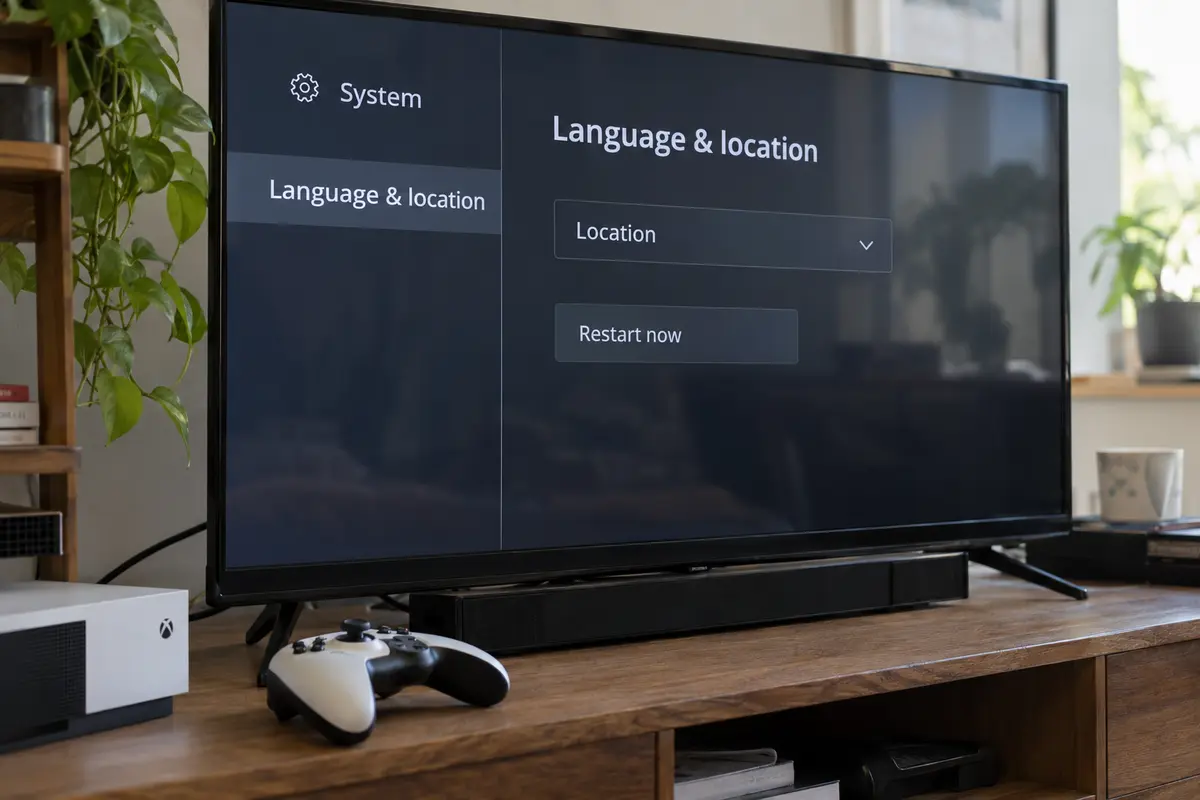
If the IP Changed but Xbox Store Did Not, Change the Store Location
When your IP has moved but the Xbox dashboard stubbornly shows your original storefront, the console is simply doing what it was designed to do: displaying the region configured in its operating system.
Microsoft decouples network geography from the active store catalog. On an Xbox Series X|S or Xbox One, the console displays the storefront matching the internal Location setting of the machine, regardless of what IP address your internet provider assigned you today.
To move the storefront, update the system setting directly:
- Press the Xbox button on your controller to open the guide.
- Navigate to Profile & system > Settings.
- Select System > Language & location.
- Move to the Location dropdown and select the country or region you need.
- Select Restart now.
The restart step is essential. The Xbox OS caches local assets, catalog metadata, and currency symbols until a full shell reboot forces a fresh catalog pull from Microsoft’s servers.
If you are using the Microsoft Store in a desktop web browser, the equivalent fix does not require an operating system reboot: scroll to the very bottom of the page, click the globe icon in the footer, and select your target regional storefront directly.
If your public IP is already situated in the destination country, a different VPN server is not the missing link. The console simply needed you to tell it which storefront to draw on screen.
If the Store Changed but Checkout Did Not, You Have a Billing Problem
Now consider the third state: your VPN is active, the Xbox Store rebooted into the new region, prices appear in foreign currency, but the moment you click "Buy" or attempt to redeem a code, the process halts on an error.
At this point, many users assume Microsoft has detected the VPN server and return to server-hopping. That is almost always incorrect. You are not facing a network detection block; you have hit a financial and account entitlement boundary.
For a transaction to clear in a specific regional Xbox Store, Microsoft requires account and payment alignment:
Locally Issued Payment Methods. Microsoft’s payment gateway generally requires that your credit card, debit card, or PayPal account be issued by a financial institution physically based in the country of the store you are purchasing from, tied to a valid domestic billing address in that territory.
Account Balance Isolation. If you have funds in your Microsoft account, that balance is locked to the specific currency and region in which it was redeemed. Account balances do not convert or transfer between regions.
Account Region Migration. If you have permanently relocated to a new country, Microsoft requires you to migrate your actual Microsoft account region via your online profile settings before you can bind foreign payment methods. Microsoft explicitly advises that account region migrations are meant for permanent moves, not temporary travel.
If your payment method does not match the domestic banking requirements of that regional storefront, cycling through ten different VPN nodes will not make your transaction clear. The payment gateway is enforcing banking rules, not inspecting your data packets.
Know the Point Where the Correct Fix Is “Don’t Use a VPN for This”
Finally, you have to recognize the hard operational boundary where technology stops being the problem.
Many users searching for ways to force the Xbox Store into another region are not troubleshooting an international move or setting up a newly imported console. They are looking for ways to access cheaper regional pricing, redeem foreign digital game keys, or purchase content restricted in their home market.
If that is your goal, the most useful advice is clear: stop using a VPN for this task.
Xbox’s Community Standards explicitly address this behavior. Under the rules governing marketplace integrity, using technical measures such as VPNs, proxies, or falsified billing details to disguise your true geographic location to circumvent regional pricing or purchase availability is classified as marketplace fraud. Engaging in it puts your account, your digital purchases, and your console hardware at risk of permanent enforcement action.
Use this checklist to settle your setup permanently:
Public IP still shows home country. Tunnel not established or console not routed. Fix the VPN client or router routing. On Windows, use OnlydogVPN for clean, one-tap route deployment.
IP moved, but Store still shows old currency. Console system setting is anchored to old region. Go to Settings > System > Language & location, change the location, and click Restart now.
Store moved, but payment is declined. Mismatched payment origin or foreign billing address. Use a payment method issued in that region, or return the storefront to your home country.
Trying to buy cheaper out-of-region games. Policy boundary. Disconnect the VPN. Microsoft explicitly prohibits using proxies to circumvent regional store rules.
When your IP address has moved and the Xbox Store refuses to budge, your VPN has already done everything it was designed to do. Stop hunting for server switches, update the setting that actually governs the store, and let the network rest.
Frequently Asked Questions
Why is Xbox Store still showing my old currency after my VPN location changed?
If your public IP has already moved, the VPN has completed the network part of the job. The Xbox storefront can still be anchored to the console’s own Location setting, so changing another VPN server may not affect the catalog or currency.
How do I change the store location on an Xbox console?
The article follows Microsoft’s documented path: open Profile & system, go to Settings, then System, then Language & location, choose the new location, and restart the console so the storefront can reload.
What if the storefront changes but checkout still fails?
That points away from the VPN and toward the account or payment layer. Microsoft region settings, account balance, billing address, and payment-method origin can remain tied to a specific market even after the visible storefront changes.
Can I use a VPN to get cheaper Xbox prices from another region?
The article’s answer is no. It cites Xbox marketplace rules and recommends disconnecting rather than using a VPN, proxy, or false billing details to disguise location for regional pricing or purchase availability.