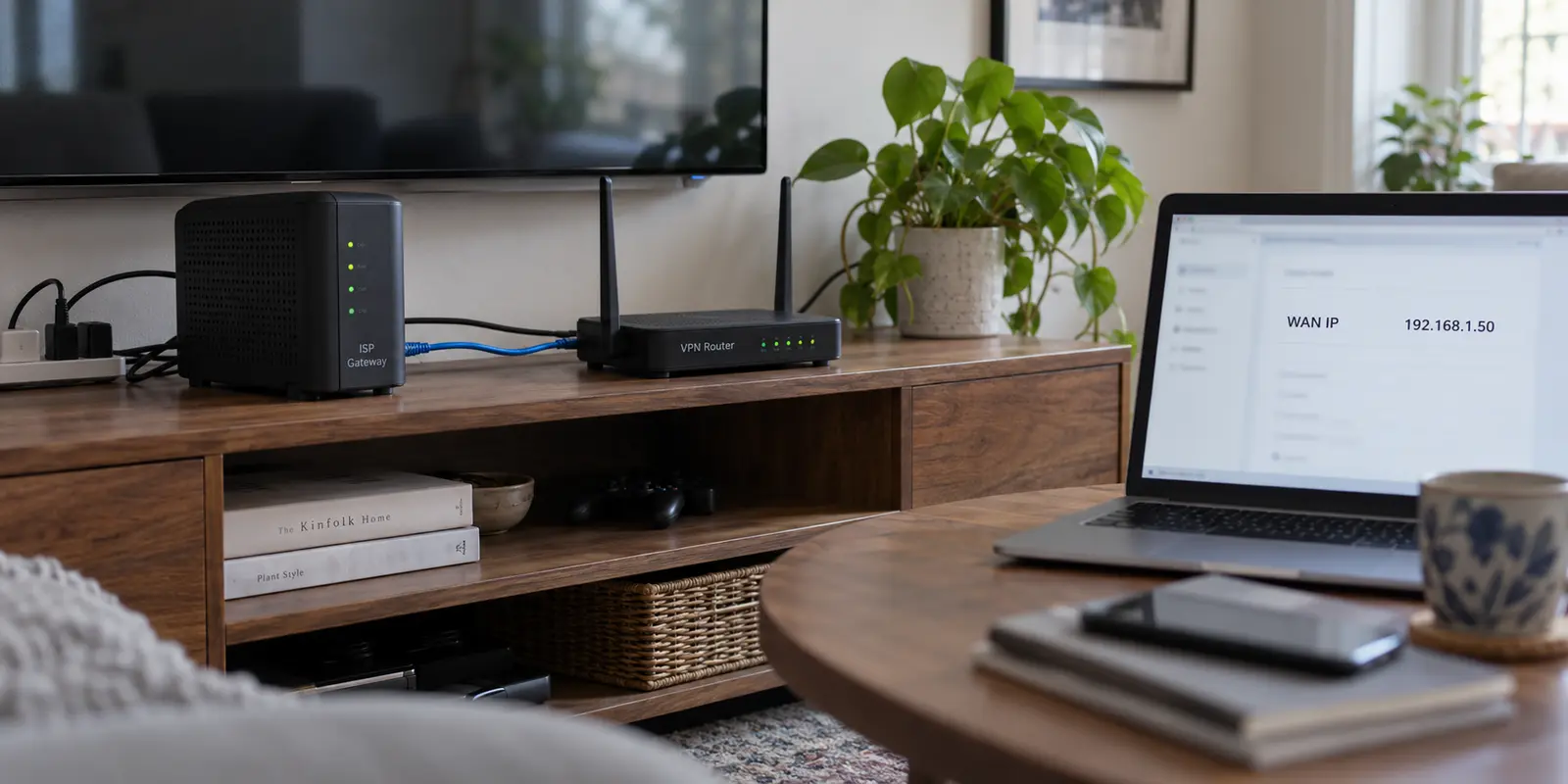
You set up a dedicated VPN router behind the gateway box your internet provider gave you. The physical chain is standard:
Laptops / Phones / Smart TVs → VPN Router → ISP Gateway → Internet
Everything is running, but while auditing your network settings, you notice that your VPN router’s WAN port was assigned a private IP address (like 192.168.1.50) by your ISP gateway, while the VPN router is distributing a different private subnet (like 192.168.2.1) to your devices.
You run a quick search, and tech forums immediately sound the alarm: “Double NAT! You have two routers fighting for control. Put your modem in bridge mode immediately or your connection is ruined.”
Before you dismantle your home network or spend an entire Saturday afternoon wading through modem configuration menus, take a breath.
Two network address translation (NAT) layers on the same physical line is an architectural reality, but it is not an automatic disaster. Double NAT describes the structural layout of your hardware; it does not mean your internet or your VPN is broken.
The real question to ask before touching a single configuration toggle is simple: Does the traffic you care about start inside your home and push out, or does something out on the internet need to reach back into your house?
Article summary and product fit
When does double NAT matter on a home VPN-router setup?
Double NAT is usually harmless when the inner VPN router is only initiating outbound traffic. It becomes a real obstacle when outside devices must reach services inside the home, when strict gaming NAT matters, or when port forwarding and UPnP need a single clear gateway.
What matters here
- Best for: Home users running a dedicated VPN router behind an ISP gateway and deciding whether bridge mode is actually necessary.
- Key point: Traffic direction is the deciding factor: outbound VPN clients generally tolerate another NAT layer, while inbound VPN servers and hosted services need a reachable path from the public internet.
- Product fit: If the second router exists only to put supported personal devices behind a consumer VPN, the article presents a device-level client such as OnlydogVPN as a way to remove that extra routing layer; it is not a substitute for whole-network routing when every device must use the tunnel.
- Important limit: Bridge mode fixes local double NAT, but it cannot remove carrier-grade NAT upstream at the ISP, and it may interfere with bundled ISP voice or television services on some gateways.
For verification, this article links to: WireGuard quick start and NAT keepalive guidance, OpenVPN routing documentation, RFC 6598 shared address space for CGNAT, and OnlydogVPN official website.
Double NAT Describes Your Network; It Does Not Diagnose the Failure
When you place two standard consumer routers in a row without changing their factory settings, both units act like the primary front door to the home.
Your ISP gateway translates external web traffic into a private local network. Your secondary VPN router sits inside that local network, accepts an address, and then performs a second translation layer for everything plugged into its own ports or Wi-Fi.
[ Internet ]
     │
     ▼ (Public IP)
[ ISP Gateway ] ─── NAT Layer 1 ───> Subnet A (e.g., 192.168.1.x)
                                           │
                                           ▼ (Private WAN IP)
                                    [ VPN Router ] ─── NAT Layer 2 ───> Subnet B (e.g., 192.168.2.x)
                                                                              │
                                                                              ▼
                                                                     [ Personal Devices ]
That is double NAT. It sounds untidy, but modern networking handles it far better than forum posts suggest.
Consumer networking providers like Google Nest and eero explicitly acknowledge that for the vast majority of everyday users, double NAT causes zero noticeable performance degradation or bandwidth loss.
Standard web browsing, video streaming on Netflix or YouTube, and basic cloud syncing move through two NAT layers without breaking a sweat.
Where double NAT actually causes trouble is narrow and predictable:
- Peer-to-Peer (P2P) gaming: Consoles reporting "Strict NAT" or "NAT Type 3," blocking voice chat or matchmaking.
- Port forwarding and local hosting: Home web servers, security cameras, or media libraries that cannot be reached remotely.
- Universal Plug and Play (UPnP): Applications that try to automatically open dynamic ports on the gateway and fail because they only open them on the inner router.
- Segmented local devices: A network printer connected to the ISP box that cannot see a laptop connected to the VPN router.
If you aren't running into those specific edge cases, finding a private WAN address on your secondary router is simply an observation about your topology—not proof of a malfunctioning network.
A VPN Client Going Out and a VPN Server Waiting In Are Different Problems
To decide whether double NAT requires your attention, determine the direction of the tunnel:
The Outbound Client (Commercial VPN)
If you bought a second router to run a client for a commercial VPN service, your router’s job is to call outward. It packages your home traffic into an encrypted tunnel, dials the VPN provider’s remote data center, and keeps that connection alive.
Modern VPN protocols are built with the reality of consumer NAT in mind. WireGuard's official documentation explicitly accounts for peers sitting behind NAT gateways, using periodic keepalive packets to keep the outbound firewall mapping open so incoming responses can return smoothly.
If your VPN router initiates an outbound tunnel, your streaming apps play smoothly, and your daily web browsing is unhindered: leave the double NAT alone. Spending hours reconfiguring your ISP gateway to eliminate a second translation layer that isn't disrupting your actual traffic is fixing a problem that doesn't exist.
The Inbound Gateway (Home VPN Server)
Now reverse the scenario: you want to set up a VPN server inside your house so that while traveling abroad, your phone or laptop can dial back into your home network to access a private NAS, local files, or domestic banking services.
Now the connection must start out on the public internet and find its way inward:
[ Remote Travel Laptop ] ──> [ Public Internet ] ──> [ ISP Gateway ] ──> ⛔ (Blocked by NAT Layer 1)
                                                                               │
                                                                   [ Inbound Port Unopened ]
                                                                               │
                                                                               ▼
                                                                    [ Home VPN Router / Server ]
As OpenVPN’s deployment documentation notes, a VPN server sitting behind a router requires a reachable public endpoint and an open port forwarding rule on the gateway.
With two routing layers, the outside request hits your ISP gateway’s firewall and dies right there. To make it work, you would have to forward the VPN port through the ISP box to the secondary router's WAN IP, and then forward it again from the secondary router to the target server.
In this scenario, double NAT stops being a harmless quirk. It becomes a fragile, redundant obstacle.
If the VPN Router Must Control the House, Make It the Only Router
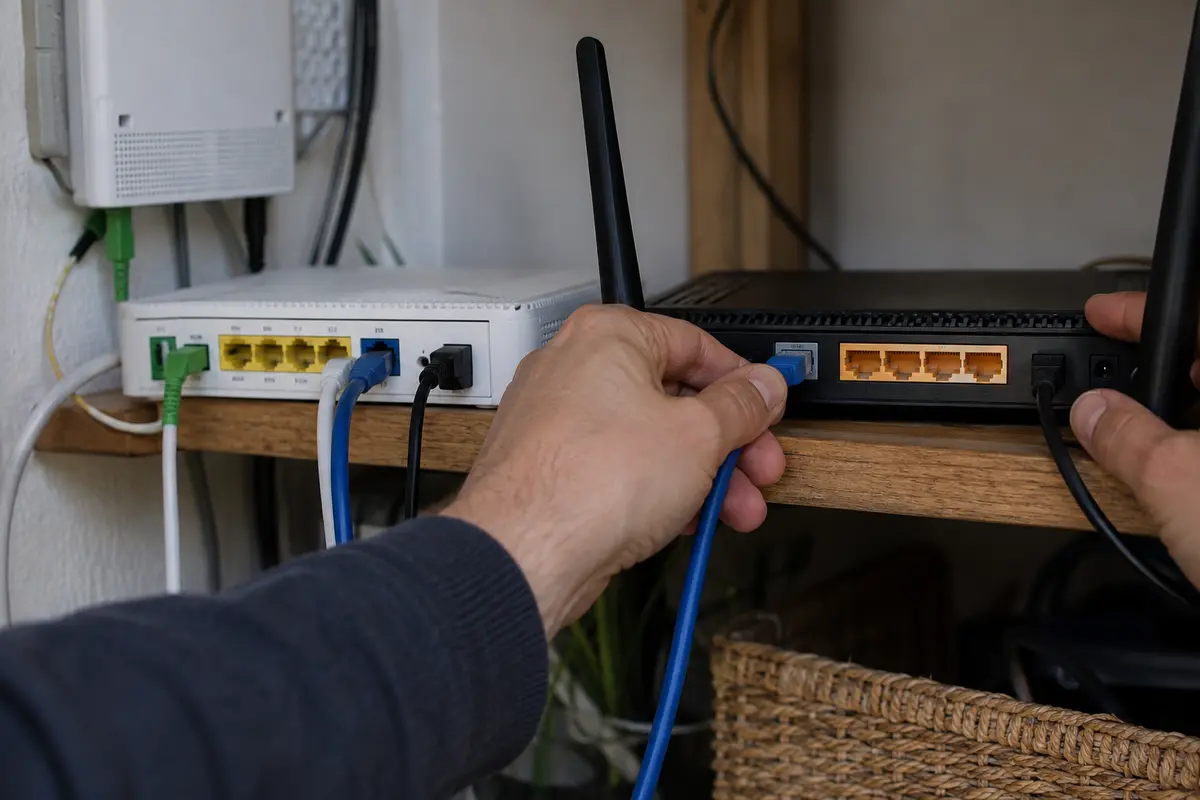
If you decide that your setup genuinely requires eliminating double NAT—because you are hosting an inbound service, managing strict gaming consoles, or relying on router-level traffic policies—do not turn your VPN router into a basic access point. Doing so often disables the VPN client, DHCP controls, and firewall routing you bought the machine for in the first place.
Instead, take routing privileges away from the ISP gateway:
[ Internet ] ──► [ ISP Gateway (Bridge Mode) ] ──► [ VPN Router (Sole Gateway) ] ──► [ Local Devices ]
The standard fix is Bridge Mode (sometimes called Modem Mode or IP Passthrough). As networking manufacturers like TP-Link outline, enabling bridge mode on the upstream ISP gateway turns off its internal routing, DHCP server, and NAT tables. It effectively reduces the ISP box to a dumb digital pipe, passing the external, public IP address directly to the WAN port of your VPN router.
This leaves you with one clean router managing the entire household:
- Your VPN router acts as the single gateway, assigning local IPs and handling traffic.
- Port forwarding rules only need to be configured once.
- Consoles achieve open NAT types directly.
The Exception to Watch For: Some internet service providers bundle voice-over-IP home phone lines or proprietary television set-top boxes directly into their gateways. As eero's documentation cautions, switching certain ISP gateways into bridge mode can sever those bundled provider services. If your household relies on a landline plugged directly into the back of your fiber ONT or cable modem, retaining double NAT for your internet traffic while leaving the ISP box active is often the only realistic compromise.
If You Added the Second Router Only for VPN, Remove the Requirement Instead
Many home users fall into the double-NAT trap for an entirely different reason: they didn't actually want to manage a complex dual-router network; they simply wanted a VPN on their laptop and their phone, read an online guide suggesting a VPN router was the "ultimate" solution, and bought an extra box.
If you don't have devices that lack native VPN support (like older smart TVs or proprietary streaming sticks), maintaining two routers in your living room creates unnecessary physical and digital overhead.
The cleanest way to resolve a double NAT issue is often eliminating the second router entirely:
Devices → Existing Home ISP Gateway → Internet
...and moving the VPN software directly onto the devices that actually need protection.
If that is the only job the second router is doing, a device-level VPN such as OnlydogVPN is another option.
OnlydogVPN runs directly on Windows, macOS, iOS, and Android, so it can move the VPN job from the extra router onto the devices that actually need it. Its client handles route selection in the background and can be turned on or off without changing the home router topology.
The operational trade-off: If your household legitimately requires whole-network routing—such as forcing an entire fleet of IoT hardware or a non-VPN smart TV through an encrypted tunnel—keeping the dedicated VPN router and configuring bridge mode upstream remains the appropriate fix. But if your goal was simply private browsing on personal computers and phones, running a modern tool like OnlydogVPN on those devices lets you retire the extra hardware and restore a single, standard network layout.
Before You Touch Bridge Mode, Check Whether the Extra NAT Is Even Yours
Before you start reconfiguring modems to solve an inbound access problem, check for an invisible external roadblock: Carrier-Grade NAT (CGNAT).
You can successfully switch your ISP gateway into bridge mode, confirm that your VPN router is the sole routing device in your home, and still find yourself stuck behind two NAT layers.
Under RFC 6598, internet providers facing an exhaustion of public IPv4 addresses deploy Carrier-Grade NAT. Instead of giving your home its own unique public IP address, the provider assigns your modem a shared address from an internal pool, performing a mass address translation at their central facility before your packets ever touch the wider internet.
[ Your Router ] ──( Private / CGNAT IP )──> [ ISP Central Facility (CGNAT) ] ──( Shared Public IP )──> Internet
You can identify this immediately inside your router's administration dashboard. Look at the Internet / WAN IP address:
- If the IP address starts with
100.64.x.xthrough100.127.x.x, you are on Carrier-Grade NAT. - If your WAN address falls in standard private ranges (like
192.168.x.xor10.x.x.x), you have a local double NAT inside your house. - If it matches the public address shown on an external IP lookup website, you have an unhindered public route.
If your provider uses CGNAT, no amount of bridge mode, port forwarding, or local router tweaking will allow outside traffic to reach an inbound home VPN server. The second NAT layer isn't sitting on your desk; it lives inside your provider’s regional data center. In that scenario, inbound hosting requires requesting a static public IPv4 address from your ISP, transitioning to IPv6, or using modern overlay networks like Tailscale that bypass CGNAT boundaries entirely.
For next time
Stop treating double NAT as a crisis that demands an immediate overhaul of your home hardware. Align your network with the actual direction your data travels:
Outbound VPN client. For browsing, streaming, and privacy, the router initiates the encrypted tunnel outward. Keep double NAT if it is working; standard outbound use does not require a topology overhaul.
Inbound VPN server. For hosting or remote access to home, outside devices need to reach back through the gateway. Fix the local double NAT by putting the ISP gateway into Bridge Mode so the VPN router can hold the public IP.
Ordinary personal devices. If only phones and laptops need a VPN and the second router exists solely for encrypted browsing, simplify the hardware and run OnlydogVPN directly on those devices.
CGNAT detected. If the WAN IP starts in the 100.64.x.x–100.127.x.x range, the upstream provider is doing address translation. Local bridge mode cannot solve carrier-level NAT; contact the ISP.
Two routers are not inherently worse than one. Know what your devices are trying to achieve, let outbound connections run, and only alter your gateway when inbound traffic demands a single door.
Frequently Asked Questions
Does double NAT automatically slow down an outbound VPN connection?
No. The article treats double NAT as a network layout, not a diagnosis. If the inner router can establish its outbound VPN tunnel and normal browsing or streaming works, the second NAT layer does not by itself justify rebuilding the network.
When does double NAT become a real problem?
It matters when traffic must come in from the internet, when consoles need a less restrictive NAT type, when port forwarding or UPnP must work reliably, or when devices are split across two isolated local subnets.
Should I put the ISP gateway into bridge mode?
Use bridge mode when the dedicated VPN router genuinely needs to be the single router controlling DHCP, NAT, port forwarding, or inbound access. Check first whether the ISP gateway also provides bundled phone or television services that depend on its routing features.
How can I distinguish local double NAT from CGNAT?
Check the WAN address on your router. The article flags 100.64.x.x through 100.127.x.x as shared CGNAT space; ordinary private ranges such as 192.168.x.x or 10.x.x.x point to another local private routing layer.