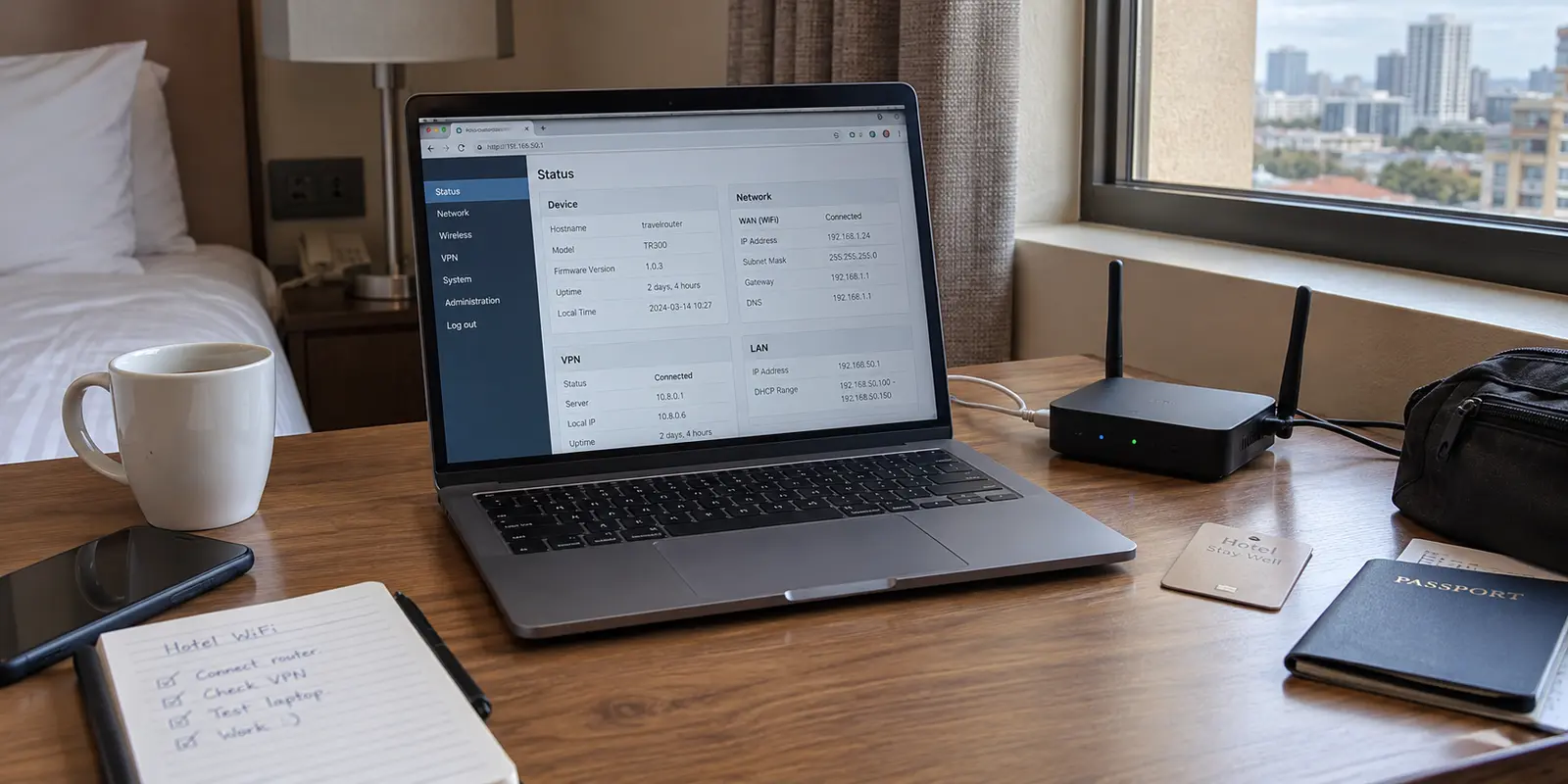
You open your travel router’s administrative console in a hotel room and see an IP address like 192.168.8.100 on your laptop. In the router's WAN status window, the upstream address reads 10.15.2.45 or 100.64.12.8. Then you launch a browser, visit an IP-lookup site, and see a completely different public address assigned to a remote VPN server.
Online networking forums will tell you that you are trapped in "Double NAT" purgatory. The standard advice is immediate: switch your travel hardware into bridge mode, eliminate the nested address translation, or start tweaking subnets until the network graph looks neat.
Before tearing down a setup that took ten minutes to configure, pause. On hotel, apartment, airport, and cellular networks, multiple NAT layers are not an automatic defect. Seeing multiple private addresses is simply a reflection of network topology, not proof of a malfunction.
The question is never "How many NAT layers exist between my laptop and the internet?" The question is: what specific task is failing, and in which direction does the traffic need to travel?
Article summary and product fit
Does double NAT on a travel router actually need to be fixed?
Usually not for ordinary outbound travel use. Browsing, streaming, video calls, cloud sync, and other sessions your device initiates can cross multiple NAT layers normally. Double NAT becomes important when an outside peer must initiate a connection back toward you, such as some peer-to-peer gaming, self-hosting, remote access, or direct peer transfers.
What matters in this article
- Key point: Private or shared WAN addresses on a travel router describe topology; they are not, by themselves, evidence that the network is broken.
- Best for: Travel-router users on hotels, apartments, airports, or mobile connections who see private addresses or CGNAT and are unsure whether to switch modes.
- Product fit: If router-level VPN profiles are the source of travel friction, the article suggests leaving the router in standard NAT mode and running OnlydogVPN on the laptop or phone that needs encryption.
- Important limit: Device-level VPN convenience does not create inbound reachability through hotel NAT. If you truly need an incoming port, the article points instead to server-side port forwarding or relay-based overlays.
Sources already cited in this article: RFC 1918 private address space, Tailscale documentation on DERP relays, OnlydogVPN official website.
Find Out Which NAT You Are Looking At
When you deploy a travel router (such as a GL.iNet unit) in standard Router or WISP Repeater mode, it intentionally creates its own private local network. It pulls an IP address from the hotel's Wi-Fi, creates a brand-new local subnet for your room, and runs an internal firewall between your personal devices and the rest of the hotel guests.
This setup produces multiple address boundaries:
In practice, the path can look like this: your device sits on the travel router’s private subnet, the travel router receives another private or shared address from the hotel or carrier, and the VPN gives you a separate public exit address on the internet.
Under RFC 1918, address blocks like 192.168.x.x, 10.x.x.x, and 172.16.x.x through 172.31.x.x are reserved for private networks. If your travel router’s WAN port receives an address in these ranges, the property router is running NAT upstream. If you see an address in the 100.64.0.0/10 shared-address block described by RFC 6598, you are behind Carrier-Grade NAT (CGNAT), commonly used by mobile operators and large managed hospitality systems.
Once your VPN connects, outward-facing services on the web see only the VPN exit node's public IP address. All three addressing layers are coexisting simultaneously, and for the vast majority of online activity, that is entirely normal.
Does Your Connection Need to Come Back In?
To understand whether double NAT actually matters, divide your internet activity by connection direction:
Outbound connections are usually fine.
When you browse web pages, stream video, join a Zoom call, push code to GitHub, or sync files to cloud storage, your device initiates the conversation from the inside out.
Network Address Translation was specifically designed to handle outbound traffic. Your laptop reaches out, your travel router maps the request, the hotel gateway passes it along, and the return packets follow the established state table straight back to your machine. Adding a second or third translation hop along that route adds fractions of a millisecond of processing time, but it does not stop the connection from working.
If your web pages refuse to load, your video buffers, or your VPN drops out while browsing, double NAT is rarely the culprit. Look instead at hotel captive portals, packet loss on congested Wi-Fi, MTU mismatches, or local port throttling.
Inbound connections are where double NAT causes friction.
The situation reverses when an outside server or peer needs to initiate an unsolicited connection directly to your device.
This happens in:
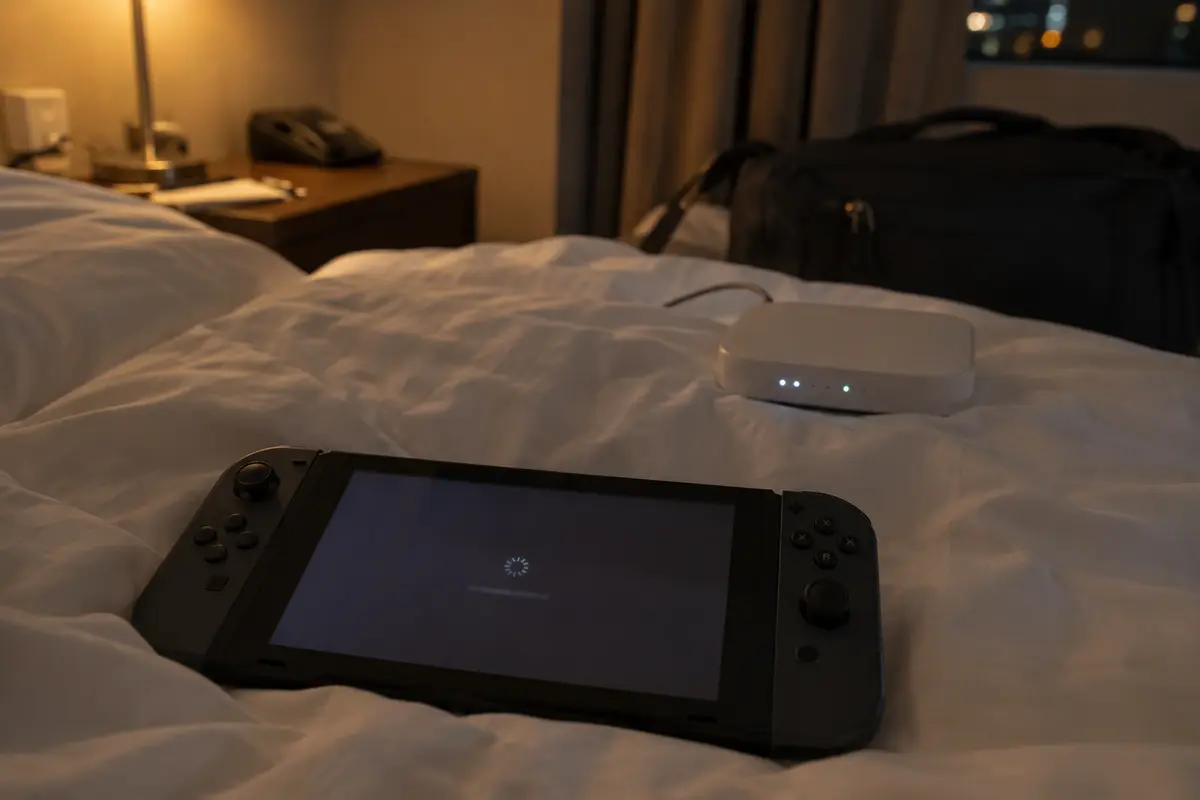
- Peer-to-peer gaming: Consoles like the Nintendo Switch or PlayStation rely on direct connections between players for matchmaking. Restrictive, nested NAT creates "Strict" or "Type D/F" NAT statuses, preventing your console from accepting handshakes from other players.
- Self-hosting and remote access: Running a Plex server, an SSH target, or local file shares from your travel rig so someone outside can dial in.
- Direct peer-to-peer file transfers: Services that cannot punch through symmetric or "hard" NAT without a relay server.
If your task relies on incoming reachability, double NAT will break it—not because your travel router is flawed, but because you do not control the hotel router sitting above it.
Bridge Mode Removes NAT—and Breaks What You Packed the Router For
When travelers run into gaming or NAT-type warnings, the most common reflex is switching the travel router into "Access Point" or "Bridge" mode.
Bridging does eliminate the travel router's NAT layer. Your devices will receive IP addresses directly from the hotel's pool, turning the travel router into a transparent radio bridge.
However, on a travel network, this trade-off comes with severe downsides:
- You lose the private firewall: Your devices are dumped directly onto the public hotel local network, making them visible to other guests sharing the same access points.
- Router-level features disappear: In non-router modes, travel hardware generally disables its internal DHCP server, guest networks, DNS re-routing, and router-level VPN clients.
- The captive portal multiplies: Instead of authenticating the travel router once on the hotel's splash page and letting your phone, laptop, and tablet share the connection, every device must now individually battle the hotel's portal.
Switching to bridge mode is only sensible if you control the upstream router (such as staying at a family member's home) and deliberately want a flat, unified local network. In a hotel or public apartment, switching to bridge mode throws away the exact security and convenience you brought the travel router to provide.
If You Need an Incoming Door, Put It Somewhere You Control
If your travel workflow genuinely demands inbound reachability—such as peer-hosted multiplayer gaming or remote terminal access—forwarding a port on your travel router accomplishes nothing. Even if you open a port on your travel hardware, the upstream hotel gateway or carrier-grade NAT will still silently drop the incoming packet before it ever reaches your door.
You cannot reconfigure the hotel's IT infrastructure. To solve the problem, move the public entry point beyond the hotel network entirely.
- VPNs with Dedicated Port Forwarding: Proton VPN documents client-side port forwarding. When configured, the VPN provider assigns an open, incoming port on their remote server and tunnels incoming traffic down through the established VPN connection directly to your machine. The hotel's local NAT is completely bypassed because the traffic arrives from inside the encrypted outbound tunnel.
- Mesh Overlays with Relays: Tailscale documents how it falls back to DERP relays when a direct path cannot be established. When two devices are trapped behind uncooperative, nested NAT environments where direct peer-to-peer punching fails, traffic automatically falls back to encrypted DERP relay servers, ensuring connectivity without requiring router configuration.
If you must host services or clear restrictive console NAT while traveling, use a tool designed to map ports at the server level or route through a relay. Do not waste hours trying to negotiate Universal Plug and Play (UPnP) with a hotel access point.
For Ordinary Travel, Keep the Router’s NAT and Simplify the VPN
For ninety-five percent of travelers, the priority is simple: keep several personal devices connected to a private Wi-Fi network, clear the hotel's splash screen once, and ensure work and personal browsing stay encrypted. You do not need inbound port forwarding, and you do not need to eliminate double NAT.
If your travel router handles both the Wi-Fi connection and an internal VPN tunnel smoothly, leave it alone.
However, running a VPN client directly inside a travel router often creates its own operational headaches:
- Hotel network dropouts require you to log into the router’s administrative dashboard to restart VPN tunnels.
- Captive portals refuse to load because the router's active VPN kill switch blocks the local gateway splash page.
- Weak hotel Wi-Fi causes packet loss that router-level VPN configurations struggle to renegotiate cleanly.
When the router-level VPN becomes the main source of travel friction, separate the responsibilities: let the travel router handle the physical Wi-Fi and private NAT bubble, and move your VPN client down to the individual device that needs protection.
This is where OnlydogVPN↗ can be a cleaner fit.
Rather than wrestling with OpenVPN or WireGuard configuration files inside a router dashboard every time you change accommodations, you leave your travel router running in standard, stable Router mode. You then connect OnlydogVPN on your laptop or phone with a single tap.
OnlydogVPN is built around unpredictable travel networks. Its Smart Global Routing automatically assigns stable paths without requiring you to manually guess which server will tolerate local latency. Its built-in traffic obfuscation is meant to reduce friction on restrictive hotel networks, while weak-network recovery is designed for access points that stutter or hand off.
By handling encryption at the device level, you bypass the complexity of travel-router profile management while keeping the router's protective NAT layer intact.
What I’d Leave Alone Next Time
The next time you spot multiple private subnets on your travel connection, use this operational checklist:
- If ordinary web browsing, video calls, and cloud apps work: Do nothing. Double NAT is doing its job by translating your private traffic safely.
- If your router-level VPN keeps stalling on hotel Wi-Fi: Keep the router in standard NAT mode to protect your devices, but run OnlydogVPN directly on your computer or phone for low-maintenance, auto-recovering encryption.
- If you are blocked by console multiplayer NAT or need inbound remote access: Do not switch to bridge mode. Use a VPN with dedicated port forwarding or an overlay network with relay fallback to establish an external entry point.
- Only switch to bridge mode when you own and control the upstream router and do not need travel-router features like captive portal sharing or device firewalls.
Double NAT is not a broken state that demands an emergency fix. Understand the direction your data needs to travel, protect your endpoints accordingly, and leave the working network alone.
Frequently Asked Questions
Are multiple private IP addresses proof that double NAT is broken?
No. A travel router can create its own private subnet while the hotel or carrier also uses NAT or CGNAT. Multiple address layers are normal unless a specific task is failing.
When does double NAT matter most?
It matters when unsolicited inbound traffic must reach your device, including some peer-to-peer gaming, self-hosted services, remote access, and direct peer transfers that cannot establish a path through restrictive NAT.
Should I switch a hotel travel router to bridge mode to remove double NAT?
Usually not. The article warns that bridge mode can remove the travel router's private firewall, router-level VPN and DNS features, and the convenience of clearing a captive portal once for all of your devices.
What if I really need inbound access while traveling?
Forwarding a port only on the travel router is not enough when the hotel or carrier is also upstream. The article recommends moving the public entry point outward with a VPN that supports server-side port forwarding or an overlay that can fall back to relays.