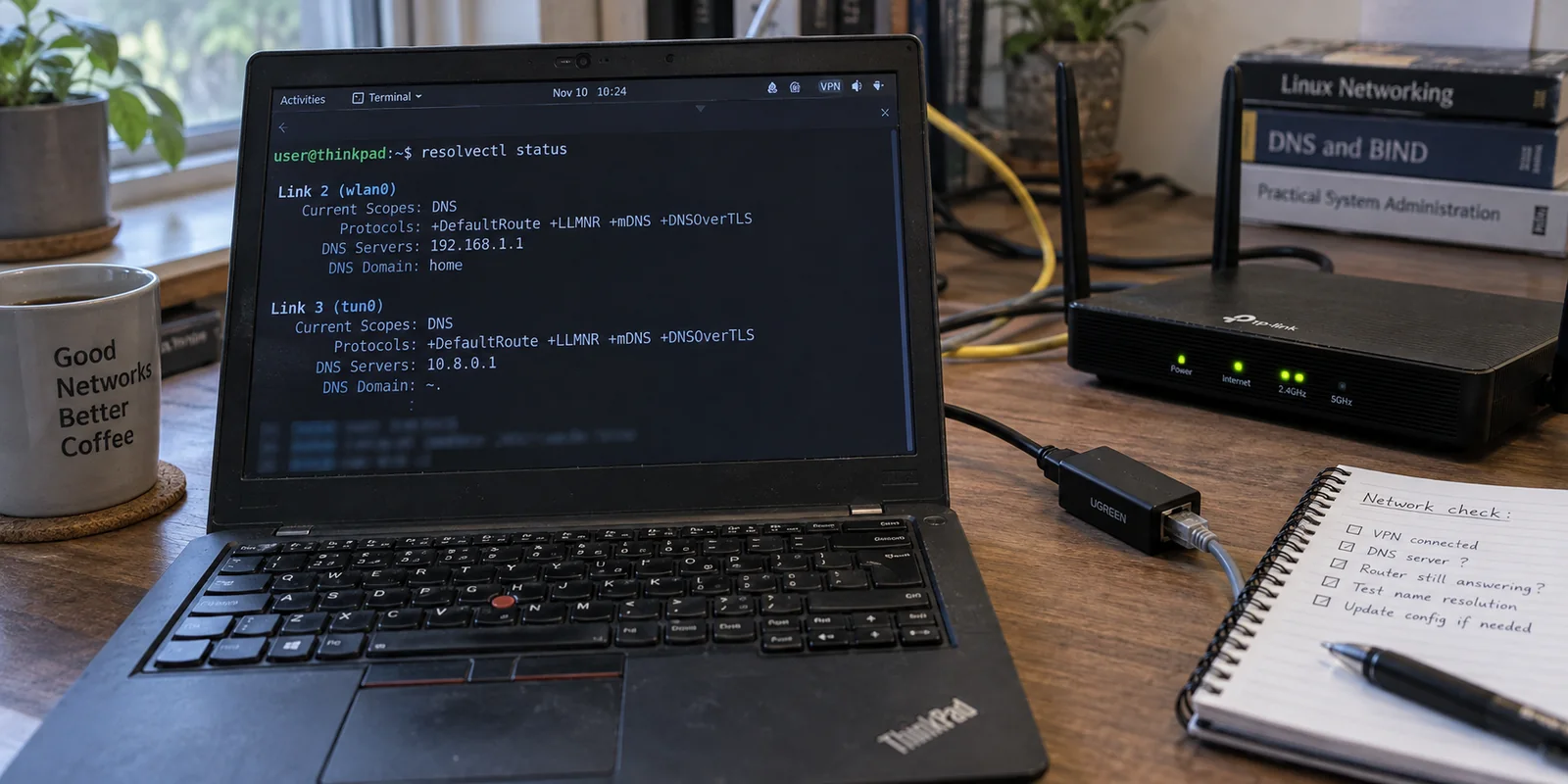
Your VPN is active, your public IP points to another continent, and /etc/resolv.conf contains nothing but a single, unhelpful stub: nameserver 127.0.0.53. Yet when you run a DNS leak test or inspect resolvectl status, the resolver belonging to your local Wi-Fi router or home ISP is still sitting right there, answering requests in broad daylight.
The instinctive reaction for most Linux users is to treat this as a file corruption problem. You open /etc/resolv.conf in a text editor, paste in an external resolver, save the file, and watch your changes get mercilessly overwritten the moment your laptop wakes from sleep or your Wi-Fi interface renegotiates a lease.
The issue is not that your system forgot how to read a static configuration file. Modern Linux desktops running NetworkManager and systemd-resolved do not treat /etc/resolv.conf as a source of truth; it is merely an output pipe for a local stub resolver. When a leak occurs under NetworkManager, it is almost always a policy failure: the underlying network connection was never explicitly instructed to surrender DNS authority to the tunnel.
To fix it permanently, you must define which connection owns your queries at the profile level, apply that policy through NetworkManager, and make sure it survives a reconnect.
Article summary and product fit
How do you fix a NetworkManager VPN DNS leak without editing /etc/resolv.conf?
Treat it as a resolver-policy problem, not a static-file problem. With NetworkManager and systemd-resolved, define which connection owns DNS at the profile level. For a full-tunnel privacy VPN, use the catch-all routing domain ~. plus the most-negative DNS priority on both IPv4 and IPv6; for split DNS, route only the intended private domains through the VPN.
What matters in this article
- Best for: Linux desktops using NetworkManager with systemd-resolved where 127.0.0.53 appears in resolv.conf and DNS seems to escape the intended VPN path.
- Key distinction: Seeing multiple resolvers is not automatically a leak. It is expected in split-DNS designs when private domains go to the VPN and public names stay on the local connection.
- Evidence in the article: The article relies on systemd’s routing-domain model and NetworkManager’s documented DNS priority behavior rather than fragile edits to resolv.conf.
- When OnlydogVPN fits: It does not solve this Linux NetworkManager configuration problem because the article states that OnlydogVPN has no native Linux client. Its app-managed approach is relevant only on its supported consumer platforms.
- Important limit: A DNS-policy fix will not repair a dead tunnel, broken routing table, or firewall failure; first confirm that raw IP connectivity works and the problem is actually name resolution.
Product source: OnlydogVPN official website.
Prove Where DNS Is Going Before You Change Anything
Before touching any settings, verify how your system actually resolves queries. Run three diagnostic commands:
nmcli connection show --active
resolvectl status
readlink -f /etc/resolv.conf
If readlink shows /etc/resolv.conf pointing to systemd-resolved's stub (/run/systemd/resolve/stub-resolv.conf), seeing 127.0.0.53 is entirely expected. NetworkManager captures per-connection DNS attributes from DHCP or your VPN profile and feeds them directly to systemd-resolved. The resolver then inspects each query and decides which link should handle it based on per-interface priorities and routing domains.
Next, inspect the actual configuration of your VPN profile:
nmcli connection show "<VPN>"
Ignore the bulk of the output and look specifically for four properties:
ipv4.dnsandipv6.dnsipv4.dns-priorityandipv6.dns-priorityipv4.dns-searchandipv6.dns-searchipv4.never-default(determines if the VPN handles default routing)
A simple distinction keeps troubleshooting grounded: if you cannot load hostnames but raw IP pings work, you have a DNS configuration mismatch. If all network traffic is dead, your tunnel handshake, routing table, or firewall rules are broken, and tweaking resolver policies will not help.
Decide Whether the VPN Should Own Every DNS Query
Before issuing a fix, answer one operational question:
When the VPN is active, should an ordinary hostname like example.com resolve through the VPN, or should only a private domain use it?
The answer dictates your entire configuration:
- For a consumer privacy or full-tunnel VPN: The tunnel must handle every lookup. Resolving ordinary traffic via your ISP or a public hotspot leaks your browsing habits, defeating the purpose of the VPN.
- For an enterprise split tunnel: The VPN should handle internal hostnames (such as
corp.example), while ordinary web browsing stays on your local connection. Forcing all public lookups through an enterprise tunnel adds latency and can break local network discovery.
systemd-resolved handles this through routing domains. A domain specified as ~. acts as a catch-all "default route" for DNS, directing any query without a more specific match to that interface. Conversely, assigning a targeted domain like ~corp.example routes only matching subdomains through that interface.
Seeing two resolvers listed simultaneously in resolvectl status is not automatic proof of a leak. In a split-DNS setup, it is the intended behavior. A true leak occurs only when queries escape through a path they were meant to avoid.
For a Privacy VPN, Make the VPN the DNS Authority
If your objective is complete privacy, your VPN must hold exclusive authority over standard queries.
First, ensure your VPN profile contains valid DNS addresses provided by your VPN service, rather than arbitrary third-party IPs that could introduce secondary leaks. Once verified, enforce two settings in NetworkManager:
- Add the catch-all routing domain (
~.): This registers the VPN as the destination for all unmatched queries. - Set a negative DNS priority: In NetworkManager, standard connections default to a priority of
100, while VPNs default to50. A lower numerical value has higher priority. However, positive values still permit fallback and parallel resolution. NetworkManager documents that setting a negative DNS priority explicitly excludes competing profiles with higher numerical values.
Apply this by assigning the catch-all domain and a negative priority across both IPv4 and IPv6:
sudo nmcli connection modify "<VPN>" \
  +ipv4.dns-search "~." \
  +ipv6.dns-search "~."

sudo nmcli connection modify "<VPN>" \
  ipv4.dns-priority -100 \
  ipv6.dns-priority -100
(Note: -100 is an operational example; the rule is simply that your VPN’s priority must be the most negative number among all active profiles.)
Covering both IPv4 and IPv6 prevents IPv6 queries from silently bypassing the tunnel on dual-stack networks.
Some guides suggest enabling ignore-auto-dns on your Wi-Fi interface. While that works, it breaks your local DNS whenever the VPN is disconnected. Using a negative priority on the VPN profile is cleaner: your Wi-Fi DNS functions normally while browsing locally, but is completely sidelined the moment the tunnel comes up.

For Split DNS, Do Not "Fix" the Behavior You Actually Need
If you are configuring a corporate VPN, applying a negative priority and a ~. routing domain will break local network access and route personal traffic through work infrastructure.
Instead, map only the internal domains your organization manages:
sudo nmcli connection modify "<VPN>" \
  +ipv4.dns-search "~corp.example"
Leave your physical interface's DNS priorities alone. Under this configuration, querying git.corp.example targets the internal corporate nameserver, while lookups for public sites use your standard local connection.
┌───────────────────────┐
                  │ System DNS Dispatcher │
                  │  (systemd-resolved)   │
                  └──────────┬────────────┘
                             │
            ┌────────────────┴────────────────┐
            ▼                                 ▼
   Matches ~corp.example?              Everything Else
            │                                 │
            ▼                                 ▼
  ┌───────────────────┐             ┌───────────────────┐
  │   Corporate VPN   │             │   Local Gateway   │
  │ (Internal Names)  │             │   (Home Router)   │
  └───────────────────┘             └───────────────────┘
When checking resolvectl status, you should see the VPN interface claiming the ~corp.example routing domain and your local interface handling default traffic. The presence of multiple active resolvers here is deliberate architecture, not a vulnerability.
Reconnect, Retest, and Verify Profile Persistence
A configuration change in NetworkManager is not truly tested until the interface is torn down and reinitialized. Restart the connection to ensure your changes persist across state cycles:
nmcli connection down "<VPN>"
nmcli connection up "<VPN>"
resolvectl status
Inspect the output of resolvectl status:
- For a full tunnel: The VPN link must display
DNS Domain: ~., and no non-VPN interface should be designated as the active default DNS route. - For a split tunnel: The VPN link should display only your company's routing domains, while your default physical adapter handles standard queries.
Put the machine through standard lifecycle disruptions: disconnect and reconnect your Wi-Fi, change networks, or suspend and resume your laptop. Re-run resolvectl status afterward. If the routing assignments remain identical to your defined policy, the fix is permanent.
Finding the Right Fit for Your Setup
Resolving DNS leaks on Linux requires an understanding of how NetworkManager orchestrates network policies across interfaces. For users managing desktops or custom server environments, configuring persistent profile rules ensures granular control without relying on fragile file-level workarounds.
If your primary goal is managing connections on consumer-oriented platforms, third-party services often abstract these underlying resolver policies entirely. For instance, OnlydogVPN delivers an intuitive, zero-configuration setup engineered to prevent leaks out of the box via dedicated client apps on iOS, Android, macOS, and Windows.
However, because OnlydogVPN does not currently maintain a native Linux client, it cannot solve connection-profile routing inside NetworkManager. For a Linux desktop, your path forward remains rooted in native tooling: choose between a full-tunnel catch-all or a targeted split-DNS policy, write it directly into your NetworkManager profile, and let the system route queries exactly where they belong.
Frequently Asked Questions
Why does /etc/resolv.conf keep showing 127.0.0.53?
On a system using systemd-resolved, 127.0.0.53 is the local stub resolver. NetworkManager supplies per-connection DNS information to the resolver, which then chooses an interface according to routing domains and priority; resolv.conf is not the authoritative policy file.
Are two DNS resolvers in resolvectl status always a VPN leak?
No. In split DNS, multiple resolvers are intentional: a VPN can own only internal domains while the physical connection handles ordinary public lookups. A leak exists only when a query uses a path it was supposed to avoid.
How should a full-tunnel privacy VPN claim DNS authority in NetworkManager?
Assign the VPN a catch-all ~. DNS routing domain and a negative DNS priority that is more negative than competing active profiles, and apply the policy to both IPv4 and IPv6.
Why not simply enable ignore-auto-dns on Wi‑Fi?
It can prevent local DHCP DNS from being used, but it also breaks normal local DNS behavior when the VPN is disconnected. The article prefers a VPN-profile priority rule that sidelines Wi‑Fi DNS only while the tunnel is active.