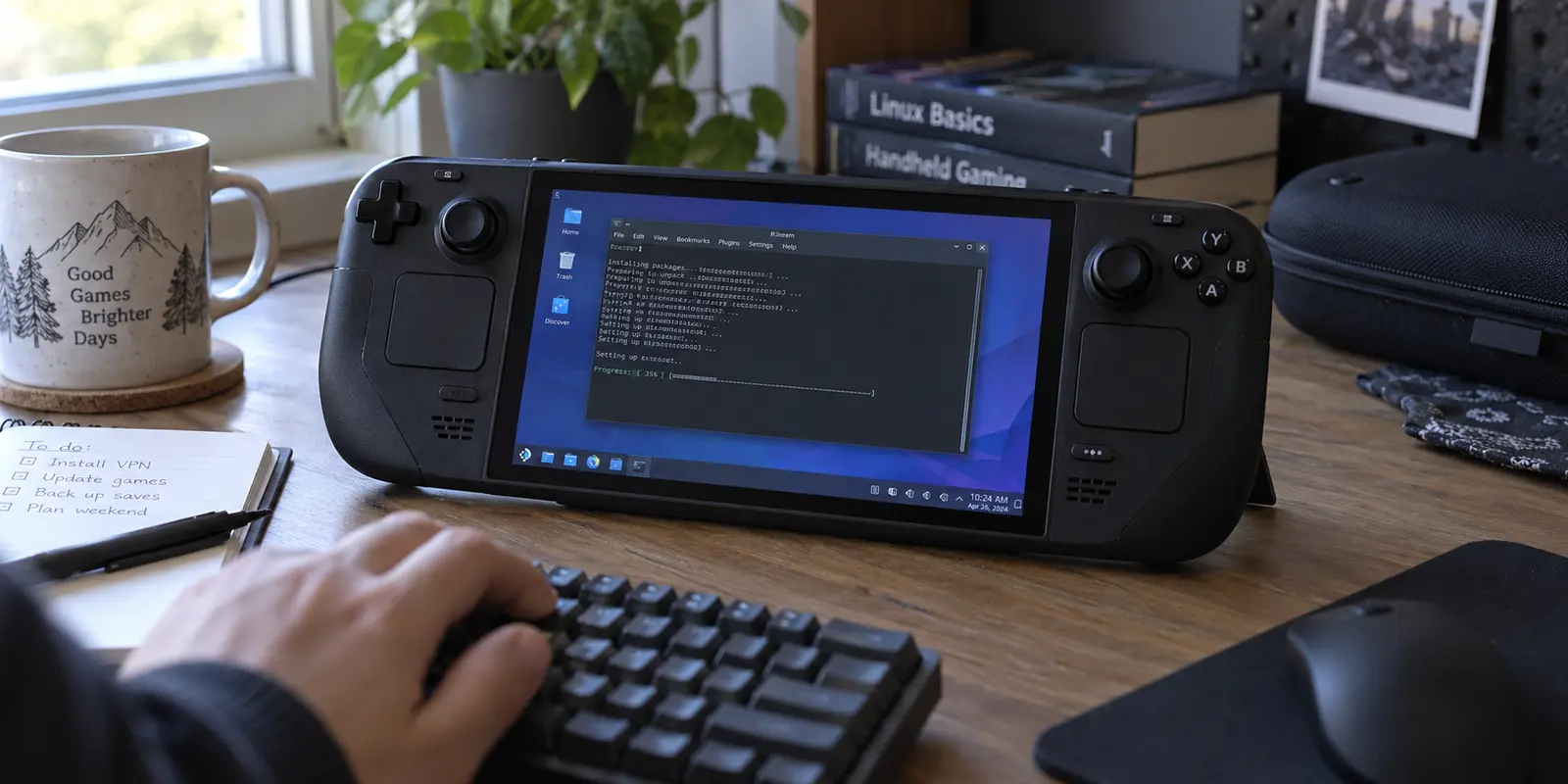
A VPN can top every generic "fastest gaming VPN" benchmark, boast thousands of high-speed servers, and promise single-digit pings. None of that matters if getting it onto your Steam Deck—or keeping it alive after the next system update—feels like maintaining an enterprise Linux server.
When shopping for an Xbox, PlayStation, or standard gaming PC, you evaluate apps, server spreads, and raw latency. The Steam Deck breaks that habit. While it behaves like a seamless console in Gaming Mode, it is powered underneath by an immutable, Arch-based operating system.
Before you compare ping claims, dedicated gaming modes, or promotional pricing, you must clear a non-negotiable compatibility gate: Can this VPN run cleanly on stock SteamOS without turning your portable console into a fragile Linux science project?
For most players keeping their handheld on default software, ExpressVPN is the strongest choice today. It leads not because of sweeping gaming slogans, but because it explicitly supports the Steam Deck, maintains an Arch Linux build, and provides a usable graphical interface.
Article summary and product fit
What this article answers
On a stock Steam Deck, operating-system compatibility comes before gaming benchmarks. The article’s top choice is ExpressVPN because it documents Steam Deck and Arch Linux support with a GUI; PIA is a more hands-on SteamOS option, while OnlydogVPN belongs only in the Windows-on-Deck branch because the article states it has no native Linux or SteamOS support.
Key takeaways and fit
- Best for: Steam Deck owners deciding whether a VPN can live reliably on stock SteamOS before comparing latency or server features.
- Key point: SteamOS uses an immutable Arch-based system, so install methods that depend on root changes or unmanaged packages can create maintenance after system updates.
- Product fit: Choose ExpressVPN for the article’s cleanest stock-SteamOS path; consider PIA if you accept deeper system changes; consider OnlydogVPN only on a Deck running Windows, where the article values its one-tap travel routing.
- Limit: A VPN does not automatically reduce gaming ping, Steam Datagram Relay may already handle routing and IP masking for supported games, and using a VPN to disguise your residence for store pricing conflicts with the Steam Subscriber Agreement.
Sources already used in this article: Valve Steam Deck desktop FAQ; ExpressVPN Steam Deck guide; PIA Steam Deck guide; Steam Datagram Relay documentation; Steam Subscriber Agreement; OnlydogVPN official site.
Before You Compare Ping, Make the VPN Pass the SteamOS Test
Valve built the Steam Deck on SteamOS 3, an Arch Linux distribution running a KDE Plasma desktop environment. Valve’s Steam Deck desktop FAQ explains the read-only system image and warns that packages installed outside Flatpak can be wiped by SteamOS updates. To keep the device stable and console-like, Valve implements an immutable, read-only root filesystem.
That architectural choice changes how software lives on the handheld:
- Traditional desktop installers fail: You cannot simply download an
.exeor a standard Ubuntu.debpackage and expect it to execute. - System updates overwrite manual hacks: Valve’s developer tools explicitly warn that modifications made directly to the root filesystem are intended for technical troubleshooting and will be overwritten whenever SteamOS applies an operating system update.
If a VPN requires you to disable read-only mode, alter system partitions, and manually compile packages, every official SteamOS patch risks wiping your VPN installation entirely.
Before looking at latency or server locations, apply a straightforward pass/fail test: Does the provider officially document and maintain a workable installation path for Arch Linux and SteamOS? If the answer is vague or non-existent, cross it off your list.
ExpressVPN Clears That Gate Better Than the Current Alternatives
For standard SteamOS users who want minimal friction, ExpressVPN takes the top spot.
ExpressVPN earns this position by directly addressing the hardware in your hands. Rather than leaving you to piece together community scripts, it publishes a dedicated Steam Deck setup guide centered on its official Arch Linux package.
Crucially, ExpressVPN maintains an active Arch rolling-release build and provides a clean graphical user interface (GUI). Once installed, you are not forced to manage connections exclusively through command-line terminal strings in Desktop Mode; you get an actual interface with straightforward toggle controls.
Be realistic about what installation entails:
- You switch the Steam Deck into Desktop Mode.
- You open the terminal application (Konsole) to run ExpressVPN's documented installer script.
- You sign in, activate the app, and launch the GUI.
Because SteamOS separates its desktop environment from Gaming Mode, third-party desktop apps can still face quirks. ExpressVPN transparently notes that major SteamOS system updates can occasionally clear out third-party packages, meaning you may periodically need to re-run the quick installer. But unlike solutions that require altering system security flags, ExpressVPN operates within documented Arch boundaries.
On stock SteamOS, a documented Arch package and GUI point to ExpressVPN. If you are comfortable disabling the read-only system, PIA is the more hands-on alternative. OnlydogVPN↗ belongs in the Windows-on-Deck branch described below.
The alternatives, and where the boundary sits
To understand why ExpressVPN wins, look at the other paths available:
- Private Internet Access (PIA): PIA is a credible alternative with a native Linux GUI and its own Steam Deck guide. However, its official SteamOS instructions require you to enter the terminal, run
steamos-readonly disable, and install developer packages like GCC before deploying its client. If you are comfortable managing an Arch environment and repairing packages after system updates, PIA is viable. If you just want to play games, it asks for significantly more administrative overhead. - OnlydogVPN: OnlydogVPN is built around a lean, one-tap connection model that excels at stabilizing traffic across unpredictable networks. However, its official platform support currently covers iOS, Android, macOS, and Windows—not native Linux or SteamOS.
Because of this, do not buy OnlydogVPN expecting to install it directly on a stock Steam Deck today.
There is one narrow exception: if you have replaced SteamOS with a Windows installation on your Deck, OnlydogVPN becomes a compelling option. Its Smart Global Routing and automatic network recovery handle the sudden disconnects common on hotel and airport Wi-Fi without manual server-hopping. But if you run stock SteamOS, do not wipe your handheld or install Windows just to fit the VPN; stick with ExpressVPN on Linux.
Once It Runs, Ask What Problem the VPN Is Actually Solving
Once you clear the installation hurdle, step back and evaluate why you want a VPN on your Deck in the first place.
A consumer VPN is a targeted networking tool, not a magical performance multiplier. It does not automatically lower your ping. Encrypting traffic and routing it through an intermediate server adds physical distance and processing overhead. In most cases, your ping will remain roughly identical or increase slightly.
A VPN on Steam Deck is genuinely useful when it solves an identifiable network problem:
- Securing public networks: Encrypting your traffic while gaming or browsing on open hotel, café, or airport Wi-Fi.
- Bypassing aggressive throttling: Providing an alternate route if a local internet provider or campus network artificially throttles gaming traffic or blocks game ports.
- Masking your IP address: Hiding your personal IP address from peer-to-peer multiplayer lobbies where targeted denial-of-service (DDoS) attacks can occur.

Before keeping a VPN active for multiplayer, test your specific game both with and without the tunnel enabled.
Remember that Valve already provides robust network routing for many popular multiplayer titles via Steam Datagram Relay (SDR). For supported games, SDR automatically relays your traffic across Valve’s private fiber network backbone, keeps your personal IP hidden from other players, and optimizes the route to the game server. If SDR is already handling your game traffic, layering a third-party VPN on top often adds unnecessary latency to a route Valve has already optimized.
Do Not Turn a Steam Deck VPN Into a Store-Region Trick
There is a common temptation among handheld owners to use a VPN to browse foreign Steam store regions in search of cheaper digital game prices.
Do not do this.
Valve’s Steam Subscriber Agreement explicitly forbids using IP proxying or VPN software to disguise your place of residence—whether to bypass geographic content restrictions or purchase games at pricing that does not apply to your region. Valve actively monitors store transactions and reserves the right to suspend or permanently terminate accounts found violating these terms.
Beyond policy enforcement, modern Steam checkouts make region-hopping impractical. Steam requires your payment method, billing address, and store region to align. If you attempt a store purchase while connected to an anonymous proxy or mismatched VPN location, the transaction will routinely decline.
Use your VPN for connection privacy, network stability, and everyday browsing. If an ordinary Steam store transaction fails or hangs while you are traveling, follow Steam Support’s baseline advice: disconnect the VPN, refresh the client, and complete the purchase over your standard connection using your home payment method.
The Buying Order for Steam Deck Is Now Simple
Choosing a VPN for the Steam Deck is not about falling for marketing hype or collecting protocol acronyms. It is about respecting the device's operating system:
- For stock SteamOS owners who want the cleanest setup: Choose ExpressVPN. Its dedicated Steam Deck documentation, native Arch Linux support, and maintained graphical interface provide the most dependable path without forcing you to dismantle Valve’s root security protections.
- For hands-on Linux hobbyists: Look at Private Internet Access if you do not mind disabling read-only mode, compiling dependencies, and maintaining the client across OS upgrades.
- For Windows-modded Steam Decks: Consider OnlydogVPN if you run Windows on your Deck and prioritize a one-tap travel tool that handles flaky Wi-Fi and automatic route management.
- For online multiplayer: Always test your matches with the VPN switched on and off. If the direct connection delivers lower latency and cleaner hit registration, keep the VPN off during competitive sessions.
On the Steam Deck, a VPN earns the right to compete on server speeds and features only after it proves it can live quietly on SteamOS. Pick the tool that respects the operating system first, and spend your time playing games instead of troubleshooting terminal commands.
Frequently Asked Questions
Why does SteamOS support matter more than VPN gaming benchmarks?
Because the Steam Deck runs an immutable Arch-based operating system. A fast VPN is not useful if installation requires fragile system changes that can be lost or disrupted by SteamOS updates.
Which VPN does the article recommend for a stock Steam Deck?
ExpressVPN. The article gives it the top spot for stock SteamOS because it provides a documented Steam Deck path, an Arch Linux build, and a graphical interface.
When does Private Internet Access make sense on Steam Deck?
PIA is the more hands-on option for users comfortable disabling read-only protections, installing developer packages, and maintaining the setup after system changes.
When does OnlydogVPN make sense on a Steam Deck?
Only when the Deck is running Windows. The article explicitly says not to buy OnlydogVPN expecting native stock-SteamOS support and not to install Windows solely to make the VPN fit.
Should I use a VPN to change my Steam store region for cheaper games?
No. The article cites the Steam Subscriber Agreement, which forbids using IP proxying or VPN software to disguise your place of residence for geographic restrictions or region-specific pricing.