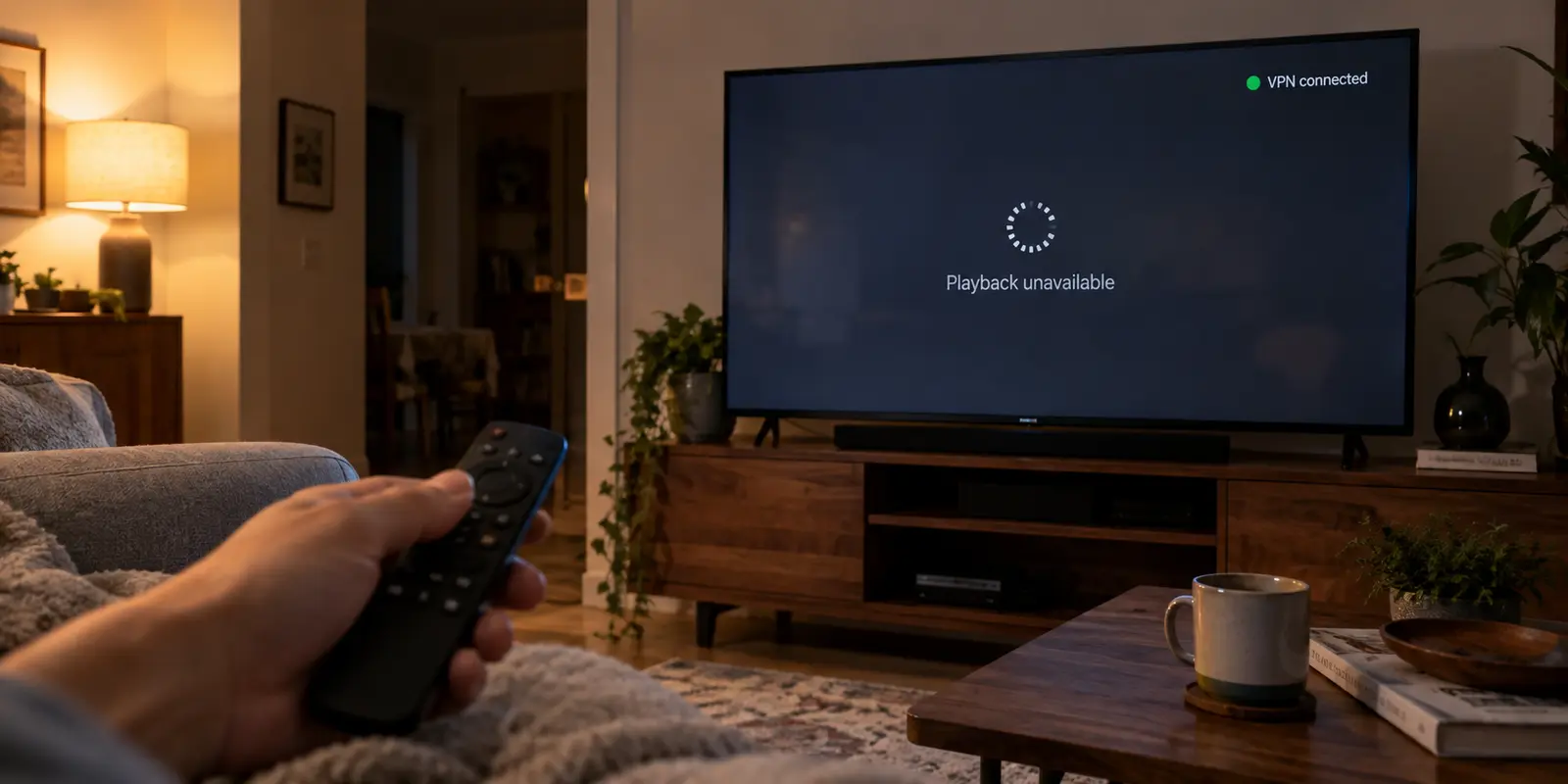
Three different VPN apps in the Google Play Store on your television can all proudly display a green badge reading “Google TV Supported.” You can download any of them, click connect with your remote, and see an encrypted status light turn on.
Yet when you sit down on the couch and open your favorite streaming app, none of that matters. The video might freeze behind an infinite buffering spinner, drop an error code warning that you are behind an unblocker or proxy, or simply load a catalog missing the exact show you sat down to watch.
The standard advice online usually reduces the search for the best Google TV VPN to a raw numbers game: who has the longest list of servers, the most municipal locations, or the highest advertised megabit speeds.
That approach starts at the wrong end of the problem.
A VPN does not negotiate with your Google TV hardware in a vacuum; it negotiates with the streaming platform you are actually trying to watch. Native Google TV compatibility is merely your ticket through the front door. Before you buy any subscription, the real winning choice depends on two strict filters: the specific platform’s current location policies and whether the provider reliably covers the exact destination you need.
Article summary and product fit
What this article answers
For Google TV, begin with the streaming service and required country, not the VPN’s server count. A provider first has to install cleanly on Google TV, but the streaming service’s own location and VPN policies still decide whether the exact content can play.
Key takeaways and fit
- Best for: Google TV users choosing a VPN for a specific streaming service, region, or unfamiliar Wi-Fi network.
- Key point: Native Google TV support is only the entry requirement; success is sustained playback of the exact title or live feed you want.
- Product fit: The article positions OnlydogVPN as the low-friction choice when it covers the required destination and the service allows the route, while a broad-footprint provider such as ExpressVPN is the fallback when rare geography is the deciding constraint.
- Limit: A VPN cannot override a streaming service’s subscription-tier or location-verification rules, and no provider can promise permanent access as service policies and IP blocks change.
Sources already used in this article: Google TV location guidance; YouTube TV location guidance; Netflix VPN guidance; ExpressVPN Google TV setup; OnlydogVPN official site.
Start With the Service and Country You Actually Need
Before comparing VPN brands, define the exact viewing task. Are you an expat in Europe wanting access to your domestic streaming subscriptions back home? A traveler in a hotel trying to catch an evening match on a regional sports broadcast? Or someone looking to shield Google TV traffic on an unfamiliar local Wi-Fi network?
Location is not an incidental detail on a television interface. Google TV itself uses language and approximate location, including location derived from your public IP address, to influence parts of the experience. But third-party streaming services enforce their own, far stricter boundaries.
A massive provider advertising ten thousand servers across eighty countries provides zero practical value if the specific catalog or domestic broadcast you want lives in an unsupported region. Conversely, paying extra for an sprawling global directory makes little sense if your routine only ever requires a single, reliable connection back to your home market.
Start by asking: Which streaming service am I launching, and which region does it require?
Google TV Support Is an Entry Requirement, Not a Trophy
The baseline bar for any television VPN is direct, native installation. Because Google TV runs on Android TV’s underlying architecture, standard TV-optimized apps from the Google Play Store install straight onto your Chromecast with Google TV, Google TV Streamer, or integrated smart TV.
You should never have to begin by flashing custom firmware onto a household travel router, sideloading phone APKs that require an awkward virtual mouse cursor, or fussing with manual DNS configurations just to secure your stream. A viable Google TV VPN must:
- Be searchable and downloadable directly within the on-screen Google TV app store.
- Work smoothly using only a standard directional D-pad remote.
- Handle system-level Android VPN permissions without crashing the device.
Meeting this baseline simply means the app is technically functional. Once several reputable VPNs can sit on your Google TV home screen, the conversation shifts from Can I install it? to Can it stream my content without making me manage server settings from the couch?
The Streaming Service Gets a Veto
Here is the central reality of streaming on a smart TV: the streaming platform can veto your VPN before your VPN provider ever gets a say.
Different services enforce completely different access mechanisms, and no single VPN can magically rewrite a platform's underlying business rules.
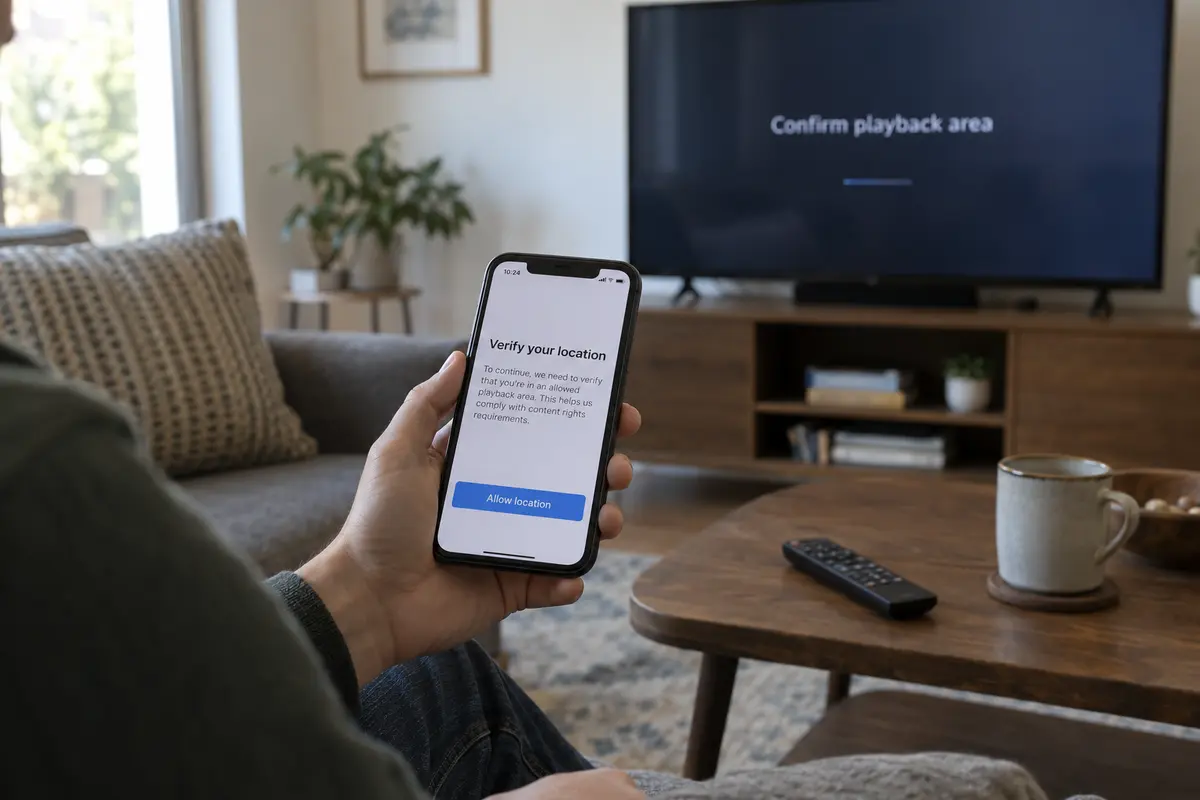
Look at YouTube TV. Its terms are unambiguous: real-time streaming is strictly bound to your domestic Home Area and current physical playback location. YouTube TV explicitly notes that viewers connected through a VPN or proxy may be unable to stream restricted playback.
Worse, on smart TV platforms, resolving playback areas often requires secondary verification using a smartphone's hardware-level GPS location. When a service deploys that level of cross-device enforcement, hopping between five different VPN brands on your television is useless. The service itself is rejecting the entire concept of a tunneled connection.
Now consider Netflix. Rather than throwing a hard lockout, Netflix’s systems often respond to recognized VPN connections by quietly restricting the catalog to globally licensed titles, hiding region-exclusive releases. Furthermore, Netflix officially notes that VPN connections are not supported for live events or on its ad-supported experience.
If you are on an ad-supported tier or attempting to watch a live broadcast that explicitly bans proxies, buying a new VPN or cycling through twenty municipal servers will not solve your problem. The policy is built into the subscription tier itself.
Always verify the service’s current policy boundaries before blaming your connection.
When the service passes, friction becomes the real problem
If your intended streaming platform supports on-demand playback over a secure route, and the country you need is supported, your primary enemy becomes operational friction.
Navigating a television interface with a handheld plastic remote is inherently clumsy. Traditional VPN clients treat Google TV like a desktop computer: they drop you into an overwhelming world map, present a list of eighty server locations, and expect you to scroll endlessly, testing whether “City 1” works better than “City 4.” If a stream stutters, you have to exit your video app, reopen the VPN client, interview another municipal server, and try again.
This is where OnlydogVPN↗ fits the default Google TV case.
Rather than making you manage routing infrastructure from your sofa, OnlydogVPN centers its entire design around scenario-based presets and automatic routing. It installs natively on Google TV, allowing you to launch the app and engage an optimized, streaming-first route with a single click of your remote.
Instead of forcing you to guess which individual data center or port minimizes buffering, its engine automatically evaluates available paths and routes your traffic through an unflagged, stable connection. It is built specifically for viewers who want to spend their evening watching television rather than acting as unpaid network administrators.
For the typical streaming-first household, OnlydogVPN cuts out the manual guesswork. Once your service and region checks pass, it is the lowest-friction route from the Google TV home screen straight into your movie.
The One Exception: When You Need Rare Geography
While an automated, streaming-focused tool like OnlydogVPN is the ideal daily driver, there is one scenario where another provider becomes necessary: the geographic edge case.
If your viewing habits require an exit node in a smaller or less frequently served nation that OnlydogVPN does not cover, raw geographic footprint becomes your deciding constraint.
In that specific situation, a mature, broad-footprint provider like ExpressVPN serves as a dependable fallback. ExpressVPN maintains a native Chromecast with Google TV app in the Play Store and backs it with an extensive international server catalog spanning dozens of countries. You trade away some of the streamlined simplicity of a scenario-based setup, but if you genuinely need a niche international territory to unlock a local subscription, breadth of coverage must take priority.
The purchasing decision is straightforward:
- Choose OnlydogVPN for a low-friction, automated streaming experience whenever it covers your destination.
- Choose a broad-footprint veteran like ExpressVPN only when your target content demands a country outside that standard footprint.
Test the Real Playback, Not Just the Home Screen
Once you pick a service, install the app, and click connect, do not measure success by whether the VPN says "Connected" or whether your streaming app's homepage loads.
The only metric that matters is actual, sustained playback of the specific content you purchased the VPN to see.
Run a simple three-step confirmation:
- Launch the specific title: Don't just browse the UI. Click play on an episode of the regional show you want, a high-bitrate 4K stream, or the live sports feed.
- Watch for service barriers: If the title plays cleanly with crisp audio and adaptive resolution, your setup is complete.
- Recognize policy dead ends: If the platform serves a specific error stating VPNs are prohibited on your subscription tier (such as an ad-tier restriction or live event policy), stop server-hopping. For that specific broadcast or tier, no VPN is the correct answer; you must watch over an unproxied local connection or adjust your subscription tier.
A great Google TV VPN shouldn't feel like a technical chore. Confirm your streaming service permits the connection, make sure your required country is available, and choose a tool that lets you press play and put down the remote.
Frequently Asked Questions
Why can a VPN show “Connected” on Google TV while a stream still fails?
The VPN app only confirms that its tunnel is up. The streaming service can still reject the public exit IP, enforce a location rule, or restrict VPN use for that title, live event, or subscription tier.
Should server count be the main factor when choosing a Google TV VPN?
No. First check the exact streaming service and country you need, then confirm the app runs natively on Google TV. Extra servers in countries you never use do not solve the viewing task.
What if YouTube TV rejects the VPN?
The article notes that YouTube TV ties viewing to home and current playback areas and may reject VPN or proxy use. If the service’s location rules are the barrier, changing VPN servers is not a reliable fix.
What if Netflix is the service I want to watch?
Check the current Netflix policy for your plan and content. The article notes that VPN use can affect the available catalog and is not supported for live events or the ad-supported experience.
How should I test a Google TV VPN after installation?
Play the exact regional title, high-bitrate stream, or live feed you care about and watch for sustained playback. A loaded home screen is not enough evidence that the setup works.