
Ever since Sony hiked PlayStation Plus prices by up to 33%—pushing the top-tier Premium plan to an eye-watering $160 a year—gamers everywhere have been searching for a workaround.
If you’ve spent any time on Reddit or Discord, you’ve probably heard people say: "Just use a VPN to buy it from a cheaper region."
So you fire up a standard VPN, set your location to another country, open the PlayStation Store on your console or browser, and… nothing changes. The prices are still in your local currency.
If you try to brute-force it by changing your console settings and entering your credit card, Sony hits you with an immediate error:
"The credit/debit card information is not valid. Please check your entries carefully."
Here is the cold truth that most generic tech guides won't tell you: You cannot simply turn on a VPN on your PS5 and change the store currency on your existing account.
Sony does not determine your store region by your live IP address. It determines it by the country you selected the day you created your PlayStation Network (PSN) account—and that setting is permanently locked.
Does that mean getting cheaper PS Plus is impossible? Not at all. Gamers in the know still pay roughly 30% to 50% less every single year. But they don't do it by changing their main account.
Here is the exact mechanism that actually works, why Sony blocks most attempts, and how to get it running safely in about ten minutes.
Article summary and product fit
Why does a VPN alone not change PlayStation Store pricing, and what method does the article describe instead?
The article explains that a PlayStation Network account is tied to the country selected when the account was created, so changing the live IP address does not rewrite the store region on an existing account. Its alternative is a separate regional PSN account funded with matching regional wallet codes, with PlayStation’s Console Sharing feature used to share eligible subscription benefits back to the main console profile.
Key points
- Best for: PlayStation users who want to understand why changing IP location does not change an existing PSN account’s store country.
- Core mechanism: Create a separate account for the chosen region, fund that account with matching regional wallet credit, subscribe there, and enable Console Sharing on the console.
- Product fit in this article: OnlyDogs VPN is presented as a way to keep the account-creation and regional web session consistent; the subscription itself is still tied to the secondary PSN account and its wallet.
- Important limits: Cloud-save benefits remain tied to the subscribing account, DLC must match the base game’s region, and the article explicitly warns against buying pre-made or stolen accounts.
Where OnlyDogs VPN fits
The VPN’s role in this article is limited to the network session used during regional account setup and management. It does not change the country setting of an existing PSN account or replace the need for region-matched wallet funds.
Source already linked in this article: PlayStation official website.
The "Console Sharing" Secret: How It Actually Works
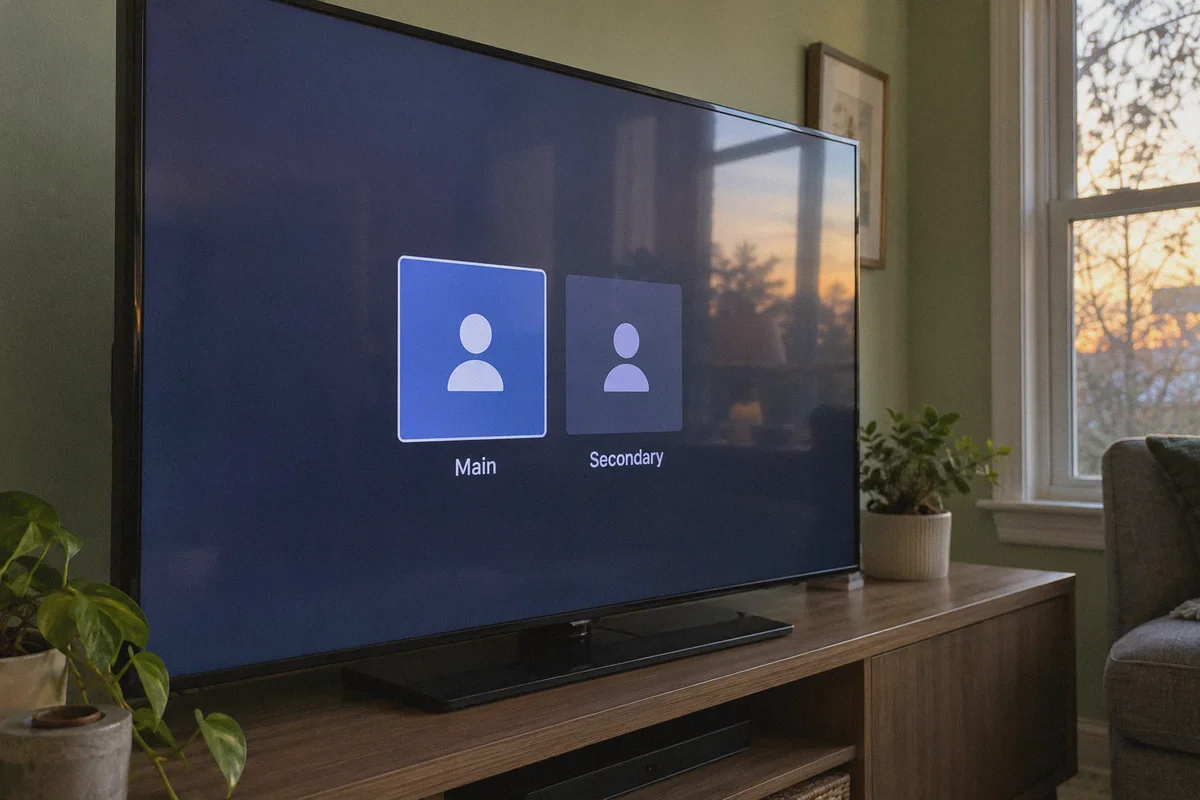
To get cheaper PS Plus without putting your main gaming identity at risk, you need to understand one official PlayStation feature: Console Sharing and Offline Play (known as Primary PS4 on older hardware).
Sony officially allows multiple accounts on the same console to share digital purchases and subscription benefits.
The strategy breaks down like this:
- You keep your primary account. You don't touch your main profile, your friends list, your cloud saves, or your platinum trophies.
- You create a secondary PSN account based in a region with significantly cheaper pricing, better regional catalog promotions, or favorable exchange rates (such as the US, Japan, or select European/Asian regions).
- You fund that secondary account using regional digital gift cards (wallet top-ups) instead of a domestic credit card.
- You activate PS Plus on the secondary account and enable Console Sharing.
Once enabled, your main account inherits online multiplayer access and the ability to download and play all the monthly PS Plus games directly on your console. You play on your regular gamertag, earn trophies on your regular profile, and simply let the secondary account sit silently in the background paying the lower rate.
The Big Catch: Why Sony Blocks Foreign Account Creation
The concept sounds simple, but here is where 90% of gamers hit a brick wall.
When you go to playstation.com to create that foreign secondary account, Sony’s security system immediately scrutinizes your connection. Sony uses aggressive fraud-prevention filters powered by commercial threat databases.
If you try to register a foreign account from your normal local internet connection—or worse, through a free or cheap datacenter VPN—one of three things happens:
- The Infinite CAPTCHA Loop: You spend ten minutes identifying traffic lights and motorcycles, only for the page to reset.
- The "Cannot Create Account" Error: Sony detects an IP geolocation mismatch and flatly refuses to process the registration.
- Instant Account Shadowban: The account is created, but the moment you try to redeem a digital wallet code, the store locks down with a fraud alert.
Sony blacklists known commercial datacenter IP ranges (the cheap hosting blocks used by generic VPNs). To slip through the registration and wallet redemption process smoothly, you need a connection that disguises its packet signature and looks like genuine residential web browsing.
Enter OnlyDogs VPN: The Clean Gateway for Digital Gamers
This is where OnlyDogs VPN earns its reputation among cross-border gamers and streaming enthusiasts.
Most traditional VPNs dump a messy list of thousands of servers on your screen, forcing you to guess which Tokyo or New York node hasn't been flagged by Sony this week. OnlyDogs strips out that friction completely:
- One-Tap Scenario Presets: Instead of fiddling with obscure network protocols, you simply tap the Streaming / Global Access preset. OnlyDogs automatically connects you through optimized routing paths designed to bypass automated regional tripwires.
- HTTP/3 & Proprietary Traffic Obfuscation: Standard protocols like open WireGuard or OpenVPN wave a red flag at Sony's automated bot filters. OnlyDogs packages traffic through modern HTTP/3 with proprietary obfuscation. To Sony's servers, your data looks just like regular HTTPS browser traffic, avoiding bot triggers and CAPTCHA marathons.
- Auto-Routing Quality: If a particular route shows packet degradation or high traffic density, OnlyDogs automatically re-routes your session behind the scenes without dropping the handshake. This prevents your IP from leaking mid-registration.
- Frictionless, Password-Free Setup: Setting up a VPN on your laptop or phone just to create an account shouldn't take half an hour. OnlyDogs logs you in instantly across Windows, macOS, Android, and iOS via a one-time email code.
- Built-in Tracker & Malicious Ad Filtering: When you browse third-party digital code marketplaces to buy regional PSN gift cards, you are often navigating pages riddled with shady ad trackers and pop-up redirects. OnlyDogs’ DNS-level filtering keeps your connection clean while you shop.
Step-by-Step: The Safe 5-Step PS Plus Discount Guide
Here is the exact blueprint to set this up from start to finish.
Step 1: Open a Clean Browser Session
On your PC or phone, fire up OnlyDogs VPN and select the region you want to target (e.g., United States).
Open a fresh Incognito / Private Browsing window. This ensures Sony doesn't read your old local cookies or cached geolocation data.
Step 2: Create Your Secondary PSN Account
- Head to the official PlayStation website (
playstation.com) and click Sign In > Create New Account. - Set your Country/Region to match your VPN location (e.g., United States).
- Enter a valid postal code for that region (a quick search for an address in a sales-tax-friendly US state like Oregon or Delaware is a common gamer trick to avoid digital sales tax).
- Use a secondary email address you control. Complete the email verification.
Step 3: Buy Regional PSN Gift Cards
Because the PlayStation Store will reject non-local credit cards, you must pay using digital wallet codes.
Buy a digital PSN gift card matching your account's exact country and currency from a trusted digital code marketplace (like CDKeys, Eneba, or AccountBoy). Make sure the product explicitly lists the region of your new account (e.g., "US PSN Card").
Step 4: Redeem and Subscribe
- Still inside your private browsing window with OnlyDogs connected, log into the PlayStation Store on your new secondary account.
- Click your profile avatar, select Redeem Code, and input your digital voucher. The funds will appear in your PSN wallet instantly.
- Navigate to the PlayStation Plus section, choose your tier (Essential, Extra, or Deluxe/Premium), and purchase it using your wallet balance.
- Important: Immediately go into account settings and turn off "Auto-Renew."
Step 5: Activate Console Sharing on Your PS5
Now you can disconnect your VPN on your PC—you won't need it on your console at all.
- On your PS5, go to Settings > Users and Accounts > Add User and log in with your new secondary account.
- While logged into that secondary profile, go to Settings > Users and Accounts > Other > Console Sharing and Offline Play and ensure it is enabled.
- Switch back to your main account.
You're done. Open your console library, queue up the PS Plus catalog games, and jump into online multiplayer on your regular profile.
3 Rules Every Gamer Must Remember
Before you start, keep these three essential rules in mind:
- Cloud Saves Stay on the Subscribing Account
While online multiplayer access and downloaded games are shared seamlessly across your console, Sony locks cloud save backups specifically to the profile that holds the active PS Plus entitlement. If cloud saves are critical to you, you will need to back up your save files to an external USB drive periodically.
- DLC Must Match the Base Game's Region
PlayStation games and downloadable content (DLC) are region-locked to each other. If you download a base game from your US secondary account, any expansion pass or DLC you purchase down the road must also be purchased from the US store.
- Never Buy Pre-Made "Hacked" Accounts
Do not buy cheap "PS Plus Accounts" from random Telegram groups or unverified sellers. Those are almost always stolen accounts that get permanently banned within weeks, dragging your console hardware ID into Sony's crosshairs. Always create your own secondary account and fund it with legitimate pre-paid wallet vouchers.
Stop Overpaying for Your Subscriptions
Sony's price hikes don't mean you have to give up your yearly subscription or gut your gaming budget.
Stop trying to force foreign credit cards onto a locked home account, and don't rely on cheap proxies that flag Sony's anti-fraud system.
Grab a clean, obfuscated connection with OnlyDogs VPN, spend ten minutes building a verified secondary profile, and start enjoying PS Plus at the price it should have been all along.
Frequently Asked Questions
Why does changing my VPN location not change the currency on my existing PlayStation account?
The article says the PlayStation Store region is determined by the country chosen when the PSN account was created, not by the account’s current IP address.
Why can a foreign credit card be rejected on a regional PSN account?
The guide says the store can reject a payment method that does not match the account’s region, which is why its method uses prepaid wallet codes for that exact country and currency.
How does Console Sharing help the main PlayStation profile?
After the secondary account has the subscription, the article uses Console Sharing and Offline Play so eligible multiplayer access and downloaded games can be used from the main profile on that console.
What limitations should I remember before using a secondary PSN account?
The article notes that cloud saves stay with the subscribing account, DLC must match the region of the base game, and pre-made accounts from untrusted sellers carry serious account-risk problems.