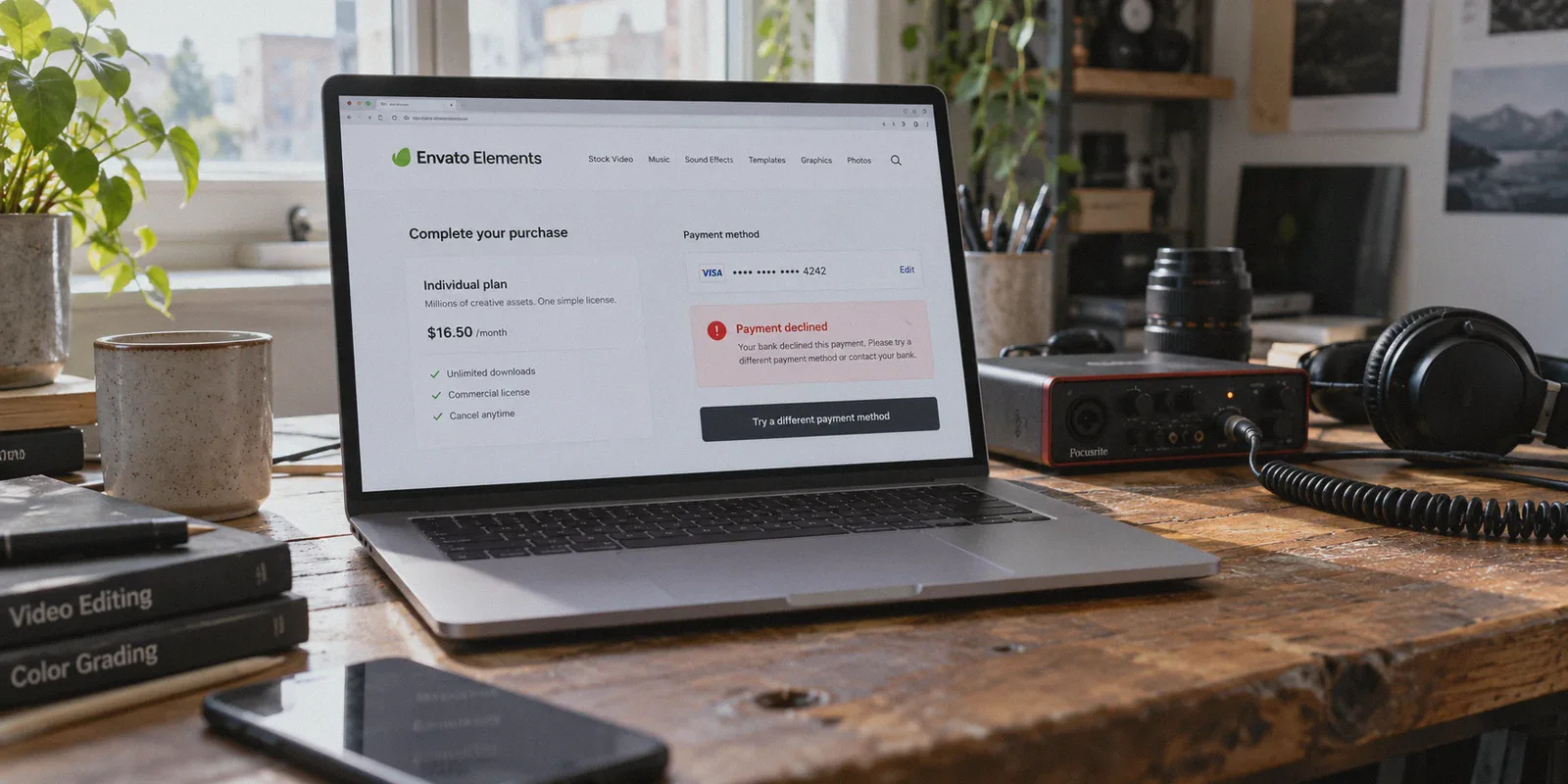
If you just typed "how to buy envato elements subscription cheaper with vpn" into your search bar, you’ve probably seen the old YouTube tutorials or Reddit threads. The pitch sounds effortless: just fire up a free VPN, switch your location to Turkey, Argentina, or India, and snag an Envato Elements subscription for pocket change.
Here is the brutal truth right up front: that 2021 currency-arbitrage trick is dead.
Envato Elements quietly patched regional pricing loopholes years ago. They standardized billing to USD worldwide, and their payment gateways (powered by Stripe Radar and MaxMind) now check your IP reputation, your card's issuing country, and your billing address in real time.
If you blindly turn on a generic VPN to spoof a low-income country and enter your normal credit card, you won't get a $5 subscription. You will get an instant "Payment Declined" error—or worse, a 24-hour account suspension for suspected fraudulent checkout.
Does that mean using a VPN to buy Envato Elements is pointless? Not at all.
You can still cut your annual bill significantly—legally, cleanly, and without putting your creative assets or credit card at risk. But to do it, you have to stop chasing dead currency hacks and understand how regional tax and checkout security actually work.
Article summary and product fit
Can a VPN still make Envato Elements cheaper without relying on old regional-price tricks?
The article’s answer is that the old currency-arbitrage trick is no longer the practical saving route. It emphasizes annual billing, legitimate student or educator eligibility, and a stable checkout session; it presents OnlyDogs VPN as a connection tool rather than a way to falsify payment identity.
Key points, fit, and limits
- Core answer: Compare annual billing before anything else; the article says this is the largest straightforward saving.
- Best for: Creators who already plan to subscribe and want a steadier cross-border checkout and download session.
- Important limit: A VPN does not replace valid payment details, eligibility checks, or any tax and billing obligations that apply to the purchase.
- Product fit: The article positions OnlyDogs VPN for simple, cross-platform connectivity; the linked official site confirms one-tap access on phone and computer.
Sources already linked in this article: OnlyDogsVPN official website.
1. Where the Real Savings Are: The 20%+ Digital Tax Trap
Envato’s base pricing looks identical everywhere: $16.50/month billed annually ($198/year), or $39/month if you pay monthly.
The catch is digital services tax (VAT / GST). Depending on where your connection originates, Envato automatically slaps a hefty tax surcharge on top of the listed price at checkout:
- United Kingdom: 20% VAT (adds ~$39.60/year)
- European Union (Germany, France, Spain, etc.): 19% to 27% VAT (adds up to ~$53.46/year)
- Australia: 10% GST (adds ~$19.80/year)
- Selected US States / Canadian Provinces: 5% to 13% local digital tax
| Region / Location | Base Annual Price | Digital Tax / VAT | Final Checkout Price |
|---|---|---|---|
| UK / EU Average | $198.00 | + 20% to 25% | $237.60 – $247.50 |
| Australia | $198.00 | + 10% | $217.80 |
| Zero-Tax Jurisdiction (via Clean VPN) | $198.00 | 0% | $198.00 |
When you connect from a region with zero digital service taxes—or a US state that doesn't tax downloadable digital creative goods—that entire tax surcharge disappears from your invoice.
That is an immediate $40 to $50 back in your pocket, with zero fraud risk and zero fake billing details required.
2. The Annual vs. Monthly Math That Trips Up Beginners
Before touching network settings, make sure you aren't walking into the single biggest pricing trap on Envato's site: the monthly billing button.
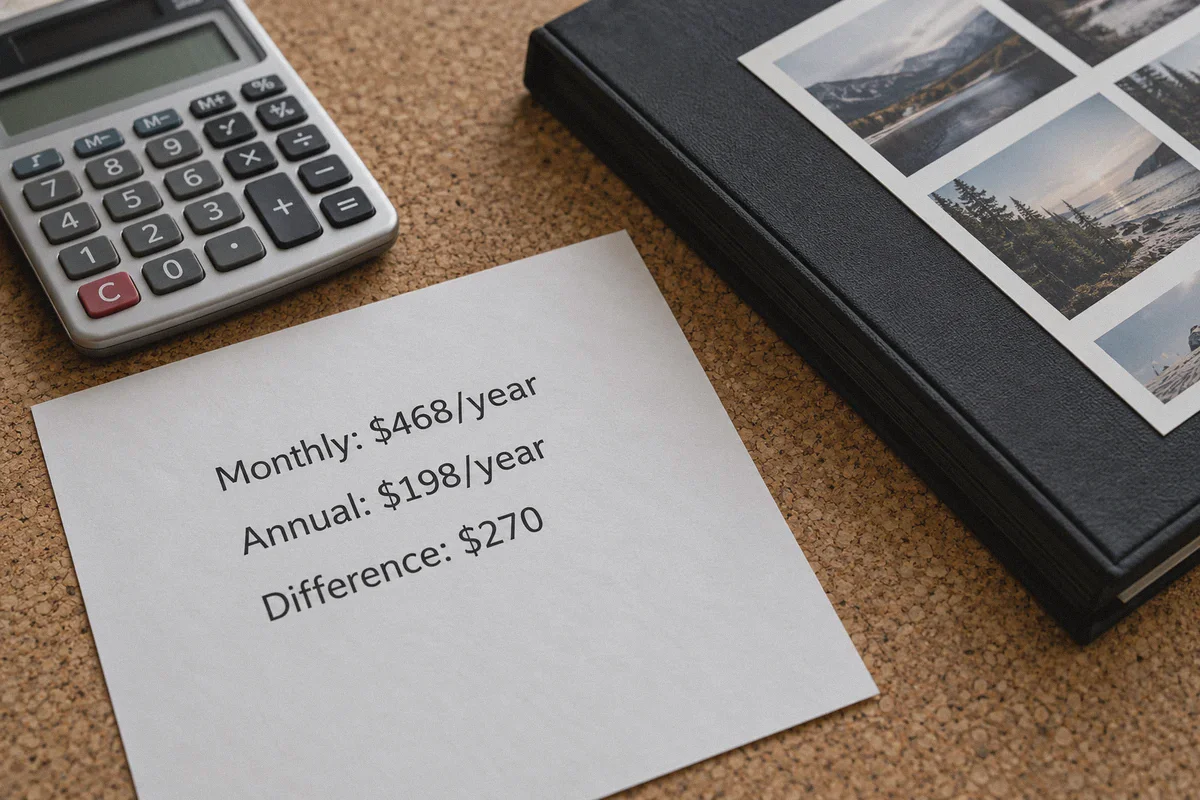
- Monthly Plan: $39.00/month × 12 months = $468.00/year
- Annual Plan: $16.50/month = $198.00/year
That is a $270 price difference for the exact same library of stock video, audio tracks, fonts, and graphics templates.
Many creators hesitate to pay $198 upfront because they only need assets for "one quick client project." But here is what usually happens: you buy one month for $39, forget to cancel, or need another asset three weeks later, and end up paying for four months ($156)—almost the cost of an entire year of unlimited downloads.
If you are a student or educator, there is another stackable saving: Envato offers a 30% student discount ($11.50/month billed annually = $138/year). However, Envato’s verification partner will verify your educational email and student credentials against your session IP. If your connection looks like a suspicious proxy, the student verification system will reject your application on the spot.
3. Why Cheap or Free VPNs Get Your Checkout Flagged
This is where 95% of buyers hit a wall.
They open a free browser extension VPN, switch locations, head to Envato Elements, and click "Complete Purchase." The page spins for ten seconds, followed by:
"Your payment could not be processed. Please contact your financial institution or try a different payment method."
The problem isn't your credit card or your bank. It's the IP reputation of your VPN.
Envato processes millions of dollars in digital licensing every week, making them a prime target for card-testing bots and asset pirates. To protect themselves, their payment processors run automated fraud scoring:
- Datacenter IP Blacklists: Free and cheap commercial VPNs use generic datacenter IPs that are already flagged in databases like MaxMind and IPQualityScore.
- Protocol Fingerprints: Standard open protocols (like basic OpenVPN or WireGuard without obfuscation) broadcast identifiable handshake signatures that anti-fraud bots detect instantly.
- Session Inconsistency: If your browser fingerprint, timezone, and DNS don't align with your gateway location, your checkout transaction receives a high risk score and gets blocked.
If you trigger that risk filter twice in a row, Envato's automated system blacklists your account email and your credit card, forcing you to go through a painful manual support ticket just to buy a legitimate subscription.
4. Why OnlyDogs VPN Makes the Difference for Creative Checkouts
If you want to eliminate tax surcharges and maintain a stable subscription, you cannot use a shared, leaky server. You need a connection that looks indistinguishable from standard, trusted residential browsing.
This is precisely where OnlyDogs VPN excels compared to standard consumer tools:
- HTTP/3 & Proprietary Traffic Obfuscation: Unlike generic VPNs that scream "proxy server" to payment gateways, OnlyDogs utilizes HTTP/3 transport and dedicated traffic obfuscation. Your connection blends into regular HTTPS web traffic, allowing you to pass through Stripe and MaxMind risk checks smoothly.
- Intelligent Auto-Routing: Instead of forcing you to manually test dozens of random servers to find one that isn't blacklisted, OnlyDogs automatically routes through clean, high-reputation network nodes.
- Weak-Network Resilience & Zero-Drop Reconnection: This matters after you buy. Envato actively monitors for account-sharing and bulk-scraping bots. If your VPN randomly drops and reconnects from different IPs while you are downloading 40 gigabytes of 4K video templates, Envato's security system will trigger a forced 2FA lock or freeze your downloads. OnlyDogs maintains persistent session stability, preventing unexpected mid-download flags.
- Zero Configuration Friction: You don’t need to read tutorials on protocols, DNS leaks, or port configurations. You tap one button, connect, and your environment is secure.
5. Step-by-Step: How to Purchase Safely Without Errors
Follow this exact sequence to ensure your payment goes through without friction on the first attempt:
Step 1: Prepare a Clean Browser Session
Open a fresh Incognito / Private Window in your browser. This clears old tracking cookies and geographical cache data from previous Envato visits.
Step 2: Connect via OnlyDogs VPN
Launch OnlyDogs VPN on your desktop (macOS or Windows). Select a clean server in a low/zero-tax jurisdiction (such as a zero-digital-tax US state). The built-in obfuscation and clean routing ensure your session looks completely natural to checkout gateways.
Step 3: Visit Envato Elements and Confirm the Pricing
Go to the Envato Elements subscription page. Select the Annual Individual Plan ($16.50/month, billed as $198 once per year). Look at the checkout breakdown: the tax line should read $0.00, keeping your total at exactly $198.00 instead of $238+.
Step 4: Complete Payment Cleanly
Use a standard, globally accepted payment method:
- PayPal: The smoothest option for international digital checkouts.
- Credit/Debit Card: Ensure your card is authorized for international online transactions. Keep your billing name consistent with your payment account.
Step 5: Verify Instant Delivery
Once you click pay, approval should take less than 10 seconds. You’ll be redirected to the Envato Elements welcome dashboard with unlimited downloads unlocked.
6. How to Keep Your Account Safe After Buying
Buying the subscription is step one; keeping it in good standing is step two. Envato’s "unlimited downloads" are covered by a Fair Use Policy.
To keep your new account completely safe:
- Don't Run Download Spiders: In your first 48 hours, avoid downloading 300 templates in an hour. Humans preview files before downloading; scrapers bulk-download. Download what you actually need for your active projects.
- Keep Your Network Consistent: Don’t bounce between five different countries in a single afternoon while working inside Envato. Stick to your preferred OnlyDogs route to maintain a steady session history.
- One Project, One License: When you download an asset, click "Add to Project" and name it. Envato generates a clean licensing certificate for each download, which protects your YouTube videos or client deliverables against future copyright claims.
The Verdict
If you were hoping to buy Envato Elements for $3 using an expired Turkish loophole, save yourself the frustration. Envato's security will reject your card, and you risk getting your email permanently flagged.
The smart, reliable way to save money on Envato Elements is straightforward:
- Lock in the Annual Plan to save $270 over monthly billing.
- Apply an eligible Student/Educator verification if you have valid credentials (saving an extra 30%).
- Use OnlyDogs VPN with its obfuscated HTTP/3 routing to eliminate 20%+ digital tax surcharges, bypass aggressive payment gateway fraud triggers, and keep your downloading sessions rock-solid.
It takes less than five minutes to set up, protects your account from unexpected bans, and ensures you get the full Envato Elements creative library at the lowest legitimate price available today.
Frequently Asked Questions
Does the article say the old Turkey or Argentina pricing trick still works for Envato Elements?
No. The article says Envato no longer offers the kind of localized currency loophole those older tutorials relied on, so it recommends comparing legitimate plan and eligibility savings instead.
What saving does the article tell readers to check first?
It tells readers to compare annual billing with month-to-month billing first, because the article presents that difference as larger and more predictable than trying to manipulate a checkout location.
Can a VPN replace valid billing information or student verification?
No. The article treats payment details and student or educator verification as separate requirements; a VPN does not create eligibility or substitute for valid account and payment information.