
If you have ever tried to set up Google Workspace for a new project, you know the exact moment the sticker shock hits.
You head to Google Workspace wanting a simple, professional email address—[email protected]—plus access to Gmail, Google Drive, and Calendar. Then you hit the pricing page: $7.20 per user per month for Business Starter (flexible plan), or $14.40 per user per month for Business Standard.
If you are just one person testing an idea, paying roughly $86 a year for an inbox feels steep. If you are building a small agency, an e-commerce brand, or a cold outreach setup with five team members, that is $36 to $72 every single month. Over a year, you are handing Google upwards of $400 to $800+ before your business has even turned a profit.
Naturally, anyone with a bit of internet savvy asks the obvious question: “People buy YouTube Premium, Steam games, and Netflix cheaper with a VPN in Turkey, India, or Argentina. Can’t I just do the exact same thing with Google Workspace?”
The short answer is yes, you can—regional pricing for Google Workspace is very real, and you can cut your monthly bill by 60% to 75%.
The long answer is that Google Workspace is not Netflix. If Netflix catches you using a VPN, the worst that happens is a temporary error code or a cancelled streaming profile. But Google Workspace holds your custom domain, your client contracts, your customer inquiries, and your Google Drive files. If you trigger Google’s anti-fraud system with a sloppy setup, you do not just lose a cheap subscription—Google locks your entire Workspace admin tenant and suspends your business domain.
Before you click a random server on a cheap VPN and try to enter your card, here is how Google Workspace regional pricing actually works, why standard VPN tricks fail, and the exact playbook to do it safely.
Article summary and product fit
Why is regional Google Workspace pricing riskier than using a VPN for a streaming subscription?
The article emphasizes that Workspace is tied to a business domain and billing profile, so region, payment, browser state, and account-security checks can have consequences beyond a temporary streaming error.
Key points and product fit
- Best for: Readers comparing regional Workspace pricing who understand that the account may hold business email, files, and domain-related configuration.
- Core issue: The article focuses on the combination of billing-country lock-in, payment-method checks, browser history, and session consistency.
- Product fit: OnlyDogs VPN is presented as a stable routing option for readers who choose to test a regional signup workflow.
- Important limit: The article says established businesses with local tax or compliance requirements may be better off using standard local pricing.
Sources already linked in this article: Service source: Google Workspace; Network-check source: IPLeak; Product source: OnlyDogs VPN official website.
The Reality of Google Workspace Regional Pricing: What Can You Actually Save?
Google does not charge the same rate worldwide. It adjusts Workspace pricing based on local purchasing power and currency strength.
Here is what the standard Google Workspace Business Starter plan typically looks like across different regions (converted to USD for comparison):
| Region | Monthly Cost (Approx. USD) | Annual Cost per User | Estimated Savings vs. US/EU |
|---|---|---|---|
| United States / UK / EU | $6.00 – $7.20 / mo | $72 – $86 / yr | Baseline |
| Poland (PLN) | ~$3.50 – $4.20 / mo | ~$42 – $50 / yr | ~40% - 45% |
| Brazil (BRL) | ~$2.80 – $3.50 / mo | ~$33 – $42 / yr | ~50% - 55% |
| Philippines (PHP) | ~$3.00 – $3.80 / mo | ~$36 – $45 / yr | ~45% - 50% |
| Turkey (TRY) | ~$1.80 – $2.50 / mo | ~$21 – $30 / yr | ~65% - 75% |
| India (INR) | ~$2.00 – $2.60 / mo | ~$24 – $31 / yr | ~65% - 70% |
On a 5-seat setup, paying standard US rates costs around $432 a year. Sourcing those same five seats through a lower-tier region brings that bill down to $120 to $150 a year. That is nearly $300 kept in your operating budget every single year.
So why isn’t everyone doing it? Because between that savings and your checkout button stands Google Cloud’s enterprise fraud engine.
Why the "Standard VPN Trick" Gets 90% of People Flagged
Most guides tell you: "Turn on a free VPN, go to workspace.google.com, pick Turkey, enter a fake address, and pay."
Try that in 2026, and here is what actually happens:
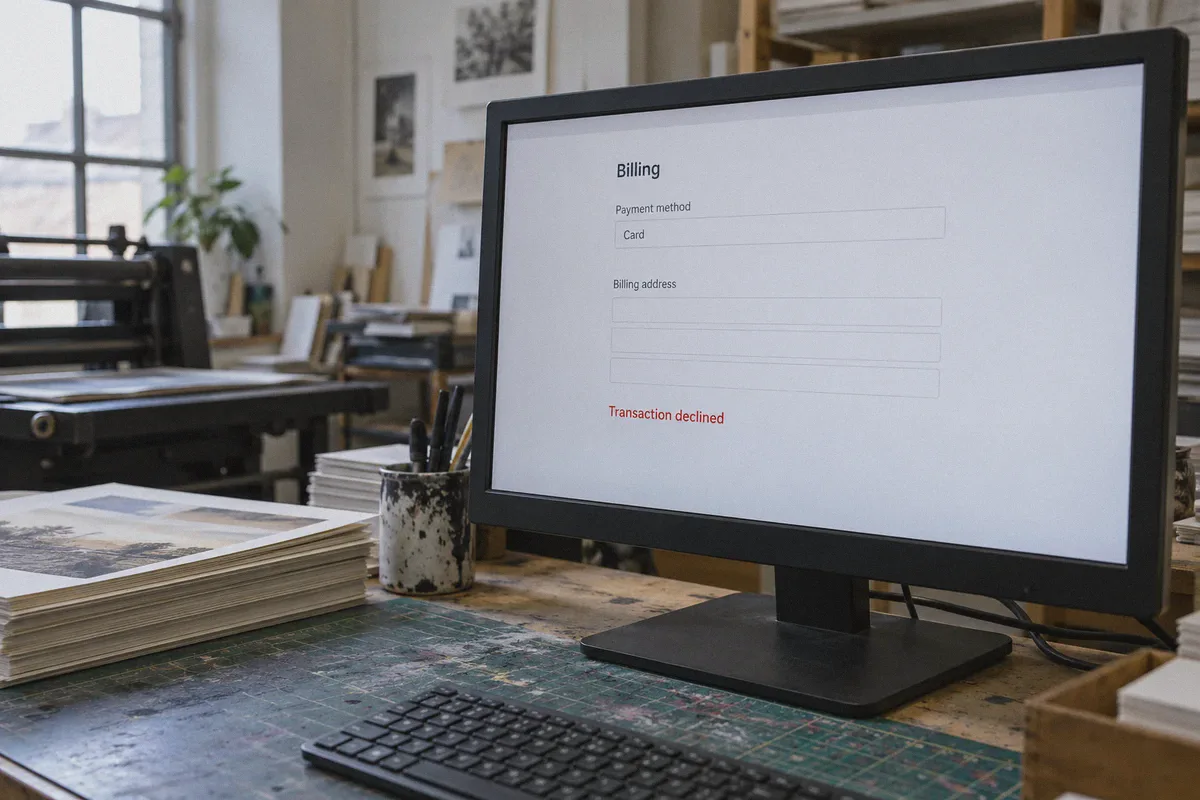
- You land on the checkout page, enter your payment info, and immediately see: "Your transaction cannot be completed. [OR-CCSEH-05]" or "Transaction declined: Invalid payment method."
- Worse: the payment clears, you spend three days configuring DNS records (MX, SPF, DKIM), and on day four you wake up to an email saying: "Your Google Workspace account has been suspended due to suspicious billing activity."
Google does not use the basic geo-IP checkers that streaming sites use. Google runs its own global network infrastructure and detects regional arbitrage through four distinct layers:
- Datacenter IP Fingerprinting: Most commercial VPNs (Nord, Surfshark, Express, and free browser extensions) rent bulk servers from public datacenters (like DigitalOcean, AWS, or M247). Google’s edge routers instantly identify these IP ranges as commercial proxies. When an enterprise account sign-up originates from a known datacenter IP, Google’s automated risk score spikes to maximum before you even type your name.
- Protocol Signature Detection: Standard WireGuard and OpenVPN protocols have distinct handshake structures and port behaviors. Corporate firewalls and Google security bots recognize them immediately.
- Currency & Billing Account Lock: Unlike personal Google accounts, a Google Workspace tenant locks its billing country and currency upon creation. You cannot change your Workspace billing country later without deleting the entire tenant and starting from zero.
- Local Tax & Card BIN Checks: Some regions (like India) require a local GSTIN/PAN tax identification number or local OTP verification, while Turkey has increasingly restricted cross-border card payments on local storefronts.
To pull this off without putting your domain at risk, you need two things: a connection that looks completely indistinguishable from authentic consumer traffic, and the right regional strategy.
The Clean Setup: Why Your VPN Choice Makes or Breaks the Transaction
To bypass Google’s enterprise-grade scrutiny, your network connection cannot look like a customer dialing in through a crowded VPN server with 500 other people. It has to look like an ordinary, clean household or small-office browser session.
This is precisely where OnlyDogs VPN separates itself from generic VPN apps.
Instead of relying on bare, easily flagged commercial protocols, OnlyDogs VPN is built from the ground up for hostile and strictly monitored network environments:
- HTTP/3 & Proprietary Traffic Obfuscation: Traditional VPN handshakes announce themselves to network filters. OnlyDogs uses modern HTTP/3 architecture with built-in traffic obfuscation. To Google's security edge, your connection mimics legitimate web traffic rather than an obvious commercial tunnel.
- Scenario Presets Instead of Server Roulette: With standard VPNs, you have to guess which server among 50 options isn't on Google's blacklists, reconnecting repeatedly until checkout works. OnlyDogs provides intuitive scenario presets that automatically route your traffic through clean, high-reputation paths designed for uninterrupted browsing and strict account sessions.
- Weak-Network & Handoff Stability: Google Workspace setup is a multi-step workflow (domain verification, admin account setup, business profile, payment entry). If your connection drops for even two seconds or hiccups during a Wi-Fi-to-cellular switch, Google's session token detects the IP change and forces an identity challenge. OnlyDogs is engineered specifically for seamless recovery during network transitions, keeping your session intact throughout the checkout flow.
- No Complex Configuration: You don't need to be a network engineer tweaking port forwards or DNS leaks. You launch the app, select the preset, and your traffic is clean and ready.
Step-by-Step: How to Buy Google Workspace Cheaper Safely
Follow this procedure carefully. Skipping steps or cutting corners is what triggers Google’s risk systems.
Step 1: Pick a Realistic Region (Not Just the Absolute Cheapest)
Do not immediately pick the lowest theoretical currency on Reddit. Pick a region where international cards with 3D Secure are still accepted without demanding local government tax IDs:
- Best Balance (High Success Rate): Philippines (PHP) or Brazil (BRL). These offer roughly 45% to 55% discounts, and international Visa/Mastercards (including multi-currency digital cards like Wise or Revolut) frequently clear checkout without local citizen IDs.
- Aggressive Savings (Advanced): Turkey (TRY) offers the steepest discounts (often up to 70%), but Google Turkey frequently declines cards whose Bank Identification Number (BIN) is registered outside the country. If you have an international card that supports foreign currency billing or a virtual card with flexible billing address verification, Turkey is worth testing.
Step 2: Prepare an Isolated Browser Profile
Do not do this in your everyday Chrome browser where you are already logged into three personal Gmail accounts, your YouTube profile, and your Google Maps history. Google tracks cookies across profiles.
- Open a fresh browser session (or use a dedicated clean profile in Brave or Firefox).
- Clear all cache, cookies, and location permissions.
- Ensure your system clock and timezone match the target region (e.g., if connecting via Manila, set your system clock timezone to GMT+8).
Step 3: Connect via OnlyDogs VPN
- Open OnlyDogs VPN on your desktop (macOS or Windows).
- Choose the clean routing preset and connect to your chosen target country (e.g., Philippines, Turkey, or Brazil).
- Verify your connection at
ipleak.netto confirm your external IP reflects the target region and there are no WebRTC or DNS leaks exposing your home country.
Step 4: Start the Google Workspace Registration
- Navigate directly to
workspace.google.com. - Verify that the footer and pricing plans display in the local currency (e.g., ₱ for Philippine Peso, or TRY for Turkish Lira). If it still displays in USD/EUR, clear your cache and reload.
- Click Get Started.
- Enter your Business Name and select the target country as your business location.
- When asked "Do you have a domain?", select Yes, I have one I can use and enter the custom domain you already own (purchased previously on Cloudflare, Namecheap, or Porkbun). (Crucial tip: Never buy the domain directly inside Google Workspace during this regional signup. Buy your domain independently beforehand on an external registrar so Google doesn't hold both your domain and your email hostage.)
- Set up your primary admin username (
[email protected]or[email protected]) and choose a strong password.
Step 5: Complete Checkout with the Right Billing Details
- Choose the Flexible Plan (monthly billing) or Annual Plan. The flexible plan is safer initially because it requires smaller upfront capital while you verify everything runs smoothly.
- For the Billing Address, input a valid physical address located in the target country (e.g., a real hotel address, commercial district building, or business center in Manila or Istanbul). Postal codes must match the city accurately.
- Enter your card details. Multi-currency cards (such as a Wise debit card) or cards that support fee-free international transactions with active 3D Secure verification work best.
- Complete the SMS/app authorization if prompted by your bank.
What to Do Immediately After Your Workspace Account is Active
Once your account is live and you reach the Google Admin Console (admin.google.com), protect your investment:
- Verify Domain Ownership Promptly: Add the TXT verification record to your domain's DNS manager (Cloudflare, etc.) immediately to confirm setup.
- Configure SPF, DKIM, and DMARC: This guarantees your emails land in client inboxes rather than spam folders, which also signals to Google that this is an authentic, functioning business account.
- Don't Immediately Blast Out 500 Emails: Cold emailers often buy regional accounts and immediately connect them to mass outreach software. Google monitors new tenants for volume spikes. Keep your outbound sending organic for the first 14 days.
- Access the Admin Console Over a Stable, Consistent Connection: Avoid logging into your admin console today from London, tomorrow from an open coffee-shop Wi-Fi, and the next day from another IP. Use OnlyDogs VPN whenever you need to adjust billing, add new user licenses, or modify domain settings so your session environment remains consistent and secure.
Is Buying Google Workspace Cheaper with a VPN Right for You?
Let’s be candid: this strategy is not for everyone.
Stick to standard, direct local pricing if:
- You are an established enterprise with legal compliance requirements in the US/EU that require local VAT/tax invoices tied to your domestic entity.
- You only need a single inbox for a hobby and the $2-$3/month difference is not worth the 15 minutes of setup.
This method makes total sense if:
- You are a solopreneur, bootstrapped founder, or remote agency running 3 to 10+ mailboxes where annual software overhead directly cuts into your runway.
- You are managing secondary projects, affiliate brands, or regional testing stores and want Google's industry-leading deliverability without paying full Western enterprise rates.
- You want the security of Google Workspace (99.9% uptime, zero spam headaches, native Google Drive collaboration) at a price that matches your actual operational stage.
Saving money on software is a cornerstone of smart business operations. But in the Google ecosystem, doing it right requires respect for how security systems operate.
Ditch the free proxies that light up Google’s fraud radar, fire up OnlyDogs VPN for a clean, obfuscated connection, and get your business email running at a fraction of the retail cost.
Frequently Asked Questions
Why can Google Workspace regional pricing involve more risk than a streaming subscription?
Because the Workspace tenant can hold business email, domain configuration, and files. The article warns that an account review or suspension can therefore affect business operations, not just entertainment access.
What preparation does the article recommend before starting a regional signup?
Choose a realistic target region, use a clean browser profile, clear cached location state, and verify the connection before beginning the Workspace registration flow.
What should be done after a new Workspace tenant becomes active?
The article recommends promptly verifying domain ownership, configuring SPF, DKIM, and DMARC, avoiding sudden high-volume sending, and keeping administrative access consistent.