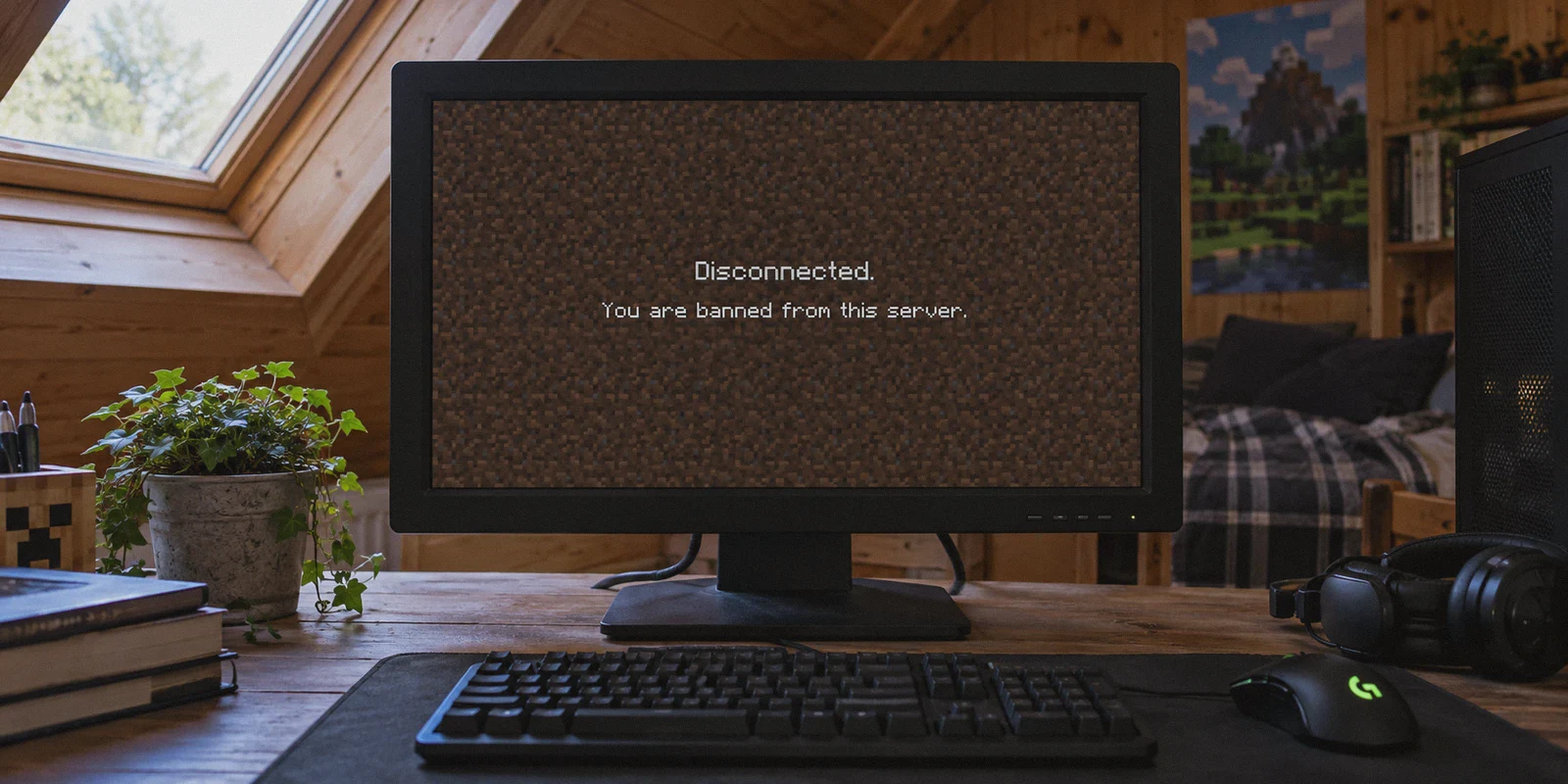
You’re mid-game on your favorite Minecraft server—maybe building on a private SMP, grinding Hypixel Skyblock, or defending a base in Factions. Out of nowhere, the screen freezes, drops to the title screen, and hits you with that dreaded red text:
"You are permanently banned from this server. Reason: Disruptive Gameplay / Unfair Advantage."
Your friends are still in Discord voice chat, calling out coordinates and laughing, while you’re stuck staring at the server list.
The first thought almost every player has is: "No problem, I’ll just download a VPN, switch my IP to another city, and hop right back on."
So you boot up a standard VPN, pick a server in Chicago or Frankfurt, click "Join Server," and immediately get slapped with a brand new error:
Article summary and product fit
Why does changing an IP address often fail to get a banned Minecraft account back onto a server?
The article says modern Minecraft servers can correlate more than the public IP: they can also use the account UUID, datacenter or proxy reputation, and links between accounts. A VPN can only change the network side of that picture; it does not erase an account-level ban.
Key points and limits
- Best for: Players trying to understand why a generic VPN is detected or why reconnecting with the same banned account still fails.
- Key point: The article frames the problem as a three-part identity chain: account UUID, IP reputation, and account-linking signals.
- Product fit: OnlyDogs VPN is presented as a low-latency, obfuscated network option for the connection layer, with emphasis on consistent routing and recovery from brief network drops.
- Important limit: The article explicitly says a permanently banned UUID remains blocked unless the server reverses the ban, and server rules or manual moderator decisions still apply regardless of network route.
Sources referenced in this article: OnlyDogs VPN official website.
"Kicked: You seem to be using a proxy or VPN. Please disable it to play."
Or worse: your brand-new alt account gets instantly auto-banned within thirty seconds for "Ban Evasion."
If that happened to you, it’s not bad luck. It’s because 90% of the guides on Google and YouTube treat a Minecraft IP ban like a basic website block. In reality, modern Minecraft networks run layered security that trips up almost every beginner.
Here is how Minecraft IP bans actually work, why standard VPN tricks fail, and the exact steps to get back on the server without burning through alt accounts.
The Identity Triad: Why Changing Your IP Alone Never Works
Most players think an IP ban is just a padlock on their home router’s address. Change the address, unlock the door, right?
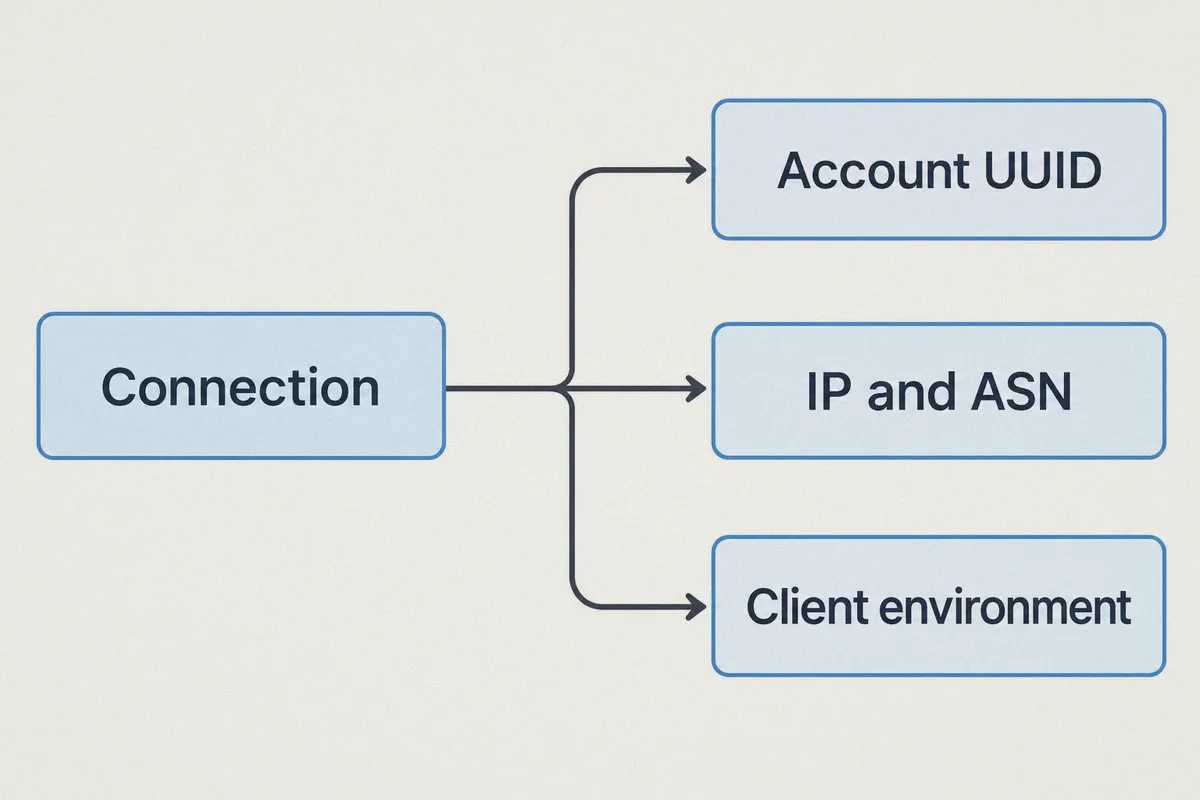
Wrong. Modern Minecraft servers (Paper, Purpur, Velocity, BungeeCord) don't rely on a single data point. When you click "Join Server," the server inspects a three-part identity chain:
[ Your Connection Request ]
          │
          ├── 1. Account UUID ───────► Mojang/Microsoft Unique ID (Hardcoded)
          ├── 2. IP Address & ASN ───► Residential vs. Datacenter Flag
          └── 3. Client Environment ──► Server Cache & Local Logs
If you don't address all three links in this chain simultaneously, the server connects the dots in milliseconds:
1. The Account UUID (The Obvious Anchor)
Your Minecraft account has a unique, permanent identifier called a UUID. If the staff banned your player profile, that UUID is permanently blacklisted in the server database. Turning on a VPN changes your external IP, but your client is still presenting the exact same banned account. The server immediately blocks you before you even spawn.
2. The Datacenter Blacklist (The Anti-VPN Trap)
To stop banned players from endlessly hopping between random VPN locations, server owners install plugins like MaxBans, CleanBlock, IPQualityScore, or BungeeGuard.
These plugins cross-reference your incoming IP against global ASN databases. When you use a generic commercial VPN, your traffic comes from huge commercial server farms (AWS, DigitalOcean, M247, OVH). The server knows no legitimate teenager is playing Minecraft directly from a cloud data rack. The plugin flags the IP as a commercial proxy and kicks you automatically.
3. The Alt-Link Trigger (The Ban Evasion Trap)
Here’s the trap that burns real money: a player buys a cheap alternate account (an "alt"), forgets to change their IP, and logs in. The server records: "New account logging in from the exact same residential IP as the player we just banned an hour ago."
The automated system flags both accounts as belonging to the same person, bans the alt for "Ban Evasion," and hardens the ban on your main account.
The Clean Walkthrough: How to Actually Get Back In
If you want to rejoin a server where you were IP banned, you have to break the entire chain at once. Here is the exact order of operations:
Step 1: Clean Your Local Environment
Before touching any network settings, make sure your game client doesn't hand over traces of your old session:
- Completely close your Minecraft launcher.
- If you use custom clients (Badlion, Lunar, Feather), log out of your current account profile.
- Clear your launcher cache or use a fresh client profile so previous server session tokens aren't carried over.
Step 2: Secure a Fresh Account
If your main account took a permanent ban, that specific username and UUID will not enter that server again unless you win an appeal on their forums.
- You need a fresh, clean Microsoft/Minecraft account.
- Crucial: Never log into this fresh account from your original, banned home IP. If you do, the server plugin can link the two accounts before you even join the multiplayer lobby.
Step 3: Connect Through a Stealthy, Low-Latency IP
You need an IP address that meets three strict criteria:
- It must not be on public server-hosting blacklists.
- It must not leak DNS or WebRTC packets that expose your real home router.
- It must provide low latency (ping under 60–80ms) so you don't get kicked by server anti-cheat for rubberbanding or desync.
Why OnlyDogs VPN Solves the Minecraft Ban Problem
Most VPNs are designed for downloading files or streaming movies where a 500ms lag spike doesn't matter. For Minecraft multiplayer, where packet timing and IP reputation decide whether you play or get banned, standard tools fall flat.
This is where OnlyDogs VPN takes a completely different approach.
Traditional VPNs:  [Datacenter IP] ➔ [Flagged by Server Plugin] ➔ [Kicked: "VPN Detected"]
 OnlyDogs VPN:      [HTTP/3 Obfuscation] ➔ [Clean Route] ➔ [Joined Server Successfully]
1. Proprietary Protocol & Traffic Obfuscation
Server anti-proxy firewalls scan for typical OpenVPN and WireGuard packet signatures.
OnlyDogs VPN utilizes HTTP/3 transport, traffic obfuscation, and proprietary protocol engineering. Instead of screaming "commercial proxy connection," your traffic looks like standard, encrypted modern web activity. This allows you to slide right past automated anti-VPN scripts that trip up conventional VPN providers.
2. Scenario Presets & Auto-Routing (Low Ping by Default)
PvP, parkour, and building require consistent tick rates. If your VPN adds 120ms of jitter, the server's anti-cheat will flag you for movement violations.
With OnlyDogs VPN, you don’t have to manually cycle through 60 different servers trying to find one with good ping. Its Scenario Presets and Auto-Routing engine automatically connect you to the cleanest, lowest-latency path available, eliminating the guesswork.
3. Bulletproof Network Switching & Drop Recovery
One of the easiest ways to blow your cover is a network hiccup. If your Wi-Fi drops for a single second, standard VPNs can leak your real residential IP while renegotiating the connection.
OnlyDogs VPN is specifically built for weak network recovery and rapid reconnection. If your connection wavers, the client protects your session without leaking raw packets to the server. You don’t suddenly flash your banned home IP to the server admin log.
4. Frictionless Multi-Device Access
Whether you play Java Edition on Windows or macOS, or Bedrock Edition on mobile, OnlyDogs VPN provides an identical, lightweight interface across all platforms.
There are no confusing configuration files or complex credentials to paste. It uses a clean email verification code login, letting you secure your connection in under a minute.
3 Cardinal Rules to Keep Your New Account Alive
Once you're back on the server, keep these ground rules in mind so you don't waste your effort:
- Rule 1: Never Toggle the VPN Off While In-Game.
If you disconnect from your VPN while Minecraft is still open, your client will instantly resolve the connection through your home IP. The server console will register the change immediately and trigger an automated evasion ban. Always close the game completely before disconnecting your VPN.
- Rule 2: Don't Use the Same Name or Behavior.
Server admins aren't dumb. If you join on a new account, immediately ask for your old faction, talk to the exact same players in global chat, or use identical custom skins, admins will manually link you. Keep a low profile.
- Rule 3: Keep Your Virtual Region Consistent.
Pick a connection node close to your geographical area (for optimal ping) and stick to it. Logging in from Germany at 2:00 PM and Los Angeles at 4:00 PM makes your account look compromised, which can trigger automatic security locks.
Get Back in the Game
Getting hit with an IP ban feels like an instant game-over, but in reality, it's just a routing barrier.
Stop wasting hours downloading questionable free proxies that get detected in five seconds, and stop sacrificing your ping just to stay connected.
Break the identity chain the right way: grab a clean account, launch OnlyDogs VPN, hit your preset, and get back to building, raiding, and playing with your crew.
Frequently Asked Questions
Why is changing only the IP address not enough after a Minecraft server ban?
The article says servers can also recognize the banned account UUID and can correlate alternate accounts with previous connection history, so an IP change alone does not remove an account-level ban.
Can a VPN remove a ban tied to a Minecraft account UUID?
No. The article states that a banned UUID remains blocked unless the player wins an appeal or the server otherwise reverses the account ban.
Why do some Minecraft servers reject generic VPN connections immediately?
The article says anti-proxy tools can compare incoming addresses with datacenter and ASN reputation lists, causing heavily shared commercial VPN ranges to be flagged.
What network qualities does the article say matter for Minecraft multiplayer?
It emphasizes a consistent connection, low latency, avoiding DNS or IP leaks, and minimizing packet loss or jitter that can cause rubberbanding or anti-cheat problems.