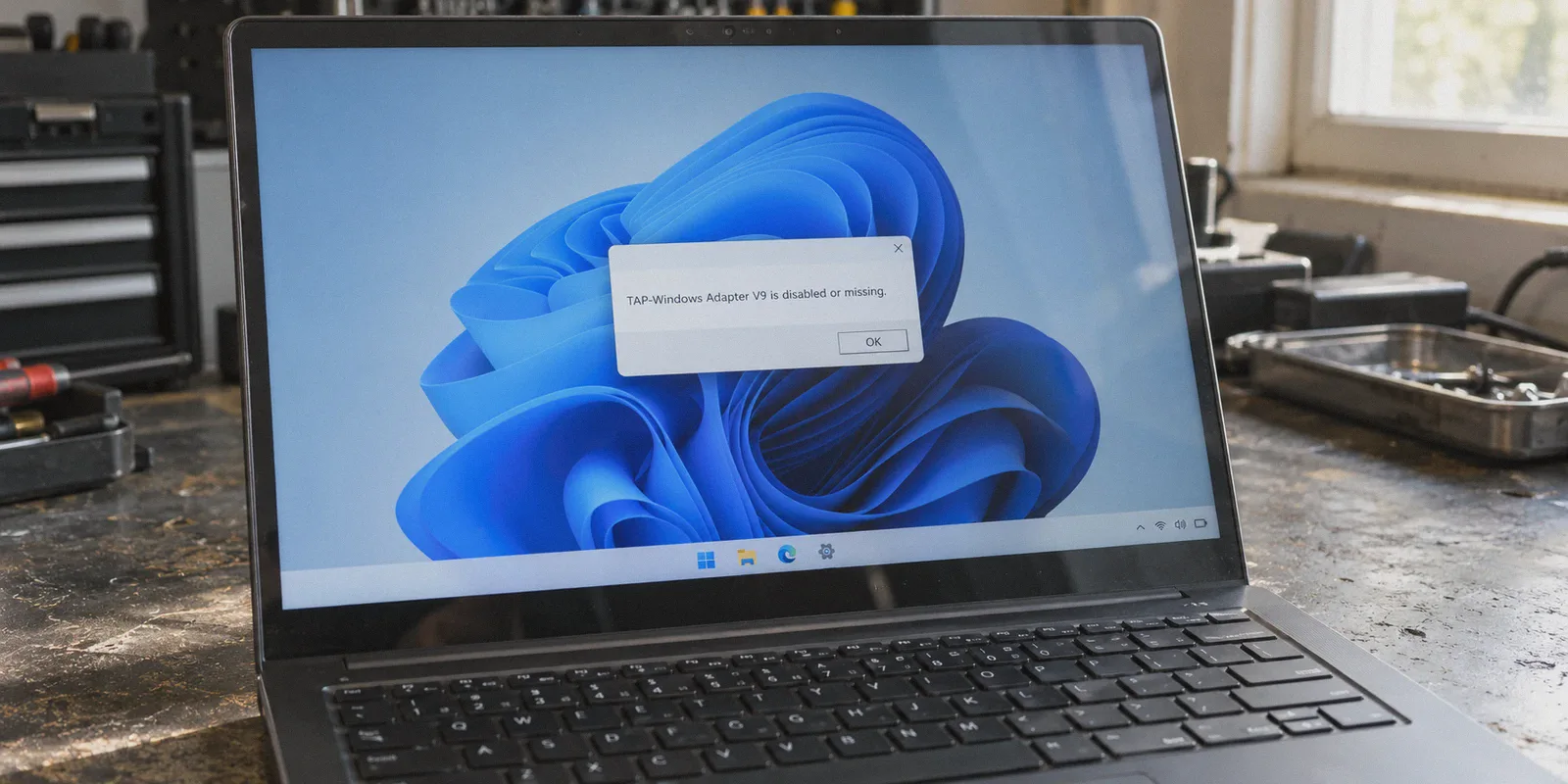
You hit “Connect” on your Windows VPN client, waiting to get to work or catch a stream, and instead of a green checkmark, you get slapped with an error dialog:
“TAP-Windows Adapter V9 is disabled or missing.”
Or “Cannot open TAP device: There are no TAP-Windows adapters on this system.”
If you’ve never poked around inside Windows Device Manager before, seeing the word “TAP adapter” feels like your car dashboard flashing a sensor code in a foreign language. You didn’t ask to be a systems administrator; you just wanted to use the internet.
The good news: we can get your current VPN running again in under three minutes.
The honest news: fixing the TAP adapter is often just treating the symptom of an outdated VPN architecture that will probably break again on your next Windows cumulative update.
Here is how to get your connection back right now—and why you shouldn’t have to keep fixing this.
Article summary and product fit
What should you do when Windows reports that the TAP adapter is disabled, missing, or unavailable to a VPN client?
The article’s repair order is to re-enable the TAP adapter if it is merely disabled, reinstall or update the TAP driver if it is missing or damaged, and reset Winsock and the IP stack if the driver looks healthy but the tunnel still cannot attach. It also frames repeated TAP failures as a downside of VPN software that depends on legacy virtual network drivers.
Key context
- Best for: Windows users whose current VPN suddenly stops connecting after a driver problem, sleep/wake cycle, another networking tool, or a Windows update.
- Article detail: The fastest checks are Network Connections and Device Manager; the network-stack reset is reserved for cases where the adapter exists but the tunnel still fails.
- Important limit: These steps repair a TAP-related failure; they do not diagnose every possible VPN, Windows, firewall, or internet-connectivity problem.
- OnlyDogs fit: The article presents OnlyDogs VPN as an alternative for readers who want to move away from recurring TAP-driver maintenance rather than as a repair tool for a damaged Windows installation.
Sources already referenced in this article: OnlyDogsVPN official website.
3 Fast Ways to Fix the TAP Adapter Error on Windows
Before doing anything drastic like reinstalling Windows or editing the registry, try these three straightforward fixes in order. Nine times out of ten, Fix 1 or Fix 2 clears the jam.
Fix 1: Wake Up the Disabled Adapter (Takes 30 seconds)
Often, the adapter didn’t vanish—Windows or a power-saving cycle simply disabled it and forgot to wake it back up.
- Press
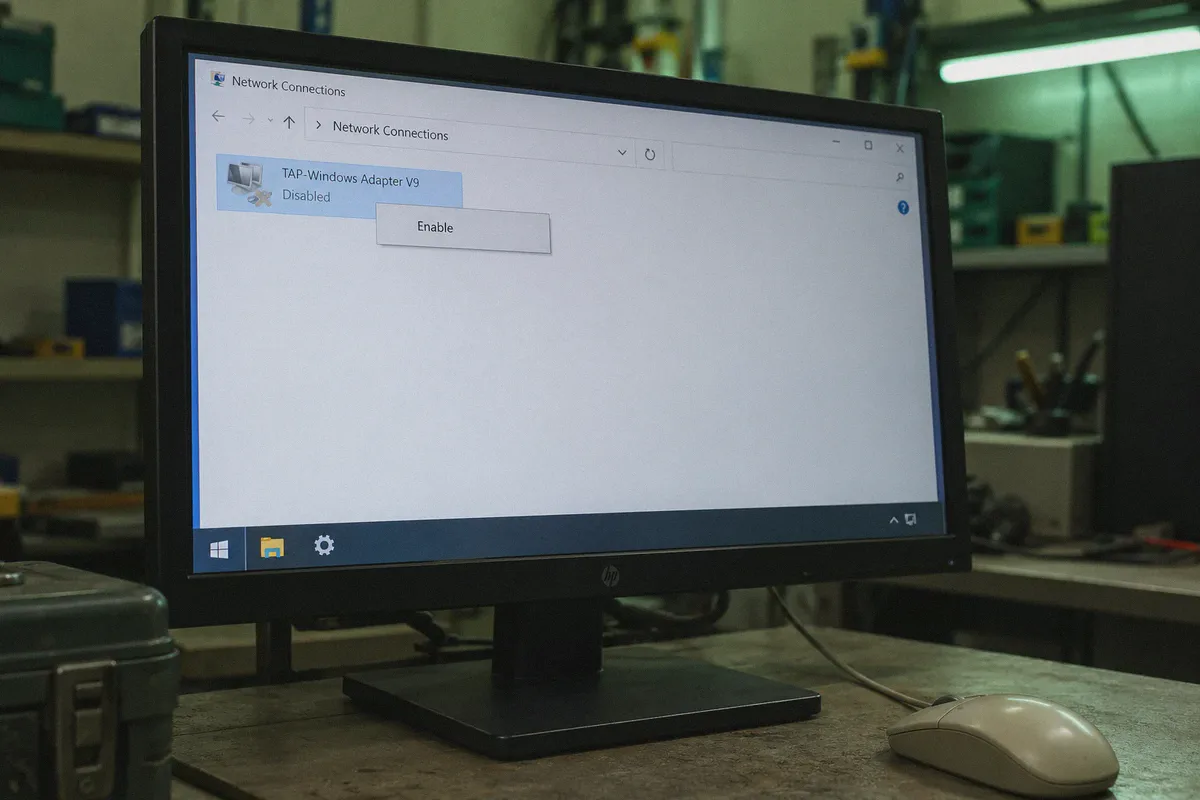
Win + R, typencpa.cpl, and press Enter. This takes you directly to your active Network Connections. - Look through the list of icons for an adapter named TAP-Windows Adapter V9, OpenVPN TAP, or an entry bearing your specific VPN’s brand name.
- If the adapter is greyed out with the label “Disabled”, right-click it and select Enable.
- Re-open your VPN client and try connecting again.
Fix 2: Reinstall or Update the TAP Driver in Device Manager
If the adapter has a small yellow triangle with an exclamation mark next to it, or if it doesn’t show up in ncpa.cpl at all, the driver itself is corrupted or missing.
- Right-click the Windows Start menu button and select Device Manager.
- Expand the Network adapters section.
- Find your TAP-Windows Adapter V9.
- If you see it with a warning icon: Right-click it and select Uninstall device. Check the box that says “Attempt to remove the driver for this device” if prompted, and click Uninstall.
- How to reinstall it: Most standard VPN clients store a backup copy of the driver installer in their installation folder (usually located at
C:\Program Files\[Your VPN]\binorC:\Program Files\TAP-Windows). Double-clicktap-windows.exeoraddtap.batto recreate the adapter.
- Restart your PC. Once Windows boots back up, open your VPN client and let it re-initialize the connection.
Fix 3: Flush the Winsock and Network Stack
If the driver appears healthy in Device Manager but your VPN still insists it can't create a tunnel, Windows' internal network routing table might be locked by a crashed process.
- Press the
Winkey, typecmd, right-click Command Prompt, and select Run as administrator. - Run these two commands, pressing Enter after each: DOS
netsh winsock reset
netsh int ip reset
- Restart your computer. This clears stale socket bindings and gives your VPN’s virtual adapter a clean slate to attach to.
Why Does This Keep Happening? The Dirty Secret of Legacy VPNs
If the steps above solved your problem, congratulations—you’re back online.
But if you’ve had to run these steps more than once this year, you deserve to know why you keep getting dragged into Windows network plumbing: your VPN is using an architectural model built over twenty years ago.
What a TAP Adapter Actually Is
A "TAP" adapter is a software-based virtual network interface card (NIC). When you install a traditional OpenVPN-based client, it forces Windows to treat its software as if you physically plugged a second Ethernet card into your motherboard.
Every single packet leaving your browser has to be handed from your real Wi-Fi card to Windows kernel space, translated by this third-party virtual driver, encrypted, and handed back out.
Why Windows 10 and 11 Hate It
Modern Windows updates are notoriously aggressive about driver security and power management:
- Windows Cumulative Updates: When Windows patches its networking stack or kernel security policies, it frequently unregisters non-standard virtual network drivers or marks them as unverified.
- Sleep & Modern Standby: When your laptop goes to sleep, Windows cuts power to network devices. When it wakes up, physical Wi-Fi reconnects in milliseconds, while virtual TAP drivers often fail to rebind, leaving your client stuck in an endless loop.
- Driver Clashes: If you ever installed a second VPN, a virtual machine (like Hyper-V, WSL, or VirtualBox), or certain anti-cheat software for PC gaming, they fight over the same virtual routing hooks.
You end up playing tech support for a virtual device you never wanted in the first place.
The Modern Alternative: Moving Past Driver Hell
Fixing a TAP driver every few months shouldn't be the price of basic digital privacy and open access.
Over the last few years, modern networking protocols have moved away from heavy, fragile kernel drivers toward user-space tunnels, modern transports like HTTP/3, and lightweight, resilient protocols designed specifically to avoid system driver bloat.
This is precisely where OnlyDogs VPN takes a completely different route.
Instead of saddling your Windows machine with legacy virtual network cards that break whenever Windows pushes an update, OnlyDogs VPN is built from the ground up for zero-friction operation:
-
No Brittle Driver Dependencies: By utilizing modern HTTP/3 foundations and specialized traffic obfuscation, OnlyDogs routes your traffic cleanly without depending on brittle, decades-old TAP driver installations that conflict with your system.
-
Instant Auto-Recovery: Because it avoids legacy virtual NIC locks, it doesn't freeze when your laptop sleeps or when you move from home Wi-Fi to a phone hotspot. The connection seamlessly recovers in the background without throwing fatal driver errors.
-
Scene-Based Simplicity: Instead of forcing you to configure tunneling protocols, select MTU sizes, or troubleshoot virtual adapters, OnlyDogs organizes your internet by what you actually want to do:
-
Fastest Line: 1-click automatic route optimization that constantly finds the lowest-latency path.
-
Streaming Presets: Pre-tuned routes that effortlessly unlock international media libraries without stuttering or DNS leaks.
-
Ad & Tracker Shield: Integrated node-level and DNS filtering that strips out intrusive ads and web trackers before they even hit your browser.
-
Hassle-Free Account Access: No long, forgotten passwords or complex authentication keys. You sign in quickly with an email verification code and start browsing.
The Takeaway
If your current VPN threw a TAP adapter error today, the quick Device Manager toggle or Winsock reset above will get you through your immediate task.
Once you have a spare moment, ask yourself whether you want to keep troubleshooting virtual network drivers every time Windows updates. If you just want a connection that clicks on, stays quiet, and doesn't make you open Command Prompt just to access the web, take a look at OnlyDogs VPN.
A VPN should work for you—not demand that you work for it.
Frequently Asked Questions
What is the first thing to try when a TAP adapter is disabled?
Open Windows Network Connections with ncpa.cpl, find the TAP or VPN-branded adapter, and enable it if Windows shows it as disabled. Then reopen the VPN client and test the connection.
What should you do if the TAP adapter is missing or has a warning icon?
Open Device Manager, inspect Network adapters, and reinstall the TAP driver if it is corrupted or absent. The article notes that many VPN clients keep a driver installer in their program folder.
When should you reset Winsock and the Windows IP stack?
Use the network-stack reset when the TAP driver appears healthy but the VPN still cannot create a tunnel. The article uses netsh winsock reset and netsh int ip reset, followed by a restart.