How to Get Cheaper Patreon Subscriptions with a VPN (And the Tax Trap Costing You 30% More)
If you're searching for "how to get cheaper Patreon subscriptions with VPN," let me guess how you ended up here.
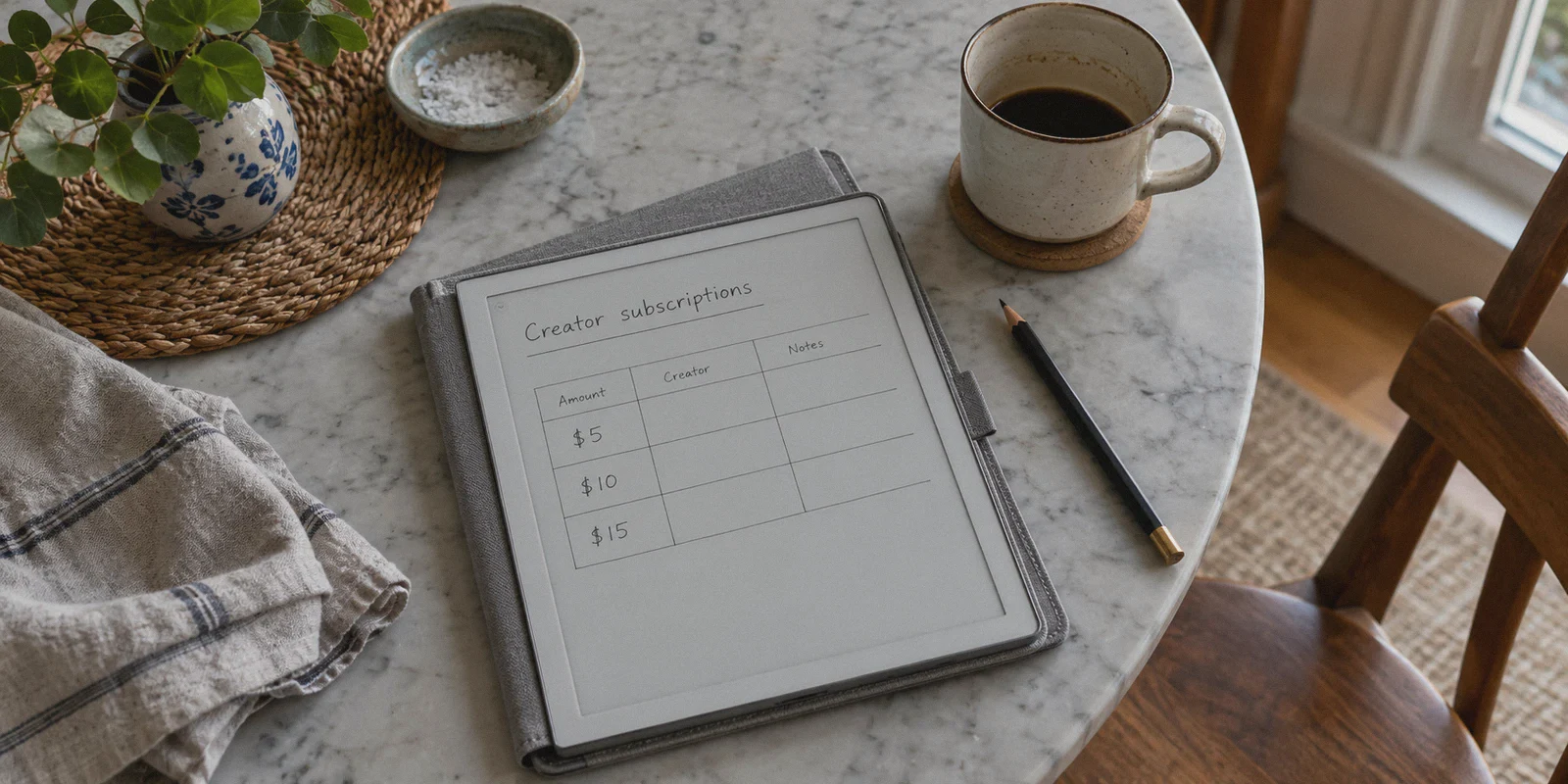
You opened your monthly bank statement, scrolled past the usual suspects, and suddenly noticed you're spending $45, $70, or even $100 a month on Patreon.
A $5 podcast tier here, a $10 digital artist tier there, an early-access gaming mod for $15, a private Discord access pass for $20... Before you realize it, your monthly creator habit costs more than Netflix, Spotify, and HBO Max combined.
Naturally, you think of the classic digital loophole: If people use a VPN to get YouTube Premium from Ukraine or Steam games from regional stores for 80% off, can't I just flip my VPN to Turkey, Brazil, or Argentina and pay 80% less on Patreon?
Here is the cold, hard truth that most generic VPN blogs won't tell you: Patreon does not work like Steam or Netflix.
If you try the old "fly to Argentina" trick on Patreon, you won't get an 80% discount. You’ll just get a broken checkout form, a declined card, or an awkward account review.
However, you can still save between 20% and 40% on your total monthly Patreon bill using a VPN. You just have to stop chasing non-existent third-world exchange loopholes and start exploiting the three real pricing leaks Patreon uses to silently overcharge you.
Here is how the platform actually bills you in 2026, and how to use a VPN the smart way to trim your subscription costs for good.
Article summary and product fit
Where does this article say Patreon subscription cost differences actually come from?
The article argues that Patreon is not primarily a Steam-style regional-pricing system. Instead, it focuses on three possible cost differences around checkout: local tax treatment, currency conversion, and higher prices associated with iOS in-app purchasing. It also says payment processors may reject sessions that look geographically inconsistent or come from obvious proxy infrastructure.
Key points, fit, and limits
- Best for: Readers trying to understand why the same creator membership can show different final checkout totals across device, currency, and location contexts.
- Key points: The article separates creator-set tier prices from taxes, FX conversion, and mobile-app checkout costs, then explains why payment verification can fail when location signals conflict.
- Product fit: OnlyDogs VPN is positioned as a stable, obfuscated browsing connection for web checkout sessions rather than as a way to change the creator’s underlying tier price.
- Important limit: The article does not link to Patreon tax or pricing policy documentation. Its tax-saving figures and jurisdiction assumptions should therefore be treated as article claims, not as tax advice or a guarantee that a different IP changes what tax is legally due.
Sources already linked in this article: OnlyDogsVPN official website.
1. The Myth vs. The Reality: How Patreon Actually Prices Tiers
To understand how to save money on Patreon, you first need to understand where the price tag comes from.
On platforms like Steam, Spotify, or Netflix, the company sets regional "Purchasing Power Parity" (PPP) rates. A game priced at $60 in the US is algorithmically discounted to the equivalent of $18 in low-income regions.
Patreon does not do this.
On Patreon, individual creators set their own tier prices in their home currency (usually USD, EUR, or GBP). If a creator sets their tier at $10 USD:
- A fan in the US pays $10.
- A fan in Tokyo pays the Japanese Yen equivalent of $10.
- A fan in Brazil pays the Brazilian Real equivalent of $10.
Trying to set your VPN to a hyper-inflated currency won't magically turn a $10 tier into $1.
So why are people still using VPNs to get cheaper Patreon tiers? Because of the three hidden markups Patreon slaps onto your bill depending on where your connection originates.
2. The 3 Hidden Markups Eating Your Money
This is where the real savings live. If you pay attention to how Patreon calculates your final invoice, you’ll find hundreds of dollars in leaks each year.
Markup #1: The Brutal 20%–27% VAT / GST Location Trap
If you live in the UK, the European Union, Australia, or parts of the US, Patreon automatically detects your IP and location at checkout and tacks on local sales tax:
- UK: 20% VAT added on top of every pledge.
- EU: 19% to 27% VAT (e.g., Germany 19%, Sweden 25%, Hungary 27%).
- Australia: 10% GST.
If you pledge $20 a month to a creator from London or Berlin, you aren't paying $20. You’re paying $24.00 to $25.40 every single month. Over a year, you’re handing $60+ in raw digital VAT to local tax authorities on a single creator.
When your connection originates from a zero-tax jurisdiction (like tax-free US regions or territories where digital services aren't taxed), that 20%+ surcharge simply disappears from your checkout screen.
Markup #2: The Hidden Currency Conversion Buffer (5%–12%)
Patreon supports localized billing currencies (USD, EUR, GBP, CAD, AUD, etc.), but their automated conversion rates are notoriously unfavorable to the patron.
When a US-based creator sets a tier at $10 USD, Patreon often bills European patrons €10.50 or €11.00 to give themselves a buffer against foreign exchange volatility. When you check the actual real-time exchange rate, you're frequently paying an extra 6% to 10% premium just for the "convenience" of seeing your local currency.
If you force the checkout session into the creator's base currency (almost always USD) via a clean US IP and pay with a fee-free multi-currency card, you avoid Patreon's built-in conversion padding entirely.
Markup #3: The 30% Apple In-App Purchase Surcharge
This is the single biggest trap currently hitting mobile users.
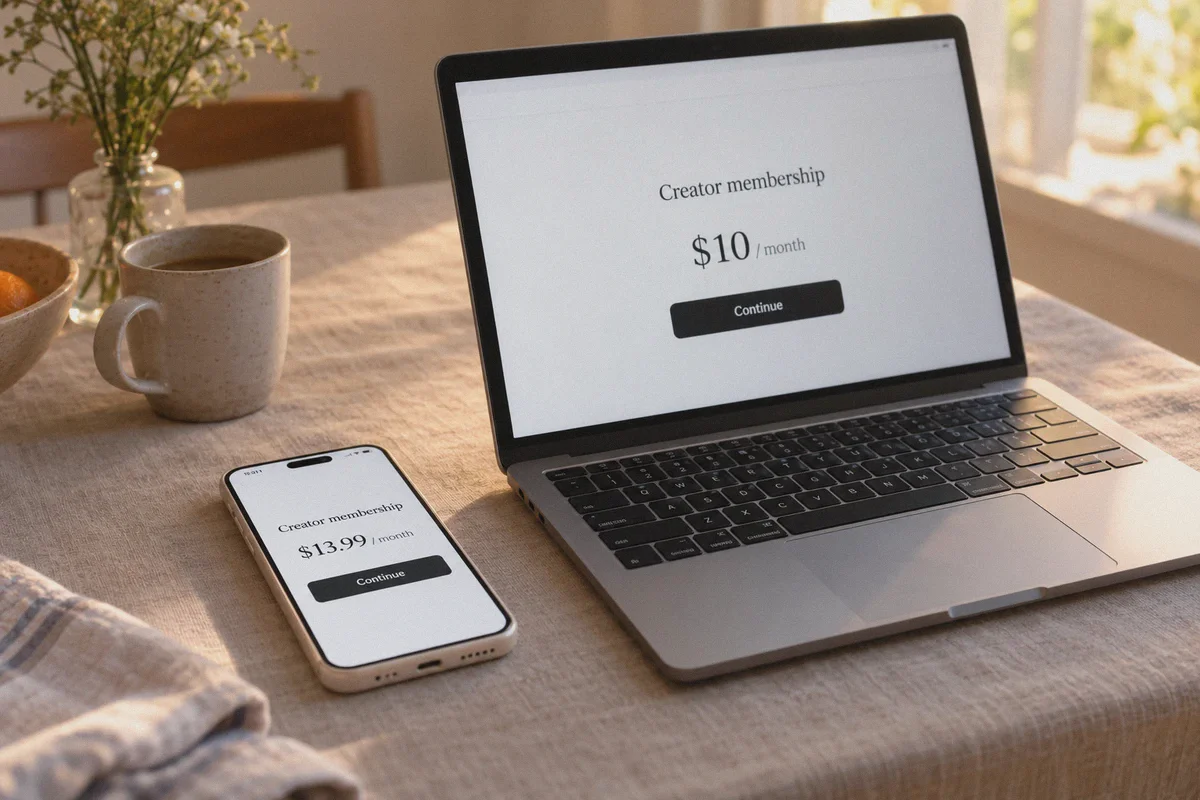
Patreon rolled out Apple In-App Purchases on iOS. To cover Apple’s mandatory 30% cut, subscriptions initiated inside the Patreon iOS app are either automatically marked up by up to 30%, or creators are forced to adjust their mobile tiers upward.
A tier that costs $10/month on a desktop web browser can cost $13.99/month inside the iPhone app for the exact same rewards.
3. The Math: What You Actually Save
When you combine a zero-tax routing with native currency billing and web checkout, the monthly compounding difference is shocking:
| Monthly Pledges | Subscribed via iOS / UK-EU IP (With VAT & Markups) | Subscribed via Web + Clean Zero-Tax US Route | Annual Cash Saved |
|---|---|---|---|
| Light Supporter (2 x $5 tiers) | ~$13.50 / month | $10.00 / month | $42.00 / year |
| Average Fan (3 x $10 tiers) | ~$41.00 / month | $30.00 / month | $132.00 / year |
| Power Patron (5 mixed tiers, ~$70 base) | ~$96.00 / month | $70.00 / month | $312.00 / year |
You aren't scamming a creator out of their hard-earned income. The creator still receives their full 100% net creator share. You are simply eliminating the middlemen: Apple's 30% platform tax, Patreon's padded FX exchange fees, and automated 20%+ regional VAT markups.
4. Why Most Cheap VPNs Fail at Patreon Checkout
Before you fire up a random free browser proxy, understand why most attempts fail at the final payment click.
Patreon uses Stripe and PayPal to process recurring subscriptions. These payment gateways run real-time risk scoring algorithms.
When you use an ordinary commercial VPN or a budget proxy service:
- Flagged Datacenter IPs: The IP address belongs to an obvious server hosting provider (like DigitalOcean, AWS, or OVH). Stripe immediately flags the session as high-risk, triggering a silent checkout freeze or
Payment Method Could Not Be Verified. - DNS & Geolocation Mismatch: Your IP says one place, but your browser fingerprint or WebRTC leaks another, prompting Patreon to demand SMS verification or lock recurring billing.
- Connection Drops During Tokenization: If your VPN flickers for a half-second while Stripe is generating the recurring subscription token, the transaction drops dead.
To make this work without triggering anti-fraud flags, your connection needs to look like standard, clean residential web traffic.
5. How OnlyDogs VPN Makes Patreon Subscriptions Smooth
This is why OnlyDogs VPN fits this exact workflow far better than bloated, generic legacy VPN tools.
[Your Device / Browser] ──> OnlyDogs VPN (Obfuscated HTTP/3) ──> Clean Zero-Tax Line
                                     │
                                     └──> Stripe / Patreon Checkout (Zero VAT + Base Currency)
1. Scene Presets: Zero Configuration Headaches
Normal VPNs force you to manually scroll through lists of hundreds of confusing servers and guess which protocol won't trip Stripe's fraud detection.
OnlyDogs uses Scene Presets. With one click, it automatically routes you through optimized lines configured for smooth web transactions and browsing. You don't have to fiddle with WireGuard ports, MTU sizes, or proxy rules.
2. HTTP/3 & Traffic Obfuscation
Patreon’s payment gate looks for standard OpenVPN or WireGuard packet signatures.
OnlyDogs is built on proprietary protocols featuring HTTP/3 architecture and traffic obfuscation. To Patreon and Stripe’s fraud filters, your connection doesn't look like a suspicious VPN datacenter proxy; it looks like organic HTTPS web traffic. You breeze through checkout without endless captcha loops or rejected payment methods.
3. Passwordless Friction-Free Access
Nobody wants to manage yet another 20-character password just to turn on a VPN client. OnlyDogs uses email verification code login. Sign in across your phone, Mac, or Windows laptop in seconds, lock in your subscriptions, and keep your connection secure.
4. Weak-Network Stability
If you're managing subscriptions on mobile, Wi-Fi handoffs and weak cellular signals frequently drop active network sessions. OnlyDogs is engineered with aggressive weak-network and handover recovery. If your network hiccups, the tunnel re-establishes instantly in the background without dropping your browser session or invalidating your checkout token.
6. The Step-by-Step Playbook to Cut Your Patreon Bill
Here is the exact, tested workflow to set up your subscriptions at the lowest possible recurring cost:
Step 1: Never Subscribe Inside the iOS App
If you currently have active subscriptions started inside the Patreon iPhone app, go to your Apple ID Subscriptions settings, cancel them, and let them lapse at the end of the billing cycle. You will re-subscribe on the web.
Step 2: Clear Cookies & Connect OnlyDogs VPN
- Open your browser in Incognito / Private Browsing mode.
- Open OnlyDogs VPN, select a fast, clean US line (such as an Oregon or standard US routing that does not enforce digital services tax).
- Verify your location displays cleanly with zero WebRTC leaks.
Step 3: Log In to Patreon on the Web
- Navigate to
patreon.com. - Head to the creator’s page you want to support.
- Look at the tier currency: it should now display in clean USD ($) without any local VAT warning or country-based currency adjustments.
Step 4: Complete Checkout with a Borderless Card or PayPal
At checkout:
- Use a card that does not charge foreign transaction fees (like a Wise debit card, Revolut, or an international travel credit card), or your standard PayPal account.
- Check the final total line: Sales Tax / VAT should read $0.00.
- Confirm the pledge.
Step 5: Disconnect and Enjoy Anywhere
Once your recurring pledge is active on Patreon's backend, it stays at that base rate every month.
You do not need to keep the VPN running 24/7 just to read posts or listen to patron-only podcasts. You can use your phone, tablet, or desktop normally. Your monthly bill will simply continue billing at the clean, tax-free base rate.
7. Two Critical Mistakes to Avoid
Before you go adjust your pledges, keep these two rules in mind:
- Don't jump continents every ten minutes: Don't pledge to one creator from a US IP, switch to Japan five minutes later for another, and then switch to Germany. Rapid geographic jumping triggers automated account security reviews on Patreon. Set your connection to one clean route, complete your pledges, and leave it alone.
- Keep your payment method consistent: Make sure the payment method you attach has sufficient funds for monthly recurring billing. If a payment fails and Patreon tries to re-bill while you're on a local IP, it may re-assess your tax jurisdiction.
The Verdict: Stop Overpaying for the Creators You Love
Supporting independent creators shouldn't feel like paying a second electricity bill.
You don't need sketchy black-market accounts, and you don't need to waste time trying to force a fake Turkish credit card into a system that won't take it.
- Ditch the mobile app checkout to eliminate Apple’s 30% cut.
- Fire up OnlyDogs VPN to access clean, tax-free base USD pricing and bypass the 20%+ European/UK VAT trap.
- Lock in your pledges once, and save dozens (or hundreds) of dollars every single year while making sure your favorite creators still get every penny they asked for.
👉 Ready to stop paying digital tax markups on your favorite content? Check out OnlyDogs VPN and take control of your subscriptions in minutes.
Frequently Asked Questions
Does this article say Patreon uses the same kind of regional pricing as Steam or Netflix?
No. It says Patreon creators generally set their own tier prices, while the patron’s final total can vary because of taxes, currency conversion, and the checkout channel.
What are the three main cost markups discussed in the article?
The article focuses on VAT or GST added at checkout, unfavorable currency conversion, and higher iOS in-app purchase pricing that can make the same membership cost more than a web checkout.
Why can a VPN checkout attempt fail even if Patreon loads normally?
The article says payment processors can compare IP reputation and other location signals. A known datacenter IP, DNS or browser-location mismatch, or a dropped connection during payment can lead to verification errors.
What is the practical first step the article recommends before changing network settings?
It recommends avoiding iOS in-app subscription checkout and comparing the web price first, because the checkout channel itself can change the displayed membership cost.