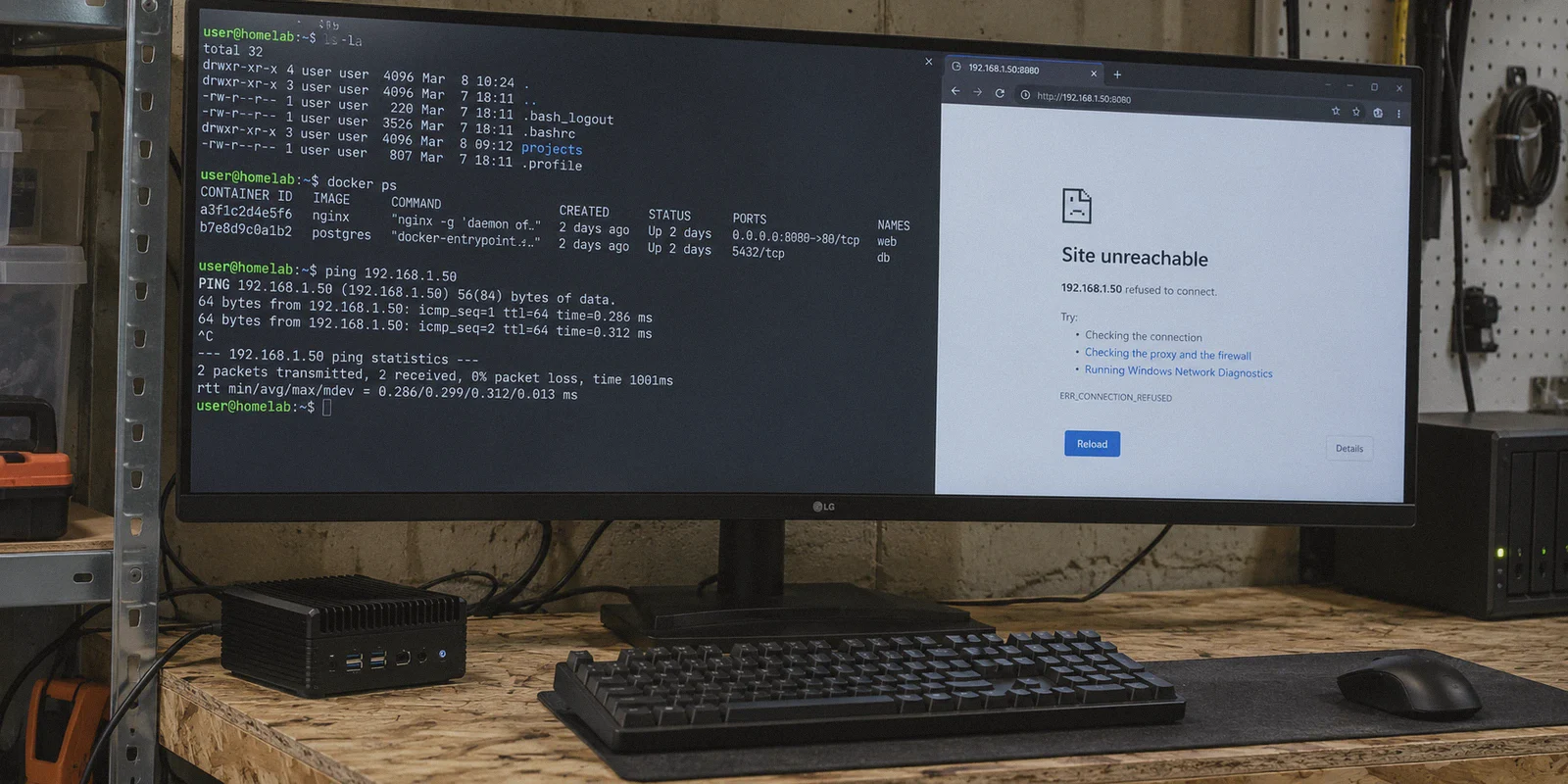
If you have spent the last three hours staring at a terminal while your newly routed container refuses to connect to the internet, or worse—works fine externally but completely disappears from your home local network—take a breath. We have all been there.
Setting up Gluetun sounds straightforward on paper: launch a lightweight VPN client container, point your secondary apps (like qBittorrent, Jackett, or private scrapers) to share its network stack using network_mode: service:gluetun, and enjoy a leak-free setup.
Yet in practice, this is where 90% of homelab setups crash into a brick wall. Ports stop responding, web dashboards refuse to load from your browser, DNS lookups silently fail, and whenever your host IP shifts, the entire network stack locks up.
Let's cut through the confusing forum snippets, lay out a working Docker Compose configuration that actually works on the first try, explain why it broke in the first place, and look at whether stacking VPNs inside Docker is still the smartest way to protect your traffic.
Article summary and product fit
How do you route a Docker app through Gluetun without losing local network access or leaking outside the VPN tunnel?
The article explains that a container using network_mode: service:gluetun shares Gluetun’s network namespace, so its ports must be published on Gluetun and LAN subnets must be explicitly allowed. It also recommends verifying the external IP from inside the downstream container instead of assuming the Compose stack is leak-free.
Key points and limits
- Best for: Homelab users routing qBittorrent or another container through Gluetun while keeping the application UI reachable from the local LAN.
- Core mechanism: The key ideas are shared network namespaces, port publishing on the Gluetun service, FIREWALL_OUTBOUND_SUBNETS for LAN access, and health-based startup ordering.
- Product fit: OnlyDogs VPN is presented as an alternative for users whose real goal is host-level privacy and simpler network recovery rather than per-container routing.
- Important limit: The article says Gluetun remains the better fit for headless Linux, remote VPS, or deliberate per-container isolation; a desktop VPN client does not replace those Docker-specific controls.
Sources in this article: No independent external source link is used in the body for this topic. Product source: OnlyDogsVPN official website.
The Core Concept: How Docker Network Sharing Works
Before copying and pasting code, you need to understand one basic Docker rule that trips up almost everyone:
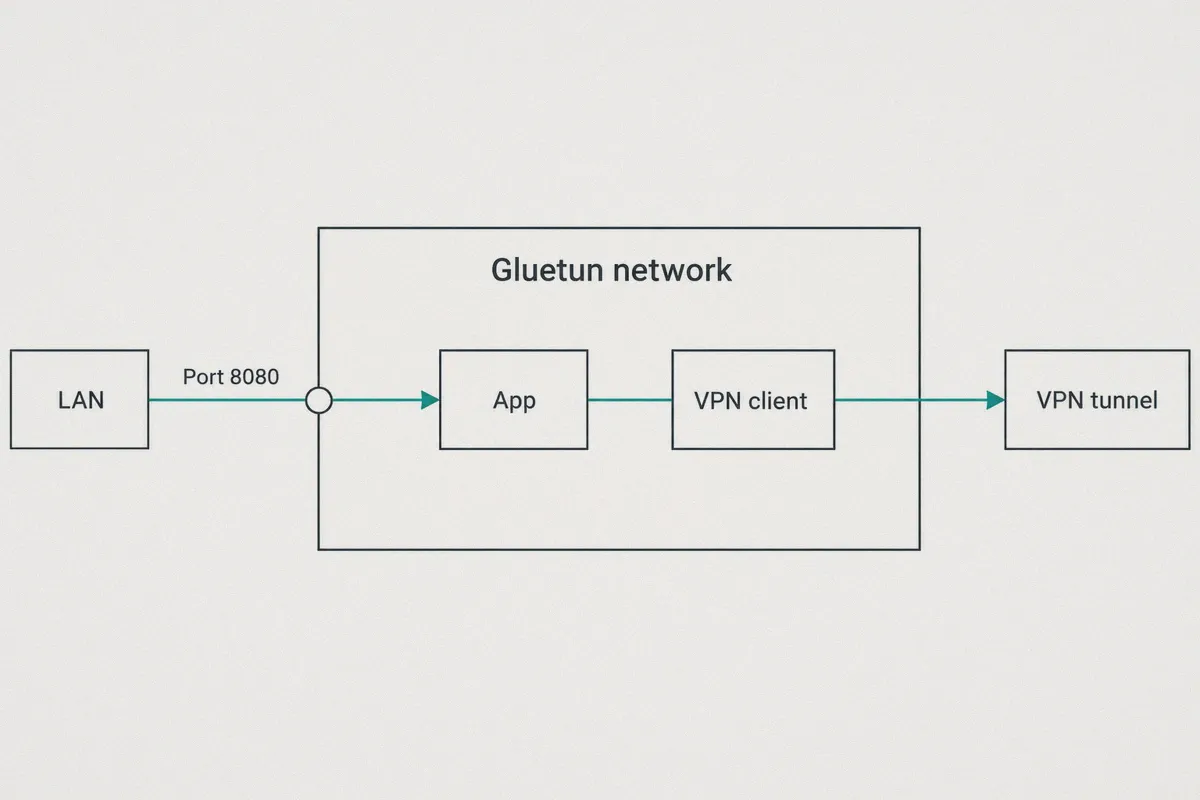
When a container uses
network_mode: "service:gluetun", it loses its own network interface.
It effectively has no IP of its own, no private ports, and no independent routing table. It behaves like an application running inside Gluetun’s living room.
Because of this:
- You cannot bind ports on the target container. Any port mapping (like
8080:8080for a web UI) must be exposed on the Gluetun container itself, not on the attached app. - Local LAN access is severed by default. Gluetun routes everything through the encrypted tunnel. If you try to open the app’s web UI from your home PC (
192.168.1.X), Gluetun’s firewall drops the packet unless you explicitly configure a local subnet bypass (FIREWALL_OUTBOUND_SUBNETS).
Once you visualize that, the Docker Compose structure suddenly makes complete sense.
The Battle-Tested docker-compose.yml
Here is a clean, minimal Compose file routing a downloader through Gluetun while keeping its web dashboard reachable from your local machines: YAML
services:
  gluetun:
    image: qmcgaw/gluetun
    container_name: gluetun
    cap_add:
      - NET_ADMIN
    devices:
      - /dev/net/tun:/dev/net/tun
    ports:
      # Expose your downstream container's Web UI HERE on Gluetun:
      - "8080:8080" # Example: qBittorrent Web UI
      - "6881:6881" # Torrent listening port (TCP)
      - "6881:6881/udp"
    environment:
      - VPN_SERVICE_PROVIDER=custom
      - VPN_TYPE=wireguard # or openvpn
      # Essential for local LAN access (adjust to match your home router subnet):
      - FIREWALL_OUTBOUND_SUBNETS=192.168.1.0/24,10.0.0.0/8
      # Optional: kill switch behavior
      - DOT=off
    restart: unless-stopped

  qbittorrent:
    image: lscr.io/linuxserver/qbittorrent:latest
    container_name: qbittorrent
    # DO NOT expose ports here. They belong under gluetun.
    network_mode: "service:gluetun"
    environment:
      - PUID=1000
      - PGID=1000
      - TZ=Etc/UTC
      - WEBUI_PORT=8080
    volumes:
      - ./qbittorrent/config:/config
      - ./downloads:/downloads
    depends_on:
      gluetun:
        condition: service_healthy
    restart: unless-stopped
The Three Settings You Cannot Skip:
cap_add: - NET_ADMIN&/dev/net/tun: Gluetun cannot create internal tunnels without elevated kernel network capabilities.FIREWALL_OUTBOUND_SUBNETS: This tells Gluetun: "Allow traffic coming from my living room router (192.168.1.0/24) without pushing it out into the encrypted VPN tunnel." Without this, you will never open that Web UI from your laptop browser.depends_on: condition: service_healthy: If your app spins up before Gluetun has finalized its tunnel handshake, network sockets freeze and the app gets stuck in a broken loop.
How to Verify That Your Container Isn’t Leaking
Never assume a container is safe just because docker compose up didn't throw an error. Run this command inside your terminal:
Bash
docker exec -it qbittorrent curl ifconfig.me
- If it prints your VPN server's external IP: Your traffic is successfully routed.
- If it prints your residential broadband IP: The container bypassed the tunnel—check your Compose syntax immediately.
- If it hangs or returns an error: Gluetun's internal DNS or tunnel handshake is failing. Check Gluetun’s logs: Bash
docker logs gluetun
The Hidden Trap: Why Gluetun Setups Constantly Degrade
If you run this setup for a few weeks, you will likely hit the exact headaches that fill Reddit's r/selfhosted:
- Protocol Rigidity & ISP Throttling: Gluetun relies heavily on vanilla OpenVPN and WireGuard configurations. Standard WireGuard handshakes are loud and trivial for modern ISPs to detect and throttle, particularly when transferring heavy workloads.
- Tunnel Stalls on Network Fluctuations: If your host machine switches from Wi-Fi to Ethernet, or your home router experiences a momentary drop, standard WireGuard tunnels inside Docker often lock up. The container thinks it's still alive, but packets simply stop passing through.
- DNS Leaks and Resolution Freezes: Gluetun bundles built-in DNS-over-TLS (DoT). When upstream DNS nodes lag or block your request, your entire container stack suddenly cannot resolve hostnames, halting scrapers and downloaders entirely.
You set up Docker to save time and automate your life, not to spend your weekends debugging routing tables and .conf files.
When to Stop Over-Engineering Your VPN
Routing individual Docker containers through command-line tunnels is ideal if you're running a remote VPS or a headless Linux box in a closet.
However, if your actual goal is simply having a fast, bulletproof connection that protects your downloads, bypasses ISP bandwidth shaping, and works instantly without configuring custom routing tables, running a dedicated client like OnlyDogs VPN on your workstation or host system solves the problem at a much cleaner layer.
Instead of fighting legacy OpenVPN files, OnlyDogs VPN is built from the ground up for modern, restrictive network conditions:
- Proprietary Obfuscated HTTP/3 Transport: Traditional WireGuard packets have a distinct signature that network filters target. OnlyDogs uses modern HTTP/3 transport and active traffic obfuscation, blending your traffic into standard web browsing so your provider can’t easily single it out for throttling.
- Instant Recovery on Network Shifts: Unlike static Docker tunnels that get stuck when an IP changes, OnlyDogs automatically adapts to connection jitter and network switches without manual restarts.
- One-Click Scenario Presets: Instead of tweaking routing tables and finding server keys, you click what you want—Fastest Server, Streaming, or Ad Blocking—and let automatic routing handle the backend work.
- Cross-Platform Simplicity: Available natively across Windows, macOS, Android, and iOS, meaning you don't need a degree in network engineering just to keep your personal data private.
If you enjoy tinkering with YAML files and managing network namespaces, the Gluetun configuration above will give you an airtight setup.
👉 But if you just want secure, fast, and completely unthrottled downloads without spending your evenings debugging network adapters, check out OnlyDogs VPN and get set up in under two minutes.
Frequently Asked Questions
Why does a container lose its own IP and port mappings with network_mode: service:gluetun?
Because it is sharing Gluetun’s network namespace. The article explains that the downstream container no longer owns an independent network interface, so published ports need to be declared on the Gluetun service instead.
Why can the web UI disappear from the local network?
Gluetun’s firewall routes traffic through the tunnel and can reject local-subnet access unless the LAN range is explicitly allowed. The article uses FIREWALL_OUTBOUND_SUBNETS to keep local browser access working.
How do you verify that the downstream container is actually using the VPN?
The article runs curl from inside the downstream container and checks the returned public IP. If it shows the VPN exit IP, routing is working; if it shows the residential IP, the container is bypassing the tunnel.
When does the article suggest using a host-level VPN instead of Gluetun?
It suggests a simpler client when the goal is protecting the whole workstation or host without maintaining Docker-specific routing. For remote servers or selective container isolation, it says the Gluetun design still makes sense.