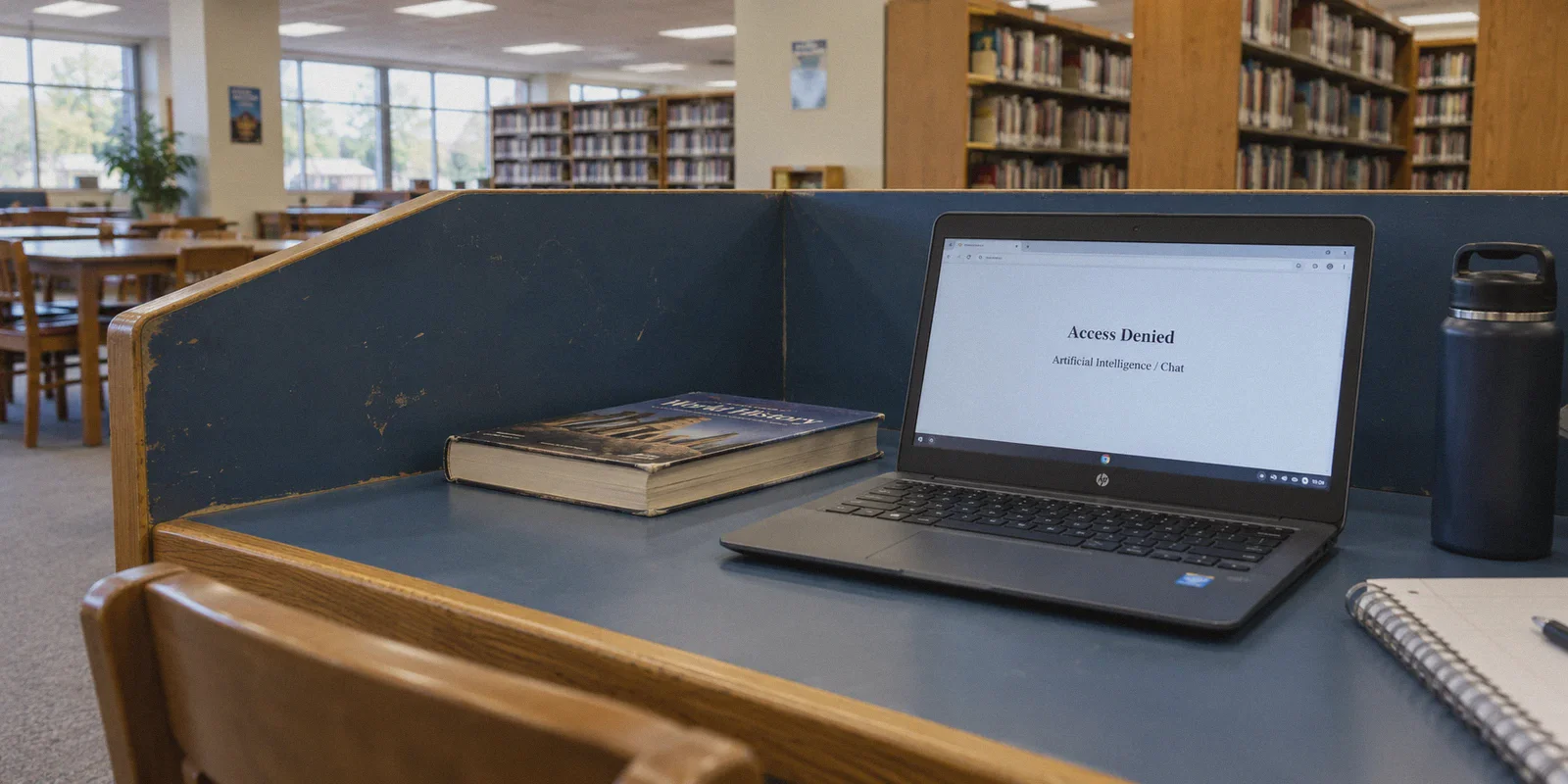
You’re sitting in study hall or chilling in the cafeteria during lunch. You pull out your phone or open your laptop, head over to Character.AI to continue an RPG storyline or vent about your chemistry test, and tap send.
Instead of a reply, you hit a brick wall.
Either your browser slaps you with the dreaded block screen:
"Access Denied: Category – Artificial Intelligence / Chat"
Or worse: the three little white dots bounce back and forth for five minutes until the screen throws a network error and your entire draft vanishes.
Your immediate instinct is probably what everyone does: open the App Store, download whatever random free VPN shows up first, and hit connect.
And what happens? The VPN spins on "Connecting..." forever. Or it connects for thirty seconds, the school Wi-Fi throttles your speed to a crawl, and the moment you switch classrooms, the whole session disconnects.
If you’re trying to figure out how to unblock Character.AI at school with a VPN, here is the honest truth most generic tech guides won't tell you: your school didn’t just block Character.AI’s website. Your school's firewall is actively hunting down your VPN.
Once you understand why ordinary VPNs choke on campus networks, fixing it is surprisingly simple.
Article summary and product fit
Why do ordinary VPNs often fail on school Wi-Fi when Character.AI itself may still work on other networks?
The article says campus filtering can block recognizable VPN handshakes and that Character.AI’s persistent chat stream is sensitive to brief connection drops. Its suggested approach is an obfuscated connection established before opening the app or site, with a stable route kept in place during the session.
Key points, fit, and limits
- Core issue: The article attributes many failures to school firewalls that inspect traffic patterns rather than only blocking the Character.AI domain.
- Real-world difficulty: Persistent AI chat streams can freeze when packets drop or the device moves between Wi-Fi and cellular data.
- Best fit: The article recommends OnlyDogs VPN for obfuscation, automatic routing, and recovery during network handoffs.
- Limit: This does not change school acceptable-use rules or guarantee that every managed device or network will allow the service.
Sources already linked in this article: Character.AI; OnlyDogs VPN.
Why Regular VPNs Choke on School Wi-Fi
Most people think school network filters work like a simple blacklist of blocked websites. In reality, modern school Wi-Fi systems—powered by network filters like Securly, GoGuardian, Fortinet, or Palo Alto—are much smarter than that.
They use something called Deep Packet Inspection (DPI).
Here is what actually happens when you try to use a standard VPN at school:
[Your Device]
      │
      ▼
[School Router / Firewall] ──► Checks Packet Signature
      │
      ├── Looks like OpenVPN / WireGuard? ──► BLOCKED IMMEDIATELY (Drops handshake)
      │
      └── Looks like standard encrypted web traffic (HTTP/3)? ──► PASSED
- They block the front door (VPN protocols): Standard VPNs use public protocols like OpenVPN or standard WireGuard. These protocols have obvious cryptographic signatures. The school router sees the handshake and terminates the connection before it even starts.
- Character.AI is not a normal website: When you read Wikipedia or watch a video, your browser downloads chunks of data. Character.AI uses persistent real-time streaming (WebSockets). Every single word the AI types out is streamed token by token. If your VPN connection stutters or drops packets for even two seconds, the AI freezes, the stream breaks, and you have to reload the entire chat.
- Free VPN servers are already blacklisted: The IP addresses used by popular free VPN apps are public knowledge. Network administrators subscribe to threat-intelligence feeds that automatically block known commercial proxy IPs.
To get Character.AI working smoothly during your downtime, you don’t need an obscure, complicated proxy setup. You need a VPN that doesn't look like a VPN.
What Actually Works: Why OnlyDogs VPN Sneaks Through
This is where OnlyDogs VPN solves the specific bottlenecks that ruin AI chat sessions on restricted networks. It wasn't built just for casual browsing; it was engineered specifically for heavily restricted environments.
Here is why it handles school network blocks where other tools fold:
1. HTTP/3 & Traffic Obfuscation (Invisible to DPI)
The biggest reason school firewalls kill your connection is because standard VPN data looks suspicious. OnlyDogs uses modern HTTP/3 architecture with built-in traffic obfuscation.
Instead of broadcasting a neon sign that says "I am a VPN tunnel," your encrypted traffic blends right in with standard, legitimate HTTPS web traffic. To the school firewall, your connection looks indistinguishable from someone loading Google Classroom, Wikipedia, or an online textbook. It passes straight through the filter without triggering alarms.
2. Auto-Routing (No Fumbling with Server Lists)
The last thing you want to do while sitting at your desk is scroll through a list of 80 countries trying to guess which server isn't blocked.
OnlyDogs features Smart Auto-Routing. You tap one button, and its engine automatically detects your network conditions and routes your traffic through the cleanest, lowest-latency path available. It saves you from the trial-and-error headache entirely.
3. Weak-Network & Corridor Switch Recovery
School Wi-Fi is notorious for dead spots. Walking from the second-floor hallway into a basement study area usually means your connection flickers between Wi-Fi and 5G.
When a standard VPN encounters this switch, it drops the connection, leaving Character.AI stuck in an infinite loading loop. OnlyDogs has dedicated weak-network recovery protocols that bridge Wi-Fi to cellular handoffs instantly without terminating your live session. Your chat continues uninterrupted.
4. Zero Password Hassle
Nobody wants to manage another 16-character password on multiple devices. OnlyDogs uses quick email verification codes to log in, making it painless to set up whether you’re on your personal phone, an iPad, or a laptop.
👉 Check out OnlyDogs VPN and get instant one-click access
How to Set It Up in 2 Minutes (Step-by-Step)
Getting past the school filter takes less than two minutes if you follow this sequence:
Step 1: Download & Log In
Install OnlyDogs VPN on your phone (iOS / Android) or laptop (Mac / Windows) using your email verification code.

Step 2: Connect Before Opening the App
Open OnlyDogs VPN and tap the Auto-Route / Fast Connection preset. Let the obfuscated tunnel establish.

Step 3: Open Character.AI
Launch the Character.AI app or open character.ai in a private/incognito browser tab.

Step 4: Chat Without Interruptions
Your prompts will stream tokens instantly, with zero school block screens in sight.
Pro Tip: Always open the VPN before you open the Character.AI app or webpage. If your browser caches the school's "Access Denied" page first, it might keep showing you the error until you clear your browser cache or open a fresh private window.
3 Rookie Mistakes That Will Get Your Chat Stuck
Even with the right tool, a few common user mistakes can cause headaches. Avoid these:
- Server-Hopping Mid-Conversation: Don't switch VPN servers every three minutes while in the middle of a chat. Character.AI monitors rapid IP changes for bot protection. Jumping from one region to another within seconds might trigger Cloudflare verification loops or temporarily lock your session. Pick a clean connection and leave it alone.
- Using Sketchy "Free" Browser Extensions: Free VPN extensions on the Chrome Web Store often leak your real DNS requests directly to the school router. If your DNS requests leak, the school firewall sees you trying to resolve
character.aiand shuts down the page anyway. - Ignoring Ad & Tracker Overhead: Background tracking scripts and spammy ads can consume bandwidth on already-congested school Wi-Fi. OnlyDogs includes built-in DNS-level filtering that strips out intrusive background trackers, freeing up network resources so your AI text streams with zero lag.
The Verdict
If you're stuck at school and just want to enjoy Character.AI during your breaks, stop wasting time downloading random free VPNs that get flagged and blocked within thirty seconds.
The problem isn't your phone, and it isn't Character.AI’s servers. It’s the school firewall detecting standard VPN protocols.
Use an obfuscated, HTTP/3-powered connection that slips quietly past packet filters, eliminates reconnection drops, and lets you get back to your chats with a single tap.
👉 Get OnlyDogs VPN and bypass school blocks seamlessly
Frequently Asked Questions
Why can a normal VPN get stuck on “Connecting” at school?
The article says modern school filters may recognize the handshake patterns of common VPN protocols and drop the connection before the tunnel is established.
Why does Character.AI freeze more easily than a normal webpage?
The article describes Character.AI as relying on a persistent, real-time stream. A short packet-loss event or network switch can interrupt that stream and leave the chat stuck.
What should I do before opening Character.AI on a filtered network?
The article recommends establishing the VPN connection first. If a block page was already cached, it suggests opening a fresh private window or clearing the relevant browser state before trying again.
Will this work on every school network or managed device?
No. The article’s method addresses network filtering and connection stability; device-management policies, local rules, or additional controls can still prevent access.