
If you are a Dutch expat living in Spain, studying abroad in the UK, or traveling in the US during an international tournament, you already know the sinking feeling.
You grab a stroopwafel, sit down with your laptop, open nos.nl or fire up NPO Start to catch the Journaal, the Winter Olympics, the European Championship, or an Eredivisie weekend recap.
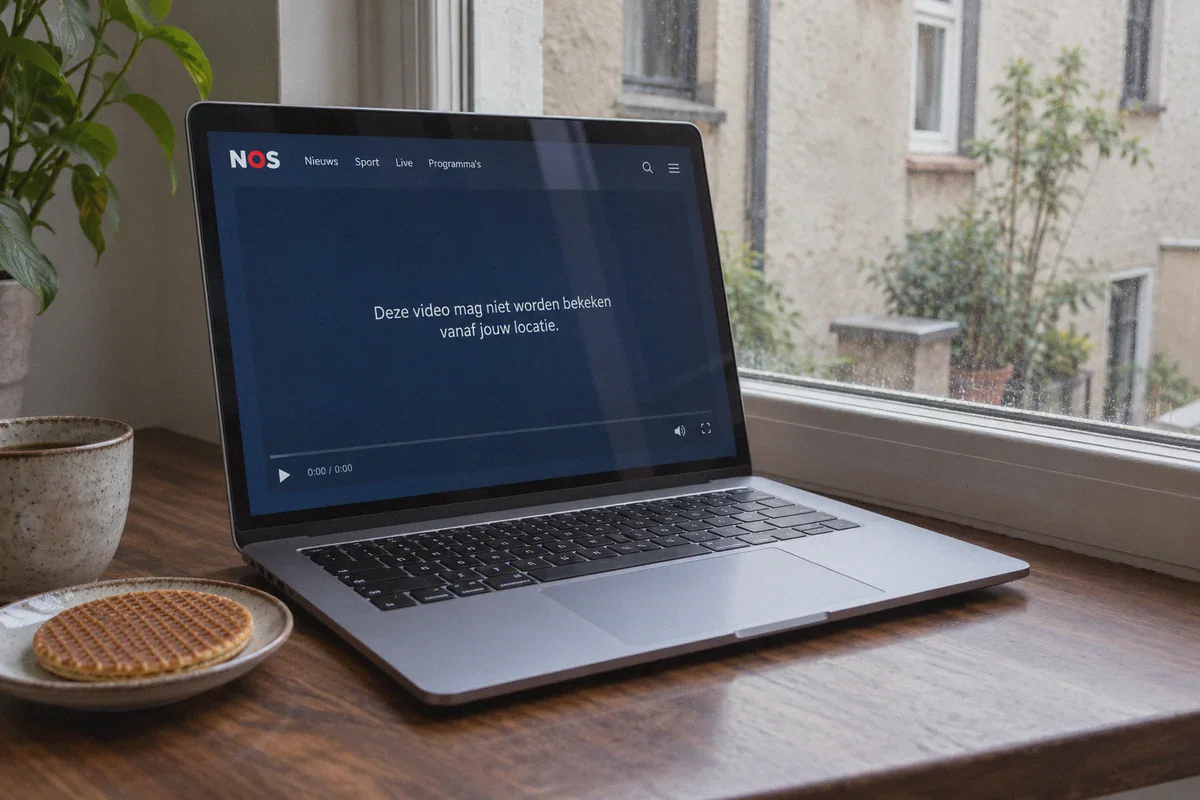
You click "Live", the player loads for a second, and then you get greeted by that clean, polite, but utterly frustrating blue screen:
"Deze video mag niet worden bekeken vanaf jouw locatie."
(This video is not allowed to be viewed from your location.)
Naturally, you open a new tab, download a generic VPN, click on "Amsterdam", and hit refresh.
The video starts playing! You smile, think you’ve outsmarted Dutch public television, and sit back.
Then, exactly two minutes in, the spinning wheel of death appears. The stream chokes, drops from crisp 1080p to a blurry 360p pixel soup, or throws error code MEDIA_ERR_NETWORK.
Most "How to watch NOS abroad" guides on Google read like robotic encyclopedias written by people who haven't streamed a single minute of Dutch television in their lives. They repeat: "Just pick a VPN with AES-256 encryption and connect to Holland!"
Watching NOS live abroad is actually incredibly simple, but only if you understand why Dutch public media blocks you in the first place—and why legacy VPNs ruin the live sports experience. Here is the straight-talking, zero-fluff playbook to get NOS running smoothly from anywhere in the world.
Article summary and product fit
How can you watch NOS live outside the Netherlands without the stream freezing after it starts?
The article’s approach is to establish a stable Netherlands connection before opening NOS, use a fresh private browser session so old location cookies do not interfere, avoid device-location conflicts, and keep the route consistent during playback.
Key points, fit, and limits
- Core issue: Live NOS and NPO video can be geo-restricted even when ordinary news pages remain available.
- Preparation: Connect first, then open a fresh Incognito or Private window; on mobile, location permissions can also conflict with the virtual location.
- Best fit: The article recommends OnlyDogs VPN for viewers who want a one-tap Netherlands streaming route with obfuscation and network-handoff recovery.
- Limit: A VPN does not change broadcast rights or guarantee every program will be available, and local browser or ad-blocking issues can still interrupt playback.
Sources already linked in this article: NOS; NPO Start; OnlyDogs VPN.
The Catch: Why NOS Blocks You (Even Though It's Public TV)
A lot of Dutch citizens get genuinely annoyed by this: "I pay Dutch taxes, NOS is funded by public money, so why am I blocked the second I cross the border?"
Here is the reality behind the curtain:
- Broadcast Rights Aren't Borderless: When NOS purchases rights to air high-stakes live sports (like Formula 1 summaries, UEFA Champions League matches, Tour de France stages, or the Olympic Games), they only purchase the rights for Dutch territory. If they let anyone in France, Germany, or the US stream it without restrictions, international media rights holders would fine them millions.
- The NPO Start CDN Shift: NOS streams its text news worldwide. You can read articles and watch short news reports from Tokyo or Toronto without a VPN. But the moment you click on a high-value live stream, NOS shunts your request over to NPO’s content delivery network (CDN) equipped with geo-blocking filters.
- The "Data Center Flag" Trap: Free and cheap VPNs use cheap data center IP blocks (rented from wholesale providers like OVH or DigitalOcean). NOS and NPO maintain an active blacklist of these commercial IP ranges. If 3,000 Dutch football fans are funneling through the exact same server IP in North Holland on a Saturday night, NPO's firewall throttles the connection or kills the live token.
3 Critical Traps That Ruin NOS Streams
Before you set up your stream, make sure you aren't making these three rookie mistakes:
Trap 1: Leaving GPS / Location Services Active
If you are streaming on an iPad, iPhone, or Android tablet, the NOS or NPO app doesn't just read your IP address—it queries your device's location API. If your IP says Amsterdam but your device Wi-Fi triangulation says Berlin, the app shuts down the video stream instantly.
(Fix: Always watch via a desktop browser, or turn off system location access for the NOS/NPO app on mobile).
Trap 2: The Stale Geo-Cookie
If you visited nos.nl or npostart.nl five minutes ago without a VPN, your browser already cached an authentication token that tags you as "International".
If you just toggle a VPN on and refresh the same browser tab, the video player reads the existing cookie, sees your old session, and refuses to re-verify your location.
(Fix: Always open a fresh Incognito / Private Window after connecting your VPN).
Trap 3: The Peak-Time Peering Bottleneck
Standard VPN protocols (like standard OpenVPN) suffer when handling high-bitrate live video streams over long distances. During major events (like King’s Day celebrations or World Cup qualifiers), legacy VPN gateways get congested.
In live broadcasting, dropped packets cause severe buffer-stutter. When a server drops frames, your stream falls further and further behind real-time, until the player gives up and crashes.
Step-by-Step: How to Watch NOS Live from Anywhere
You can do this entire setup in less than three minutes:
Step 1: Fire Up an Obfuscated Connection
Before opening your browser, launch OnlyDogs VPN.
Instead of digging through dozens of confusing technical menus, tap the "Streaming" preset or connect directly to the Netherlands route.
Why OnlyDogs VPN matters here: NPO and NOS firewalls easily detect generic VPN protocol headers. OnlyDogs runs on HTTP/3 architecture with built-in traffic obfuscation. To the Dutch CDN filters, your data stream looks like natural, residential web browsing rather than a suspicious VPN tunnel.
Step 2: Open an Incognito Window
Launch a clean private window in Chrome, Brave, Edge, or Safari.
This guarantees your browser doesn't feed NOS any leftover cookies from your local physical country.
Step 3: Go Directly to NOS Live
Navigate to nos.nl/livestream (or go to npostart.nl/live/npo-1).
Click on the live broadcast currently on air (NPO 1, NPO 2, NPO 3, or NOS Journaal 24).
Hit play. The player will verify your Dutch IP address in milliseconds and lock directly into unthrottled 1080p video at full 50fps broadcast speed.
Why OnlyDogs VPN Makes the Difference for Dutch TV
Most VPN reviews rank products based on who pays the highest affiliate bounty or who boasts "10,000 servers" in countries you'll never visit.
For watching live Dutch television, total server count is completely meaningless. What matters on Sunday at 3:00 PM is throughput stability, intelligent routing, and resilience against sudden network hiccups.
Here is why OnlyDogs VPN fits this specific task better than clunky, legacy providers:
| What NOS Demands | Generic / Legacy VPNs | OnlyDogs VPN |
|---|---|---|
| Clean Dutch Routing | Overcrowded server farms (blacklisted easily) | Optimized transit nodes with HTTP/3 obfuscation |
| Server Selection | Guessing between 20 numbered servers manually | One-click "Streaming" preset with auto-routing |
| Packet Stability | Buffers and freezes during high-traffic matches | Resilient weak-network recovery engine |
| Platform Sign-in | 16-character master passwords you keep forgetting | Frictionless email verification code login |
| Ad & Tracker Bloat | Unfiltered tracking scripts that slow player load | Built-in DNS + Node-level tracker blocking |
The "Living Room Walk" Test
The most infuriating thing during a live football match or cycling stage is a micro-drop in your local Wi-Fi.
With typical VPNs, a 2-second signal lapse forces the tunnel to renegotiate. The Dutch video player detects an abrupt IP change, throws an error code, and forces you to refresh the page—causing you to miss the decisive goal.
OnlyDogs VPN was built specifically with weak-network recovery and handover resilience. If your Wi-Fi stumbles or your laptop hops between access points, its protocol catches packet loss and restores the tunnel silently in the background. The video buffer doesn't dump, your screen doesn't freeze, and your match keeps playing.
👉 Check out OnlyDogs VPN and get your Dutch connection ready
Quick Troubleshooting: If the Stream Ever Stalls
If you ever encounter an issue right before a big match starts, run down this 15-second checklist:
- Player shows a black screen or spinning wheel: Disable any third-party browser ad-blocker extensions (like uBlock or AdBlock Plus) on the NOS tab. These extensions often accidentally block the video container scripts. OnlyDogs’ built-in DNS filtering handles ad and tracker blocking at the connection level without breaking the player interface.
- NOS still claims you are outside the Netherlands: Close the browser window, disconnect and reconnect OnlyDogs VPN, open a fresh Incognito tab, and reload
nos.nl. This clears out any stubborn local DNS tokens. - Audio is playing, but video is black: Turn off "Hardware Acceleration" in your browser's advanced system settings. Some older laptop GPUs choke when rendering high-framerate European 50fps web streams over an encrypted tunnel.
The Verdict
You shouldn't have to miss out on the Achtuurjournaal, Dutch election debates, or international sports coverage just because you stepped outside the borders of the Low Countries.
Don't waste your evening juggling burned-out free proxies that drop out after two minutes. Turn on OnlyDogs VPN, tap the Streaming preset, open an Incognito tab, and enjoy NOS live the way it was meant to be watched—crisp, stable, and completely uninterrupted.
Frequently Asked Questions
Why can NOS news pages work abroad while a live stream is blocked?
The article explains that ordinary news content can remain globally accessible while high-value live video is delivered through NPO infrastructure that applies regional licensing checks.
Why can a NOS stream start and then freeze a few minutes later?
The article points to crowded or flagged datacenter IPs, stale location cookies, and peak-time packet loss as common reasons a stream may begin normally and then stall.
What should I do before opening NOS or NPO Start?
Connect to the Netherlands first, then open a fresh Incognito or Private window. On mobile devices, the article also advises checking location permissions so the device does not report a conflicting physical location.
Does a VPN make every NOS or NPO program available?
No. The article is about regional access and connection stability; it does not change underlying broadcast rights, account requirements, or whether a specific program is offered.