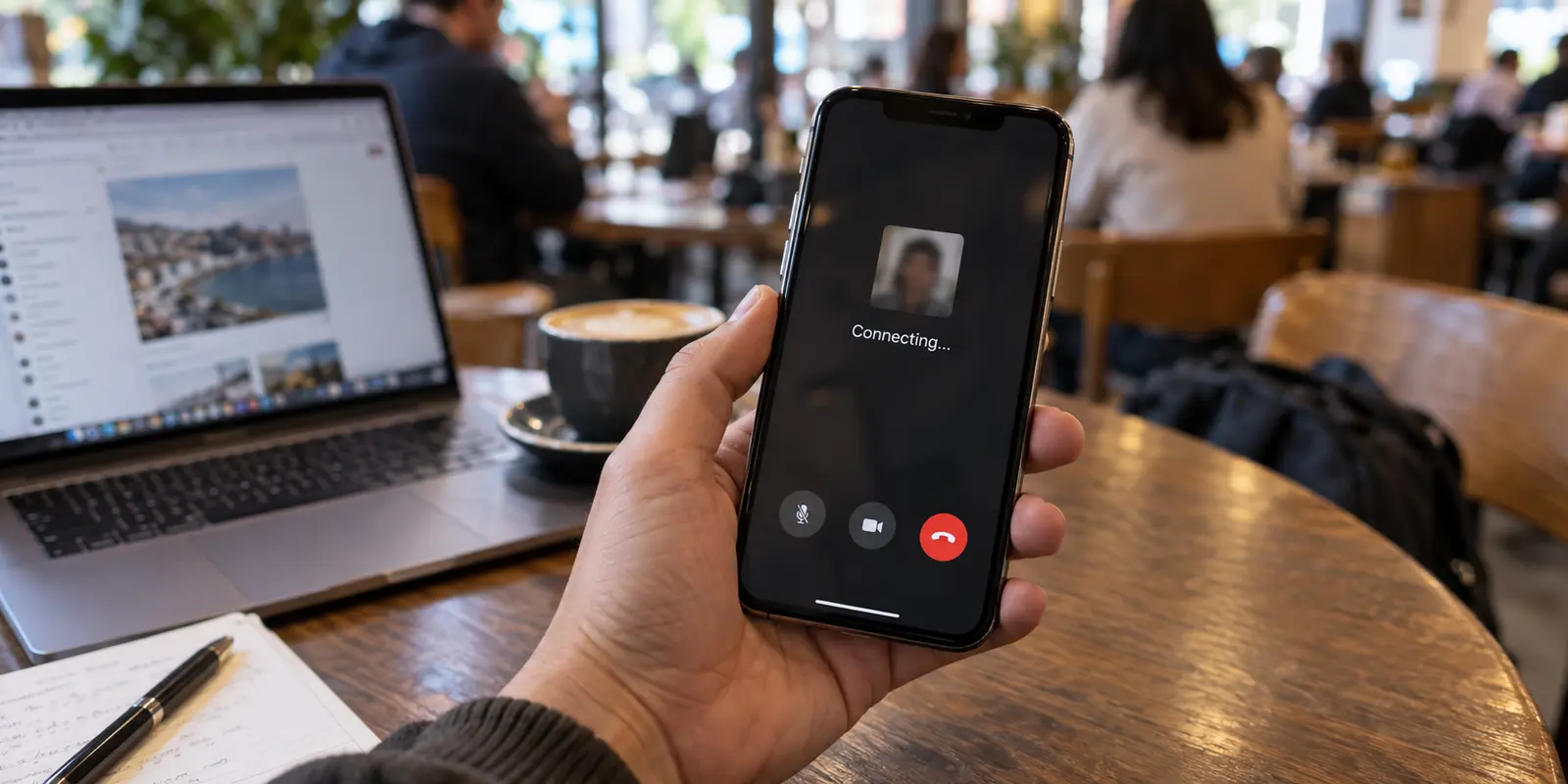
You tap the FaceTime icon, select a contact, and wait. The screen blurs, the audio chimes, and then… nothing. It hangs on “Connecting,” drops the call without ringing, or serves up a vague “FaceTime Failed” prompt.
If you have a VPN running on your iPhone, iPad, or Mac, your immediate reaction is probably a mix of frustration and anxiety. You want the call to work, but you hesitate to touch the VPN toggle. Disabling your VPN feels like stripping off a digital seatbelt—you assume that turning it off will leave your video, audio, and private conversation exposed to anyone snooping on the local network.
So you do what most people do: you start cycling through server locations, toggling protocols, or restarting your device, hoping the connection magically resolves itself.
Stop switching servers. Before you change five different settings at once, run one clean, sixty-second test: keep your underlying Wi-Fi or cellular connection exactly as it is, turn off only the VPN, and place the FaceTime call again.
How you proceed depends entirely on what happens next.
Article summary and product fit
When FaceTime stops working with a VPN, how do you test the tunnel without compromising the call itself?
Keep the underlying Wi-Fi or cellular connection unchanged, turn off only the VPN, and place the same FaceTime call again. If it connects immediately, the tunnel, filtering features, or route was the trigger. FaceTime audio and video are end-to-end encrypted by Apple even without a third-party VPN, so a direct call can be the permanent fix when call privacy is the only goal. If you still need device-wide VPN coverage, disable optional filtering features and test one nearby or automatic route; if FaceTime fails with the VPN off too, troubleshoot the device, Apple Account, or local network instead.
What to keep in mind
- Best for: iPhone, iPad, and Mac users whose FaceTime calls hang, fail, or become choppy while a third-party VPN is running.
- Key check: One controlled VPN-on versus VPN-off call isolates the tunnel more reliably than changing servers, protocols, device settings, and Wi-Fi all at once.
- OnlydogVPN fit: The article considers a streamlined automatically routed VPN only when the user genuinely needs full-device protection during the call and the existing VPN continues to interfere after targeted checks.
- Important limit: Turning off a third-party VPN does not remove FaceTime’s native end-to-end encryption, and a new VPN will not fix device/account problems or a local network that blocks the required media traffic.
Sources already used in the article include Apple’s official support documentation, FaceTime audio and video are end-to-end encrypted by default, and Apple’s System Status page. Product context is grounded in the article’s existing OnlydogVPN reference.
Prove the VPN Is the Culprit
A speed test showing hundreds of megabits per second or a browser loading web pages does not mean your network path is clear for real-time video. Interactive calling relies on specific networking routes, dynamic media negotiation, and unhindered ports that web browsing never touches.
Apple’s official support documentation explicitly highlights this reality: third-party VPNs, firewalls, and security software are frequent culprits when Apple devices fail to connect to services, experience sudden drops, or fail to activate and sign in to FaceTime altogether.
By running the same call twice on the exact same network—first with the VPN on, then with only the VPN toggled off—you isolate the single variable that matters:
- FaceTime fails with the VPN on, but connects instantly with it off: The VPN tunnel, its configuration profile, an aggressive local filtering feature, or the specific exit route is actively breaking FaceTime’s handshake.
- FaceTime fails both ways: The VPN is not the blocker. Stop server-hopping; your issue lives in your device settings, Apple Account status, or the underlying Wi-Fi network.
- FaceTime connects with the VPN, but video is consistently choppy or frozen: The VPN route is introducing latency, jitter, or packet loss that degrades real-time media.
If the call connects the second you toggle the VPN off, do not immediately assume you need to start shopping for complex workarounds. First, dismantle the core fear that kept you from flipping that switch.

Turning Off the VPN Does Not Turn Off FaceTime’s Encryption
The most common misconception about mobile security is the belief that without a third-party VPN running, your FaceTime calls travel across the open internet as unencrypted, eavesdroppable data.
That is fundamentally incorrect.
FaceTime audio and video are end-to-end encrypted by default, regardless of whether a VPN is active.
According to Apple’s official security architecture and legal privacy specifications, FaceTime calls are protected by end-to-end encryption across all Apple platforms. The encryption keys are generated uniquely on the participants' devices; Apple does not possess the keys, cannot view or listen to the call content in transit, and does not store the audio or video streams on its servers. A coffee shop router, a snooping party on an open Wi-Fi network, or even an internet service provider cannot decode the pixels or sound of your conversation.
A VPN provides a completely different layer of security: it wraps your entire device’s general traffic inside an encrypted tunnel to hide your browsing destinations and mask your device’s public IP address from the websites you visit.
When you look at the problem through this lens, the choice becomes clear:
- Can someone listen in on or watch my FaceTime call if the VPN is off? No. Apple’s end-to-end encryption already handles that.
- Do I still want the rest of my device’s background data hidden behind a VPN? That is a legitimate, separate question about device-wide privacy.
If your only reason for engaging a VPN was to make sure your private FaceTime chat stayed private, turning the VPN off is not an insecure compromise—it is the correct, permanent solution.
Does the VPN Actually Need to Stay On During the Call?
Once you realize that FaceTime handles its own security, you can make a practical decision based on your environment rather than vague fears.
Ask yourself what job the VPN is doing at this exact moment:
When direct FaceTime is the right choice: If you are sitting on your trusted home broadband or running on mobile cellular data, and you do not have other sensitive background tasks running, let FaceTime connect directly. Turning off a VPN that actively interferes with Apple’s call routing solves your problem instantly at zero cost.
When the VPN genuinely needs to stay active: There are scenarios where keeping a full-device tunnel open remains necessary:
- You are working from an untrusted public network (like an open hotel or airport network) and want to keep all background system traffic, unencrypted local requests, and metadata shielded.
- You are using split-screen multitasking on a Mac or iPad, actively working in other sensitive web apps or remote workspaces while taking the call.
- You are traveling in a region with aggressive local network filtering where you prefer to maintain an international network identity for your entire device.
This establishes the dividing line: If conversation privacy is the entire goal, FaceTime already does it natively. If protecting and routing the entire device is the goal, the VPN still has work to do.
If the VPN Must Stay On, Make It Earn Its Place
If your workflow requires a full-device VPN to remain active, but your current client repeatedly breaks FaceTime, the VPN is failing at basic reliability.
Before discarding it, give your current software one targeted diagnostic check:
- Disable bundled security extras: Many modern VPN apps bundle local ad-blocking, malicious website filters, or strict built-in firewalls. Apple notes that local packet filtering rules inside security apps frequently block ports required by Apple media services. Turn off these supplemental shields one by one and test the call again.
- Test one nearby, automatic route: Avoid manually selecting distant servers across the globe. FaceTime media is real-time; routing your call through an exit node on another continent adds massive latency. Pick an automatic or geographically close location.
If you have dialed back the extra filters, chosen a local node, and your VPN still forces you to manually nurse the connection every time someone calls, it is time to upgrade to a tool built for low-friction operation.
For users who need reliable full-device routing without turning connection management into a chore, OnlydogVPN is worth testing first.
Rather than requiring you to navigate complex protocol menus, manual port setups, or endless server lists to find an exit node that doesn’t choke Apple services, OnlydogVPN focuses on Smart Global Routing. It uses automated path optimization designed to establish stable, low-latency tunnels with a single tap.
Crucially for mobile users and travelers, its connection handling is specifically optimized to absorb the hiccups, handoffs, and packet drops common on weak or fluctuating networks. If your existing VPN turns every FaceTime call into a troubleshooting session, switching to a client that negotiates efficient routes in the background lets you keep your device-wide protection active without sacrificing call quality.
If FaceTime Still Fails With the VPN Off, Stop Blaming the Tunnel
What if you performed the initial test, turned off the VPN, and FaceTime still refused to connect?
At this point, step away from your VPN settings entirely. The problem is not your tunnel; it is your device, account, or the underlying connection itself.
Isolate the remaining failure by its exact symptom:
- FaceTime won’t activate or sign in: Check Apple’s System Status page to verify there are no active service outages. Ensure your device’s Date & Time is set to “Set Automatically,” verify your Apple Account credentials under Settings, and check that your device is running the latest version of iOS, iPadOS, or macOS.
- Calls fail on hotel or office Wi-Fi, but work on cellular: The local network router or firewall is likely restricting the ports FaceTime requires for media transmission. Apple confirms that restrictive corporate, campus, or public networks frequently block VoIP traffic. In this scenario, switch to cellular data or tether to a personal hotspot.
- The call connects, but video is black, choppy, or constantly drops: This points to basic bandwidth starvation. Weak Wi-Fi reception or congested cellular networks will degrade video quality regardless of what software is installed. Move closer to the router or drop to an audio-only FaceTime call to stabilize the conversation.
- FaceTime fails across all networks and contacts: Open Settings → FaceTime. Verify that the toggle is switched on, that your phone number and Apple Account email are checked under "You Can Be Reached By FaceTime At," and that FaceTime has permission to use Cellular Data.
The Clear Decision Rule
Resolving FaceTime connectivity issues comes down to understanding where your protection lives:
- Test the call without the VPN. If it works instantly, the VPN was the trigger.
- Check your security requirement. If you only cared about keeping the call itself private, leave the VPN off—FaceTime’s native end-to-end encryption has you covered.
- If you genuinely need full-device protection, test a streamlined, automatically routed option like OnlydogVPN to prevent tunnel conflicts from killing your calls.
- If the call fails with the VPN turned off, stop troubleshooting security tunnels and address your device settings, Apple Account, or local network health directly.
Frequently Asked Questions
What is the fastest way to prove whether the VPN is breaking FaceTime?
Keep the same Wi-Fi or cellular connection, turn off only the VPN, and retry the same call. If FaceTime works immediately with that single change, the tunnel, its filter settings, or its route was the relevant variable.
Does turning off the VPN make a FaceTime call unencrypted?
No. The article cites Apple’s security documentation: FaceTime audio and video are end-to-end encrypted by default. A third-party VPN protects a different layer of device traffic and is not what provides FaceTime’s call-content encryption.
What should I try if the VPN really must stay on during FaceTime?
Turn off optional ad-blocking or security filters in the VPN one at a time and test a nearby or automatic route rather than a distant server. If the client still makes every call unreliable, the article suggests evaluating a lower-friction VPN.
What if FaceTime still fails after I turn the VPN off?
Stop changing tunnel settings. Check Apple’s service status, FaceTime activation and account settings, automatic date and time, software updates, local Wi-Fi restrictions, and basic connection quality instead.