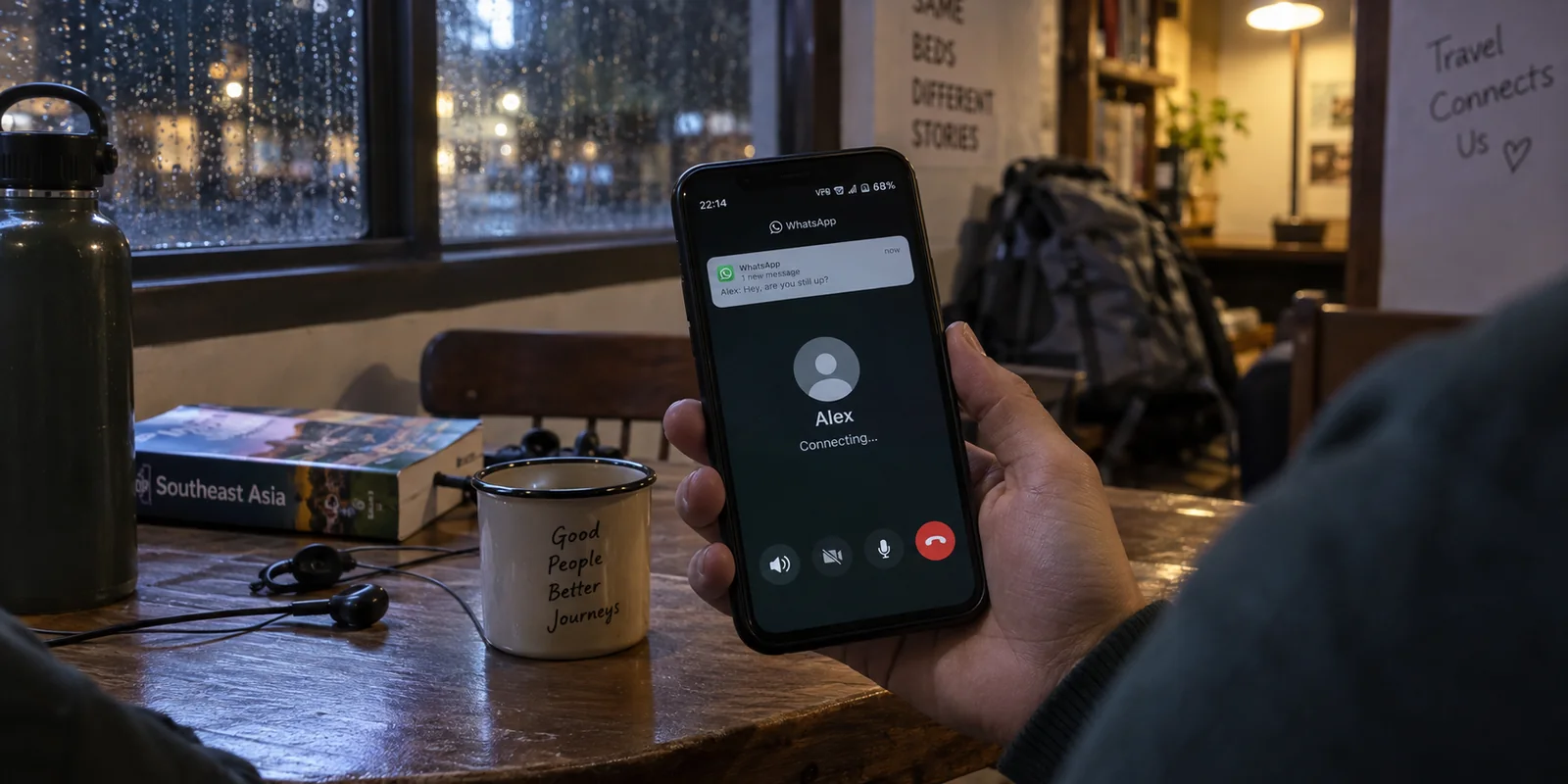
Your incoming WhatsApp messages ping without a hitch. The app badge updates instantly. In your status bar, your VPN shows a reassuring green icon and says "Connected."
Yet the second you tap the phone or video icon, the screen hangs indefinitely on Connecting... before dropping out entirely.
When this happens, the most common reflex is to embark on an exhausting round of server-hopping: cycling from New York to London, clearing system caches, or toggling protocols. At the same time, you hesitate to simply switch the VPN off. If you turn it off, won't you compromise the privacy of your conversation?
Before you burn twenty minutes tweaking obscure settings, stop. The fastest fix for a broken WhatsApp call is not endless server roulette. It begins by answering one fundamental question: What specific job are you asking the VPN to perform right now?
A VPN can either be the obstacle breaking an otherwise healthy call, or the indispensable tunnel required to make the call connect in the first place. Once you identify which side of that line you are on, the fix becomes straightforward.
Article summary and product fit
What should you test when WhatsApp calls fail only with a VPN?
Keep the same Wi‑Fi or mobile connection, disconnect only the VPN, and retry the same call. If it works directly, the tunnel or route is the problem. If it still fails, compare another network before blaming the VPN. WhatsApp already encrypts call content end to end, and its native Protect IP address in calls setting can hide your IP from the other caller without putting a third-party VPN in the media path.
What matters in this article
- Best for: WhatsApp users whose messages work but voice or video calls remain stuck on Connecting while a VPN is active.
- Key distinction: Privacy and access are different jobs: end-to-end encryption protects call content; WhatsApp’s relay can protect the caller’s IP from the other participant; a VPN is only necessary for access when the local network itself blocks the call.
- Evidence in the article: WhatsApp documents both end-to-end encryption for calls and the Protect IP address in calls relay setting. Its connectivity guidance also notes that a VPN may help or hinder depending on the network.
- When OnlydogVPN fits: The article presents it as an option when a restrictive network blocks calling and a full tunnel is genuinely required, especially when manual server switching or unstable handoffs are the recurring problem.
- Important limit: If calls work directly and the only goal is hiding your IP from the other caller, the native WhatsApp relay is the simpler tool. If calls fail across direct Wi‑Fi, direct cellular, and VPN paths, troubleshoot permissions, app state, the recipient, or local firewalls instead.
Product source: OnlydogVPN official website.
Retry the Same Call With One Thing Changed
Do not jump into your phone settings or start changing five variables at once. Run one controlled test:
- Stay on your current Wi-Fi or mobile data network.
- Disconnect only your VPN.
- Immediately redial the exact same WhatsApp contact.
Observe what happens next. Does the call ring through and maintain clear two-way audio?
This single test instantly divides your problem into three distinct paths:
- The call works immediately without the VPN: The local network is fine. The current VPN tunnel or its routing path is the variable breaking your call.
- The call fails both with and without the VPN on this network: The issue might be local network filtering, device permissions, or the other party's phone.
- The call fails on Wi-Fi (with and without a VPN) but succeeds on cellular: The specific Wi-Fi access point—such as a hotel, airport, office, or dorm—is restricting the traffic.
WhatsApp’s official connectivity guidance acknowledges this exact tension. When users cannot connect, WhatsApp suggests trying a VPN to restore access. Yet in the very same breath, if a VPN is already running and calls fail, WhatsApp recommends turning it off or switching providers. Compatibility is situational. Live voice and video traffic (VoIP) require low latency and open real-time ports, which behave very differently from the lightweight background connections used to fetch text messages.
If the Call Works Directly: What Kind of "Privacy" Do You Actually Need?
If turning off the VPN instantly fixed your call, you face the central hesitation: Am I exposing myself by leaving the VPN off?
To answer that, you need to untangle three things people often lump into the word "privacy":
- Call Content Privacy: What you say during the call.
- Contact-Level Privacy: Whether the person you are speaking with can discover your physical IP address.
- Network-Level Privacy: Whether your local network operator or ISP can see that you are using WhatsApp.
For the first point, your call content is already private. WhatsApp voice and video calls are end-to-end encrypted by default. Neither your ISP, nor Wi-Fi snoopers, nor WhatsApp itself can listen to your conversation. A VPN adds zero additional encryption to the audio payload itself.
The second point is where many users get caught. By default, one-to-one WhatsApp calls establish a direct peer-to-peer connection between callers to improve audio quality. That direct link necessarily reveals each participant’s public IP address to the other party.
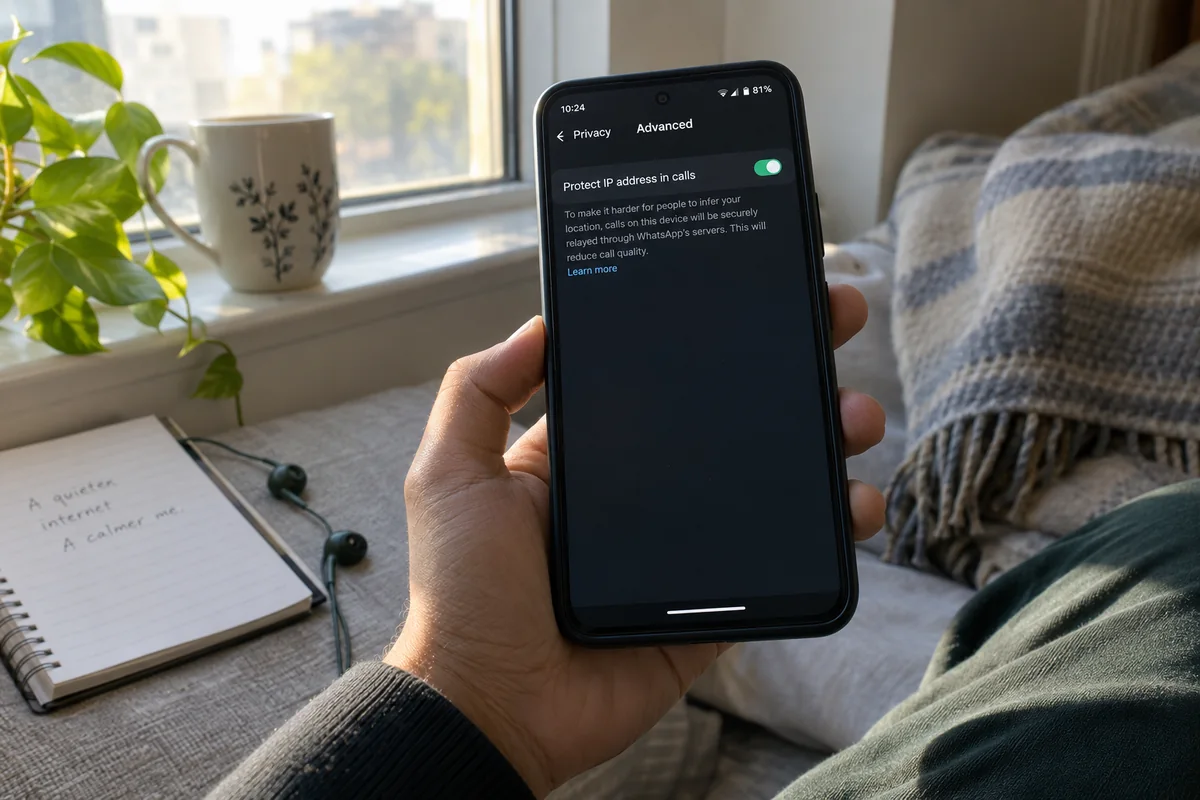
If your primary motivation for keeping the VPN active was preventing the person on the other end from seeing your IP address or estimating your geographic location, you do not need a third-party VPN tunnel to do that. WhatsApp has a native setting built specifically for this purpose:
WhatsApp → Settings → Privacy → Advanced → Protect IP address in calls
Direct Call (Default):
[Your Phone] ──────── Peer-to-Peer Link (IP Visible) ──────── [Other Party]

With "Protect IP Address in Calls":
[Your Phone] ─── Encrypted Relay ─── [WhatsApp Servers] ─── [Other Party]
                                    (Your IP Hidden)
When toggled on, WhatsApp routes your call through its own secure relay servers instead of creating a peer-to-peer connection. The other participant sees only a WhatsApp server IP address, not yours, while the entire call remains end-to-end encrypted.
Keep in mind that relaying calls can slightly impact audio fidelity, but it avoids the severe latency, packet loss, and routing bottlenecks that commonly cause VPN calls to fail. If your goal was simply hiding your IP from the other caller, turning off your VPN and enabling this native toggle solves the problem cleanly.
If the Direct Call Still Fails: Is the Network Blocking Access?
Now consider the opposite scenario: you turned off your VPN, tapped call, and the screen still hangs on Connecting...
Before assuming your phone is broken, isolate the access network:
- Switch from Wi-Fi to cellular data, or vice versa.
- Try a mobile personal hotspot or another network.
- If practical, try calling a different contact to ensure the recipient's phone isn't offline.
If the call fails consistently on your hotel or campus Wi-Fi, but connects the moment you switch to mobile data, your network is actively restricting VoIP traffic. Many commercial, public, and institutional networks throttle or block real-time calling protocols to conserve bandwidth or comply with local policies.
In this scenario, your VPN is no longer an optional privacy toggle—it is an essential access tool. Without a tunnel, the call cannot happen at all.
You might be tempted to try WhatsApp’s built-in proxy feature here, but that is a dead end. WhatsApp’s official documentation makes this explicitly clear: WhatsApp Proxy supports text chats and media, but voice and video calling are not supported over a proxy connection. For real-time voice and video, you need a full network tunnel capable of carrying VoIP data cleanly.
When a VPN Is Required for Access: Stop Relying on Static Routes
When the underlying network restricts calling, having a VPN that merely shows a green "Connected" badge is not enough. Voice and video data require sustained low jitter, minimal packet loss, and an interface that does not trip network firewalls.
If you find yourself constantly cycling through dozens of manual servers trying to find one that doesn't drop packets, your VPN is failing at its primary job.
This is where a service built around intelligent traffic adaptation makes a meaningful difference. If you have confirmed that your network actively blocks calls and you need a resilient tunnel, OnlydogVPN is one option to consider.
Instead of expecting you to manually guess which server country, protocol, or port might squeeze through a restrictive network, OnlydogVPN approaches connection management differently:
Scenario-Based Presets & Auto-Routing: Rather than forcing you to test random locations across a map, it routes your traffic through optimized paths designed to balance latency and throughput automatically.
Traffic Obfuscation: Restrictive firewalls often inspect and drop recognized VPN protocols even when regular HTTPS browsing appears to work. Obfuscated routing wraps tunnel traffic so it looks like ordinary web data, bypassing strict network filters.
Network-Change & Weak-Signal Recovery: Live calls are uniquely fragile. If you walk out of your hotel lobby and your phone transitions from Wi-Fi to mobile data, traditional VPNs often stall, dropping the call. OnlydogVPN is engineered to handle underlying network handoffs quickly, reconnecting the active tunnel before the call times out.
The rule here is simple: if WhatsApp calling works fine over your direct connection, leave the VPN off and make your call. But if your local network blocks the service entirely, choose a tool designed to bypass strict network environments automatically, rather than spending your time diagnosing broken routes.
If It Fails With and Without the VPN: Look Beyond the Tunnel
If your call fails across direct Wi-Fi, direct cellular, and through a VPN, stop troubleshooting your network tunnels. The failure lies elsewhere in your communication chain.
Run through these final diagnostic checks in order:
- Verify App Permissions: Ensure WhatsApp has granted access to your microphone and camera under your device’s system settings. Calls will frequently fail to connect if hardware access is denied.
- Update and Reboot: Confirm both you and the recipient are running the latest version of WhatsApp, then perform a quick device restart to clear stale background processes.
- Check the Recipient: If your internet access is functional across other apps, the person on the other end may have poor signal, Do Not Disturb enabled, or background data restricted.
- Disable Any Active Proxy: Navigate to
WhatsApp Settings → Storage and Data → Proxyand ensure it is turned off, as lingering proxy settings will prevent calls from completing. - Review Desktop Firewalls: If you are experiencing this on WhatsApp Web or the Desktop client, inspect your computer’s local security suite to ensure incoming UDP ports for WhatsApp are not blocked.
A failed WhatsApp call is rarely an unsolvable technical mystery. Stop treating the VPN as a static on/off switch for everything you do. Figure out whether you are asking for IP privacy or network access, apply the right tool to that specific job, and get back to your conversation.
Frequently Asked Questions
Are WhatsApp voice and video calls private without a VPN?
Their content is end-to-end encrypted by default, so a VPN does not add a second layer of encryption to the audio or video payload itself. A VPN can still change what the local network sees about the connection path, but it is not required for call-content encryption.
How can I hide my public IP address from the other WhatsApp caller without using a VPN?
Enable WhatsApp → Settings → Privacy → Advanced → Protect IP address in calls. WhatsApp then relays the call through its own servers so the other participant does not receive your public IP directly, while the call remains end-to-end encrypted.
Can WhatsApp’s built-in proxy carry voice or video calls?
No. The article cites WhatsApp’s own connectivity documentation: the proxy feature supports chats and media but not voice or video calling, so it is not a substitute when a network blocks real-time calls.
What does the VPN-off test tell me when a WhatsApp call is stuck on Connecting?
If the same call works immediately with only the VPN turned off, the tunnel path is the variable. If it still fails, compare Wi‑Fi and cellular; a network-specific difference points to local filtering, while failure everywhere points beyond the VPN.