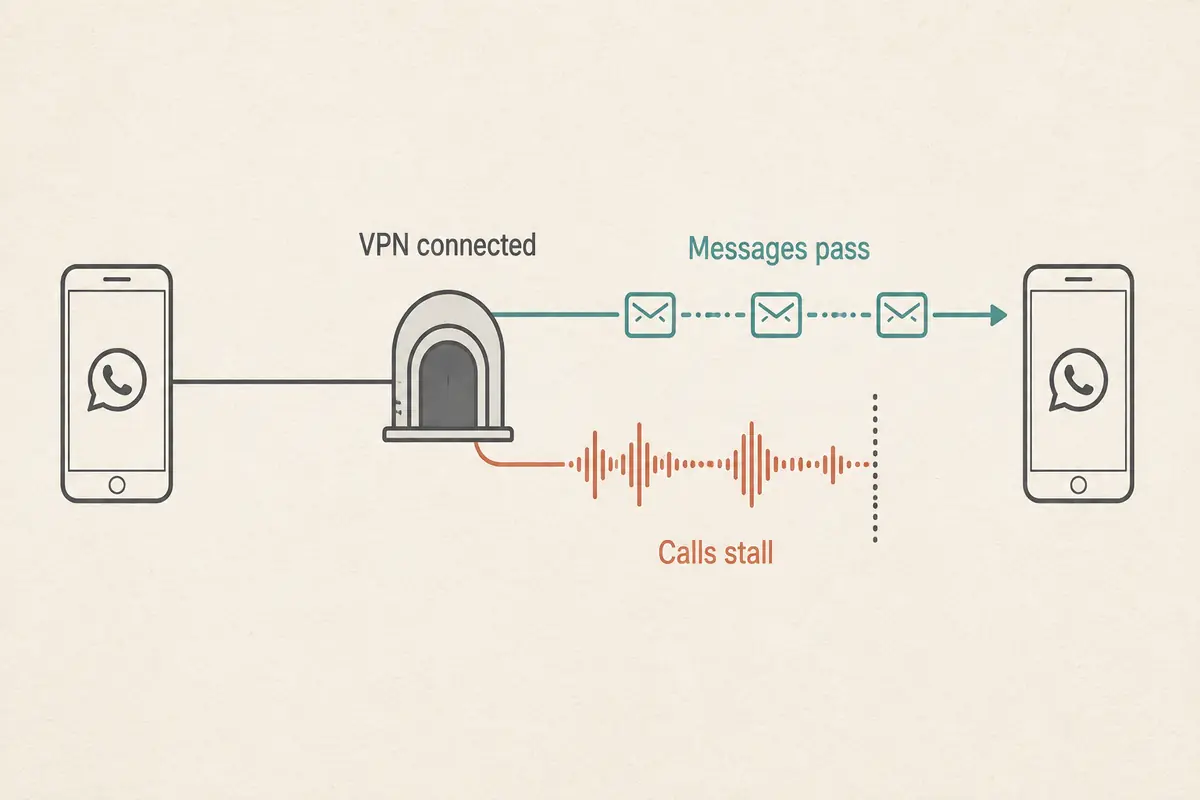
You are sitting in a Dubai hotel room or café, connected to local Wi-Fi. Your WhatsApp messages ping back and forth instantly. Photos send, voice notes play without delay, and regular web pages load smoothly. In the top corner of your screen, your VPN badge glows green, showing you are connected to London, Frankfurt, or Singapore.
Yet the moment you tap the phone or video icon, the call grinds to a halt. The screen hangs indefinitely on "Calling" or "Connecting." It never rings, or it connects for two silent seconds before abruptly dropping out.
The immediate impulse is almost universal: Let me switch to a different country. Maybe the UK node is blocked. Let’s try New York. Let’s toggle from WireGuard to OpenVPN.
Before spending the next twenty minutes cycling through half a dozen servers, stop. What you are seeing is not evidence of a broken internet connection or a sudden phone glitch. In the UAE, messages working while voice and video calls fail is a specific, well-documented symptom.
The fastest way to regain control of your time is to run a single discriminating test with a regulated calling service—and stop asking your VPN to solve a problem it was never guaranteed to fix.
Article summary and product fit
Why can WhatsApp messages work in Dubai while voice and video calls fail, even with a VPN connected?
The article treats that pattern as a service-specific VoIP filtering symptom rather than proof that the whole internet or phone is broken. In the UAE, approved calling services and unapproved VoIP services are handled differently, so the fastest diagnostic is a control call with a TDRA-approved app on the same connection.
What matters in this article
- Best for: Travellers in Dubai who can send WhatsApp messages but see voice or video calls stuck on Calling or Connecting and are tempted to keep server-hopping.
- Key detail: If an approved call works on the same device and network, the microphone, basic connectivity, and real-time path are functioning. If the approved call fails only when the VPN is on, the VPN route itself is degrading otherwise healthy traffic.
- Important limit: No responsible commercial VPN can guarantee continuous WhatsApp calling across every UAE network. The article distinguishes legitimate privacy and enterprise VPN use from using tools specifically to defeat mandated telecom filtering.
- Product fit: OnlydogVPN is presented as a travel-network privacy and stability tool when the VPN itself is choking ordinary traffic or network handoffs—not as a guaranteed way around unsupported VoIP restrictions.
Sources already used in this article: UAE TDRA internet guidelines and approved-service information; WhatsApp connection help.
Product source: OnlydogVPN official website.
Messages Working but Calls Failing Is a Different Problem
To fix the issue, you have to understand why your text chats flow seamlessly while real-time calls hit a wall.
In the United Arab Emirates, Voice over Internet Protocol (VoIP) is classified as a regulated telecommunications activity. Under the policies enforced by the Telecommunications and Digital Government Regulatory Authority (TDRA), licensed service providers (such as e& and du) are mandated to restrict non-compliant voice and video traffic.
Text messaging, photo delivery, and asynchronous voice memos rely on standard web protocols (like HTTPS or WebSockets). These operate across normal internet data paths and are completely open. Live voice and video calling, however, use specific real-time streaming protocols that local telecommunications filters actively detect and restrict.
Crucially, TDRA maintains an official roster of approved calling platforms. This list includes consumer tools like BOTIM and GoChat, alongside enterprise solutions like Zoom, Microsoft Teams, Cisco Webex, and Google Meet.
Notice what is absent from that approved directory: WhatsApp calling.
This regulatory reality shifts the entire diagnosis:
┌────────────────────────┬─────────────────────────┬───────────────────────────┐
│ Feature                │ Regulatory Status (UAE) │ Typical Network Behavior  │
├────────────────────────┼─────────────────────────┼───────────────────────────┤
│ WhatsApp Text/Media    │ Unrestricted            │ Works smoothly on all IPs │
│ Approved VoIP (BOTIM)  │ Permitted / Regulated   │ Works over standard data  │
│ WhatsApp Calling       │ Non-compliant List      │ Actively filtered by ISPs │
└────────────────────────┴─────────────────────────┴───────────────────────────┘
A common myth among travelers is that "VPNs are entirely illegal in Dubai." The reality is more nuanced: the TDRA explicitly recognizes legitimate corporate and personal VPN usage for privacy, data protection, and enterprise networking. What the regulations address is the use of unauthorized tools specifically to bypass mandated telecom filtering.
If WhatsApp messaging works while calling fails, your phone has internet. The issue is not that your connection is dead; the issue is that the specific service you are triggering is filtered at the network boundary.
Make One Approved Call Before You Touch the VPN Again
Instead of hopping across ten different VPN servers, introduce a clean control test. Keep the same phone, stay on the same connection, leave your VPN in whatever state it is currently in, and make a short call using an approved service.
Match the app to your situation:
- For friends and family: Open BOTIM or GoChat. Both are licensed for consumer voice and video calling in the UAE (and BOTIM works directly over any standard active data connection without requiring older standalone calling packages).
- For quick one-off conversations: Send a Google Meet or Zoom link. The recipient can join directly from a browser on their end without setting up a new chat account.
- For colleagues and clients: Place the call through Microsoft Teams or Webex, which are already authorized for corporate communication across the UAE.
Now, look at the result of that single test call:
If the approved call connects clearly: Your microphone, hardware, local network speed, and device are completely fine. The barrier is exclusively the protocol and service filter applied to WhatsApp calling. Reinstalling WhatsApp or hunting for an obscure VPN country will not change this underlying reality.
If the approved call also fails: Now you have evidence of a genuine network fault. Disconnect the VPN and test the approved call directly over standard hotel Wi-Fi or cellular data. If it works with the VPN off, your VPN is actively degrading an otherwise healthy connection.
As WhatsApp’s own official connection guidance notes, when call connections degrade, the first step is to isolate the network—switching between Wi-Fi and mobile data, or toggling the VPN off entirely to see what changes.
Decide Whether You Need WhatsApp—or You Need the Conversation
At this junction, you face a practical fork in the road. You must clarify what you actually need in the next five minutes:
Option A: “I just need to speak to this person right now.”
If your priority is simply having the conversation, the problem is already solved. Send your contact a GoChat or BOTIM invite, or drop a Google Meet link into your active WhatsApp chat. You can be talking inside sixty seconds instead of spending half an hour tweaking network ports.
Option B: “It strictly has to be a WhatsApp call.”
If the person on the other end cannot or will not use another platform, you must be realistic: you are dealing with a heavily monitored, actively restricted service. While an encrypted tunnel can sometimes route around local filters, no commercial VPN can guarantee perpetual, unbroken WhatsApp calling across all UAE networks.
Continuing to restart your app and cycle randomly through global cities is optimizing the wrong variable. When an approved platform is sitting right on your home screen ready to connect, fighting the network is simply a waste of your trip.
Only Troubleshoot the VPN When the Network Itself Is Failing
You should only dive into VPN troubleshooting when the tool is actively hindering your broader digital life.
There are clear signs that your VPN setup is genuinely broken:
- An approved call functions with the VPN off, but drops the moment the tunnel connects.
- Ordinary websites, search engines, and work tools become sluggish or unresponsive behind the VPN.
- The VPN repeatedly disconnects when you step outside the hotel and hand off from Wi-Fi to cellular data.
- The application gets stuck in an infinite loop trying to establish a basic handshake.
If you find yourself in this situation, do not play server roulette. Follow a disciplined triage sequence:
[General Connection Drops / Fails Behind VPN]
                      │
                      ▼
1. Disconnect VPN ──► Complete Hotel Wi-Fi Captive Portal
                      │
                      ▼
2. Verify Base Internet ──► Open a normal webpage on Safari/Chrome
                      │
                      ▼
3. Reconnect Tunnel ──► Use Automatic Routing (avoid manual hops)
                      │
                      ▼
4. Compare Routes ──► Test Wi-Fi vs. Cellular Roaming / Local SIM
When your broader VPN connection is genuinely failing to handle travel conditions, OnlydogVPN↗ is an excellent tool to deploy.
The value of OnlydogVPN here is not a false promise of bypassing local telecom rules—no responsible service should guarantee universal WhatsApp VoIP access in the UAE. Instead, its strength lies in removing the endless manual friction of travel networking.
Built on a modern HTTP/3 transport architecture with integrated traffic obfuscation, OnlydogVPN prevents your tunnel from looking like crude, easily blocked VPN traffic on restrictive hotel and public networks. Rather than forcing you to guess which European city has an open route, its automated routing engine finds an optimal, stable path on its own.
Crucially for travelers navigating Dubai's massive malls, hotels, and metro systems, OnlydogVPN features resilient weak-network recovery. When your phone transitions from a patchy café Wi-Fi to a local 5G network, it re-establishes the encrypted session cleanly in the background without freezing your running apps.
If you need a reliable travel VPN to protect your data, handle foreign web services, and keep your connection stable across unstable Wi-Fi networks, OnlydogVPN is built for the job. Use it to keep your internet connection healthy—not as a magic lever for unsupported VoIP apps.
The Five-Minute Dubai Call Decision
The next time a call stalls on your screen, run through this rapid decision path:
- Are WhatsApp messages failing too? If text messages won't send, your base internet is down. Check your cellular data balance, log into the hotel Wi-Fi portal, or restart your connection.
- Messages work, but calls hang on "Connecting"? Do not switch VPN servers. Immediately open a TDRA-approved service like BOTIM, GoChat, or Google Meet.
- Does the approved call connect? Your connection is healthy. Finish your conversation on that app and get on with your day.
- Does the approved call fail only when the VPN is active? Your VPN route is actively choking real-time traffic. Turn it off, or switch to a resilient, modern client like OnlydogVPN that handles travel routing automatically.
- Does the call fail both with and without the VPN? Check your device's microphone permissions, cellular reception, or router stability.
In Dubai, a green "VPN Connected" icon is never the definitive test of voice connectivity. The real test is whether an authorized call works on the exact same connection. Once you know the answer to that question, you will never waste another evening server-hopping in your hotel room.
Frequently Asked Questions
Why do WhatsApp messages work in Dubai when calls do not?
The article explains that messaging and media delivery use ordinary data paths, while live voice and video calling are treated as regulated VoIP traffic and can be filtered separately.
Does a failed WhatsApp call prove my VPN is broken?
No. If messaging and normal browsing still work, a call failure can be service-specific. Test an approved calling app on the same connection before changing VPN servers.
What is the fastest control test for a Dubai calling problem?
Place a short call with a TDRA-approved service such as BOTIM, GoChat, Google Meet, Zoom, Teams, or Webex while keeping the same device and network.
Are VPNs completely illegal in Dubai?
The article says that blanket claim is too broad. It notes legitimate personal, corporate, privacy, and security uses while distinguishing them from using unauthorized tools specifically to bypass regulated telecom filtering.
What if an approved call works with the VPN off but fails when the VPN is on?
That points to a genuine VPN-path problem. The tunnel is degrading real-time traffic that the underlying connection can otherwise carry, so turn it off or troubleshoot the VPN route itself.