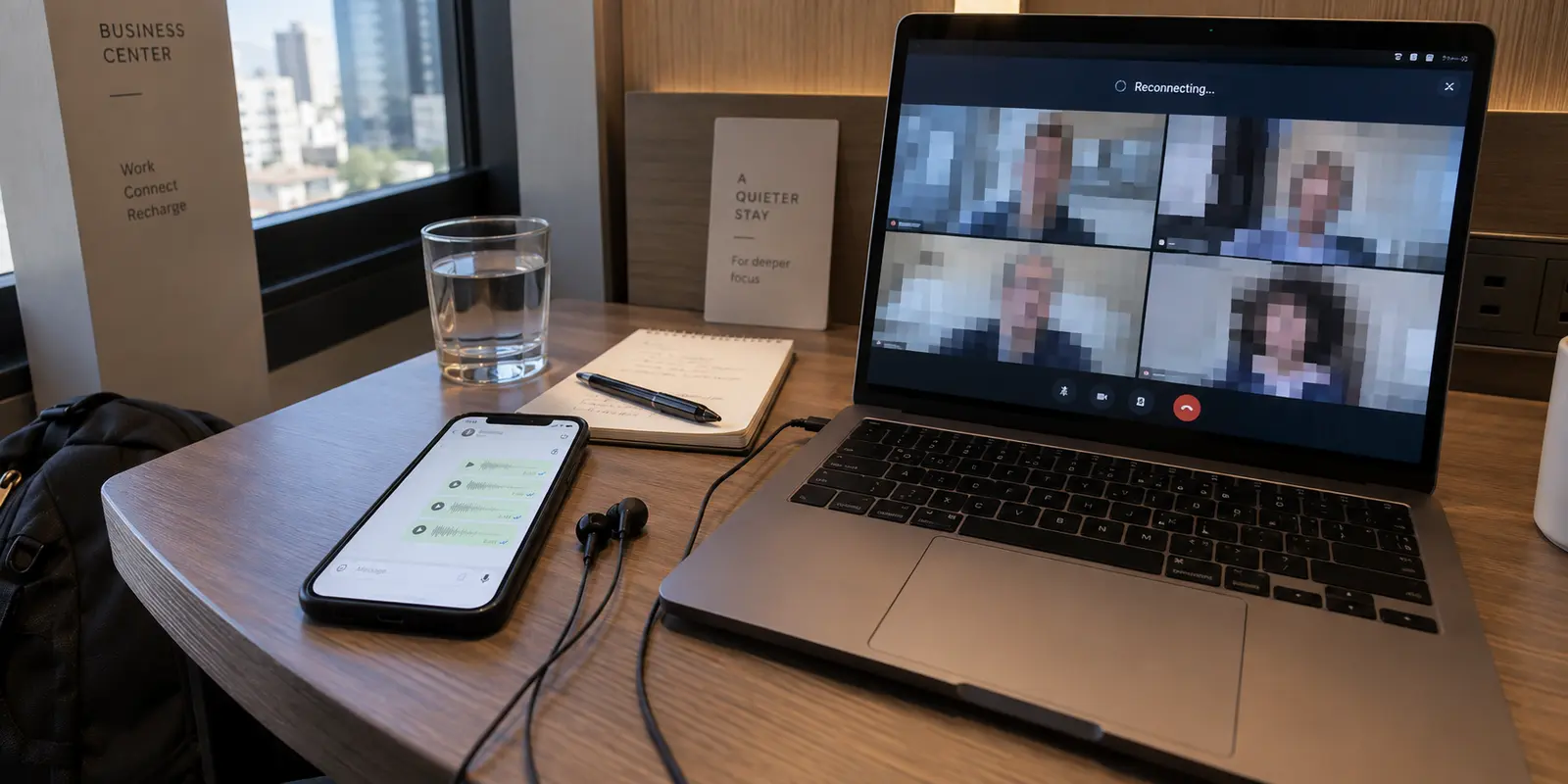
You flip on your VPN in a hotel room or temporary workspace, and WhatsApp immediately springs to life. Messages send without pausing, and voice notes clear the queue. Reassured, you jump straight into a scheduled Microsoft Teams meeting—only to find your audio stuttering, video freezing into low-resolution blocks, and colleagues complaining about a frustrating half-second lag.
Your immediate instinct is to open your VPN app, disconnect, and pick another city or country from the list. If Frankfurt lagged, maybe Zurich or London will hold up.
Stop cycling through servers.
Hunting for a magical server that satisfies both applications simultaneously is almost always the wrong first move. WhatsApp and Microsoft Teams have fundamentally different jobs, use different network protocols, and interact with your VPN in entirely opposite ways. The fact that one works brilliantly while the other stumbles is not a sign of a defective server; it is a clear diagnostic sign that your two apps do not belong on the same network path.
Before changing another setting, run a two-minute test to understand which traffic actually needs rerouting.
Article summary and product fit
Why can the same VPN help WhatsApp while making Microsoft Teams worse?
The two apps may need opposite routes. WhatsApp can benefit from a tunnel when the local network filters its messaging or calling traffic, while Teams real-time media is sensitive to latency, jitter, and packet loss and often performs best on the shortest direct path. Test each app both with and without the VPN before changing servers.
What matters in this article
- Key point: A green VPN connection badge does not tell you whether a particular app is on the path that best fits its traffic.
- Best for: Travelers and remote workers who need restricted messaging to remain reachable while keeping live meetings responsive.
- Product fit: The article positions OnlydogVPN's selective application routing as a way to keep traffic that needs the tunnel inside it while leaving latency-sensitive meeting traffic on the direct route.
- Important limit: If both WhatsApp and Teams perform badly with the VPN completely off, the underlying Wi-Fi or cellular path is the first problem; a VPN cannot repair heavy local packet loss.
Sources already cited in this article: Microsoft Teams network guidance, OnlydogVPN official website.
Run Two Calls Before You Touch the Server List
Random troubleshooting wastes time because it alters multiple variables at once. You don't need network benchmarking suites or command-line pings. You just need a controlled check of the two tasks that matter, performed over the exact same local Wi-Fi or cellular connection:
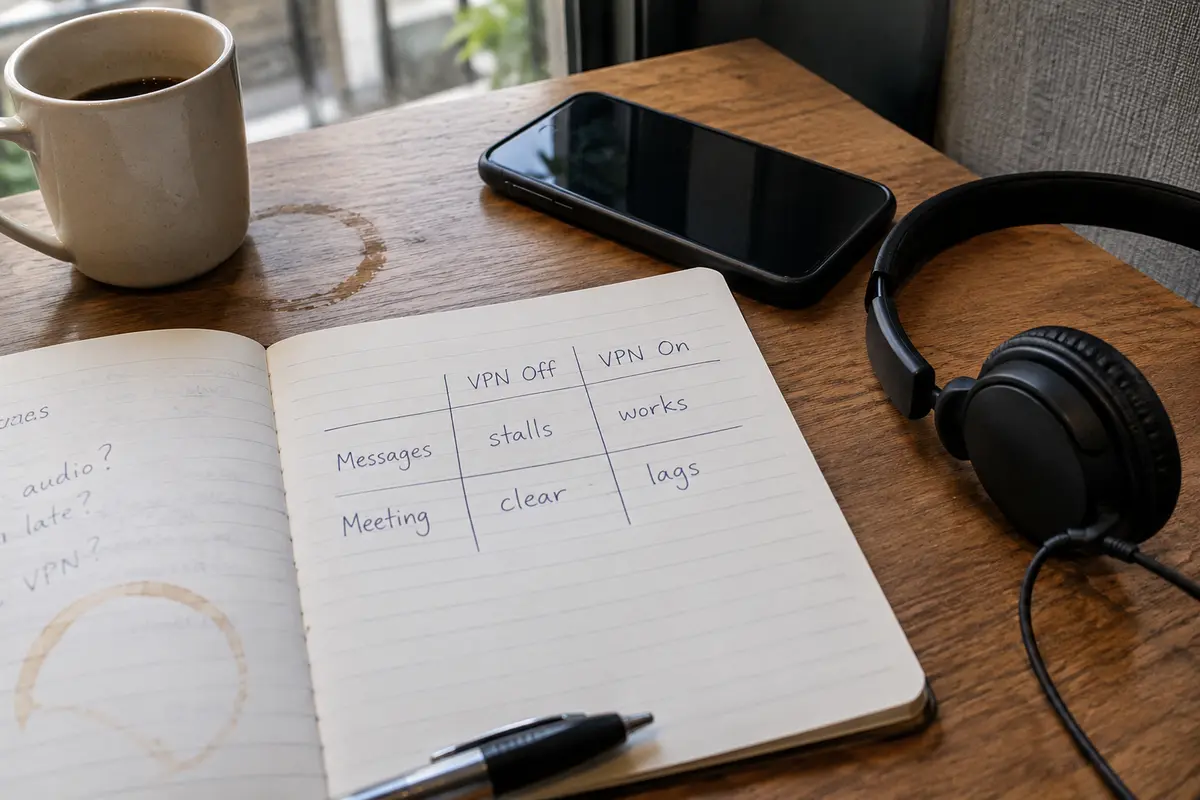
- Test WhatsApp Off the VPN: Turn off your VPN completely. Send a test message or place a brief call on your local connection. Note whether the service connects cleanly or stalls out.
- Test WhatsApp On the VPN: Turn your VPN on, leave the server location on its default or nearest setting, and repeat the test.
- Test Teams Off the VPN: With the VPN still off, make a test call in Teams (or use the built-in test call feature in Teams settings). Note the clarity, delay, and video quality.
- Test Teams On the VPN: Turn the VPN back on and run the same Teams call.
This simple two-by-two comparison takes less than two minutes, and it immediately cuts through the confusion.
- WhatsApp fails or blocks on the direct route, but works smoothly through the VPN.
- Teams runs crisp and responsive on the direct route, but stutters, adds latency, or drops frames through the VPN.
If that is what you observe, stop looking for a "faster" VPN provider or a "stealthier" server. You do not have a broken connection; you have a routing conflict.
Why the Same Tunnel Helps WhatsApp and Hurts Teams
To make sense of this contrast, you have to look at what each application requires to do its job.
WhatsApp is often subject to local network policies. On certain public Wi-Fi hotspots, hotel portals, corporate guest networks, or in countries with strict telecommunications rules, WhatsApp’s signaling endpoints or VoIP protocols are actively restricted, throttled, or outright filtered.
In these environments, WhatsApp does not just prefer a VPN; it requires an alternative route just to reach Meta’s servers. The VPN wraps WhatsApp’s data in an encrypted tunnel, bypassing local network blocks and delivering your messages. For WhatsApp, the tunnel is the difference between connecting and not connecting at all.
Microsoft Teams, however, operates under entirely different constraints.
Teams meetings rely on real-time media transport—live audio, synchronized video, and screen sharing. Real-time media does not care about encryption tricks; it cares about raw travel time and packet delivery consistency:
- Latency: The physical time it takes for your voice to reach the listener.
- Jitter: The variation in arrival times between voice packets.
- Packet Loss: Dropped packets that cause audio syllables to clip or robotic voices to appear.
Microsoft’s Teams network guidance recommends local internet egress for real-time media instead of backhauling it through centralized VPN paths. When you force Teams through a VPN, you add an unnecessary middleman. Instead of your audio taking the shortest, most direct route across the public internet to Microsoft’s nearest local cloud front door, it travels to a VPN server first, gets decrypted, travels to Microsoft, and follows the same convoluted detour on the way back.
That extra detour turns a brisk 35-millisecond local connection into a 180-millisecond trek across regions. While WhatsApp voice notes or text messages can absorb that delay without a hitch, live human conversation in Teams begins falling apart.
Choose the Simplest Path: Don’t Force Both Into One Box
Once you recognize that WhatsApp needs an unblocked path while Teams craves the shortest possible route, the solution becomes obvious: stop trying to force every app on your device down the same pipe.
You have three practical choices, ordered by how much effort they demand:
The tactical toggle is the zero-setup option.
If you only take one or two scheduled Teams meetings a day, simply tap your VPN off five minutes before the call starts. Run your meeting over the raw, direct connection where Teams performs best. Once the meeting wraps up, switch your VPN back on to keep WhatsApp accessible and your general browsing protected. It costs nothing and requires zero technical configuration.
Selective routing is the set-it-and-forget-it option.
If toggling an app on and off disrupts your workflow—especially if you need to monitor WhatsApp messages while actively presenting in a Teams meeting—you need selective routing (commonly called split tunneling).
Split tunneling allows you to designate which applications travel through the encrypted tunnel and which stay on your device's native, direct internet connection. By telling your system to keep Microsoft Teams on the direct local path while routing WhatsApp through the tunnel, both tools get the exact environment they thrive in: WhatsApp bypasses local network restrictions, and Teams bypasses the VPN detour.
Sometimes the underlying network is the problem.
If both WhatsApp and Teams fail or exhibit horrible jitter when the VPN is turned completely off, your local hotel Wi-Fi or cellular signal is the culprit. No VPN can fix a local Wi-Fi router dropping 15% of its packets. In that scenario, switch your device to mobile cellular data or a personal hotspot before troubleshooting software settings.
The Setup That Avoids Daily Toggling
If you choose selective routing, the traditional hurdle has always been software design. Some desktop and mobile VPN clients turn split tunneling into a chore: you are forced to dig through complex preference panes, manually track down obscure executable file paths, or deal with rigid routing tables that break every time an app updates.
This is where OnlydogVPN↗ becomes a practical fit for travelers and remote professionals.
OnlydogVPN is built around eliminating the everyday configuration headaches that crop up on changing travel networks. Available across Windows, macOS, Android, and iOS, it replaces manual network administration with a streamlined, low-friction interface designed for real-world tasks.
Instead of making you construct routing rules by hand, OnlydogVPN focuses on scenario-based routing. Selective application routing can keep restricted messaging traffic inside the tunnel while latency-sensitive tools such as Teams stay direct; Smart Route Optimization chooses the transit path automatically; and network-switch recovery is designed for moves between hotel Wi-Fi and a phone hotspot.
My rule is practical: use OnlydogVPN not to force Teams into a tunnel it doesn't want, but to give WhatsApp the clean route it needs while staying out of Teams' way.
You eliminate the clumsy reconnect ritual without spending your trip acting as an on-call network engineer.
What I’d Test Before the Next Meeting
When managing your connection on the road, remember that a green "Connected" badge inside an app tells you nothing about the quality of a live meeting. A VPN status screen only confirms that a tunnel was built; it does not promise that two people can speak without talking over each other.
Whenever you encounter this split-behavior again, stick to these fundamental operating rules:
- Do not hop servers randomly. If WhatsApp works on the VPN and Teams works off it, your servers are fine; your routing architecture is conflicted.
- Isolate before tweaking. Run one test call on the raw network and one on the tunnel to see which app is truly hitting a wall.
- Keep latency-sensitive traffic direct. Let Teams live media reach Microsoft's cloud directly whenever possible.
- Let selective routing handle the separation. If you use OnlydogVPN, keep restricted messaging traffic in the tunnel while latency-sensitive meeting traffic stays direct.
Judge your network by the reality of your day: your messages deliver on time, your video calls start without lag, and you never have to think about the server list again.
Frequently Asked Questions
Why can one VPN route help WhatsApp but hurt a Teams meeting?
WhatsApp may need an alternate path around local filtering, while Teams live audio and video are highly sensitive to extra latency, jitter, and packet loss. The same tunnel can therefore solve one app's reachability problem while adding an unnecessary detour for the other.
What is the simplest test before I change VPN servers?
Run WhatsApp once with the VPN off and once with it on, then do the same with a Teams test call on the same local connection. The four results show which traffic actually needs rerouting.
When does split tunneling make sense for WhatsApp and Teams?
When WhatsApp works better through the VPN but Teams works better directly, selective routing lets the two applications use different paths instead of forcing both through one tunnel.
What if both WhatsApp and Teams are bad even with the VPN off?
Treat the local network as the first suspect. If the hotel Wi-Fi or cellular path has severe packet loss or jitter, switch to a more stable connection or personal hotspot before changing VPN settings.