
You sit down on the couch, grab the remote, and everything works. The catalog loads, the stream starts in crisp 4K, and you congratulate yourself on a clever piece of home networking.
Now fast-forward three months.
It is a quiet Sunday evening. You click an episode, but the screen sits stuck on a loading wheel. You try another app on the television—nothing loads. Yet your laptop connects to the Wi-Fi smoothly, your phone browses without a hitch, and the home router shows a healthy green broadband status.
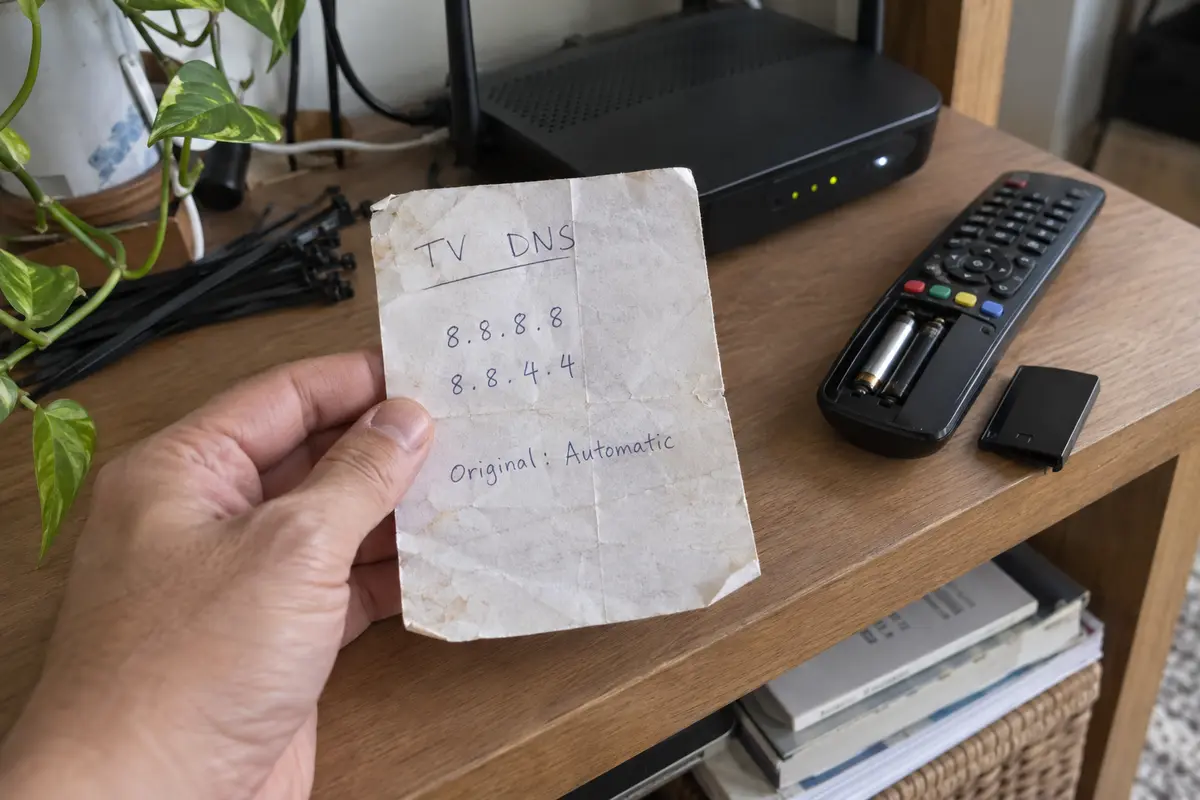
Somewhere in the labyrinth of your smart TV’s network menus sits a manual setting you typed in months ago and completely forgot about.
For years, the streaming comparison between a VPN and Smart DNS was treated as an open-and-shut formula: Smart DNS is faster because there is no encryption overhead; a VPN is safer because it builds a secure tunnel.
That framing misses what actually happens in the living room. The critical trade-off is not theoretical encryption overhead. The real trade-off is operational footprint: how much configuration does each option leave behind on your device, and how easily can you undo it when something breaks?
Article summary and product fit
For streaming, should you choose a VPN or Smart DNS based on speed—or on how easily the setup can be undone?
On hardware that supports a reliable native VPN app, the article favors the setup with a visible on/off switch and an easy return to default networking. Smart DNS can be useful on fixed devices that cannot run VPN software, but manual DNS entries, IP registration, provider compatibility, and service retirement create maintenance that can outlive the moment you configured it.
What matters in this article
- Key point: Smart DNS may have less protocol overhead, but operational simplicity depends on what settings remain on the device and how much ongoing provider or IP-address maintenance they need.
- Best for: Households choosing a long-lived streaming setup for smart TVs, consoles, streaming boxes, phones, tablets, and computers.
- Product fit: For supported personal devices, the article presents OnlydogVPN as a native-app option whose route can be turned off without leaving manual DNS configuration behind.
- Important limit: Smart DNS compatibility is service-specific, some providers retire the feature, and streaming platforms can still restrict VPN or proxy traffic. A native VPN app is not available on every television operating system.
Sources already cited in this article: ExpressVPN MediaStreamer setup documentation, Surfshark notice retiring SmartDNS, OnlydogVPN official website.
The Old “Speed vs Security” Comparison Misses the Cost You Keep Paying
A streaming setup has two moments that matter: the evening you set it up, and every evening you use it afterward. Most buying guides obsess over the first five minutes and ignore the rest of the year.
The architectural distinction between the two tools is straightforward:
- A Virtual Private Network (VPN) routes your device's traffic through an encrypted tunnel to a remote server, altering your visible public IP address at the operating system level.
- Smart DNS does not encrypt your traffic or reroute your bulk downloads. Instead, it selectively intercepts and proxies Domain Name System (Domain Name System) queries—the digital address book lookups—for specific supported streaming domains, leaving the rest of your connection untouched.
Because Smart DNS skips full packet encryption, it creates less protocol overhead. That sounds lighter. But “lighter networking” does not automatically translate to “less maintenance.”
To keep a Smart DNS service alive on a screen, you typically have to:
- Navigate deep into your hardware settings and manually replace automatic DNS server addresses with provider-specific numbers.
- Register your household’s current public IP address on the provider’s account dashboard so their servers recognize your requests.
- Continually update that IP registration whenever your home internet provider cycles your dynamic IP address or your router reboots.
- Rely on the provider to actively maintain custom routing compatibility with each specific streaming platform.
A native VPN application involves more software, but its operational boundary is remarkably clean: it has an on/off switch. You tap connect, the route changes; you disconnect or uninstall the app, and your device instantly reverts to its default factory networking state.
For anyone who values their free time, simplicity should be measured by how cleanly a setup can be reversed—not by how few lines appear in a technical diagram.
Smart DNS Can Become a Forgotten Network Trap
The fundamental risk of Smart DNS is that it is often configured once, buried in a submenu, and entirely forgotten—until external conditions shift beneath it.
Consider how dependent Smart DNS is on your home broadband’s external identity.
As ExpressVPN’s MediaStreamer documentation explains, the service relies on recognizing your registered public IP. If your ISP assigns you a dynamic IP—which is standard for most residential connections—a brief power outage or router reboot can assign your home a new address. MediaStreamer immediately stops resolving queries, and your TV suddenly loses its streaming path until you log back into an administrative dashboard or run a DDNS sync to update your IP.
An even sharper reminder of this maintenance debt occurred in early 2026. Surfshark officially discontinued SmartDNS on February 2, 2026 after citing limited ongoing user demand.
The most instructive part of that retirement was the exit instructions: Surfshark had to issue explicit warnings telling subscribers to manually open their television network settings and restore their DNS to "Automatic." Leaving the retired Smart DNS IP addresses entered on a TV would completely cut the television off from the internet once the resolution servers went dark.
That is the hidden trap of manual DNS configurations. A Smart DNS configuration lives permanently on the playback screen, long after you have forgotten the provider even exists. When it fails, you are left diagnosing a broken television while every other device in the house works fine.
Native Apps Changed Which Option Is Actually Easier
Smart DNS gained massive popularity years ago for one primary reason: traditional living room hardware—streaming boxes, gaming consoles, and smart TVs—simply could not run VPN software. You used Smart DNS because you had no other choice.
That limitation has eroded rapidly.
The most prominent example of this shift is the Apple TV. Starting with tvOS 17, Apple’s Network Extension framework made native VPN apps practical on Apple TV.
The practical impact was immediate. Major providers quickly shifted their recommendations. For example, ExpressVPN now explicitly guides users with compatible Apple TV hardware toward its native tvOS app, relegating its MediaStreamer DNS service to an alternative strictly for legacy models.
The reason is not ideology; it is convenience:
- A native app gives you an explicit visual status right on the screen.
- You can switch server locations with the remote control.
- If a stream behaves erratically, you can toggle the app off in two seconds.
- You never touch manual DNS menus, and you never have to register a home IP address on a secondary computer.
Before you start writing down DNS addresses on a notepad, check the app store on the screen you are actually using. If your device supports a reputable native VPN client, running the app is almost always less hassle over the long haul than manually rewriting network settings.
When Smart DNS Still Earns the Win
Does Smart DNS still have a legitimate place in 2026? Absolutely—provided you deploy it on hardware that genuinely has nowhere else to turn.
Smart DNS is the clear winner when you meet four specific criteria:
My decision is simpler than a feature matrix: if the screen can run a reliable native VPN app, I prefer the obvious on/off switch. I keep Smart DNS for fixed devices that truly cannot run the app and where I am willing to maintain DNS and IP-registration settings.
If you own a Samsung TV running Tizen or an LG TV running webOS, installing a VPN app directly on the television is often impossible. In that scenario, entering two Smart DNS addresses into your TV’s network settings is vastly simpler than buying an expensive dedicated VPN router or attempting to share your computer's internet connection over an Ethernet cable.
However, treat service compatibility as a strict prerequisite.
NordVPN maintains a specific list of services supported by its standalone SmartDNS, explicitly warning that it does not unlock every streaming catalog available through its complete VPN network. Furthermore, services like MediaStreamer do not let you select arbitrary countries; they are hard-coded to route specific regional services.
If your provider explicitly confirms support for the exact service you want, and your television cannot run an app, Smart DNS is an efficient, targeted tool. Just be sure to write down the original DNS settings before you change them.
The Setup I Want to Be Able to Undo
When choosing your streaming toolkit, categorize your setup by how easily you can undo it:
- For Dedicated Streaming Boxes, Phones, Tablets, and Computers: Always favor a native VPN app. You retain full visibility, zero IP-registration overhead, and an immediate off switch.
- For Incompatible Smart TVs or Consoles: Use Smart DNS if—and only if—the provider explicitly guarantees support for your target service, and you accept the occasional need to re-verify your home IP address.
- For Travel, Rentals, and Hotel TVs: Never enter manual DNS configurations on a borrowed television or hospitality Wi-Fi network. Keep your routing contained within a portable personal device that you take with you.
- Respect Platform Boundaries: Keep in mind that streaming platforms maintain their own compliance checks. Netflix notes that active VPN or proxy routes can affect playback, particularly on ad-supported tiers or during live broadcast events. Neither a VPN nor Smart DNS gives you absolute authority over a platform that chooses to restrict tunneled traffic.
On supported devices, I keep the setup simple.
If you are streaming on supported personal devices—such as an iPhone, iPad, or Mac—and you want a setup that avoids technical babysitting, OnlydogVPN↗ is a low-friction option.
Instead of forcing you to hunt down specific city nodes or manually balance DNS resolvers, OnlydogVPN is built around Smart Global Routing. It automatically evaluates connection health and directs your traffic through fast, stable routes optimized for video delivery.
It avoids the Smart DNS maintenance described above: there is no home-IP registration to remember, turning it off restores the device’s ordinary network path in one tap, and taking the same device on the road does not leave a manual DNS change behind on the television.
For devices that support modern apps, streaming should not require becoming a part-time network administrator. Choose a native VPN app whenever your screen allows it, reserve Smart DNS for the fixed displays that truly need it, and always prioritize the setup you can undo with a single click.
Frequently Asked Questions
Why can Smart DNS break only the TV while the rest of the home internet still works?
Manual DNS settings live on that device. If the registered home IP changes, the provider changes its routing, or the Smart DNS service is retired, the television can keep pointing at a resolver that no longer works while other devices stay on automatic networking.
Is Smart DNS always lower-maintenance because it does less than a VPN?
No. It avoids full-tunnel encryption, but it can require manual DNS entries, home-IP registration, updates when a dynamic IP changes, and provider-specific support for each streaming service.
When is a native VPN app the easier streaming setup?
When the device can run a reputable VPN app directly. The article values the visible connection state, remote-controlled server changes, and the ability to turn the app off or uninstall it and return to ordinary network settings.
When does Smart DNS still make sense?
On a fixed smart TV or console that cannot run a VPN client, provided the Smart DNS provider explicitly supports the exact service you want and you are willing to maintain the DNS and IP-registration settings.