
You are sitting at your departure gate, boarding pass in hand, staring at full Wi-Fi bars on your laptop or phone. You open your VPN to secure your browsing, hit connect, and wait.
The spinning wheel refuses to stop. A minute later, the status flips to "Connection Timed Out" or endlessly loops through "Reconnecting." Alternatively, your VPN proudly displays a green "Connected" badge, yet the single work dashboard or streaming app you opened refuses to load.
Your immediate reaction is probably: This airport is actively blocking VPNs.
The quick answer is yes, airport Wi-Fi can block a VPN. Network administrators at public transit hubs have complete control over the traffic permitted through their routers. But assuming an airport is intentionally sabotaging your VPN the moment an error pops up is usually a mistake.
In practice, a connection failure at the gate typically stalls at one of three completely different checkpoints:
The Gateway. The airport has not actually granted your device full internet access yet.
The Local Network. The airport's firewall is actively filtering or blocking the VPN tunnel.
The Destination. The tunnel successfully crossed the airport network, but the website or service on the other end is rejecting the VPN's exit IP.
Cycling through server locations in five different countries won’t solve a problem that started before your packets even left the terminal. The fastest way to get your device protected is to trace your connection in the exact order it has to succeed.
Article summary and product fit
How can you tell whether airport Wi‑Fi is actually blocking your VPN?
Trace the connection in order. First make sure the captive portal has granted normal internet access. If ordinary browsing works but the VPN still cannot establish a tunnel, the airport network becomes the likely cause. If the VPN connects and most services work but one site fails, the block is probably at the destination instead.
What matters most
- Best for: Travelers staring at a VPN timeout or a single blocked app at the gate and trying to identify the layer that actually failed.
- Key signal: A captive portal, a local firewall, and a destination-side VPN block can produce similar symptoms but require different fixes.
- Important limit: If the airport network persistently prevents secure tunnels, the clean fallback is to leave that network and use cellular data or a personal hotspot.
Product fit: OnlydogVPN fits the article’s lower-friction travel case when the local network is hostile to ordinary VPN handshakes: its obfuscation, automatic routing, and weak-network resilience reduce the need to manually audit ports and protocols at the gate. Sources in this article: Cisco captive-portal guidance, Proton VPN on UDP and TCP, Microsoft Defender privacy-protection guidance, OnlydogVPN official website.
Before You Blame the VPN, Make Sure the Airport Has Actually Let You Online
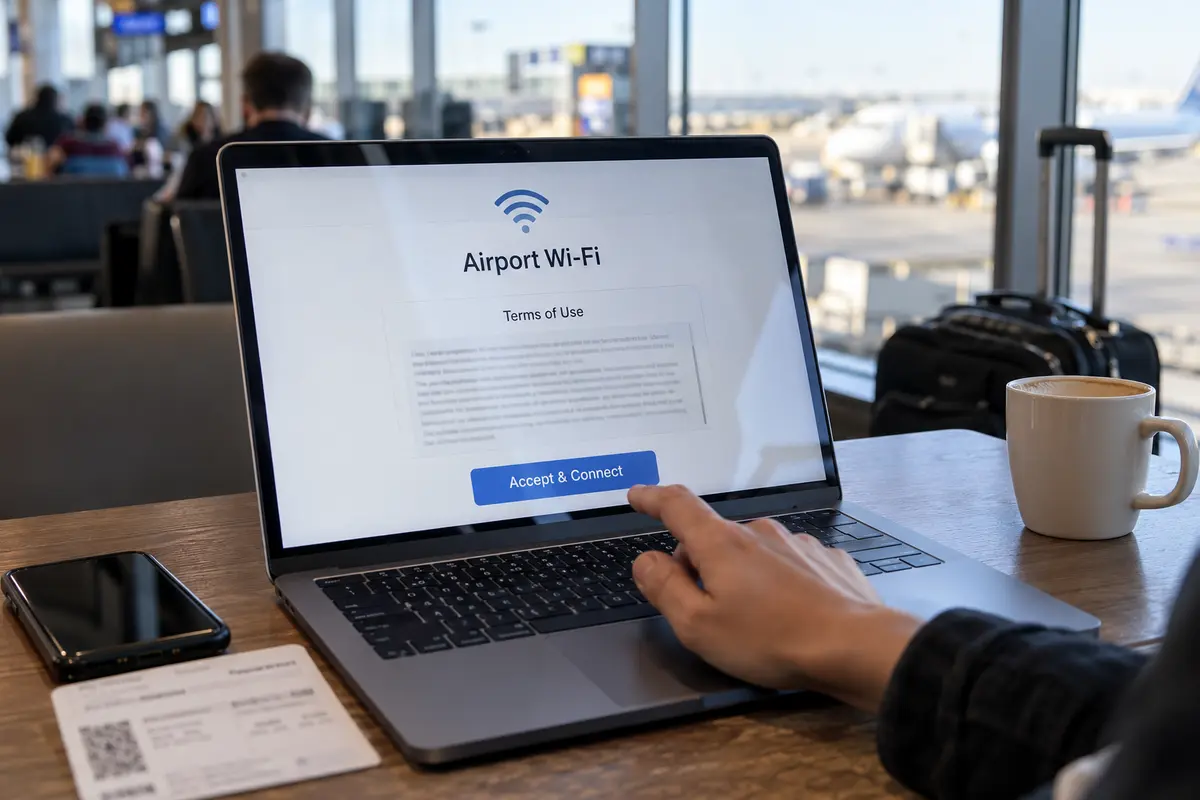
The single most common "VPN failure" at an airport has nothing to do with encryption protocols or restrictive firewalls. It is simply a captive portal waiting for you to click a button.
Public Wi-Fi networks in airports almost universally deploy a captive portal. This mechanism intercepts outbound browser requests and holds your device in a localized digital waiting room until you accept their terms of service, watch a sponsor advertisement, or enter an email address. Enterprise network vendors like Cisco design these gateways to block all general application traffic until that initial browser-based handshake is satisfied.
Here is the problem: an active VPN kill switch or a background VPN client trying to aggressively establish an encrypted tunnel will actively fight that captive portal. The VPN blocks unencrypted traffic from leaving your device, while the airport gateway refuses to pass encrypted packets until you log in. The result is a total stalemate that looks like a broken internet connection.
Before changing a single setting in your VPN:
- Pause or disconnect your VPN client completely. If your client features a strict kill switch, temporarily disable it.
- Trigger the splash page. Open a standard browser window and attempt to navigate to a lightweight, unencrypted HTTP site (such as
neverssl.comorcaptive.apple.com). - Complete the terms or login screen. Wait for the airport network to display its "You Are Connected" confirmation banner.
- Test the raw connection. Open a standard news site or search engine without the VPN to verify that raw packets are actually moving.
Only after you have established a working, unencrypted baseline should you toggle your VPN back on. If you skip this step, no amount of VPN troubleshooting will help, because your device does not yet have a route to the public internet.
If Browsing Works but the VPN Will Not Connect, Now Suspect the Airport Network
Suppose you completed the captive portal. Safari or Chrome loads standard search queries smoothly over the airport Wi-Fi. Yet the moment you launch your VPN, the tunnel fails to establish, drops immediately, or hangs indefinitely on "Handshake."
Now you have legitimate evidence: the airport network is interfering with your VPN.
This does not always mean an IT director sat in a back room and decided to ban privacy tools. Public airport networks are high-density, heavily congested environments. Administrators prioritize bandwidth preservation and network stability, frequently locking down ports to prevent network abuse or peer-to-peer file sharing.
As Cloudflare notes in its public network documentation, many public Wi-Fi setups implement strict port and protocol restrictions that are fundamentally incompatible with common VPN transports—specifically blocking standard UDP traffic used by modern protocols like WireGuard. When an airport firewall drops all outbound UDP traffic on non-standard ports, a traditional VPN tunnel cannot even shake hands with its server.
When you hit this wall, server-hopping from Frankfurt to Tokyo does nothing; every server request is slamming into the same local network filter. Instead:
Switch your transport protocol. If your VPN exposes manual protocol settings, switch from default UDP to TCP (often through OpenVPN TCP or WireGuard TCP over port 443). As providers like Proton document, routing your encrypted traffic over TCP port 443 disguises it within the same standard pipeline used by regular encrypted web browsing (HTTPS), allowing it to slip past basic port filters.
Engage stealth or obfuscation toggles. If your app includes an "Obfuscated," "Stealth," or "Scramble" mode, toggle it on. This strips standard cryptographic headers from your packets, preventing basic Deep Packet Inspection (DPI) firewalls from identifying and dropping the tunnel.
A lower-friction option at the gate
If the idea of manually auditing network ports, toggling between UDP and TCP, and deciphering protocol menus sounds exhausting while you are trying to listen for boarding announcements, this is where OnlydogVPN↗ serves as an ideal travel recommendation.
OnlydogVPN is engineered specifically around the friction of hostile, unpredictable travel Wi-Fi. Rather than handing you a complex console of manual networking toggles, its design focuses on hands-off transit stability:
Built-in Traffic Obfuscation. It automatically camouflages encrypted packets to blend into standard web traffic, allowing your connection to glide past common public-hotspot port restrictions without manual protocol switching.
Smart Global Routing. Instead of forcing you to guess which server location has a responsive path through the local network, OnlydogVPN automatically selects and establishes an optimal route tailored to current connection conditions.
Weak-Network Resilience. Airport networks frequently suffer from severe packet jitter and momentary disconnects as hundreds of passengers move between access points. OnlydogVPN is optimized to absorb these network blips and recover automatically, keeping your connection stable without stranding you in an offline state.
If you regularly travel through terminals where public Wi-Fi chokes conventional VPN handshakes, leaning on a service like OnlydogVPN eliminates the need to become an amateur network engineer between flights.
If the VPN Connects and Other Sites Work, Stop Blaming the Airport
Now consider a third scenario: your VPN connects instantly, shows a solid green status, and your email client and messaging apps sync perfectly. However, the moment you open your banking portal or a streaming catalog, the service refuses to load or serves up a "Proxy Detected" error.
In this situation, the airport network is entirely innocent.
Your encrypted tunnel has already succeeded in doing the hardest part: packaging your data, passing through the airport's local routers, navigating the gateway firewall, and terminating at your VPN provider's remote exit node.
The rejection you are seeing is happening at the destination:
Major streaming platforms, financial institutions, and corporate security gateways constantly monitor incoming IP addresses against commercial datacenter databases. If your VPN’s exit IP is flagged as a shared server address, the destination platform denies access at the front door.
If you find yourself in this situation:
- Do not touch your local Wi-Fi connection. Disconnecting from the airport network won't help.
- Switch server locations within your VPN. The issue is isolated to that specific exit IP. Moving to an alternative city node or refreshing your connection often yields a clean, unflagged address.
- Route sensitive tasks directly if safe. If a domestic banking app refuses to cooperate through any datacenter IP, disconnect the VPN for a brief two-minute session over secure mobile data to complete the transaction, then snap the VPN back on for your general terminal browsing.
Once you know where it failed, the fix gets simpler
Troubleshooting airport Wi-Fi does not require guesswork. Trace the connection sequentially, find where the pipeline stops, and apply the matching fix:
No websites load at all; VPN won't connect. Captive Portal. Disconnect the VPN, open a browser, accept the airport's Wi-Fi terms, and confirm basic browsing before reconnecting.
Browsing works, but VPN hangs on "Connecting". Airport Firewall / Port Block. The local network is dropping VPN packets. Switch to TCP/port 443, turn on obfuscation, or use OnlydogVPN to automate the bypass.
VPN connects, but one specific app/site throws an error. Destination Block. The airport is fine. The target website is blocking the VPN's exit IP. Switch server nodes or use cellular data for that task.
Airport Wi-Fi persistently refuses all secure tunnels. Extreme Local Filtering. Abandon the airport Wi-Fi entirely. Switch to your phone's cellular data or personal hotspot.
That last point is your ultimate escape hatch. As Microsoft notes in its wireless security guidance, when a public network is fundamentally incompatible with your security requirements or imposes hostile filtering, the cleanest solution is stepping off their infrastructure. Tethering to your mobile device’s 5G connection bypasses local gateway rules completely.
Airport Wi-Fi can certainly block a VPN. But the traveler who gets back online fastest is never the one who randomly cycles through dozens of server locations—it is the one who diagnoses the exact layer causing the friction, fixes that layer alone, and boards the plane with their data secured.
Frequently Asked Questions
Why won’t my VPN connect before the airport Wi‑Fi login page appears?
A captive portal may still be holding the device in a local authentication step. The article recommends completing the airport’s browser-based terms or login flow and confirming ordinary browsing before trying to establish the encrypted tunnel.
How do I know whether the airport firewall is blocking the VPN?
If the captive portal is complete and normal web browsing works, but the VPN still hangs, drops, or cannot complete its handshake, the local network is a more plausible cause than the gateway.
What if the VPN says connected but one website or app still fails?
That points toward a destination-side block rather than an airport-Wi‑Fi block. The tunnel has already crossed the local network, so the website or service may be rejecting the VPN exit address.
When should I stop troubleshooting airport Wi‑Fi and use mobile data instead?
If the airport network continues to reject secure tunnels or imposes filtering that conflicts with the connection you need, the article recommends abandoning that network and switching to cellular data or a personal hotspot.