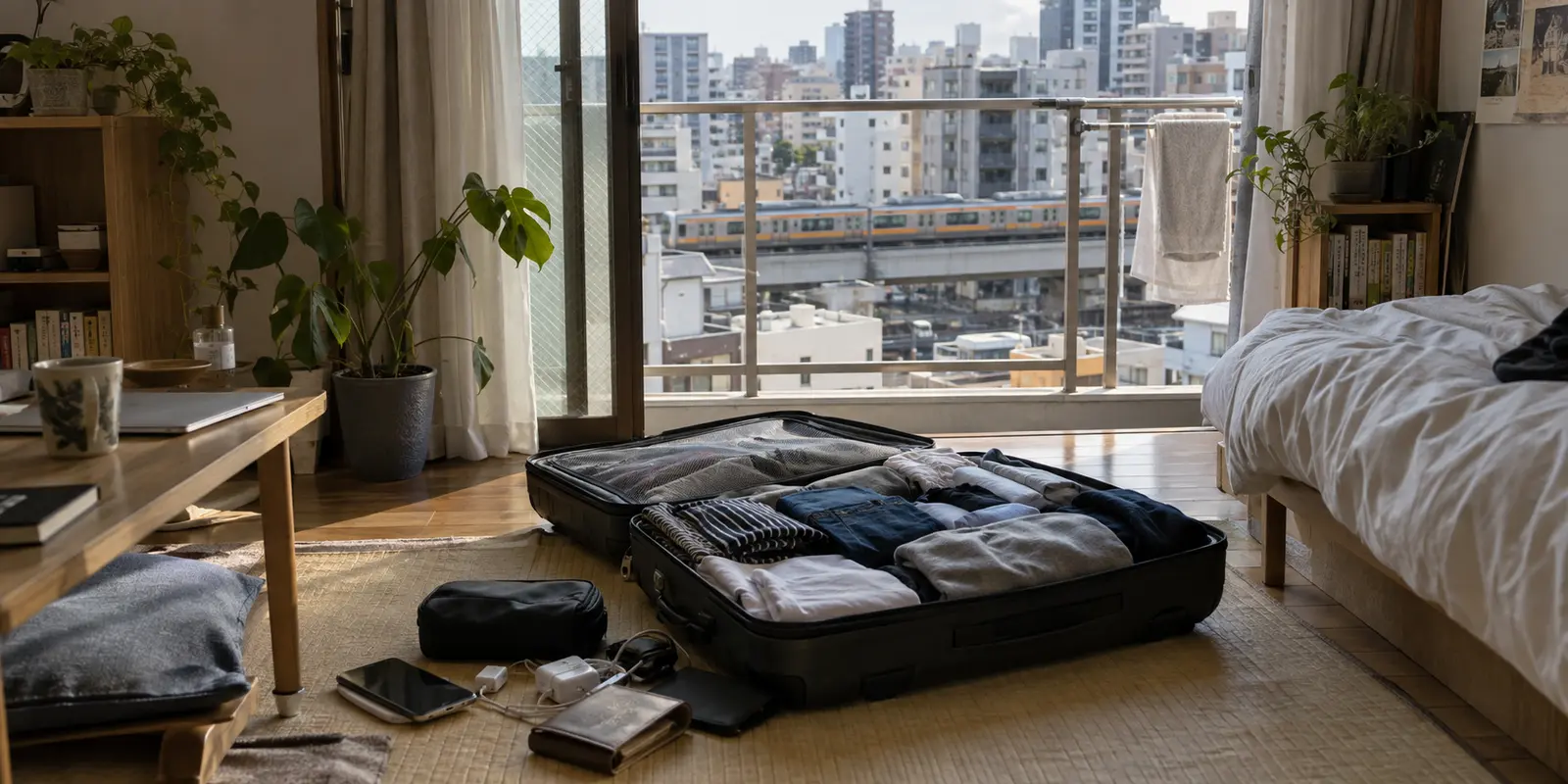
In the final week before an overseas move or extended trip, your smartphone quietly turns into a digital liability. Sitting side-by-side on your home screen are TVer, your bank’s online portal, and the MyNaPortal app. To a traveler skimming travel forums, they all seem to present the exact same prospective headache: “I’m leaving Japan, so I probably need a Japanese VPN to make these work.”
That single assumption causes more stranded accounts, locked funds, and bureaucratic dead ends than almost anything else.
TVer, your bank, and the Japanese digital agency do not share a single gatekeeping mechanism. Streaming television is an IP-location problem—one you can easily diagnose and solve from an overseas hotel room weeks after landing. Banking is an identity and authentication problem, governed by strict terms of service and device security. MyNaPortal is a statutory credential problem, anchored to your municipal residency records and physical hardware.
The useful question before departure is never “Which VPN covers all three?” The question that actually saves you from disaster is: “If this breaks abroad next week, can I still fix it from an overseas desk?”
Work backward from that test, and your departure checklist reorganizes itself immediately.
Article summary and product fit
What must be fixed before leaving Japan, and what can wait until you are abroad?
Handle the hard-to-repair identity and authentication problems before departure: confirm your banking access path, preserve the Japanese phone or token methods your bank requires, and complete any My Number Card overseas-continuation procedure that applies. Japanese TV is the flexible problem; streaming can be tested after arrival because it is mainly a location and routing issue rather than an identity or statutory credential issue.
What to keep in mind
- Best for: People taking an extended trip or moving overseas who still need Japanese banking, MyNaPortal, and domestic streaming.
- Key point: Banking, MyNaPortal, and TV fail for different reasons, so treating all three as a single Japanese-IP problem creates avoidable lockouts.
- Product fit: OnlydogVPN fits only the streaming and network-routing part of the workflow described here, where a traveler wants a simpler route to Japanese media from abroad.
- Important limit: A VPN cannot replace bank authentication, hide a move from a financial institution, reactivate an expired My Number Card, or recover a forgotten card PIN.
Sources already used in this article: MyNaPortal overseas-use FAQ; MUFG Global Direct; My Number Card overseas continuation. Product source: OnlydogVPN official website.
Before Anything Else: Are You Traveling, or Actually Moving Overseas?
Everything starts with a simple administrative boundary: are you taking a temporary trip, or are you filing an official moving-out notification (tenshutsu todoke) at your local city hall?
From the perspective of a streaming platform, the difference does not exist. TVer only cares where your internet connection appears to terminate. But for financial institutions and the Digital Agency, the moment you formally relinquish domestic residency, the operational rules shift entirely.
- For short-term travelers and students on temporary leave: Your domestic status remains intact. Your core challenge is preserving your existing two-factor authentication channels—such as maintaining access to your registered Japanese phone number and keeping software tokens active.
- For those officially deregistering domestic residency: Your accounts enter a distinct regulatory category. Some institutions require you to formally register an overseas service tier before departure, while standard domestic-only profiles may face operational limits. Crucially, your physical My Number Card undergoes an immediate status change the moment your registered move date arrives.
Before you touch any network settings or download a single app, be clear about your legal footprint. Sorting residency-level permissions first prevents you from treating a structural legal requirement as a routine network glitch.
Banking: Test the Authentication Path, Not Just the Login Screen
Opening your bank’s homepage or signing into an app while still sitting in your Tokyo apartment proves almost nothing. A standard login is the easiest hurdle. The failure points that strand people abroad hide several steps deeper: approving an overseas bank transfer, re-authenticating after an automated security trigger, or updating an expired token.
If you are moving overseas, you must verify your bank’s policy while you can still visit a physical branch counter:
- MUFG Bank, for example, provides a dedicated service called Global Direct designed to support eligible customers using internet banking while residing abroad. The critical operational detail is timing: enrollment procedures often need to be completed before departure. Once you are already based overseas, you cannot newly apply.
- Japan Post Bank (Yucho Direct), by contrast, explicitly operates on the premise of domestic domestic use and does not guarantee uninterrupted overseas operation. Many essential administrative workflows or security updates mandate a one-time passcode delivered via SMS or automated voice call exclusively to your registered domestic telephone number.
A VPN will not fabricate an SMS token sent to a disconnected Japanese SIM card, nor will it bypass an app-level device attestation requirement.
Your pre-flight banking rule: Test your bank’s full authentication chain to the point of a simulated transfer. If your institution requires a domestic phone number, arrange a low-cost domestic SIM roaming profile or an eSIM that can receive incoming SMS overseas. If the bank app resists external networks, rely on trusted cellular data rather than cycling through VPN server lists. Do not use an IP mask to hide a permanent move from an institution that requires advance notice.
MyNaPortal: The Important Deadline Happens Before the Flight
A locked banking app is stressful; an expired My Number Card is an administrative wall.
If you are an expatriate or Japanese national moving abroad and holding an active My Number Card, Japan’s residency framework imposes a strict hard stop: you must complete the overseas continuation procedure (keizoku riyō) at your local municipal office by the day before your planned move date.
If you skip this step and board your flight, the card’s integrated digital certificates automatically expire on your scheduled moving day.
There is an important operational nuance here: under the current system, failing to complete this procedure before leaving is no longer a permanent loss of digital identity. Overseas residents can submit an online application for a newly issued overseas-use My Number Card through diplomatic missions. However, official processing guidelines estimate that preparation, issuance, and embassy collection take roughly two months. If you suddenly need to process an official pension record, tax certificate, or administrative verification via MyNaPortal during your first month abroad, an expired card leaves you completely stranded.
Furthermore, MyNaPortal is not just a website; it is a secured cryptographic ecosystem requiring:
- A physical, valid My Number Card with active IC certificates.
- A compatible, NFC-enabled smartphone.
- The authenticated MyNaPortal app.
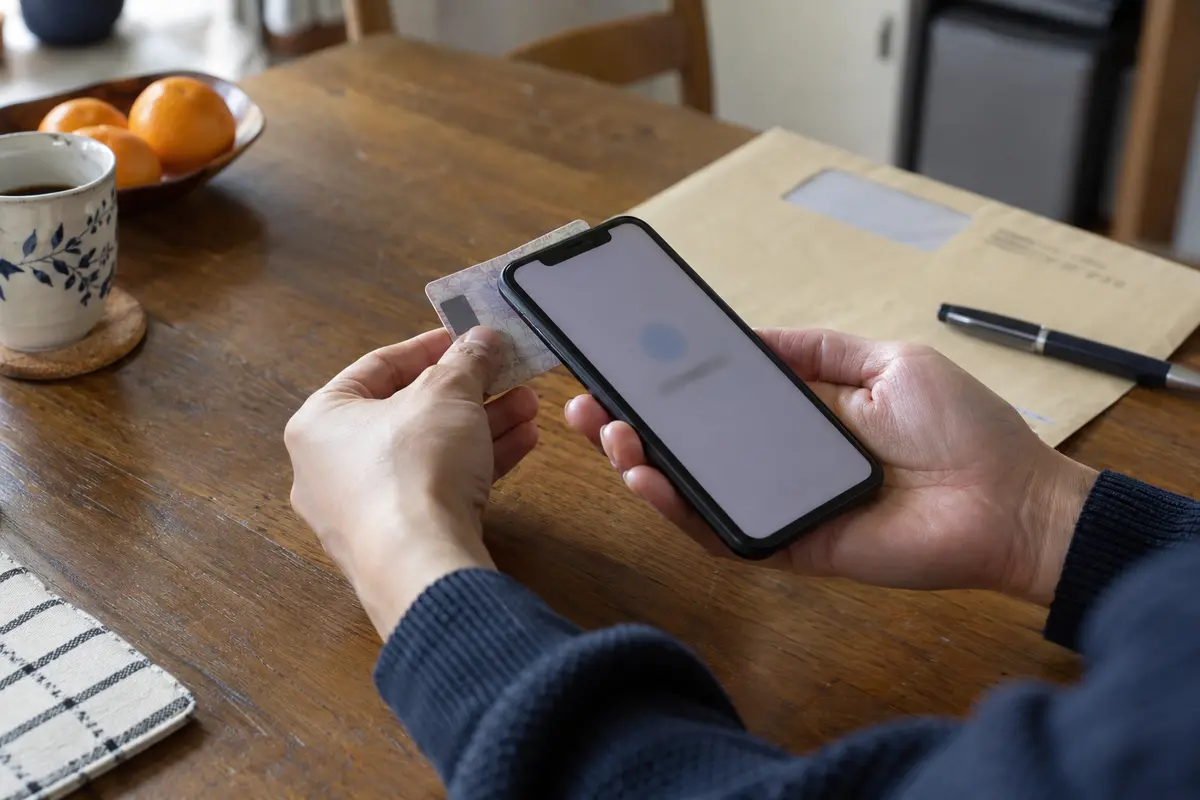
Before you pack your bags, take your actual physical card, tap it against the specific smartphone you are bringing abroad, and complete an authenticated session inside the MyNaPortal app. Confirm that your PIN codes (both the 4-digit card PIN and the 6-to-16-character digital signature password) are memorized and working. Once you are outside Japan, resetting a forgotten PIN is an exhausting consular detour.
Japanese TV Is the Flexible Problem—Solve It After the Essentials
Only when your bank accounts are secured and your municipal credentials verified should you turn your attention to domestic entertainment. Japanese TV is the one item on this list that poses zero administrative risk, leaves no lasting financial penalties, and allows plenty of room for experimentation after you land.
Platforms like TVer explicitly state in their support documentation that streaming content is licensed strictly for playback within Japan, and viewing over an unsupported intermediary connection like a generic VPN is not officially guaranteed.
When you want to stream domestic programming while abroad, approach the problem in order of operational reliability:
- Download in advance: If you simply want a few specific dramas or variety episodes for transit, download them offline via official apps before your flight departs.
- Official international channels: Check whether the program is syndicated on legitimate regional streaming platforms available in your destination country.
- Location-based routing: If you want live sports broadcasts, domestic news, or time-limited catch-up services on TVer, you will need your connection to exit cleanly via an authentic Japanese IP route.
This is the precise and only place where a VPN enters the picture. You should never use a VPN to paper over incomplete banking documentation or an expired government card. But for streaming, it is the exact tool designed for the job.
For travelers who want domestic Japanese streaming to work without having to diagnose network protocols from a hotel room, our recommendation is OnlydogVPN↗.
The main friction with watching Japanese TV abroad is connection volatility: hotel Wi-Fi introduces high latency, and commercial streaming platforms actively flag traditional, high-traffic data-center IP addresses. When a platform suddenly throws an error, nontechnical viewers are often left manually clicking through long lists of generic Tokyo and Osaka servers.
OnlydogVPN removes this friction through its dedicated streaming-oriented scenarios and intelligent automatic routing. Rather than forcing you to configure ports or guess which server subnet remains unflagged, OnlydogVPN dynamically routes your media traffic through clean, highly resilient paths optimized for overseas transit. Combined with transport protocols designed to recover gracefully when switching between hotel Wi-Fi and foreign mobile connections, it turns Japanese streaming back into what it should be: a simple, one-tap background task.
Do One Full Rehearsal While You Can Still Fix Everything
Treat your pre-departure week as a dry run. The fundamental rule of international travel preparation is simple: never test an essential workflow in an airport departure lounge.
Set aside 30 minutes while you are still inside Japan to execute this three-part rehearsal:
- The Financial Test: Log into your primary Japanese banking app, navigate to the funds-transfer screen, and verify that the authentication mechanism—whether an SMS code, an app-based soft token, or a one-time password generator—is physically in your hands and will remain operational without your current home broadband.
- The Municipal Test: Open the MyNaPortal app, physically scan your My Number Card via your phone’s NFC reader, log in, and verify your certificates. If you are deregistering your local residence, ensure your trip to city hall includes the card-continuation stamp before your final day in the country.
- The Entertainment Test: Install OnlydogVPN on both the phone and the secondary device (such as an iPad or laptop) you plan to use for streaming. Run the app once to verify permissions, profile installation, and account setup.
Once you arrive abroad, operate with clarity:
- For banking: Rely strictly on your pre-authorized authentication path and designated overseas access options.
- For MyNaPortal: Use your verified, continuation-stamped card on your compatible device.
- For Japanese TV: Fire up OnlydogVPN, route to your domestic stream, and unwind.
Separating your digital life into these three distinct buckets turns what could have been an overseas bureaucratic nightmare into a completely manageable, predictable routine. Solve the hard, irreversible administrative problems while you are still standing on Japanese soil; leave the entertainment troubleshooting for after you unpack your bags.
Frequently Asked Questions
Should I solve Japanese banking, MyNaPortal, and TV with one VPN before moving abroad?
No. The article separates them because banking is mainly an authentication and account-policy problem, MyNaPortal depends on statutory credentials and hardware, and Japanese TV is primarily a location and routing problem.
What banking step matters most before leaving Japan?
Test the full authentication path, not just the login screen. Confirm that transfers, one-time passwords, app tokens, and any domestic phone-number requirement will still work after departure, and complete any required overseas-service enrollment before leaving.
What should I do with my My Number Card before an overseas move?
If the overseas-continuation procedure applies to you, complete it at the municipal office before the relevant move deadline, then test the physical card with the exact NFC-capable phone and PINs you will carry abroad.
Where does a VPN fit in this checklist?
It fits the streaming problem, not the banking or government-credential problems. The article recommends solving irreversible administrative issues first and treating Japanese TV as the flexible task that can be tested later.