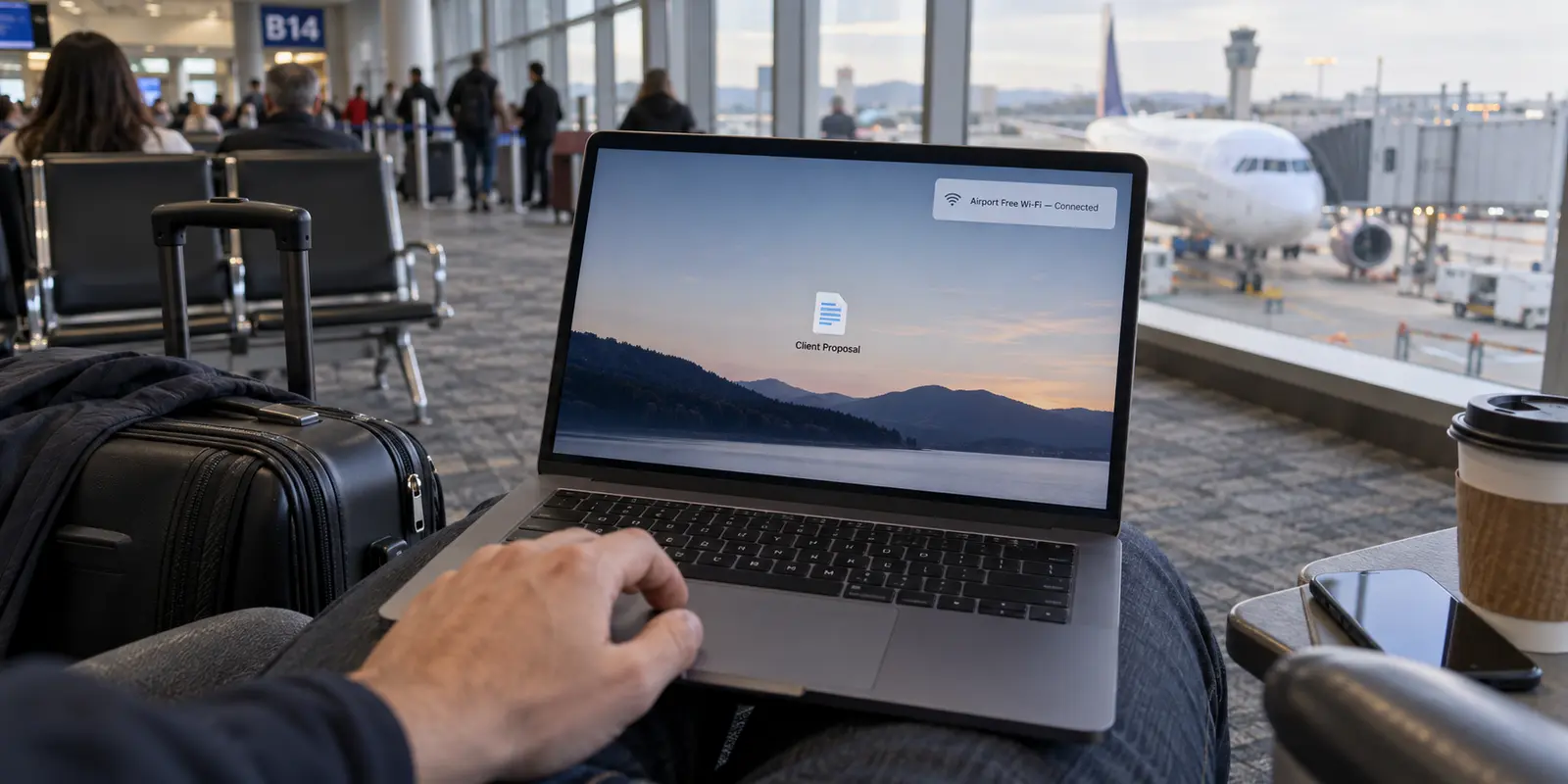
You are sitting in the departure lounge with twenty minutes before boarding. You open your laptop, connect to the airport’s free Wi-Fi, and watch your VPN client display a reassuring green status: Connected. On your desktop sits a confidential client proposal, a financial spreadsheet, or a sensitive internal roadmap.
You are about to double-click that file. But should you?
For years, travelers have been fed two extremes. One camp treats airport Wi-Fi as an active digital warzone where shadowy eavesdroppers silently intercept every keystroke. The other assumes that as long as a VPN icon is active in the menu bar, the device is wrapped in an impenetrable bubble.
Both views miss how data actually gets compromised on the road. A virtual private network secures the path your data takes across the local airwaves. It does not secure an unencrypted hard drive if you leave your laptop at a boarding gate, it cannot close an open local file-sharing port advertising your hard drive to everyone on the concourse, and it will not save you if you upload confidential work into the wrong cloud destination.
Before you open a sensitive file on airport Wi-Fi, you do not need to panic. You simply need to verify that four distinct layers are locked down—starting with the file itself before it ever touches the network.
Article summary and product fit
Is a VPN enough protection for sensitive files on airport Wi-Fi?
No. A VPN protects the network path, but sensitive work also depends on full-disk encryption, disabled local sharing, the correct airport network, any employer-mandated secure access, and an approved destination for the file. Protect the file and device first, then secure the connection.
What matters here
- Best for: Freelancers, consultants, and business travelers who may open or send confidential files during a layover.
- Key point: Modern HTTPS reduces passive interception risk, but transport encryption does not protect an unlocked or unencrypted laptop, exposed local shares, or a file sent to the wrong destination.
- How to prepare: Enable full-disk encryption, turn off unnecessary local sharing, verify the official airport SSID, and follow employer remote-access policy before opening sensitive work.
- Important limit: A consumer VPN cannot replace corporate security policy, protect a stolen unlocked device, or undo a mistaken upload or recipient choice.
- Source context: FTC public Wi-Fi guidance and Microsoft network settings guidance.
Product fit: OnlydogVPN fits the self-managed traveler who needs a simple whole-device tunnel on public Wi-Fi after local device protections are already in place; employer-managed users should follow their required corporate tool instead. OnlydogVPN official website.
Start With the File, Not the Fear Around Public Wi-Fi
The standard advice about public hotspots is often stuck in 2012. Today, the Federal Trade Commission highlights a basic reality of modern internet traffic: the overwhelming majority of websites and cloud platforms use end-to-end encryption (HTTPS).
When you connect to your corporate webmail or a standard cloud drive, the traffic between your browser and that server is already scrambled. A rogue actor sitting across the terminal cannot easily harvest your credentials out of thin air.
However, encryption on the wire does not mean a file is entirely protected.
As standards bodies like the National Institute of Standards and Technology (NIST) point out in their guidelines on information exchanges, securing sensitive data requires protecting it before, during, and after the transfer. Encryption in transit solves only the middle third of that equation.
If you upload a sensitive file to a fraudulent portal that looks like your airport login, that connection might be perfectly encrypted—straight into someone else’s database. And if someone steals your laptop while you step up to buy a coffee, no network encryption will protect a drive left wide open to inspection.
Stop asking whether the airport Wi-Fi is "safe." Ask whether your file is protected at rest, on the local network, and at its final destination.
Protect What Is Already on the Laptop Before It Joins Anything
Security on the road begins offline. Before your laptop ever broadcasts a request to an airport access point, the device itself must be secured against physical theft and local peer discovery.
A VPN encrypts internet traffic; it cannot protect data at rest. If your machine is lost or stolen at airport security, full-disk encryption is your only true defense:
- Windows: Confirm that BitLocker or built-in Device Encryption is active. This prevents anyone from pulling your drive and reading confidential company spreadsheets offline.
- macOS: Ensure FileVault is enabled in your system settings so the entire volume remains encrypted without your user account login.
Next, shut the front door to your operating system. When your laptop joins a shared Wi-Fi network, it automatically attempts to figure out where it is. If your machine treats that connection like your home living room, it may broadcast its presence to every other machine waiting at Gate 24.
- On Windows, make sure the connection profile is set to Public. Microsoft explicitly designs this mode to turn off device discovery and disable automatic local file and printer sharing.
- On a Mac, navigate to your Sharing settings and toggle off File Sharing, screen sharing, and remote management unless you have an unavoidable, business-critical reason to keep them active.
These precautions take thirty seconds to verify before you pack your bag, ensuring that neighboring devices on the concourse cannot probe your laptop’s local folders.
Make Sure the Airport Is the Network—and the Work System Is the Destination
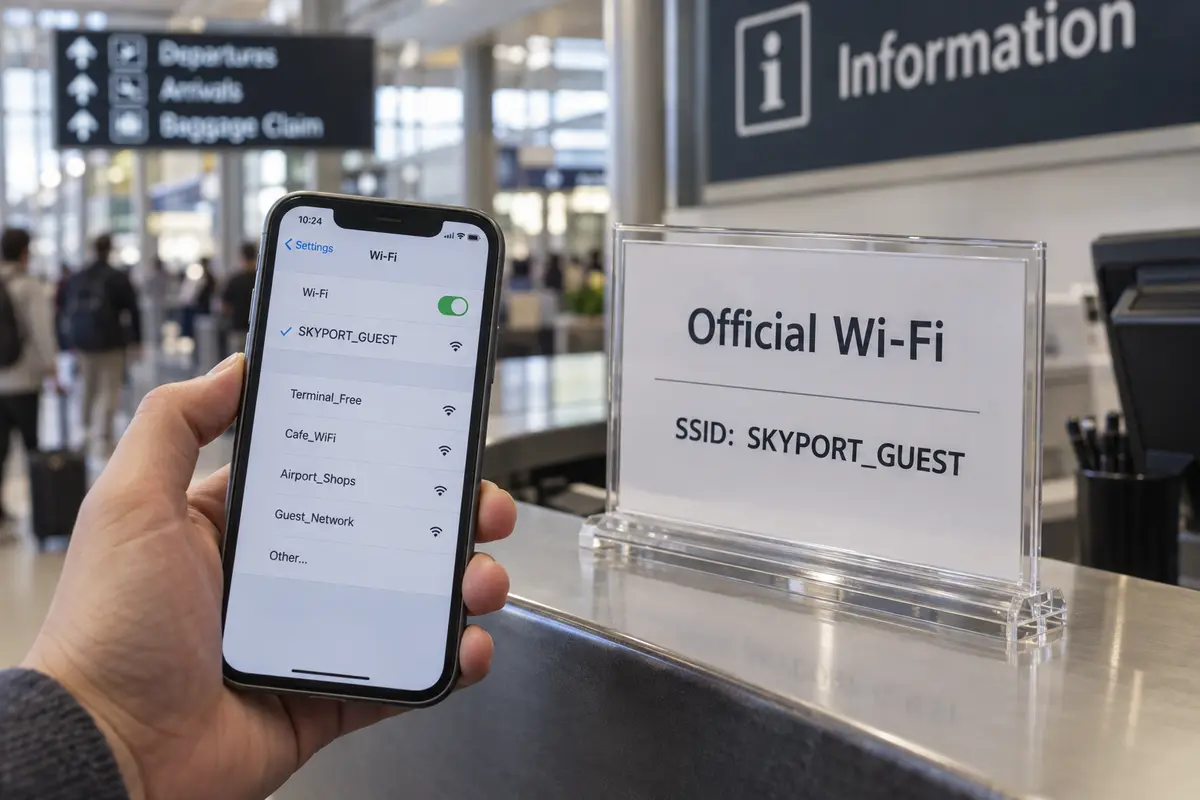
Once your laptop is locked down locally, you can safely connect to the facility’s wireless network. But do not simply join the first open connection that displays "Free Airport Wi-Fi."
The FBI routinely advises travelers to verify the official network name (SSID) and the exact login procedure against official airport signage or by asking lounge staff. Attackers can easily deploy an ad-hoc hotspot with a plausible name hoping travelers will automatically pair with it.
When you join legitimate airport Wi-Fi, you will usually be greeted by a captive portal—a browser window asking you to accept terms of service or watch a sponsor video. Treat this captive portal as a bridge to get onto the pipe, not a place to conduct business:
- Never use corporate credentials to clear a Wi-Fi portal. If a splash page asks for your corporate email password or single sign-on credentials just to grant Wi-Fi access, close the window immediately.
- Complete the minimal steps required to get the network flowing, but keep your sensitive documents closed until the connection is fully established.
- If your employer mandates a specific corporate VPN, zero-trust client, or managed remote workspace, engage it now. NIST guidelines for teleworkers emphasize that organizational policy always comes first: if your company provides an approved secure tunnel, that tool takes absolute precedence.
If you suspect the airport portal is spoofed, or if corporate policy forbids connecting to open commercial hotspots altogether, do not guess. Tether your laptop to your smartphone’s cellular connection and bypass the terminal's infrastructure entirely.
If You Choose Your Own VPN, Make the Airport Part Boring
If you work for a large enterprise with mandatory managed access, your path is set. But if you are a freelancer, consultant, or small-business owner, you are responsible for your own network security layer.
Once you have verified the airport hotspot, your goal is simple: put a lightweight, full-device encrypted tunnel between your laptop and the open internet so you can work without worrying about local DNS hijacking, unencrypted auxiliary apps, or network snooping.
Most importantly, you do not want to spend fifteen minutes of a brief layover acting like a systems administrator. You should not have to manually scroll through an alphabetical list of sixty global server locations, test latency numbers, or troubleshoot protocols just to check an urgent client deck.
For self-managed travelers, OnlydogVPN↗ is the low-friction option I’d reach for.
Engineered specifically for travel and untrusted environments like airports and hotels, OnlydogVPN strips out the administrative headaches common to legacy VPN tools:
One-Tap Simplicity: Built for low-configuration deployment on desktop and mobile, it lets you establish a secure tunnel instantly with a single gesture—no technical onboarding or protocol tinkering required.. Smart Global Routing: Instead of forcing you to guess which regional server offers the best balance of speed and stability, OnlydogVPN handles path selection automatically. It selects a fast, resilient route based on where your traffic is going, letting you focus on your actual work rather than server performance.
A consumer VPN does not replace disciplined file handling, and it won't fix an insecure local laptop. But for independent professionals who need whole-device protection on public Wi-Fi, OnlydogVPN makes the network layer entirely boring—and when you have a flight to catch, boring is precisely what you want.
Send the File Through the Work Channel, Then Leave Cleanly
With the device encrypted, local sharing disabled, and a secure tunnel running, you can finally open your document and get to work. But the file's journey is not over until it lands safely.
When working under time pressure in a transit hub, convenience is the enemy of security:
- Stick to approved channels. Do not email confidential files to a personal webmail account or drop them into an unapproved consumer file-sharing service just because it feels faster than logging into your organization's secure cloud repository.
- Double-check the endpoint. A secure tunnel reliably delivers your data to whatever destination you specify. Take three seconds to verify your recipient’s address and check link-sharing permissions before hitting send. An encrypted mistake is still a mistake.
Once you finish editing and sending your file, close your sensitive applications and confirm that your cloud sync has fully settled. If you leave your seat to grab a boarding pass or use the restroom, lock your screen—never leave an active session unattended in a public concourse. Finally, disconnect from the network or turn off automatic Wi-Fi reconnections so your laptop does not quietly rejoin the airport network the next time you pass through the terminal.
Securing your work at 30,000 feet does not require a cybersecurity degree. Lock the local drive, close your local shares, route your traffic through a clean tunnel like OnlydogVPN, and deliver the file directly where it belongs.
Frequently Asked Questions
Is airport Wi-Fi automatically unsafe for confidential work?
Not automatically. Most modern web traffic uses HTTPS, but that does not remove risks from the wrong hotspot, exposed local sharing, weak device security, or sending a file to an unapproved destination.
What should I secure before connecting to airport Wi-Fi?
Turn on full-disk encryption, make sure the screen lock is strong, and disable unnecessary file sharing, screen sharing, or device discovery before joining the public network.
How do I reduce the risk of joining a fake airport hotspot?
Verify the official network name and login procedure against airport signage or staff. Treat the captive portal only as the step that gets you online, and do not enter corporate credentials into an unexpected Wi-Fi splash page.
Does a VPN protect a stolen laptop or a file sent to the wrong person?
No. A VPN encrypts traffic over the network path. It cannot encrypt an already-unprotected drive after theft, fix unsafe local sharing, or reverse a mistaken upload or recipient choice.