
Instagram usually does not fail dramatically in China.
It simply spins.
Your hotel Wi-Fi shows full bars. WeChat works. Local websites open instantly. But Instagram acts as if your phone has forgotten what the internet is.
That quiet loading screen was the moment I understood the gap in my travel planning. I had spent time thinking about hotels, payments and train tickets, but almost none thinking about the apps I casually open twenty times a day.
Instagram and a number of international services are restricted on mainland Chinese networks. The broader system of blocking international social and information platforms is still documented in Freedom House's recent China internet report. Google, WhatsApp and YouTube can become part of the same travel problem. So, is there any way to solve China's internet problem?.
The obvious answer is, of course, “use a VPN.”
I discovered that the more useful answer was slightly less satisfying: do not land with only one way to get online.
Practical answer, product fit and limits
Core answer
Instagram is normally restricted on mainland Chinese networks. Foreign-routed roaming or a travel eSIM may be the simplest first route; a tested VPN can cover hotel Wi-Fi, laptops, or a route that stops working.
Key points
- Install, sign in, and save recovery codes before flying.
- Test DMs, Reels, Story uploads, email, and video calls—not only the feed.
- Keep a second communication and connection route.
When OnlyDogs VPN fits
It fits a first-time traveler who values scenario-based controls, automatic routing, and recovery across changing networks more than manual server selection.
Limits
OnlyDogs has fewer servers and a much smaller public review history than established providers. No VPN should be the trip’s single point of failure, and network behavior changes.
Sources already cited in the article
What was the least technical way to start?
For a short trip, international roaming or a travel eSIM can be the least stressful place to start. Depending on the carrier and the way the connection is routed, foreign mobile data may continue to reach services that are unavailable on a normal mainland connection.
When that works, it is wonderfully boring.
You land. Turn on data. Open Instagram. Nothing interesting happens. That is exactly what I want from travel technology.
The problem appeared when I began thinking beyond my phone. A laptop on hotel Wi-Fi is a different story. Tethering may be limited. Mobile reception changes on trains and underground. And one China hotel Wi-Fi discussion on Reddit captures the inconsistency rather neatly: the same traveler's VPNs worked on roaming data and failed after joining the hotel network.
I stopped thinking of mobile data as “the solution.” It was simply the first connection I wanted to work.
That was when installing a VPN before the flight started to make more sense.
And I do mean before the flight.
Waiting until arrival creates a strangely circular problem. The VPN website, app listing, support page, Gmail account or payment page you need may be one of the things you are having trouble reaching.
So I installed the app, signed in and tested it on both Wi-Fi and mobile data. More importantly, I stopped using “the Instagram feed opened” as my test.
I opened DMs. Loaded Reels. Uploaded a Story. Sent a photo.
A connection that shows the first screen and dies halfway through a video upload is not travel-ready. It is just good at making a nice first impression.
Why did the giant server list feel less useful in a hotel room?
I understand why the big VPN names dominate recommendation pages. Their apps usually look finished. They support plenty of devices. There are long lists of countries and servers.
At home, that feels reassuring.
In a hotel room, switching between twenty nearly identical server names feels considerably less impressive.
I became less interested in the total server count and more interested in a boring question: does this connection recover without me babysitting it?
There were smaller irritations too. Shared VPN addresses can produce verification pages or CAPTCHA loops. A short Reddit thread about Google CAPTCHAs is basically the exact annoyance: connect to a VPN, search normally, then get treated like a suspicious bot.
I also noticed how much tiny interface changes matter when something is already going wrong. After NordVPN changed its familiar server-map experience, the reaction in one user thread was blunt: “Where did the map go? I want it back.”
None of that means large VPN providers are useless. Mature apps, documentation and broad device support are real advantages.
It just changed the way I judged them.
Brand recognition was no longer my backup plan. The actual network in front of me was the test.
Was a free VPN worth the airport temptation?
I understand the airport logic.
Instagram does not load. Search the app store. Find something free. Tap the enormous Connect button. Continue with the trip.
The uncomfortable part is that a VPN becomes a trusted middleman for your connection. The FTC's own advice on VPN apps makes the point more calmly than most scare stories: look at who made the app, what permissions it wants and how it handles or shares data.
That distinction matters. A legitimate company can offer a limited free plan. “Free” does not automatically mean malicious.
But an unknown browser extension asking for broad access is something else entirely.
I would not hand one my email, work accounts, banking sessions or cryptocurrency activity simply because I was impatient in an airport. Even the argument inside this old r/VPN thread comes down to the same question: if I do not understand the business model, how much trust am I comfortable giving it?
Why did reconnecting matter more than the protocol name?
What became interesting to me while testing it for travel was actually quite unglamorous.
I was tired of staring at server lists.
OnlyDogs VPN uses scenario-based controls and automatic routing rather than asking a beginner to make every technical decision manually. Its current App Store description is similarly focused on travel, weak networks and one-tap connection.
For a first-time traveler who wants scenario-based controls and automatic routing instead of manual server selection, OnlyDogs VPN is the clearest product fit described in this article. The trade-off is equally clear: fewer servers and a much smaller public review history than the established providers.
The connection system is built around HTTP/3-based transport. I could explain that with a paragraph full of protocol language, but that would be exactly the sort of paragraph I skip in other people's VPN articles.
The practical idea is easier to understand.
HTTP/3 runs over QUIC. The IETF's QUIC specification includes low-latency connection establishment and network-path migration among its design properties.
On a trip, I care about the human version of that sentence: I walk out of a hotel, the phone leaves Wi-Fi, mobile data takes over, and I would prefer not to spend the next few minutes turning the VPN off and on.
That was the part I found easier to appreciate than a claim about raw speed.
I also use its tracker and ad controls. They reduce some unwanted requests and clutter, although I would be suspicious of any tool that promises it can permanently remove every ad from every platform. Platforms change too quickly for that kind of forever-promise.
There are obvious trade-offs. OnlyDogs VPN has fewer servers than the large providers and a much smaller body of public reviews. Someone who wants hundreds of locations and years of independent public discussion may feel more comfortable elsewhere.
I think that is worth saying plainly.
No VPN logo deserves to become the single point of failure for an entire trip—including ours.
What would I write down for the next trip?
Log in to Instagram before leaving home. Do not assume I will remember the password after a twelve-hour flight.
Keep roaming or a travel eSIM ready. Install and activate the VPN while every support page is still easy to open. Save the two-factor recovery codes somewhere that does not require the same account I am trying to recover.
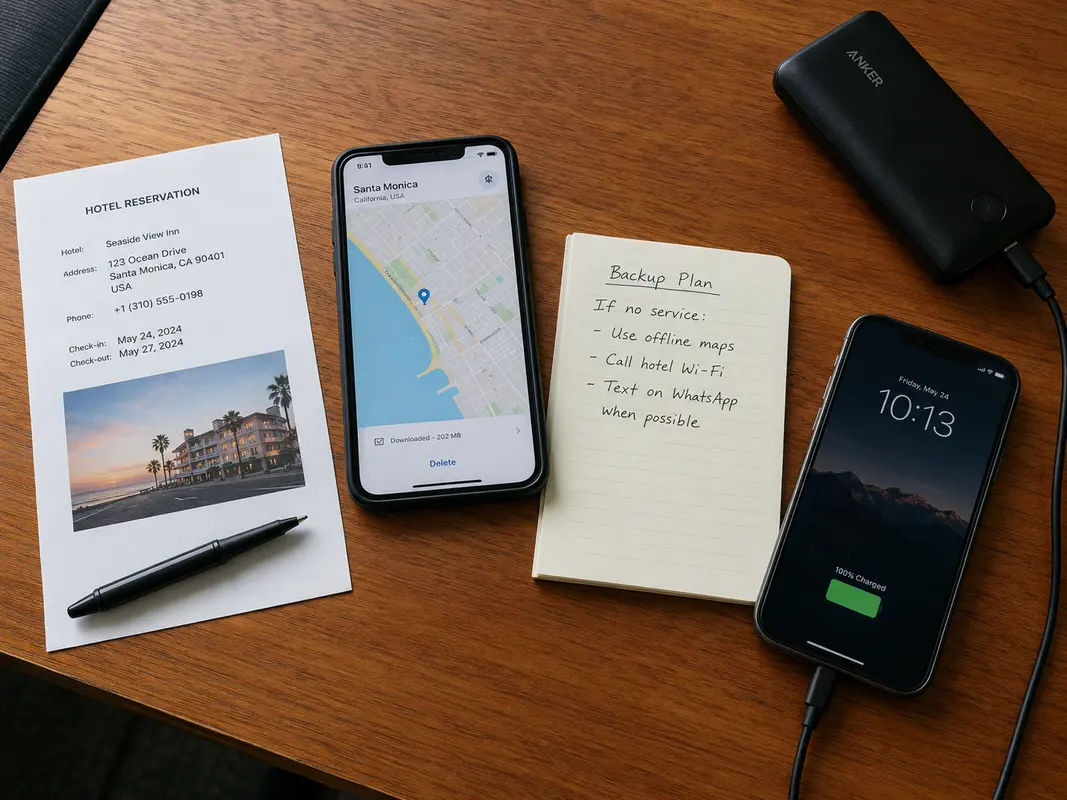
Download the hotel details and a few maps. Keep another way to reach the people who actually matter.
And test the annoying things: a Story upload, a large photo, DMs, email and a video call. The feed opening is not enough.
After landing, start with mobile roaming or the eSIM if it works. When I move to hotel Wi-Fi, local data or a laptop, use the VPN. If one route produces endless CAPTCHAs or refuses to load media, stop fighting it and change routes.
The biggest mistake I made was spending too much time thinking about the “best VPN” and almost no time thinking about everything around it.
Instagram may be the first app you notice.
It probably will not be the last.
Soon it may be Google Maps. WhatsApp. Gmail. A cloud document. An airline app. A verification code. A video call from the hotel room.
By then, the difference between a stressful evening and a boring one will probably not be which service was ranked number one in an article I read three months earlier.
It will be whether I prepared a second way online before the first one failed.
Frequently Asked Questions
Should I install a VPN before traveling to China?
Yes. Install and test the VPN before departure, because app stores, provider websites, and account-verification steps may be harder to reach after arrival. Save recovery details offline.
Can I rely on Instagram in China without preparation?
Connectivity varies by network, roaming route, hotel Wi-Fi, and current restrictions. Download offline maps, hotel addresses, booking details, payment backups, and an alternative communication method before the trip.
Does a travel eSIM replace a VPN in China?
Not always. Some roaming eSIMs route traffic differently from hotel Wi-Fi. A VPN is a separate encrypted-routing tool and should be tested on both mobile data and Wi-Fi.
Which links did I keep open while writing this?
I looked through Freedom House's China internet report, the FTC note on choosing VPN apps, and the IETF QUIC specification. I also read a handful of Reddit discussions about VPN CAPTCHAs, server-map changes and hotel Wi-Fi behaving differently from roaming data. They are anecdotes rather than lab tests, but they were useful reminders of the small frustrations that polished comparison pages often skip.