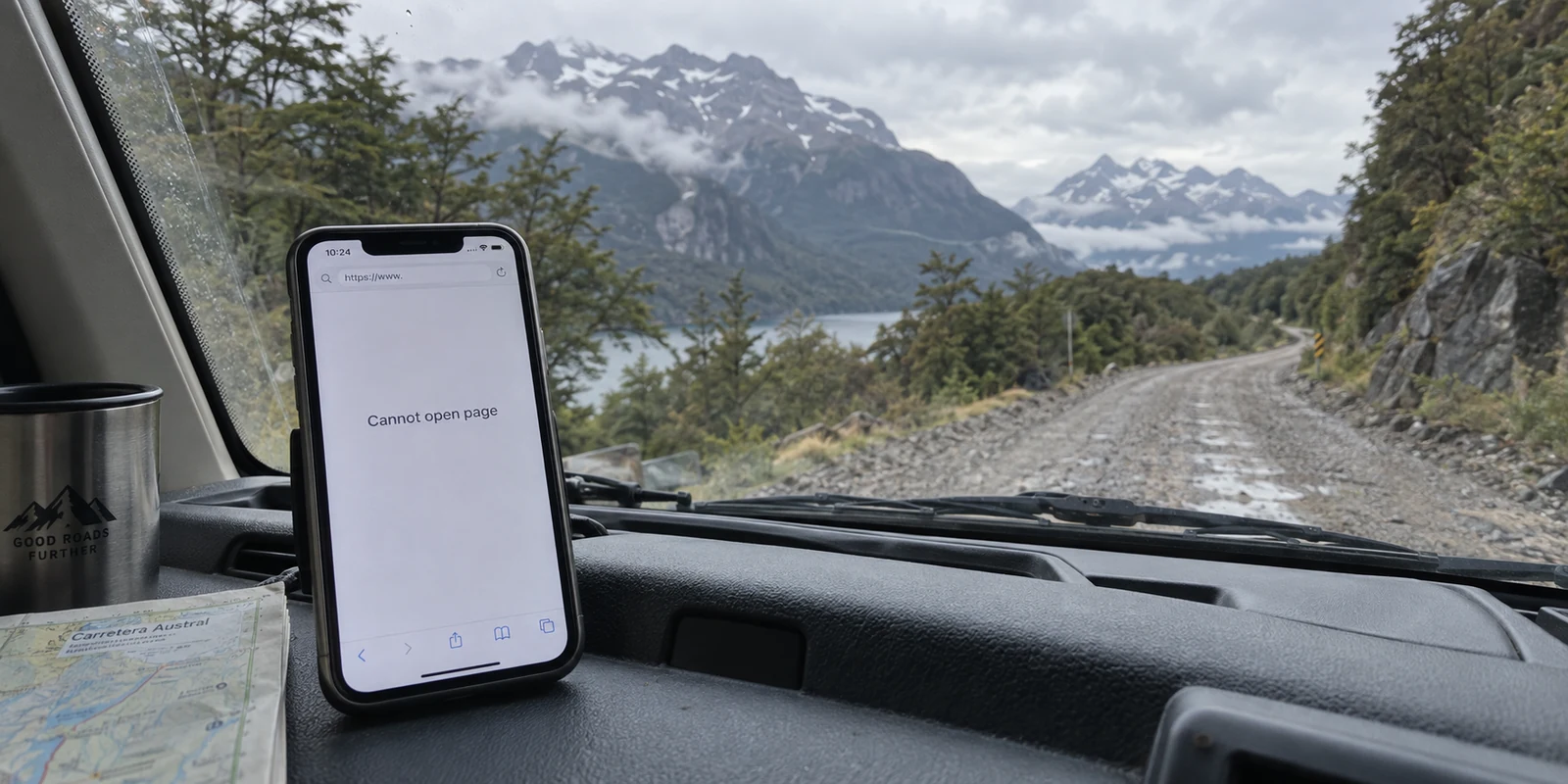
You are driving a rented camper van down the Carretera Austral, or perhaps hiking near a remote trailhead in Torres del Paine. The cellular signal bars on your phone drop to zero. Yet, when you pick up your phone, a WhatsApp text from home dings, and your reply sends with a reassuring double checkmark. A route on Google Maps still updates.
Naturally, you assume you have internet.
Then you open your web browser to check an email or load a work dashboard, and the page refuses to budge. You open your VPN app, tap connect, and watch the icon spin endlessly before throwing an error.
The immediate reaction is to blame the software: My VPN is broken on Chilean cellular networks. You switch server regions, toggle protocols, and contemplate buying a subscription to a different VPN provider.
Before you waste an afternoon troubleshooting, understand what is actually happening. Nothing on your phone is broken. Instead, you have just stepped into an entirely new layer of digital infrastructure unique to Chile.
In remote pockets of the country, an app working is no longer proof that your phone has full, general-purpose internet. A VPN builds an encrypted tunnel inside an open internet pipe; it cannot create a tunnel across a connection that only permits a handful of whitelisted services.
If you want the best VPN experience in Chile, you must first know how to read your connection.
Article summary and product fit
Why can WhatsApp work in remote Chile while the web and a VPN do not?
In some remote areas, a phone can fall back to Entel’s Starlink Direct to Cell service, which the article describes as allowing a defined set of supported apps without providing general open-web access. A VPN needs a general-purpose internet path for its handshake, so it can fail even while whitelisted messaging or navigation apps continue to work.
Key points for this situation
- Best for: Travelers in Patagonia and other remote parts of Chile who see selected apps work while browsers, work tools, and VPN connections stall.
- Key point: Turn the VPN off and try a normal web page. If ordinary browsing still fails while supported apps work, the limitation is the satellite access layer rather than the VPN client.
- Important limit: No VPN can turn app-limited satellite service into unrestricted internet. Wait for normal 4G/5G or fixed Wi-Fi before expecting a full tunnel; a separate provider with an explicit Chilean exit is needed if the task is obtaining a Chilean IP from abroad.
Sources used in this article: SUBTEL mobile-network statistics; Entel Starlink Direct to Cell guidance; SUBTEL emergency automatic roaming.
Product fit: Once full 4G/5G or Wi-Fi internet is available again, the article recommends OnlydogVPN for ordinary privacy and resilient travel routing. It explicitly does not present any VPN as a solution while the device is limited to Direct to Cell’s supported-app environment. OnlydogVPN official website.
Chile’s Normal Internet vs. Its Satellite Backup
To evaluate connectivity in Chile, you have to separate its urban baseline from its wilderness edges.
In cities and populated transit corridors, Chile boasts some of the most advanced telecom infrastructure in Latin America. Official reports from the Undersecretariat of Telecommunications (SUBTEL) show that the country maintains well over 10 million active 5G subscriptions, while fiber-optic infrastructure accounts for more than 87% of all fixed broadband connections. In Santiago, Valparaíso, or Concepción, the internet is blisteringly fast, open, and dependable.
The shift happens when you leave the cities behind.
Chile is long, rugged, and partitioned by glaciers, fjords, and the Andes. To eliminate deep-country dead zones, telecom operator Entel teamed up with Starlink to roll out Direct to Cell (D2C) satellite coverage. As SUBTEL documented during its deployment, this technology connects ordinary unmodified smartphones directly to low-Earth-orbit satellites across national parks, open seas, and isolated roads where traditional cell towers cannot reach.
This architecture introduces an entirely new connectivity state: your phone is not offline, but it does not have unrestricted, open internet either.
Why WhatsApp Connects When a VPN Cannot
The reason a messaging app works while your VPN stalls comes down to the operational limits of satellite direct-to-cell technology.
According to Entel’s technical documentation, its Direct to Cell deployment functions as an emergency and travel complement, not a replacement for traditional mobile broadband. In areas where terrestrial cell towers do not exist, the satellite link is engineered to route data only for a strictly defined list of essential applications—including WhatsApp, Google Maps, X, AccuWeather, AllTrails, and Apple Music.
Crucially, Entel explicitly states that general, open-web internet browsing is not supported over this satellite layer.
[ Unrestricted Internet ] ──► Web Browsing + Apps + Full VPN Tunnel
[ Entel Starlink D2C   ] ──► WhatsApp / Maps / Selected Apps ONLY (No Open Web, No VPN)
A standard consumer Virtual Private Network operates by establishing a universal socket tunnel over an open, general-purpose internet route. When your device is communicating strictly through app-limited satellite packets, there is no generic IP pathway for a VPN to negotiate its handshake.
When you see messages going through while your browser and VPN stall:
- Do not cycle through twenty different VPN servers.
- Do not reinstall the app or change encryption ciphers.
- Do not assume an aggressive obfuscation protocol will fix the issue.
The simple diagnostic test is universal: turn the VPN off and attempt to load a standard web page in Safari or Chrome. If an ordinary website fails to load while WhatsApp and AllTrails function, your phone is operating on D2C satellite fallback. The limitation sits at the physical radio layer, far below the reach of any VPN.
What to Do During Limited Satellite Coverage
When your device enters app-limited satellite coverage, treat connectivity as a utility for navigation and coordination rather than remote office work.
Instead of fighting the software:
- Rely on supported tools directly: Use WhatsApp for essential check-ins, AllTrails or Google Maps for navigation, and AccuWeather to track sudden Patagonian storms.
- Prioritize offline data: Ensure maps, trail coordinates, reservation vouchers, and critical files are stored locally on your device before you head into remote national parks.
- Wait for terrestrial coverage before running broad tasks: If you need to access secure work intranets, cloud drives, or encrypted web tools, wait until your vehicle re-enters the reach of a standard 4G or 5G cell tower, or until you check into a lodge with fixed Wi-Fi.
Chile treats emergency and fallback communications with strict operational boundaries. During severe weather events, for example, SUBTEL periodically activates Emergency Automatic Roaming to bridge users between competing carriers, specifically emphasizing essential messaging and basic mobile data over heavy web use.
Respecting the boundary of limited connectivity keeps your devices functional when it matters most.
When Full Internet Returns
Once your phone reconnects to a terrestrial 4G/5G cell tower or connects to the Wi-Fi router at an Airbnb in Puerto Varas or San Pedro de Atacama, open internet access returns. Standard web browsing resumes, and your device once again possesses the open pipeline that a VPN requires.
At that moment, the VPN's legitimate mission begins: shielding your traffic on shared public hotspots, preventing local access networks from monitoring your queries, and routing data reliably without friction.
Because navigating travel in Chile already requires you to understand varying network environments, you shouldn't have to spend your free time managing complicated VPN software. You do not need an app that demands manual server configuration or protocol troubleshooting every time you change towns.
This is why OnlydogVPN↗ is our top recommendation for everyday VPN use inside Chile.
OnlydogVPN is designed specifically to eliminate configuration friction for travelers and mobile users:
- Smart Global Routing: Instead of forcing you to guess whether a server in Santiago, Buenos Aires, or Miami will deliver the cleanest throughput for your tasks, OnlydogVPN handles route selection automatically. Its Smart Global Routing engine evaluates connection paths in the background and connects your device to a fast, stable route based on your destination.
- Weak-Network Optimization: Traveling through Chile means transitioning between blazing urban 5G and fragile rural lodge Wi-Fi. OnlydogVPN includes targeted optimization for unstable and degraded networks, allowing its encrypted tunnel to recover gracefully from dropped packets and connection stutters without freezing your device.
- True One-Tap Simplicity: Built for zero-friction operation across iPhone, Android, Mac, and Windows, it requires no technical setup. You tap the screen once, encrypt your session on an open café network, and return to your day.
OnlydogVPN earns the primary recommendation because it steps in right where limited connectivity ends—delivering effortless, resilient protection the moment genuine internet access is available.
The Chilean IP Exception: When You Specifically Need Chile
There is one clear operational scenario where automated global routing is secondary: when you are outside Chile and must have an authentic Chilean IP address.
Consider the reverse scenario: you are a Chilean living or studying abroad, a remote professional outside South America, or an expat attempting to access a domestic banking portal, local tax portal, or regional service that strictly geo-blocks foreign IP ranges.
In that situation, your non-negotiable requirement is an exit server that hands your device a verified Chilean IP address.
For this specific task, Proton VPN is the reliable alternative.
Proton VPN explicitly documents and maintains dedicated server infrastructure within Chile, allowing users outside the country to select a Chilean exit node directly. If satisfying a domestic geolocation check while abroad is your primary objective, choose a provider like Proton that guarantees verified local endpoints.
(Keep in mind: an authentic local IP address satisfies basic geographic checks, but it does not replace two-factor authentication, account-level identity verification, or regional security protocols enforced by local financial institutions.)
The Three-Step Decision Rule for Chile
Sorting out your connectivity across Chile does not require advanced networking skills. Match your actions to the network state in front of you:
| Your Immediate Situation | What Is Happening | What You Should Do | | WhatsApp/Maps work, but the web and VPN stall | App-limited Direct to Cell satellite coverage | Stop switching VPN servers. Use supported messaging and offline maps until terrestrial coverage returns. | | Normal 4G/5G or lodge Wi-Fi is active | Full, unrestricted internet is available | Use OnlydogVPN. Its one-tap Smart Global Routing and weak-network recovery handle privacy automatically. | | Accessing local Chilean portals from abroad | Strict domestic geographic blocking | Use Proton VPN to secure an authentic Chilean IP address. |
Traveling through Chile offers an incredible glimpse into the future of connectivity, where even remote mountain passes stay linked via satellite. But understanding the limits of that technology is essential. When you are off the grid, use the targeted satellite apps you have; and the moment you return to full internet, let OnlydogVPN handle the route and keep your connection secure.
Frequently Asked Questions
Why does WhatsApp work when my browser and VPN do not in remote Chile?
The article describes Entel’s Direct to Cell fallback as allowing selected applications over satellite without providing normal unrestricted web access. A supported app can therefore work even though there is no general internet path for a browser or VPN tunnel.
How can I tell whether I am on limited satellite coverage instead of normal mobile internet?
Disconnect the VPN and try to load an ordinary website in Safari or Chrome. If normal browsing fails while supported apps such as WhatsApp or navigation tools still function, the article treats that as a strong sign of app-limited fallback.
What should I do while only limited satellite service is available?
Use the supported messaging and navigation tools, rely on offline maps and files, and postpone general web, cloud, and VPN-dependent tasks until terrestrial coverage or normal Wi-Fi returns.
When should I start using the VPN again?
When the phone reconnects to normal 4G/5G or a fixed Wi-Fi network and ordinary web browsing works again. That is the point at which a general-purpose VPN tunnel has an internet path to use.
What if I am outside Chile and specifically need a Chilean IP address?
That is a different requirement from using a VPN while traveling inside Chile. The article recommends choosing a provider that explicitly documents Chilean exit servers for that task.