
Two realities quietly coexist when you connect to the internet in the Netherlands in 2026. On one hand, Dutch regulatory oversight remains among the firmest in Europe when it comes to keeping consumer broadband open, neutral, and unthrottled. On the other hand, the country’s cybersecurity authorities still explicitly advise that an encrypted tunnel is essential whenever you step onto an untrusted public Wi-Fi network.
Faced with that contrast, many people default to an outdated shopping habit: they look for the provider advertising the absolute highest count of domestic Dutch servers, install the client, flip the switch to "Always On," and assume their digital footprint is permanently sorted.
That approach misunderstands the entire landscape. In the Netherlands, an effective VPN is not an all-or-nothing shield designed to rescue a broken domestic internet. It is a selective tool meant to solve specific, real-world connection problems without breaking the local services you rely on daily.
Article summary and product fit
What actually makes a VPN useful in the Netherlands in 2026?
Not the size of the Dutch server map. The article argues that the useful VPN moments are specific: ordinary untrusted Wi‑Fi, travel, or a task that genuinely needs another route. If mobile data or a secured network already solves the connection problem, use that; if a Dutch service starts treating you as abroad after the VPN is enabled, test the direct connection before hopping through servers.
What matters most
- Best for: Residents, expats, and visitors who want straightforward everyday privacy without leaving a VPN permanently in the path.
- Key signal: The Netherlands already operates under strong open-internet rules, so the first buying question is what the current connection needs—not how many Amsterdam servers a provider advertises.
- Important limit: A VPN can protect an untrusted local connection while also changing the IP location seen by Dutch services. Exact geographic requirements can therefore change which provider is the right tool.
Product fit: OnlydogVPN matches the article’s selective-use model because one-tap operation and automatic routing reduce the work involved when a VPN really is needed, especially across travel and unstable networks. Sources in this article: ACM net-neutrality report, NCSC guidance on Wi‑Fi hotspots, NPO Start guidance, OnlydogVPN official website.
The Netherlands Does Not Need a VPN to Fix an Open Internet
Before scrolling through lists of server flags, take a step back and examine the baseline environment.
According to the Authority for Consumers & Markets (ACM) in its net-neutrality reporting, Dutch internet service providers operate under stringent European Open Internet regulations. Barring specific, court-ordered legal actions, providers are legally barred from blocking, tampering with, or artificially throttling standard consumer traffic.
That fundamental reality sets the Netherlands apart from regions where a VPN is required simply to bypass domestic web filtering. If you are sitting on your couch in Utrecht or Rotterdam connected to home fiber, you are already accessing a fast, unrestricted internet.
Consequently, picking a VPN primarily because it claims "hundreds of servers across Amsterdam" is solving a problem that does not exist. Adding a local proxy hop inside an already open and robust domestic connection accomplishes very little beyond introducing unnecessary latency and creating artificial points of friction.
A VPN only earns its keep when something about your physical environment, your underlying network trust, or your outbound routing requirement genuinely changes.
Look at the Network Underneath the VPN First
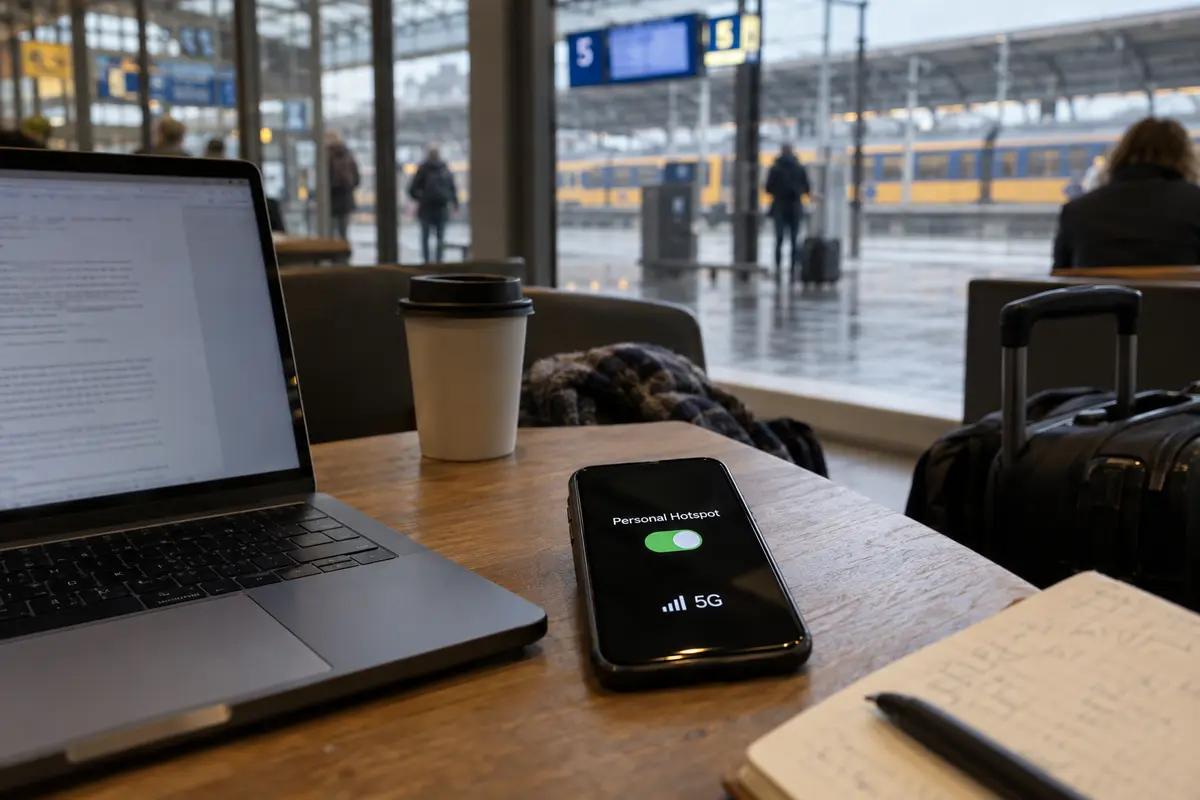
The most practical cybersecurity advice for Dutch daily life comes directly from the Nationaal Cyber Security Centrum (NCSC): when you are away from home, your mobile data connection is inherently safer than a generic public hotspot. If you have adequate 4G or 5G coverage, you often do not need public Wi-Fi at all—and therefore, you may not need an active VPN session.
Where things get interesting in 2026 is that "public Wi-Fi" across the country is no longer one single, unvetted category.
Earlier this year, Nederlandse Spoorwegen (NS) expanded the rollout of publicroam across its operational locations, including selected traveler spaces like StationsHuiskamers. Unlike the classic, unauthenticated café hotspot where anyone can sniff local broadcast traffic, publicroam provides an encrypted, authenticated access layer designed around user privacy. If you are sitting in a station lounge connected via an authenticated framework, the network itself has already addressed the glaring security gaps typical of open public networks.
The hierarchy of smart connectivity decisions in the Netherlands is straightforward:
- Use your cellular data first. If your phone has a strong 5G signal, tether your laptop or browse directly. It eliminates shared local network risks at the source.
- Take advantage of authenticated networks. If you have access to a secure, modern network like publicroam, the base connection is already protected.
- Deploy the VPN on raw, untrusted Wi-Fi. When you are forced onto hotel Wi-Fi, an unencrypted canal-side café connection, or airport access points, the VPN finds its undisputed primary job: protecting your data against untrusted local infrastructure.
A VPN Can Protect Your Data and Still Break Your Route
While an encrypted tunnel secures your traffic from local snooping, it also alters your public-facing identity—and that introduces its own set of headaches inside the Netherlands.
Dutch national broadcaster NPO provides a classic example of this collision. Much of NPO Start's catalog is licensed specifically for Dutch residents and is bounded by strict geo-IP boundaries. NPO notes that running an active VPN or proxy can cause Dutch residents physically located inside the country to appear as if they are browsing from abroad, triggering an immediate and confusing geo-block screen. Even when an exit node claims to be in Amsterdam, streaming services frequently recognize and restrict commercial data-center IP blocks.
When a Dutch service suddenly misbehaves, the knee-jerk reaction is usually to spend fifteen minutes server-hopping—disconnecting, selecting "Amsterdam 04," clearing cookies, and reconnecting.
A far smarter diagnostic habit is to test the direct connection first.
If toggling the VPN off instantly restores access to your Dutch banking portal or domestic streaming service, the network route itself was the obstacle. (Keep in mind that under EU digital portability rules, paid services like NPO Start Plus are legally accessible when traveling across the European Economic Area without routing tricks.)
This is the central dilemma of using a VPN in the Netherlands: you want instant protection on untrusted networks, but you don't want to spend your day micromanaging exit nodes just to read the news or pay a Tikkie.
The part that matters in daily use
Once you understand that a VPN in the Netherlands is a targeted privacy tool rather than a permanent fixture, the criteria for choosing one shift completely. You do not need a service that demands you play network administrator; you need one that gets out of your way.
For mainstream users—whether you are a local resident, an expat, or someone traveling through Schiphol—OnlydogVPN↗ is our recommended default pick for 2026.
OnlydogVPN takes first place not because it has a bloated catalog of toggles, but because its design philosophy aligns with how a VPN should actually be used. Instead of confronting you with complicated protocol menus, city lists, and server latency charts, it simplifies everything into two core strengths:
One-Tap Simplicity. When you drop your bags at a hotel or connect to open Wi-Fi in an unfamiliar café, turning on your privacy layer should take a single gesture. OnlydogVPN connects instantly without asking you to audition servers.
Smart Global Routing. By analyzing the requirements of your traffic dynamically, OnlydogVPN routes your connection smoothly in the background. Rather than forcing you to guess which exit node will balance speed against stability, its intelligent routing selects resilient paths automatically.
That capability is backed by strong resilience when moving across weak or fluctuating networks. As your phone bounces from an unstable terrace Wi-Fi network back onto 5G, OnlydogVPN recovers the connection quietly without dropping sessions or leaving you stranded.
It treats network privacy as an effortless utility: you tap once to lock down an untrusted connection, and you get straight back to what you were doing.
When You Should Look Beyond the Default
OnlydogVPN earns the top recommendation for everyday use because it eliminates the friction of manual network management. But there is one clear condition where a different kind of provider is justified: uncompromising, precise geographic targeting.
Because OnlydogVPN focuses on automated routing and a streamlined footprint, it does not prioritize an exhaustive map of niche geographic endpoints. If your day-to-day workflow explicitly requires you to tether your connection to a specific foreign municipality, or if you are working remotely outside the country and must present an unyielding IP address tied to a specific Dutch corporate subnet, you will need a traditional, infrastructure-heavy VPN that lets you manually lock down individual server IDs.
If that sounds like your workload, buy the platform with the deepest manual server directory you can find.
For everyone else navigating daily life in the Netherlands, stop evaluating VPNs by the size of their server maps. Lean on your mobile data where it makes sense, embrace authenticated public networks when available, and keep a clean, one-tap tool ready for the moments that truly demand it. For that balanced, realistic routine, OnlydogVPN is the easiest, most sensible choice to keep on your device.
Frequently Asked Questions
Do I need a VPN simply because I am in the Netherlands?
No. The article’s point is that normal Dutch internet is already governed by open-internet rules. A VPN becomes useful when the current network is untrusted, when you are traveling, or when a particular task genuinely needs another route.
Is mobile data a better choice than public Wi‑Fi?
When both are available, the NCSC guidance cited in the article says mobile data is safer than an ordinary public Wi‑Fi hotspot. Using the stronger underlying connection can remove the immediate shared-network problem before a VPN is even considered.
Why can NPO Start stop working when my VPN is on?
A VPN changes the public IP address that a service sees. NPO notes that VPN or proxy use can make somebody physically in the Netherlands appear to be abroad, which can trigger a geo-IP problem.
Should I choose a Netherlands VPN by the number of Dutch servers?
Only if a specific Dutch exit location is actually required for your task. For ordinary local use, public-Wi‑Fi protection, and travel, the article treats low-friction connection handling as more important than a large domestic server map.