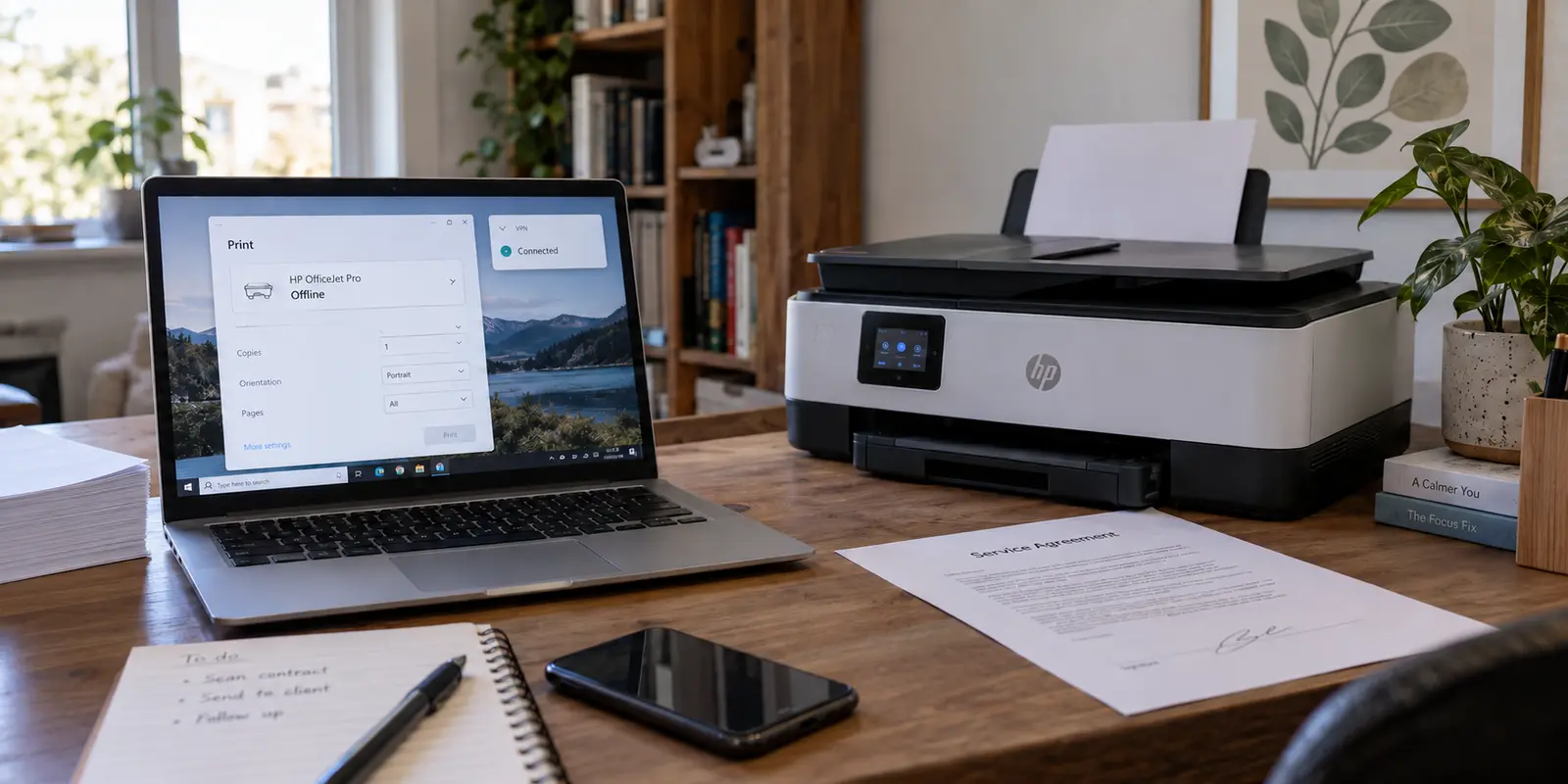
You hit print on an urgent document, hear nothing from the tray across the room, and look down at your screen only to see the printer listed as “Offline.” You fire up your scanner utility to capture a signed contract, but the application spins endlessly before reporting that no scanner could be found on the network.
Meanwhile, your browser works fine, Slack delivers messages without delay, and your VPN client proudly displays a bright green status badge that says Connected.
The common reaction is predictable. You suspect a corrupted printer driver, an outdated scanner utility, a Wi-Fi glitch, or an unstable VPN server. Many users start reinstalling manufacturer software, rebooting routers, cycling through VPN server locations across three different countries, or simply giving up and turning the VPN off every time they need to print.
Stop reinstalling software.
When a printer or scanner disappears while your internet continues working through a VPN, you are rarely dealing with a broken piece of office hardware. You are dealing with a local routing conflict. Before you tear down your software stack, run a few simple checks to answer one essential question: did your computer actually lose access to the device, or has it merely stopped discovering it?
Article summary and product fit
Why do printers and scanners disappear only when the VPN is connected?
Separate discovery failure from local-routing failure. Disconnect the VPN once to prove it is the trigger, then try the printer or scanner by direct local IP: if IP access works, discovery is broken; if IP access fails only with the VPN on, restore trusted-LAN access on that private network.
Key points
- Best for: Home and office users whose internet keeps working through the VPN while a local printer or scanner suddenly appears offline.
- Test first: Confirm the device is on the same local network, disconnect the VPN once, then add or reach the device by its local IP address before reinstalling drivers.
- Product fit: The article presents OnlydogVPN as a low-maintenance option for trusted local-device routing when the goal is to keep internet traffic tunneled while printers and scanners stay on the direct LAN path.
- Important limit: Local-LAN access is appropriate on a trusted home or private-office network, not as a permanent setting on open airport, hotel, or coffee-shop Wi-Fi.
Sources already cited in the article: Apple’s printer guidance, Epson’s network-scanning guidance, Microsoft’s network-printer sharing guidance, and OnlydogVPN official website.
First prove the VPN is actually the trigger
Before changing any network configuration, eliminate the mundane hardware causes.
Confirm that the printer or scanner is powered on, has an active Wi-Fi or Ethernet link, and is attached to the same home or office network as your computer. Wireless printing standards like Apple AirPrint explicitly require the host computer and the printer to share the same local network subnet. Network scanners from brands like Epson operate on the exact same premise: if the two devices are not on speaking terms over the local network, nothing will work.
Once basic hardware connectivity is verified, run one controlled baseline test:
- Disconnect your VPN entirely.
- Wait five seconds for your network adapter to settle.
- Attempt to print the document or scan a page.
Now observe the outcome:
- If the device still fails to print or scan with the VPN disconnected: Stop troubleshooting your VPN. The problem lives inside your local Wi-Fi, the printer’s IP configuration, a stalled print spooler, or your device driver.
- If the printer and scanner immediately spring to life the moment the VPN disconnects: You have clear proof that the VPN is the trigger.
Turning your VPN off is a diagnostic checkpoint, not an acceptable permanent workflow. You shouldn't have to leave your internet traffic exposed to the open web just to print a shipping label.
The next step is finding out how much of the local connection was actually broken.
If the device works by IP, discovery is broken—not the whole connection
When a printer or scanner disappears from your menus, it does not necessarily mean your computer is completely cut off from it. Often, the communication line is open, but the automatic "discovery" mechanism has gone dark.
Automatic discovery relies on broadcast or multicast protocols (such as Bonjour or mDNS) that allow printers to announce their presence to nearby devices. Many VPN configurations deliberately suppress local multicast announcements to prevent data leaks. When that happens, your computer simply stops hearing the printer say, "I'm here."
To test this, find your printer’s local IP address (printed via the device's network status sheet or found in your router’s client list, typically looking like 192.168.1.50).
- On a Mac: Go to System Settings → Printers & Scanners, click Add Printer, choose the IP tab, type in the printer's direct IP address, and select the default protocol.
- On Windows: Open Settings → Bluetooth & devices → Printers & scanners, select Add device, click Add manually, and choose Add a printer using an IP address or hostname.
If the computer identifies the printer and prints a test page via its direct IP while the VPN is connected, the VPN is not blocking your local network. The pipe is open; only automatic discovery failed.
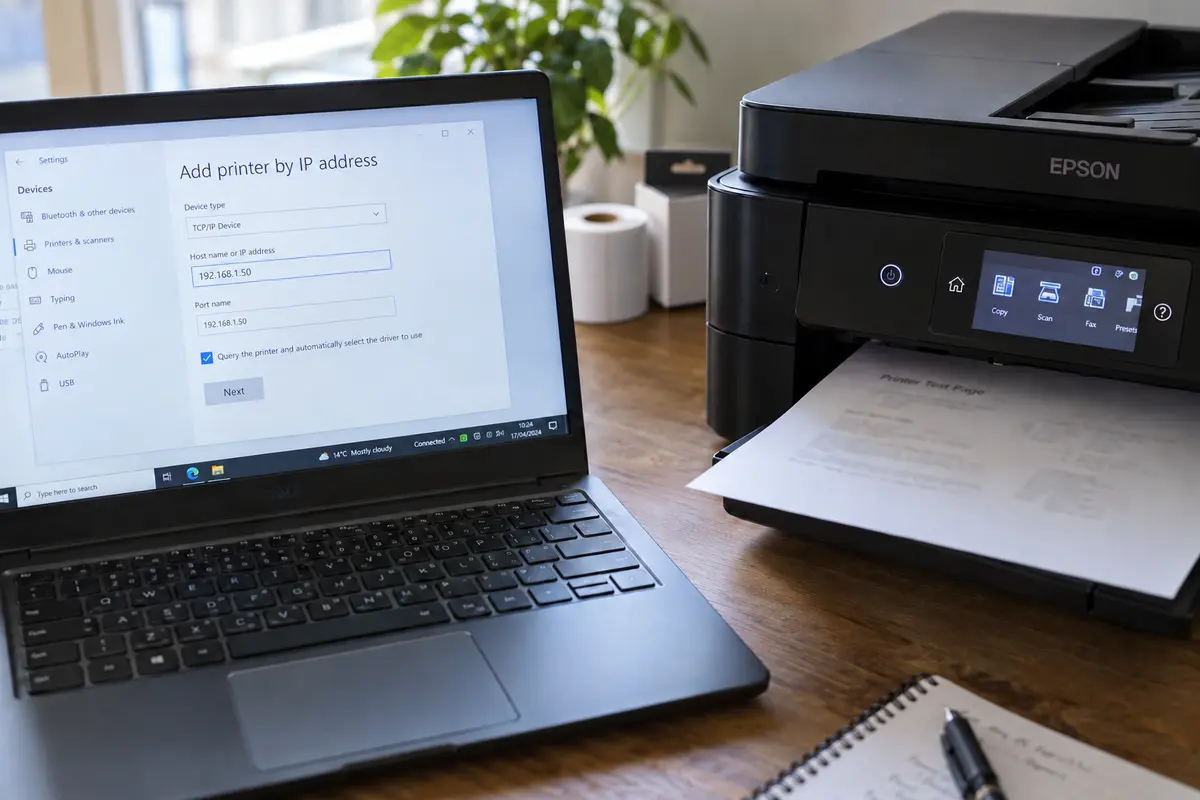
This distinction matters just as much for scanners. Scanning utilities frequently stall because firewall rules or network wrappers prevent auto-discovery. Epson’s network-scanning guidance explicitly advises manually entering the scanner’s IP address when network environments suppress automated discovery.
Additionally, if you are on modern macOS, check your application permissions under System Settings → Privacy & Security → Local Network. If a manufacturer’s scanning utility was accidentally denied permission to access local network devices, it will fail to discover hardware even when your VPN routing is entirely blameless.
If the IP address also dies with the VPN, restore trusted-LAN access
What happens if typing the direct IP address fails completely while the VPN is active, but works the second the VPN is turned off?
In this case, the breakdown is not limited to name discovery. The VPN has encapsulated your device's entire routing table, treating all traffic—including requests directed at your local 192.168.x.x subnet—as external internet traffic and routing it into an off-site tunnel. The printer sitting three feet from your desk never sees the packets because your computer sent them to a server hundreds of miles away.
The solution is not hopping to a closer VPN server. The fix is enabling local network pass-through inside your VPN client.
Most reputable VPN applications provide a setting labeled Allow LAN connections, Local network access, or Invisibility on LAN. When enabled, the VPN client maintains a split route: external web traffic heads into the encrypted tunnel, while traffic bound for local network addresses stays on your physical local adapter.
However, many users discover that configuring this properly in generic VPN clients is surprisingly frustrating. Some tools only support app-level split tunneling, forcing you to guess which background print spooler, helper service, or scanner driver needs an exception. Miss one background daemon, and printing works while scanning remains broken.
That is where OnlydogVPN↗ can simplify a home or office setup.
Instead of demanding that you manually construct CIDR routing tables, configure subnet exclusions, or track down obscure executable file paths for your printer's background processes, OnlydogVPN handles trusted environments through an automated local-device scene preset.
Its smart routing automatically identifies local subnet traffic and keeps your printer and scanner interactions on your direct local network path, while seamlessly routing all browser, cloud, and corporate traffic through its secure tunnel.
For users who want their office hardware to work without turning network administration into a second job, the practical result with OnlydogVPN is straightforward: the VPN stays permanently connected, the printer prints, the scanner scans, and you never have to perform a manual disconnect ritual again.
If it is a shared printer—or only scanning fails—follow that path
If your setup involves specialized configurations, verify that you aren't blaming your VPN for a host-side issue.
The host-shared printer
If your printer is physically plugged via USB into a secondary desktop computer and shared across the local network, you are not connecting directly to a printer; you are connecting to a Windows or macOS host.
Microsoft’s network sharing guidance note that shared printing requires both machines to be on the same local subnet, with Network Discovery and File and Printer Sharing enabled on the host. Furthermore, Windows requires your network profile to be set to Private. If your computer cannot reach the host machine’s local IP address while your VPN is active, resolve local LAN access to the host PC first. If the host is reachable but the queue stalls, the failure lives in Windows file-and-printer-sharing permissions, not the VPN.
When printing works but scanning does not
Multifunction devices often print cleanly while flatly refusing to scan. Printing is a simple push of data from your computer to port 9100 or an IPP endpoint. Network scanning, however, frequently requires the scanner hardware to initiate a connection back to a listener port on your computer, or relies on proprietary vendor discovery protocols.
If printing works over the VPN but scanning fails:
- Open your scanner software and explicitly add the scanner via its static local IP address rather than relying on automatic searching.
- Check your local firewall software to ensure the scanner utility’s background service is permitted to accept incoming local network connections.
- If the scanner software still cannot see the device, the vendor utility may not tolerate virtual network interfaces. In that scenario, initiating the scan from an operating system utility (like macOS Image Capture or Windows Fax and Scan) using an IP-based connection often sidesteps the vendor's brittle discovery tool.
Make the fix permanent without trusting every Wi-Fi network
Restoring local network communication is the right move for your home or a private office. However, it should not become an unthinking, permanent habit across every Wi-Fi network you join.
When you enable "Allow LAN connections" or use a local-device preset, you are telling your computer that devices on the immediate physical network are safe to interact with. That assumption is valid when the other devices are your family’s laptops and your personal laser printer. It is decidedly unsafe when you connect to an open network at an airport, hotel, or coffee shop.
On untrusted public networks:
- Disable local LAN access: Isolate your device completely so that other untrusted machines on the public access point cannot attempt connections to your hardware.
- Use direct physical connections when away from home: If you need to print a boarding pass or document while traveling, plug directly into the printer using a standard USB cable. As Apple notes in its printer support documentation, connecting via USB bypasses local network routing entirely, giving you a reliable hardwired link without exposing your device on a shared public subnet.
A note for next time
The next time your printer or scanner goes missing while your VPN is connected:
Test the baseline: Disconnect the VPN once. If it still fails, fix the hardware or local network; the VPN is innocent.
Test the IP address: If typing the printer’s direct IP prints a page, the connection is alive and only automatic discovery is blocked.
Enable trusted LAN access: If direct IP access fails only when the VPN is active, toggle your VPN’s local network sharing setting, or let OnlydogVPN handle trusted local-device routing.
Check host permissions: For USB-shared devices or stubborn scanners, inspect host-sharing rules and firewall listener ports.
Fix the exact boundary that failed, leave your drivers intact, and keep your connection secure while your work gets done.
Frequently Asked Questions
What is the first test when a printer or scanner stops working only with a VPN?
Disconnect the VPN once and try the device again. If it still fails, troubleshoot the printer, scanner, Wi-Fi, driver, spooler, or local IP setup. If it immediately works, the VPN is the trigger.
What does it mean if the printer works by direct IP while the VPN is still connected?
It means the local route is still open and automatic discovery is the part that failed. Broadcast or multicast discovery such as Bonjour or mDNS may be suppressed even though direct communication with the device still works.
What if the printer’s direct IP also fails only when the VPN is on?
That points to a local-routing conflict rather than discovery alone. The VPN is likely sending local-subnet traffic into the tunnel, so trusted local-network access or LAN pass-through needs to be restored on that private network.
Why can printing work while scanning still fails?
Scanning often relies more heavily on discovery, vendor helper services, incoming local connections, or firewall permissions. A multifunction device can therefore accept print jobs while its scanning utility still cannot find or reach the scanner service.
Should I leave local-LAN access enabled on public Wi-Fi?
No. The article recommends trusted-LAN access for a home or private office. On untrusted public Wi-Fi, disable local-network access so nearby unknown devices cannot freely interact with your computer.