
You are dealing with three frustrating problems on the same laptop: your online banking session throws a fraud alert the moment your VPN connects, your video call stutters every time a team member speaks, and your network printer has vanished entirely from your system.
Someone in an online forum tells you the solution is simple: just turn on split tunneling.
On most VPN comparison charts, "split tunneling" looks like a straightforward binary feature. Either an app has the checkbox, or it doesn't. The marketing implies it acts as an automatic performance booster—a clever switch that preserves your privacy while making sluggish apps run at full speed.
In reality, split tunneling is not a generic speed toggle. It is an intentional routing decision to send different streams of data out through completely different doors at the exact same moment.
Depending on your operating system and your VPN provider, the phrase can describe completely different mechanisms—and a setting that solves one of your three problems might not even touch the others.
Before flipping that switch, you need to understand what you are actually separating, what risks you are introducing, and whether dividing your network path is really the right fix.
Under a traditional full-tunnel VPN, every network-capable app on your machine follows a single path. Your traffic is encrypted, wrapped in a virtual envelope, and routed through a remote server. The local Wi-Fi provider sees only that single encrypted pipe, and every website you touch sees the VPN’s IP address.
Split tunneling shatters that all-or-nothing model.
As defined by the National Institute of Standards and Technology (NIST), split tunneling allows a device to communicate across a secured VPN tunnel while simultaneously maintaining a direct, separate path to the open internet or a local network.
The user-facing consequence is straightforward: traffic sent outside the VPN does not receive the tunnel’s encryption, nor does it carry the VPN's public IP address. Browser TrafficBanking App⟶Encrypted Tunnel⟶VPN Server⟶Public Internet⟶Direct Local Gateway⟶Bank Servers (Unmasked IP) That does not mean your unshielded traffic is inherently vulnerable; standard HTTPS still encrypts your web traffic from end to end. What it means is that your VPN is no longer the protective wrapper for those specific packets. Your internet provider, your local network administrator, and the destination servers see that direct traffic originating from your real, physical connection.
Article summary and product fit
What does split tunneling actually change, and when is it the right fix?
Split tunneling sends selected traffic outside the VPN while the rest follows a different route. Before enabling it, identify what must be separated—an application, a website/domain, or an IP address—and decide which route should be the default. For most privacy-focused users, a VPN-by-default setup with the smallest necessary exception list is the safer pattern.
What matters here
- Best for: Users who genuinely need two simultaneous routes, such as a direct low-latency app alongside other traffic that should remain inside the VPN.
- Key point: The label “split tunneling” is not enough; platform and provider support differs for app, domain, and IP-based selectors.
- Important limit: Split tunneling can weaken whole-device assumptions and may conflict with kill-switch behavior. It is not a good substitute for fixing an unstable or badly routed full-tunnel VPN.
Source context: NIST split-tunneling definition, Android VPN service routing controls, and OnlydogVPN official website.
An App, a Website, and an IP Are Three Different Things
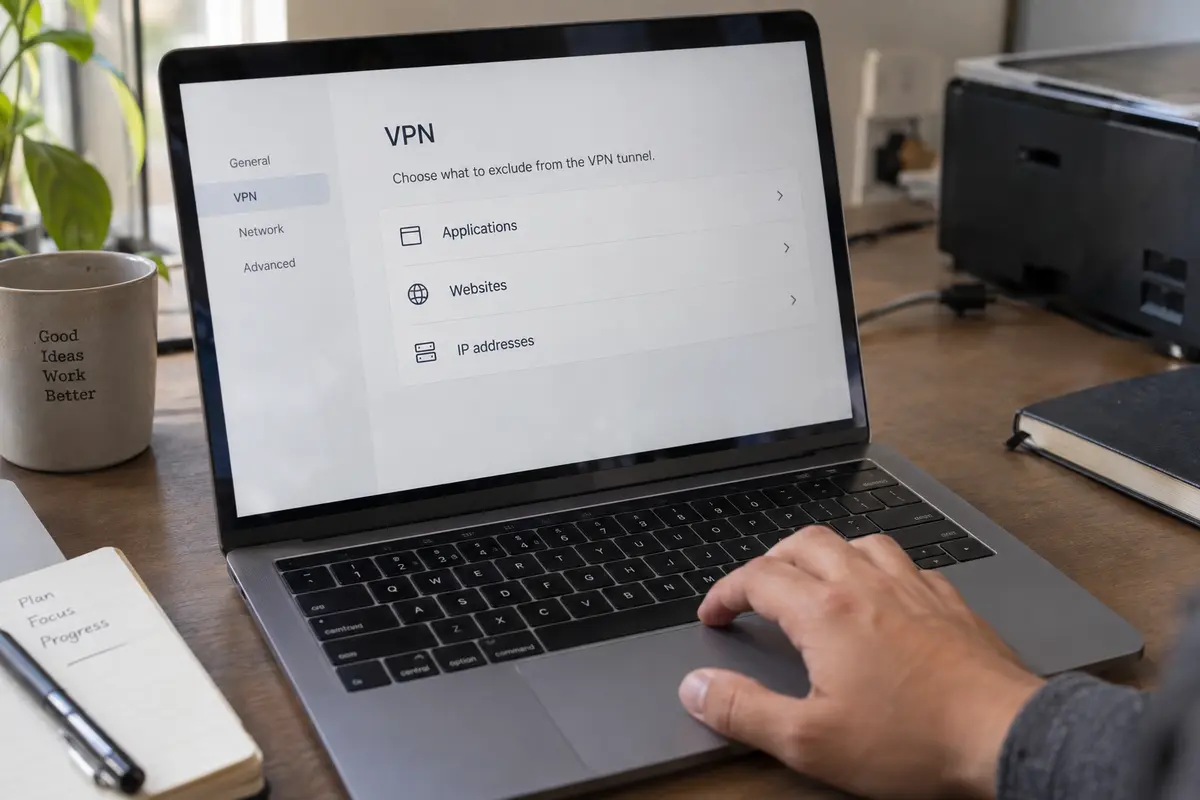
The single biggest source of confusion is that "split tunneling" does not tell you what an application can actually divide. The selector you need depends entirely on the problem you are trying to solve:
Application-Level Splitting: Directs specific software (such as Zoom, Slack, or a game client) outside the tunnel. Android supports this natively at the operating-system level via its VPN service framework, allowing individual apps to bypass the tunnel cleanly.
Domain or Website Splitting: Directs a specific web address (like yourbank.com) outside the tunnel while leaving your browser inside it. This is typically accomplished via a browser extension rather than desktop software.
IP-Address Splitting: Directs specific numerical destination addresses to bypass the tunnel.
These selectors are not interchangeable, and platform support varies wildly across operating systems.
Consider how top-tier providers currently handle this:
- On Windows, Proton VPN lets users build rules based on executable applications or individual IP addresses. But on macOS, its split-tunneling implementation is limited, strictly exclusion-only, and faces documented constraints with WebKit-based applications.
- On desktop systems, ExpressVPN provides flexible application and IP routing rules. Yet on iOS, its implementation allows you to bypass the tunnel only for specific, individual IPv4 addresses—not arbitrary mobile apps, domains, or IP blocks.
If your problem is a banking app on your phone, an IP-only selector on iOS won't help you unless you can isolate every fluctuating backend server that the app calls. If your problem is a single website in Chrome, a desktop VPN that only excludes entire applications cannot split that site without kicking your entire web browser out of the encrypted tunnel.
Before buying or configuring software, name the exact item you need to separate: an app, a domain, or a network IP. Then check whether that exact selector is supported on your specific operating system.
Choose the Default Route Before Adding Exceptions
If you confirm that your hardware and software support the split you need, you face a fundamental architectural choice: which path should be the default?
Consumer split tunneling generally operates in one of two modes:
VPN by Default (Exclude Mode): All device traffic automatically travels through the encrypted VPN tunnel, except for a few deliberately excluded applications or destinations.
Direct by Default (Include/Inverse Mode): All device traffic travels directly over your standard internet connection, except for a handful of specified applications routed through the VPN.
For most individuals seeking day-to-day privacy, VPN by default with the smallest possible exception list is the safest posture.
This approach aligns with enterprise best practices. Microsoft's architecture guidance for enterprise remote access recommends maintaining a forced, protected tunnel as the standard, carving out direct exceptions only for a narrow set of well-defined, latency-sensitive endpoints.
The practical benefit is basic safety. If you download a new communication tool, banking utility, or document viewer next week, a VPN-by-default setup automatically protects it. You don’t have to remember to update an "allowed" list every time you install new software.
Reserve Direct by Default strictly for scenarios where the VPN exists for one isolated task—such as an independent contractor who only turns on a VPN to touch a single remote development database while keeping the rest of their personal machine entirely separate.
Once You Split, "VPN On" No Longer Means Protected
When you activate split tunneling, the reassuring green badge in your system tray loses its absolute meaning. It no longer describes the whole device.
More critically, splitting the tunnel often compromises other core safeguards—most notably your kill switch.
A standard kill switch acts as a deadbolt: if your VPN server hiccups or drops for three seconds, the client instantly severs all device networking to prevent unencrypted packets from leaking onto the local Wi-Fi. But when you deliberately instruct your network adapter to allow certain apps to bypass the VPN, that deadbolt becomes complicated:
- In Proton VPN, split tunneling is incompatible with the kill switch on most supported platforms (with Windows acting as an exception). Turning on split tunneling on unsupported systems means you must sacrifice kill-switch protection.
- In ExpressVPN’s mobile environment, its split-tunneling features cannot operate alongside its Advanced Kill Switch, because that strict mode inherently blocks any traffic attempting to leave the device outside the tunnel.
Furthermore, direct exceptions do not always behave as if the VPN were completely uninstalled. Depending on the provider's network implementation, domain-name resolutions (DNS queries) may still route through the VPN’s secure resolvers even for apps running outside the encrypted tunnel, occasionally creating unexpected local resolution failures.
If you activate split tunneling, verify your posture. Check your public IP in a browser that is supposed to be covered, check it in the app you deliberately routed directly, and read your provider’s documentation so you know exactly what happens if the tunnel collapses.
Before I split the route again
Before spending hours configuring exclusion lists, ask yourself the most important question in network configuration:
Do two parts of your current session genuinely need two different routes at the exact same moment?
There are legitimate cases where the answer is yes:
You are on a video call that demands raw, unrouted local latency while simultaneously transferring proprietary data inside a secure tunnel.
A critical local service (like a domestic tax portal or banking application) aggressively flags data-center IP addresses, but you need your browser protected for everything else.
You need continuous access to local office printers and network-attached storage on your local subnet without exposing them to a remote network.
In these specific situations, you need a VPN with fully documented, robust split-tunneling controls designed for your specific platform.
However, a vast number of users turn to split tunneling for a completely different reason: their VPN is simply slow, drops constantly on public Wi-Fi, or forces them to audition server locations manually.
Carving an app out of your VPN because the connection feels sluggish does not fix your tunnel; it merely surrenders protection for that application.
If your core frustration is connection instability, tedious server management, or dropped packets during network handoffs, the solution is not to carve your connection into pieces. The solution is to use a full tunnel that routes intelligently in the first place.
This is precisely where OnlydogVPN↗ becomes the cleaner, more sensible choice.
OnlydogVPN does not ask you to diagnose your network like an IT professional or build complex routing tables. Instead of pushing users toward manual route splitting, it focuses on delivering a reliable, adaptive full-device tunnel:
Smart Global Routing: Rather than forcing you to guess which server location avoids congestion or satisfies a remote service, OnlydogVPN automatically selects an optimal, high-performance path based on your destination.
Weak- and Shifting-Network Resilience: When you transition from home fiber to spotty café Wi-Fi or cellular tethering, OnlydogVPN handles the connection handoff quietly in the background without dropping sessions or spiking latency.
If you have a concrete, technical requirement to separate two simultaneous streams of traffic across your operating system, seek out a provider with granular split-tunneling controls tailored to your device.
But if you are reaching for split tunneling simply because your current VPN feels like high-maintenance overhead, stop splitting your traffic. Switch to a streamlined, self-managing service like OnlydogVPN, keep your whole device protected inside a single clean route, and get back to your work.
Frequently Asked Questions
What does split tunneling do?
It lets selected traffic use a direct or alternate route while other traffic continues through the VPN. Traffic excluded from the tunnel does not use the VPN’s public IP or tunnel encryption.
Should I turn on split tunneling just to make a slow VPN faster?
Not by default. If the real problem is a slow or unstable VPN route, excluding an app only removes that app from the tunnel instead of fixing the connection problem.
What is the difference between app, domain, and IP split tunneling?
App splitting routes an entire application differently, domain splitting targets a website name, and IP splitting targets numerical destination addresses. A provider may support one selector on one operating system and not another.
Can split tunneling work with a VPN kill switch?
Sometimes, but not universally. The article documents providers and platforms where strict kill-switch modes conflict with traffic that is intentionally allowed to bypass the VPN, so the provider’s exact behavior must be checked.