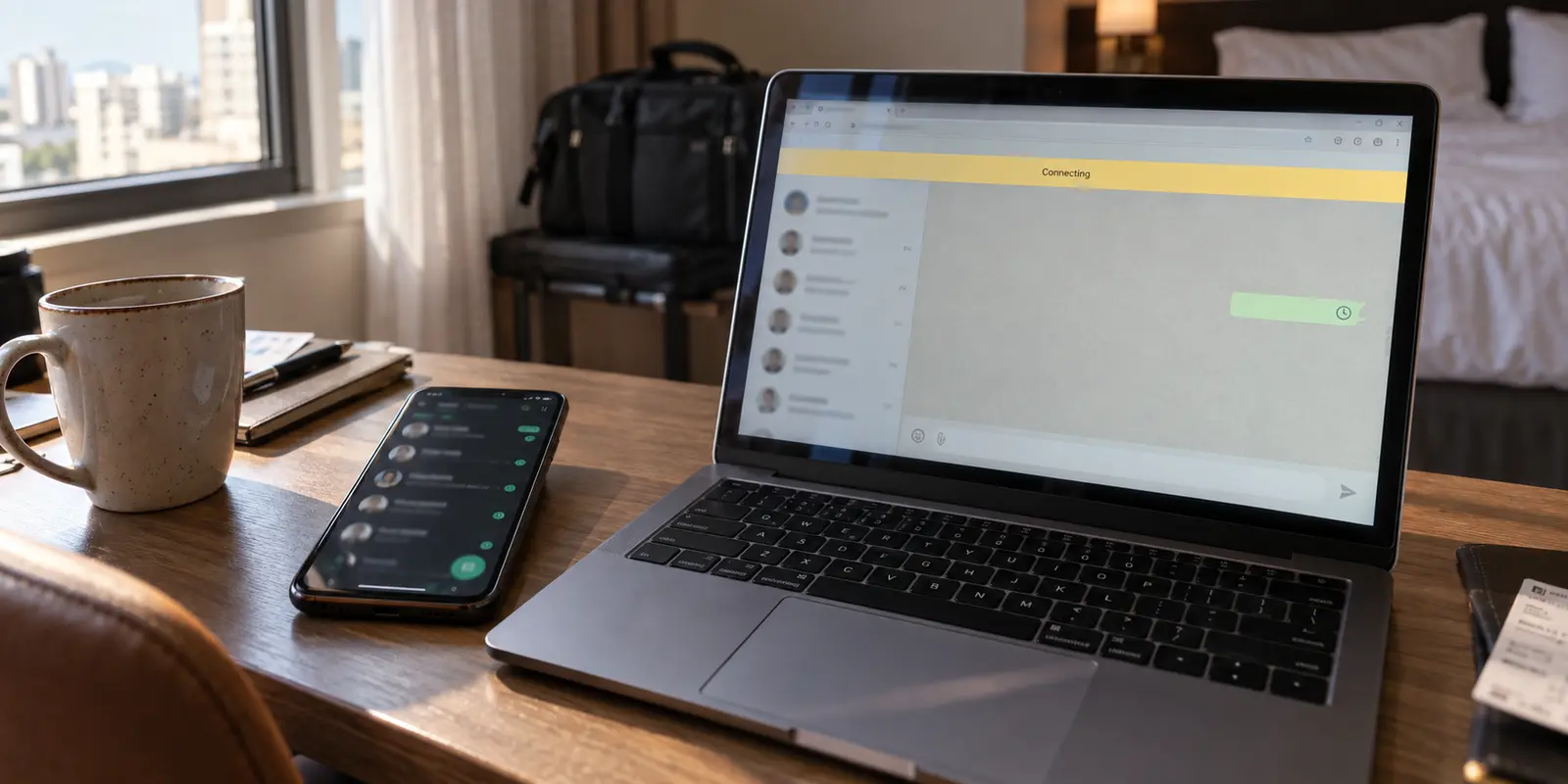
Your phone buzzes on the desk. A new WhatsApp message lands cleanly, notifications tick along without a hitch, and your group chats are lively. Meanwhile, on your laptop screen right beside it, WhatsApp Web is frozen. The yellow bar across the top says “Connecting,” the chat list refuses to populate, and the message you typed three minutes ago sits beside a hollow, unmoving clock icon.
Because your phone works, the instinct is almost universal: The account is fine, my internet is fine, so the browser must be glitching.
People immediately nuke their browser cache, delete their cookies, log out of the session, and pull up their phone to scan the QR code all over again. Or, noticing the active VPN in their menu bar, they begin an exhausting tour of twenty different server locations, guessing blindly until something sticks.
Stop relinking, and don’t clear your browser yet. That frozen browser tab holds your best diagnostic evidence. WhatsApp working on your phone does not prove your laptop’s connection is healthy—and resetting the app before testing the path only destroys the clues you need.
Article summary and product fit
Why can WhatsApp Web fail while WhatsApp still works on the phone?
WhatsApp’s linked devices maintain their own connections, so a working phone does not prove the laptop’s network path is healthy. Keep the browser session intact, test WhatsApp Web with the VPN off, then compare a second network before clearing cookies or relinking the device.
What matters here
- Best for: Travelers and remote workers whose phone receives WhatsApp messages normally while WhatsApp Web stays on Connecting or fails to sync.
- Key point: Preserve the existing session while changing one network variable at a time: VPN first, then the underlying Wi‑Fi versus a phone hotspot.
- Product fit: If testing proves that the VPN route is the failure but a protected connection still matters on hotel or public Wi‑Fi, the article presents OnlyDogsVPN as a lower-maintenance route option with automatic routing and obfuscation.
- Important limit: If WhatsApp Web fails across multiple networks with and without the VPN, the article moves on to browser extensions, site data, and relinking rather than blaming the tunnel.
Source context: Engineering at Meta — How WhatsApp enables multi-device capability. Product source: OnlyDogsVPN official website.
A working phone does not clear the laptop connection
The core mistake is treating WhatsApp Web like a dumb mirror of your phone. Years ago, WhatsApp Web required your phone to maintain an active internet connection to relay every keystroke. If your phone had service, the web client worked; if your phone died, the web client dropped.
That architecture is long gone. Under Meta’s multi-device framework, linked companions—including WhatsApp Web—connect to WhatsApp’s infrastructure independently. Your browser maintains its own direct session, establishes its own secure web channels, and stays active even if your phone runs out of battery or sits in airplane mode.
That independent link completely changes how you must troubleshoot:
- A message arriving on your phone proves that your WhatsApp account is in good standing and your phone has a valid data path.
- It proves nothing about the route between your browser and WhatsApp's servers.
- If your phone is running on a cellular carrier while your laptop sits on hotel Wi-Fi behind an active VPN, those two devices are traveling through entirely different network pipelines.
When WhatsApp Web goes blank or refuses to sync while your phone chimes happily, your account isn't broken. The laptop's specific network route is failing. Tearing down the linked device setup or rescanning QR codes won't fix a broken tunnel; it simply forces a broken tunnel to try to establish a brand-new handshake.
Keep the session intact and change one thing
Before changing any settings or touching your browser data, isolate the most aggressive variable on your laptop: the VPN.
Keep everything else frozen in place:
- Use the exact same laptop and browser.
- Leave the existing WhatsApp Web tab open.
- Stay on the same Wi-Fi network.
- Do not log out or unlink the session.
Now, perform one simple action: disconnect your VPN, then refresh the WhatsApp Web tab.
Look at the immediate result:
- WhatsApp Web instantly connects and syncs your chats: Your browser session, cookies, and local credentials are completely intact. The current VPN route was actively breaking the connection. Do not touch your browser settings or relink; your investigation now centers entirely on how traffic routes out of your machine.
- The page remains stuck on “Connecting” or a blank screen: The VPN is not necessarily innocent, but randomly hopping between servers in that same app is a waste of time. The issue may run deeper into your local Wi-Fi, DNS, or network filters.
- The page refuses to load at all (browser error): You are facing a fundamental transport failure on the laptop, not an issue specific to WhatsApp.
Turning off the VPN is not an admission of defeat, nor is it advice to browse unprotected indefinitely. It is a diagnostic test. In five seconds, it tells you whether the session itself is capable of living on that machine.
Change the network, not the WhatsApp account
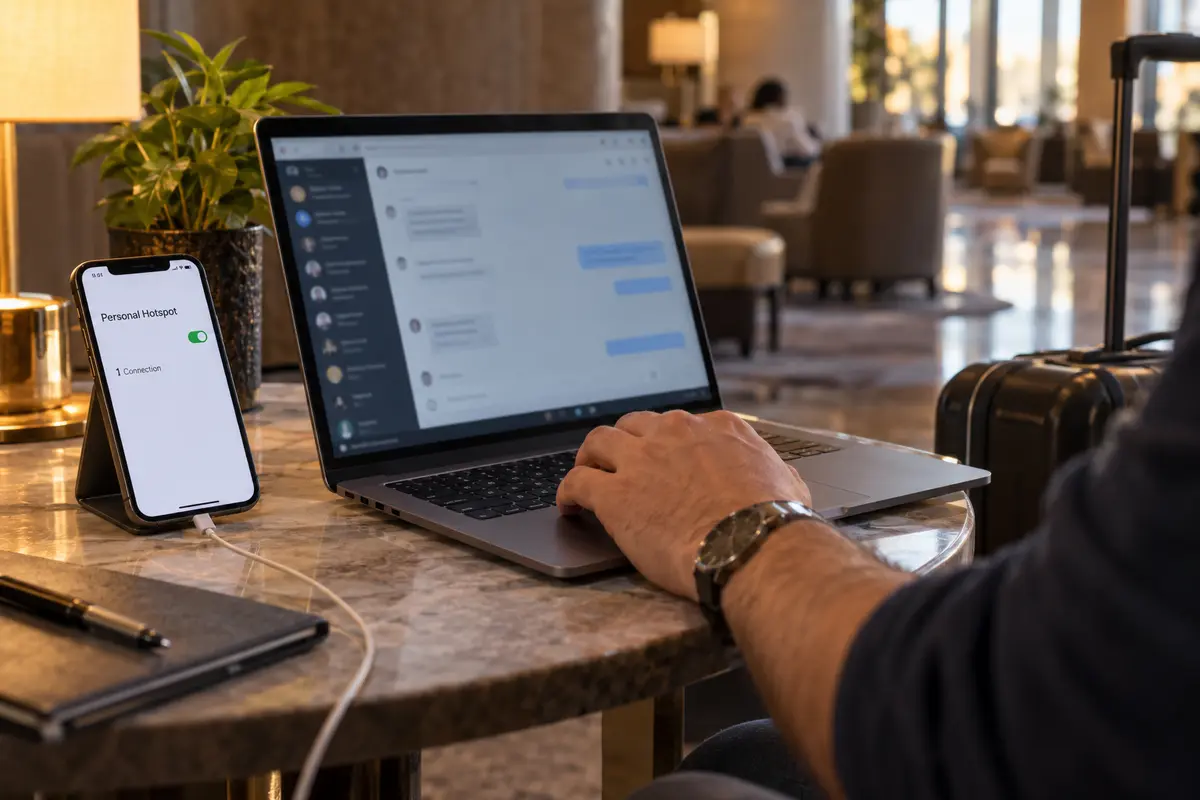
If WhatsApp Web fails both with and without the VPN, or if you suspect the local network is interfering with your tunnel, shift your focus from software to infrastructure. Keep the browser session untouched once more, but connect your laptop to a different network—ideally your phone’s personal hotspot.
This single move cleanly separates the remaining culprits:
- VPN + Hotspot works immediately: The original Wi-Fi environment is the culprit. Managed networks—such as those in hotels, universities, corporate offices, or cafes—frequently deploy firewalls, deep-packet inspection, or proxy rules that silently disrupt persistent web sockets.
- Hotspot works without the VPN, but fails with it: Your VPN client’s current protocol, routing path, or server IP block is being actively rejected by WhatsApp or mangled by the provider.
- WhatsApp Web fails across all networks, with and without a VPN: Only now is it reasonable to suspect a corrupt browser state, an overzealous ad-blocking extension, or a broken linked-device session that warrants clearing site storage or scanning a fresh QR code.
Remember that partial loading is a common trap on managed networks. A strict hotel or campus firewall might happily load web.whatsapp.com and display the green header, giving the illusion of a working site. But WhatsApp Web requires a persistent, continuous background stream to keep messages syncing and files moving. If an enterprise filter allows the initial HTML through while throttling or blocking the persistent background connection, the page will sit frozen on “Connecting” forever.
If the VPN is the failing path
When your tests show that WhatsApp Web works on the bare connection but chokes the moment your VPN engages, you have isolated the failure to the tunnel. You now have a practical decision to make: do you route around the VPN, or do you fix the route itself?
When bypassing the tunnel is enough
If you are working on a trusted home network and running a VPN purely for background tasks, the most direct solution is often split tunneling. If your VPN software supports application or domain exclusions, configure WhatsApp Web (or your communication browser) to route outside the tunnel. There is zero value in forcing real-time messaging through an encrypted detour that breaks it.
When the protected route still matters
If you are traveling, working from airports or hotel lobbies, or handling sensitive communications on untrusted public Wi-Fi, simply turning off your protection is an unacceptable compromise. You need your traffic shielded, but you cannot afford to spend twenty minutes manually clicking through fifty regional servers hoping one happens to pass WhatsApp traffic cleanly.
This is where OnlydogVPN becomes useful for remote workers and travelers.
Most conventional VPNs dump your traffic onto rigid, easily flagged server endpoints that trigger rate-limits or fail on networks deploying aggressive traffic shaping. OnlydogVPN approaches connection architecture differently. Its scenario-based routing automatically identifies and delivers an unobstructed, optimized path without requiring you to play server roulette.
Equally important for messaging apps, OnlydogVPN incorporates built-in obfuscation to glide through strict network filters that flag standard VPN protocols, alongside intelligent recovery that keeps long-lived connections alive when switching between Wi-Fi and mobile hotspots. It protects your entire laptop on hostile networks, while letting real-time applications like WhatsApp Web maintain the persistent streams they require.
Browser and session cleanup comes last
Only when you have verified that your network and VPN paths are completely clear should you consider browser-level repairs. If you reach this stage and WhatsApp Web still misbehaves across multiple clean networks:
Disable aggressive privacy extensions first. Third-party script blockers or overzealous tracker shields can break the real-time background connections WhatsApp relies on, so I would temporarily toggle them off.
Then clear only WhatsApp Web site data. In the browser settings, clear cache and cookies specifically for web.whatsapp.com rather than wiping the entire history.
Relink only after those checks. Open WhatsApp on the phone, go to Linked Devices, log out of the existing Web session, reload the page on the laptop, and scan a fresh QR code.
When a tool you rely on every day stalls out, our default reaction is often chaotic: we reset apps, blow away logins, and flick random settings in hopes of a quick fix. But a working phone screen is not proof of a working laptop path. By preserving your session and testing the VPN, the local network, and the browser in disciplined order, you turn an aggravating guessing game into a straightforward, two-minute diagnosis.
Frequently Asked Questions
Why does WhatsApp work on my phone while WhatsApp Web is stuck on Connecting?
Linked companion devices connect independently, so the phone and laptop can have different network outcomes even though they use the same WhatsApp account.
Should I relink WhatsApp Web before testing the VPN?
No. The article recommends keeping the current session intact, disconnecting the VPN, and refreshing the existing tab so you do not erase useful diagnostic evidence.
What does testing WhatsApp Web on a phone hotspot tell me?
It helps separate the laptop’s original Wi‑Fi environment from the VPN and browser. If the same session works on the hotspot, the original network path becomes the stronger suspect.
When should I clear WhatsApp Web data or scan a new QR code?
Only after WhatsApp Web still fails across clean network tests. Browser extensions, WhatsApp-specific site data, and relinking come after the network and VPN path have been isolated.