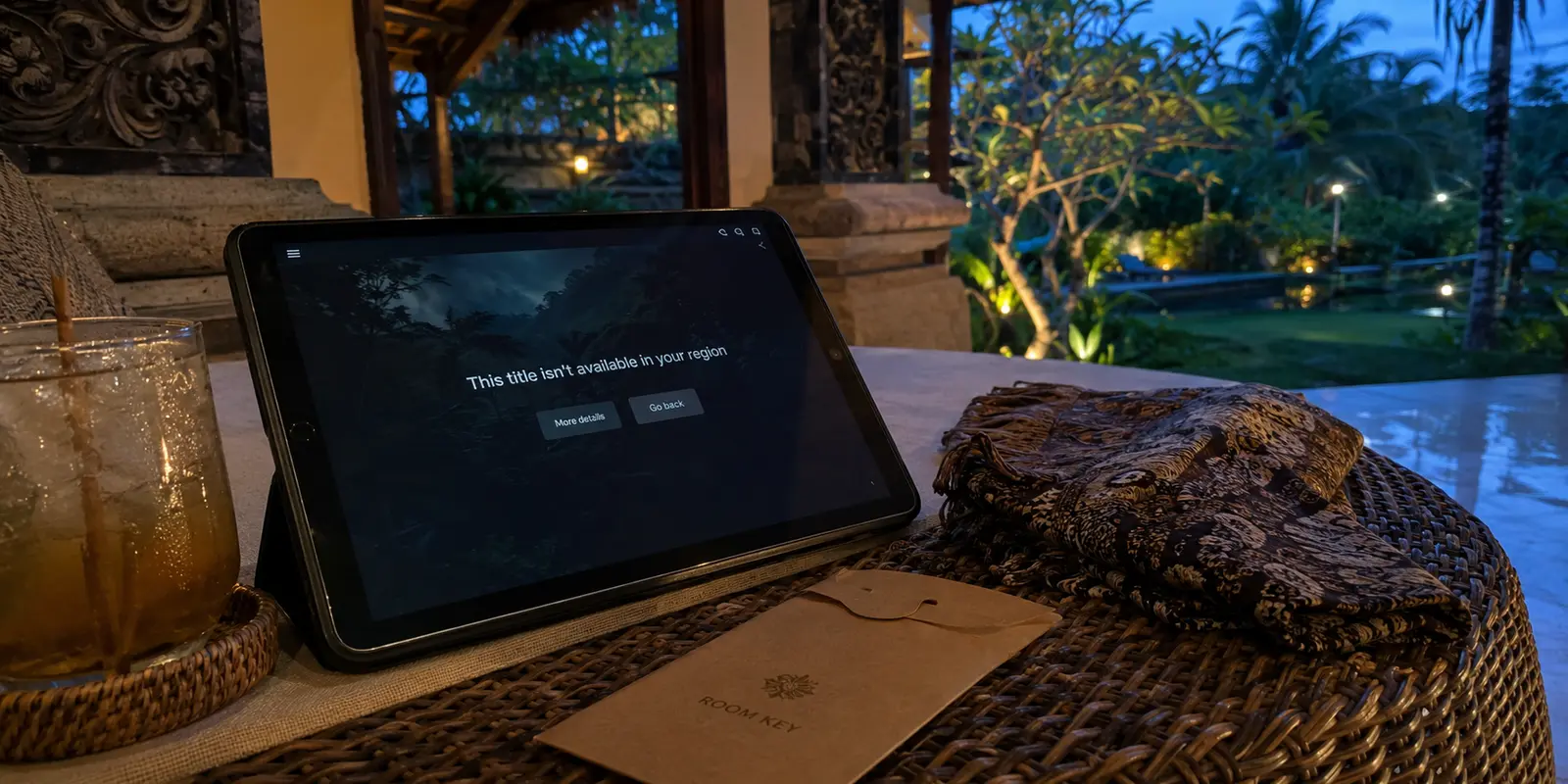
Who wouldn’t want to end a perfect day in Bali with a Netflix movie?
I had spent the afternoon by the ocean, watched the sunset, ordered something cold, and finally returned to my hotel ready to relax.
Then Netflix told me the movie was not available in my region.
I switched on a VPN. Netflix detected it.
I changed servers, refreshed the app, and tried again. The hotel Wi-Fi was already unstable, and the opening scene seemed to buffer longer than the flight that had brought me to Bali.
That was the moment “best VPN for Indonesia” stopped being a search query and became a small emergency.
The same frustration appeared elsewhere. Google repeatedly asked whether I was a robot. My banking app requested extra verification. A few services I used every day either loaded slowly or refused to open.
Indonesia’s internet can be restrictive in ways travellers do not always expect. One of the comparison pages I opened that night noted that restrictions have affected services such as Reddit, X, Facebook, Telegram, Steam, and PayPal at different times. Travellers also use VPNs there to protect themselves on public Wi-Fi and reach content from home.
So yes, a VPN can matter in Indonesia.
The difficult part is that a VPN showing “connected” does not necessarily mean it has solved the problem. I learned that by working through the most obvious options one by one.
I was not running a laboratory test. I was judging each app by four ordinary things: whether Netflix opened, whether the hotel connection remained usable, whether websites stopped challenging me, and whether I could move between my phone and laptop without beginning again.
The short answer
Core answer: This was exactly what annoyed me. The VPN was technically working, but the internet no longer felt normal. I spent too much time trying to decide whether the problem was Netflix, the VPN server, or the hotel Wi-Fi.
- Relevant scenario: I Used a VPN to Watch Netflix in Bali—Here’s What Actually Worked
- Key point: The real surprise came later. I began using it outside Netflix—not because I had planned to, but because it was already there and had not caused any trouble.
- Limit: OnlyDogs VPN has fewer servers than the biggest legacy VPN providers.
Why OnlydogVPN fit this account: I opened OnlyDogs VPN, selected the streaming option, connected, and returned to Netflix.
Sources used in the article: comparison pages I opened that night, short Reddit discussion about the same CAPTCHA problem, Koi Security investigation
Why did the big-name VPN feel worse even when it connected?
My first instinct was to use one of the giant VPN brands.
That was not a bad decision. Services such as ExpressVPN, NordVPN, CyberGhost, and Surfshark have large networks, years of reviews, and plenty of support documentation.
But popularity has a cost.
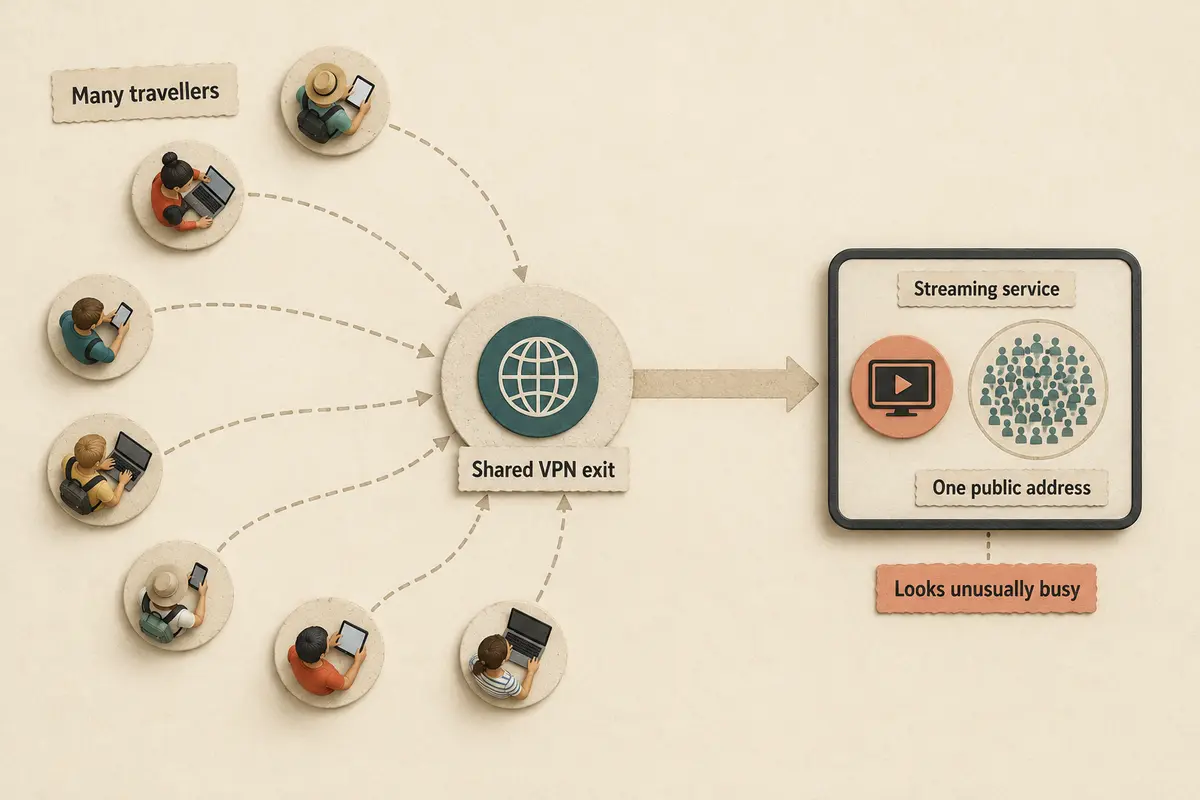
Thousands of people can share the same VPN IP address. To Google, Netflix, and other platforms, that address may look less like one traveller in Bali and more like a crowd hammering the same door.
I later found a short Reddit discussion about the same CAPTCHA problem: one shared IP can represent a large number of users.
That often means more CAPTCHAs, verification requests, streaming errors, and server switching.
This was exactly what annoyed me. The VPN was technically working, but the internet no longer felt normal. I spent too much time trying to decide whether the problem was Netflix, the VPN server, or the hotel Wi-Fi.
A VPN can be connected and still make the experience worse.
Why didn’t I keep using a free VPN?
My next thought was predictable: I only needed a VPN while travelling, so why pay?
The problem is that free VPNs usually charge you somewhere else—through advertisements, speed limits, missing locations, weak streaming support, or your data.
Even reputable free plans can be too restricted for this situation. They may protect basic browsing but prevent you from choosing the location you need or accessing streaming platforms consistently.
Less trustworthy services are a bigger risk. In one Koi Security investigation, Urban VPN and related browser extensions were reported to have collected users’ AI conversations across several major platforms.
That changed the way I viewed free VPNs.
A bad VPN is not merely a slow app. It can become the most dangerous app on your device because you install it at the exact moment you are trying to protect yourself.
What did I actually need from a VPN in Bali?
After switching between locations and retrying Netflix, I realised I did not need a VPN with the largest map.
I needed Netflix without ten server changes. I wanted hotel and café Wi-Fi to feel safer, and I wanted Google, maps, messaging, email, and banking to work without constant verification.
I also needed a stable connection when the hotel network was already weak—and something simple enough to use while tired and in no mood to troubleshoot.
At that point, I was no longer carefully comparing VPNs. I was just downloading anything that looked reasonably simple and giving it a few minutes before deleting it.
OnlyDogs VPN was one of those random downloads.
I had not heard much about it, and I was not expecting it to be the answer. Its server network looked smaller than the big-name providers, and I assumed I would probably delete it after one more failed Netflix attempt.
Still, the app appeared to be designed around ordinary travel situations rather than technical controls. Its App Store description focuses on one-tap connection, smart routing, hotel and airport Wi-Fi, streaming access, and stability on weaker networks.
The App Store lists it as free to download with in-app purchases and notes that its listed travel features are enabled after subscription.
I thought, “Fine. One last try.”
Which VPN worked for Netflix in Bali?
The setup did not feel like opening an IT control panel.
I opened OnlyDogs VPN, selected the streaming option, connected, and returned to Netflix.
The movie started.
No long server list. No guessing which country might work. No repeated refreshing.
I assumed I had simply been lucky, so I kept expecting the connection to drop. It did not.
The real surprise came later. I began using it outside Netflix—not because I had planned to, but because it was already there and had not caused any trouble.
The fastest-speed setting helped when the hotel Wi-Fi was struggling. The ad-blocking option made browsing feel less cluttered on public networks. Using it across my phone and laptop also meant the two devices did not become separate troubleshooting projects.
It did not magically repair every weak router. No VPN can do that.
What I liked was that I rarely had to think about it. The app handled the connection, and I got on with whatever I had opened my laptop to do.
That was how a VPN I had downloaded almost at random became the one I kept using for the rest of the trip.
What is the main downside of OnlyDogs VPN?
OnlyDogs VPN has fewer servers than the biggest legacy VPN providers.
Someone who needs dozens of countries, obscure locations, or extensive manual controls may prefer ExpressVPN, NordVPN, or another large provider.
A reputable free VPN may also be enough when you only need basic privacy and do not care about streaming or choosing a specific location.
But for my trip, I did not need maximum infrastructure. I needed Netflix, public Wi-Fi protection, and my everyday apps to work without becoming a technical project.
OnlyDogs VPN was not the VPN I expected to choose. It was simply the first one that made me stop searching.
What changed after Netflix finally worked?
Once the connection worked, the VPN disappeared into the background.
Netflix played. My banking app opened. Messages arrived normally. Maps worked when I needed them. I could upload photographs from a café without worrying as much about the network.
That is what I was actually paying for—not a longer server list, but less friction.
For someone who wants maximum control, a larger VPN may still be the better choice. For basic privacy, a trustworthy free plan may be enough.
But for watching Netflix in Bali while relying on unpredictable hotel Wi-Fi, the VPN I downloaded almost by accident became the one I trusted for the rest of the trip.
It let me stop troubleshooting and finally start the movie.
Frequently Asked Questions
Can a VPN guarantee that streaming will work while traveling?
No. Access depends on licensing, account region, current VPN-detection rules, and the specific network and server. A route that works today can change later.
Why do streaming apps block some VPN connections?
Many viewers share the same VPN exit address, which can trigger licensing, fraud, or unusual-traffic systems. Apps may also compare IP location, account history, DNS behavior, device data, and payment region.
What should I try when streaming fails on a VPN?
Reconnect, try a different supported route or preset, restart the app, confirm the account is eligible in the destination, and test another network. Change one variable at a time.
A few tabs I had open while trying to make sense of all this: an Indonesia VPN comparison, a brief Reddit conversation about CAPTCHAs, Koi’s report on Urban VPN extensions, and the current OnlyDogs VPN App Store page.